Kubernetes Capstone and Next Steps
Overview
You have progressed from your first Pod to GitOps delivery, autoscaling, observability, and cluster hardening. This capstone deploys VoteStack — the multi-service poll application from the Docker capstone — on a production-style Kubernetes cluster. You will wire every layer from the Module 6 tutorials into one cohesive project and document a roadmap to Terraform for infrastructure and GitLab CI/CD for enterprise pipelines.
This is Tutorial 20 — the finale of Module 6: Production and the complete REBASH Academy Kubernetes track.
Prerequisites
- Kubernetes Security Hardening
- GitOps and CI/CD with Kubernetes
- Production Patterns — HPA, PDB, and Affinity
- Monitoring and Logging in Kubernetes
- Helm Package Management
- Ingress and External Access
- Persistent Volumes and Storage
- Cluster with ingress controller, metrics-server, and Helm 3
- Container images from Docker track or GitOps CI pipeline
Learning Objectives
By the end of this capstone, you will be able to:
- Deploy VoteStack on Kubernetes using a Helm chart and Argo CD
- Configure HPA, PDB, and topology spread for api and worker tiers
- Expose the app via Ingress with TLS and internal NetworkPolicies
- Instrument services with Prometheus metrics and centralized logging
- Apply Pod Security Standards and Kyverno policies to the stack
- Document operational runbooks and a learning path to Terraform and GitLab
Architecture
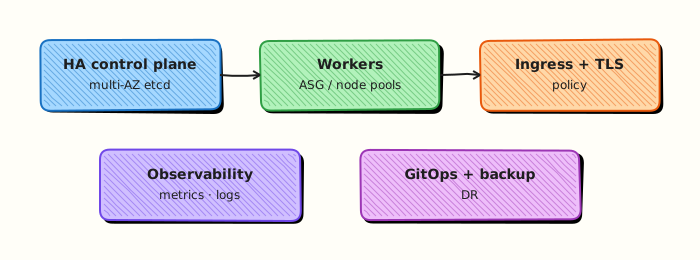
Project Overview — VoteStack on Kubernetes
VoteStack mirrors the Docker capstone with Kubernetes-native primitives:
| Service | Kubernetes resource | Notes |
|---|---|---|
| web | Deployment + Service | Static UI; 2 replicas |
| api | Deployment + Service + HPA + PDB | REST API; /health, /ready, /metrics |
| worker | Deployment + HPA | Queue consumer; scales on Redis depth |
| redis | StatefulSet + headless Service | Persistent queue (dev lab); use ElastiCache in prod |
| postgres | StatefulSet + PVC | Dev lab; use RDS/Cloud SQL in prod |
| edge | Ingress | TLS via cert-manager |
Same container images built in the Docker track — only deployment manifests change.
Project Structure
votestack-gitops/
├── apps/
│   ├── root-app.yaml              # App-of-Apps bootstrap
│   └── votestack/
│       └── application.yaml
├── charts/
│   └── votestack/
│       ├── Chart.yaml
│       ├── values.yaml
│       ├── values-dev.yaml
│       ├── values-prod.yaml
│       └── templates/
│           ├── namespace.yaml
│           ├── web/
│           ├── api/
│           ├── worker/
│           ├── redis/
│           ├── postgres/
│           ├── ingress.yaml
│           ├── hpa.yaml
│           ├── pdb.yaml
│           ├── networkpolicy.yaml
│           └── servicemonitor.yaml
├── policies/
│   └── kyverno/
│       ├── require-limits.yaml
│       └── disallow-latest.yaml
└── README.md
Theory
Core ideas for this tutorial appear inline in the lab steps and Code Walkthrough. Read each step explanation before running commands.
Capstone production checklist
A Kubernetes capstone should demonstrate Deployments with probes, Services, Ingress with TLS (or a documented local substitute), ConfigMaps/Secrets, resource requests/limits, and a clear teardown path. Add NetworkPolicies and restricted Pod Security if your cluster supports them. Document how you promote images (digest pins) and how you would recover from a bad rollout — interviewers care about operability as much as YAML fluency.
Practice mindset
As you work through this tutorial, narrate why each control or command exists — not only how to type it. Production incidents are rarely solved by memorising flags; they are solved by connecting symptoms to the architecture (daemon vs kubelet, image vs running container, Service vs Endpoints, volume vs writable layer). After the lab, write three bullet notes in your own words: what you verified, what would break in production if skipped, and what you would monitor next.
Connecting the lab to production reviews
When a teammate asks “is this ready?”, answer with evidence from this tutorial’s controls: image provenance, privilege level, network exposure, health signals, and teardown/rollback. Copy-pasting a working lab snippet into production without those answers is how quiet misconfigurations become incidents. Prefer small, reviewable changes — one Dockerfile improvement, one RBAC binding, one probe — over large untested stacks.
Observability while you learn
Get into the habit of watching state while commands run: docker events / kubectl get events, resource usage, and logs in a second pane. Many failures are timing issues (probes, readiness, volume attach) that disappear if you only look at the final steady state. Capturing a short timeline of what you saw will also make your Troubleshooting section notes far more valuable later.
Checklist before you leave the lab
- Resources created in this tutorial are deleted or clearly labelled for retention.
- No secrets, kubeconfigs, or registry passwords were written into Git.
- You can explain the Architecture diagram without reading the caption.
- Validation pass criteria in this page are satisfied on your machine.
- You noted one question to revisit in the next tutorial of the series.
Common production failure modes this topic prevents
Misconfiguration here usually shows up as intermittent outages rather than clean errors: restart loops without log shipping, services that listen but never become Ready, volumes that work on one node only, or credentials that leak into image history. Use the Hands-on Lab as a rehearsal for the failure mode — break something on purpose, watch the signal, then apply the fix documented in Troubleshooting.
Hands-on Lab
Objective
Build and apply a multi-manifest mini platform in ~/rebash-k8s/capstone — namespace, ConfigMap, Deployment, Service, and NetworkPolicy — prove end-to-end Ready, and archive an evidence tarball.
Prerequisites
- kubectl configured against kind or minikube
- CNI with NetworkPolicy support (kind default)
- Namespace-create rights on the lab cluster
- Writable workspace at
~/rebash-k8s/capstone
Lab environment
Workspace: ~/rebash-k8s/capstone
Real-world scenario
You deliver a capstone demo for stakeholders: a small API platform in namespace rebash-capstone with configuration from a ConfigMap, a secured Deployment behind a ClusterIP Service, and a default-deny NetworkPolicy. Success means all Pods Ready, Service Endpoints populated, and a tarball you can attach to a portfolio README.
Step-by-step tasks
Task 1 – Create namespace and ConfigMap
Create namespace.yaml:
apiVersion: v1
kind: Namespace
metadata:
  name: rebash-capstone
  labels:
    app.kubernetes.io/part-of: rebash-capstone
    app.kubernetes.io/managed-by: rebash-lab
Create configmap.yaml:
apiVersion: v1
kind: ConfigMap
metadata:
  name: capstone-config
  namespace: rebash-capstone
data:
  APP_NAME: rebash-capstone
  LOG_LEVEL: info
  index.html: |
    <!DOCTYPE html>
    <html><body><h1>REBASH Capstone API</h1></body></html>
Apply:
cd ~/rebash-k8s/capstone
kubectl apply -f namespace.yaml
kubectl apply -f configmap.yaml
kubectl get configmap capstone-config -n rebash-capstone
Expected output
ConfigMap capstone-config with three data keys.
Task 2 – Create Deployment and Service
Create deployment.yaml:
apiVersion: apps/v1
kind: Deployment
metadata:
  name: capstone-api
  namespace: rebash-capstone
  labels:
    app: capstone-api
spec:
  replicas: 2
  selector:
    matchLabels:
      app: capstone-api
  template:
    metadata:
      labels:
        app: capstone-api
    spec:
      containers:
        - name: api
          image: nginx:1.27-alpine
          ports:
            - containerPort: 80
          env:
            - name: APP_NAME
              valueFrom:
                configMapKeyRef:
                  name: capstone-config
                  key: APP_NAME
            - name: LOG_LEVEL
              valueFrom:
                configMapKeyRef:
                  name: capstone-config
                  key: LOG_LEVEL
          volumeMounts:
            - name: html
              mountPath: /usr/share/nginx/html/index.html
              subPath: index.html
          readinessProbe:
            httpGet:
              path: /
              port: 80
            initialDelaySeconds: 2
            periodSeconds: 5
          livenessProbe:
            httpGet:
              path: /
              port: 80
            initialDelaySeconds: 5
            periodSeconds: 10
          resources:
            requests:
              cpu: 50m
              memory: 64Mi
            limits:
              cpu: 200m
              memory: 128Mi
      volumes:
        - name: html
          configMap:
            name: capstone-config
            items:
              - key: index.html
                path: index.html
Create service.yaml:
apiVersion: v1
kind: Service
metadata:
  name: capstone-api
  namespace: rebash-capstone
spec:
  selector:
    app: capstone-api
  ports:
    - port: 80
      targetPort: 80
Apply and wait for Ready:
cd ~/rebash-k8s/capstone
kubectl apply -f deployment.yaml
kubectl apply -f service.yaml
kubectl rollout status deployment/capstone-api -n rebash-capstone --timeout=120s
kubectl get deploy,po,svc -n rebash-capstone
Expected output
Deployment Available; 2/2 Pods Ready; Service exists.
Task 3 – Add NetworkPolicy and verify traffic path
Create networkpolicy.yaml:
apiVersion: networking.k8s.io/v1
kind: NetworkPolicy
metadata:
  name: capstone-default-deny
  namespace: rebash-capstone
spec:
  podSelector: {}
  policyTypes:
    - Ingress
---
apiVersion: networking.k8s.io/v1
kind: NetworkPolicy
metadata:
  name: capstone-allow-internal
  namespace: rebash-capstone
spec:
  podSelector:
    matchLabels:
      app: capstone-api
  policyTypes:
    - Ingress
  ingress:
    - from:
        - podSelector: {}
      ports:
        - protocol: TCP
          port: 80
Apply and test from an in-cluster curl Pod:
cd ~/rebash-k8s/capstone
kubectl apply -f networkpolicy.yaml
kubectl run curl-test --rm -it --restart=Never -n rebash-capstone --image=curlimages/curl:8.5.0 -- \
  curl -sS http://capstone-api/ | grep -q 'REBASH Capstone API'
kubectl get endpoints capstone-api -n rebash-capstone | tee endpoints.txt
Expected output
curl returns HTML containing REBASH Capstone API; Endpoints show Pod IPs.
Task 4 – Package capstone evidence tarball
cd ~/rebash-k8s/capstone
kubectl get all,configmap,networkpolicy -n rebash-capstone | tee capstone-status.txt
kubectl describe deploy capstone-api -n rebash-capstone | tee capstone-describe.txt
tar -czf capstone-evidence.tgz namespace.yaml configmap.yaml deployment.yaml service.yaml networkpolicy.yaml capstone-status.txt capstone-describe.txt endpoints.txt
ls -l capstone-evidence.tgz
Expected output
capstone-evidence.tgz lists all manifests and status files.
Validation steps
- Namespace
rebash-capstonecontains ConfigMap-backed Deployment - Two replicas reach Ready with probes passing
- Service Endpoints populated
- In-cluster curl reaches custom index.html through NetworkPolicy
- Evidence tarball created under
~/rebash-k8s/capstone
Common errors and fixes
| Error | Cause | Fix |
|---|---|---|
| ConfigMap mount empty | Wrong subPath or key | Match items.key to ConfigMap data key |
| curl timeout | NetworkPolicy too strict | Allow ingress from same namespace |
| Pods NotReady | Probe before mount ready | Increase initialDelaySeconds slightly |
| Endpoints empty | Label selector mismatch | Align Service selector with Pod labels |
| Wrong workspace path | Old rebash-kubernetes path | Use ~/rebash-k8s/capstone |
Challenge exercise
Add a PodDisruptionBudget with minAvailable: 1 and verify kubectl get pdb -n rebash-capstone before adding it to the evidence tarball.
Learning outcomes
- Composed a multi-object platform from namespace through NetworkPolicy
- Wired ConfigMap data into a running Deployment
- Verified in-cluster connectivity with probes and curl
- Produced a portfolio-ready evidence tarball
Cleanup
kubectl delete namespace rebash-capstone --ignore-not-found --wait=true
rm -f ~/rebash-k8s/capstone/*.txt ~/rebash-k8s/capstone/capstone-evidence.tgz
Validation
Confirm the lab before moving on:
- Re-run the critical commands from the Hands-on Lab and compare them to the expected output in each step.
- Check that you can explain why each successful result matters (not only that it printed).
- Note any warnings or unexpected output — resolve them using Troubleshooting before continuing.
| Check | Pass criteria |
|---|---|
| Deploy | Capstone app Deployments/Services are Ready |
| Ingress | External access works via Ingress/port-forward as designed |
| Hardening | Security contexts, probes, and resource limits present |
| Cleanup | Namespace torn down or clearly labelled as a retained demo |
VoteStack prod target architecture:
Terraform → EKS cluster + RDS + ElastiCache + ECR
     ↓
GitOps repo → Helm deploys VoteStack to EKS
     ↓
CI pipeline → builds images, updates tags
GitLab CI/CD track
The GitLab track complements GitHub Actions patterns from Tutorial 16:
- Multi-environment deploy pipelines with manual approval gates
- Container registry integrated with CI
- GitLab Agent for Kubernetes (agent-based deploy alternative)
- Compliance frameworks and audit trails
If your organisation standardizes on GitLab, port the VoteStack CI workflow — build, scan, update GitOps manifest — to .gitlab-ci.yml.
Recommended learning path
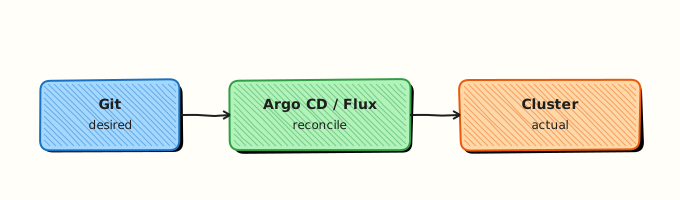
- Deploy VoteStack capstone as portfolio project
- Begin Terraform – Introduction — provision a lab EKS cluster
- Migrate VoteStack GitOps target from kind/minikube to Terraform-managed EKS
- Optional: GitLab CI/CD Overview — enterprise pipeline patterns
- Follow DevOps Engineer Learning Path for role certification goals
Code Walkthrough
# End-to-end status
kubectl get deploy,sts,svc,ingress,hpa,pdb -n votestack
argocd app get votestack-root

# End-to-end smoke
curl -sf https://votestack.example.com/api/health
curl -sf https://votestack.example.com/api/polls | jq .

# Debug chain
kubectl logs -n votestack deploy/votestack-api --tail=50
kubectl describe pod -n votestack -l app=votestack-api
kubectl get events -n votestack --sort-by='.lastTimestamp' | tail -10
Security Considerations
- Apply restricted Pod Security, NetworkPolicies, and resource quotas on the capstone namespace
- Keep registry credentials and DB passwords in Secrets/ESO — not in Helm values committed to Git
- Use least-privilege CI and GitOps identities for deploy
- Expose the app only via TLS Ingress; keep databases ClusterIP-only
- Scan images and fail the pipeline on critical CVEs before promoting tags
- Tear down or lock the lab namespace when finished so demos do not remain internet-facing
Common Mistakes
Running postgres/redis in prod without backups
StatefulSets need backup automation and tested restore — or use managed databases.
Skipping TLS on Ingress
allowInsecure is for dev only — prod requires cert-manager or cloud LB certs.
Capstone without NetworkPolicies
A complete stack demo that ignores segmentation fails security interviews.
Manual kubectl edits in GitOps workflow
selfHeal reverts them — always change Git, not live cluster.
No resource requests on any tier
HPA and scheduling break — every container needs requests.
Best Practices
Portfolio README
Include architecture diagram, tech stack, and kubectl get screenshot — strong interview artifact.
Managed services in real prod
Replace in-cluster postgres/redis with RDS and ElastiCache — keep StatefulSets for learning labs.
Environment parity
Same Helm chart, different values files — dev/staging/prod differ only in replicas, hosts, and secrets backend.
Chaos exercise
Delete api pods during load test — observe HPA, PDB, and Ingress recovery.
Continue the platform path
Kubernetes completes orchestration — Terraform provisions the cluster itself.
Troubleshooting
| Issue | Cause | Solution |
|---|---|---|
| Ingress 502 | api not ready | Check probes; postgres/redis connectivity |
| TLS not issued | cert-manager misconfig | kubectl describe certificate -n votestack |
| HPA no scale | Missing metrics-server | Install metrics-server; verify requests |
| Argo OutOfSync loop | Helm hook or ignored diff | Add ignoreDifferences for known fields |
| NetworkPolicy blocks traffic | Missing DNS/ingress rule | Add egress UDP 53; allow ingress namespace |
| PVC Pending | No StorageClass | kubectl get sc; set default class |
Summary
- The VoteStack Kubernetes capstone combines Helm, GitOps, Ingress, StatefulSets, HPA, PDB, observability, and security hardening
- Same images from the Docker track — Kubernetes adds scheduling, scaling, segmentation, and declarative delivery
- GitOps is the deployment interface — runbooks center on Git revert, Argo sync, and backup/restore
- Production reality swaps in-cluster databases for managed services and clusters for Terraform-provisioned infrastructure
- You have finished all 20 Kubernetes tutorials — continue to Terraform, GitLab CI/CD, and Learning Paths
Interview Questions
- Which Kubernetes primitives form a minimal production-ready web service?
- How would you decide the next skills to learn after core workloads?
- What evidence shows a Deployment is healthy beyond Pods being Running?
- What security baseline would you require before calling a cluster production-ready?
- How do managed Kubernetes services change what you operate versus what the vendor operates?
Sample answer — question 2
Ready replicas, passing probes, populated Endpoints, and recent events without CrashLoopBackOff are stronger signals than phase Running alone.
Sample answer — question 4
Production readiness needs RBAC least privilege, network policy, secret hygiene, resource requests, observability, backup/upgrade plans, and restricted privileged workloads—not only green Deployments.
Next Steps — Terraform and GitLab
Terraform track
Kubernetes clusters do not appear by magic. The Terraform track teaches:
| Topic | Delivers |
|---|---|
| HCL fundamentals | Variables, modules, state |
| AWS/GCP/Azure providers | VPC, subnets, security groups |
| EKS/GKE modules | Managed control plane + node pools |
| IAM and IRSA | Pod-level AWS permissions without static keys |
VoteStack prod target architecture:
Terraform → EKS cluster + RDS + ElastiCache + ECR
     ↓
GitOps repo → Helm deploys VoteStack to EKS
     ↓
CI pipeline → builds images, updates tags
GitLab CI/CD track
The GitLab track complements GitHub Actions patterns from Tutorial 16:
- Multi-environment deploy pipelines with manual approval gates
- Container registry integrated with CI
- GitLab Agent for Kubernetes (agent-based deploy alternative)
- Compliance frameworks and audit trails
If your organisation standardizes on GitLab, port the VoteStack CI workflow — build, scan, update GitOps manifest — to .gitlab-ci.yml.
Recommended learning path
- Deploy VoteStack capstone as portfolio project
- Begin Terraform – Introduction — provision a lab EKS cluster
- Migrate VoteStack GitOps target from kind/minikube to Terraform-managed EKS
- Optional: GitLab CI/CD Overview — enterprise pipeline patterns
- Follow DevOps Engineer Learning Path for role certification goals
Related Tutorials
- Kubernetes Security Hardening (previous)
- GitOps and CI/CD with Kubernetes
- Production Patterns — HPA, PDB, and Affinity
- Monitoring and Logging in Kubernetes
- Docker Capstone and Next Steps
- From Docker to Kubernetes
- Kubernetes – Category Overview — track complete
- Terraform – Category Overview — next track
- GitLab CI/CD Overview
- Learning Paths
- Cheat sheet: Kubernetes Cheat Sheet
- Interview prep: Kubernetes Interview Prep
- Learning path: DevOps Engineer
References
- Kubernetes – Production Best Practices
- CNCF – Trail Map
- The Twelve-Factor App
- Google SRE Book
- REBASH Academy – Terraform Overview
- REBASH Academy – GitLab Overview
- REBASH Academy – Roadmap
Congratulations
You have completed all 20 tutorials in the REBASH Academy Kubernetes track — from orchestration fundamentals through GitOps delivery, autoscaling, observability, security hardening, and the VoteStack capstone. Return to the Kubernetes Overview to review the curriculum, publish VoteStack as a portfolio project, and begin the Terraform track when you are ready to provision cloud infrastructure that runs your clusters.