Kubernetes Security Hardening
Overview
Run a Pod with a restrictive securityContext, enable Pod Security Admission labels on a namespace, and draft a default-deny NetworkPolicy pattern.
Defence in depth: RBAC + securityContext + Pod Security Admission (PSA) + NetworkPolicy + signed/scanned images + Secrets hygiene.
This is a core tutorial in Module 10 · Security of the REBASH Academy Kubernetes for Cloud & DevOps Engineers series — written for Cloud, DevOps, Platform, and SRE engineers.
Prerequisites
Learning Objectives
By the end of this tutorial, you will be able to:
- Set
runAsNonRoot, drop capabilities - Label ns for PSA (
restricted/baseline) - Explain NetworkPolicy default-deny
- List image policy controls
Architecture
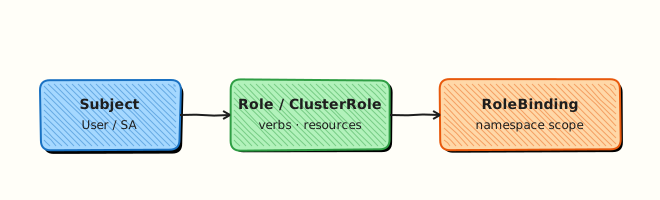
This topic’s control points and relationships are shown below.
Theory
What it is
Hardening layers controls beyond basic RBAC. securityContext settings run containers as non-root, drop Linux capabilities, and disallow privilege escalation. Pod Security Admission (PSA) enforces baseline/restricted profiles per namespace. NetworkPolicies restrict Pod-to-Pod and egress traffic (enforced by the CNI). Image hygiene — digests, scanning, admission policies — reduces supply-chain risk. Secrets encryption and audit logging complete the picture.
Why it matters
A cluster with open RBAC but privileged Pods and unrestricted east-west traffic is one CVE away from lateral movement. CKS-oriented DevOps treats defence in depth as normal: identity, workload, network, and supply chain each fail closed where practical.
How it works (mental model)
- Workload: Pod/container
securityContext+ PSA labels (enforce=restrictedwhen apps allow). - Network: default-deny NetworkPolicy, then allow only needed ingress/egress.
- Identity: dedicated SAs, no unnecessary secret mounts, short-lived tokens where possible.
- Supply chain: pin digests, scan in CI, optional admission (Kyverno/OPA Gatekeeper) to block
:latestor unsigned images. - Controllers still reconcile — hardening constrains what may run, not the reconcile loop itself.
PSA replaces the older PodSecurityPolicy API; learn labels, not PSP.
Key concepts / comparisons
| Control | Layer |
|---|---|
| RBAC | API access |
| securityContext | Process privileges |
| PSA | Admission of Pod specs |
| NetworkPolicy | East-west / egress |
| Image policy | What may be pulled/run |
| PSA level | Strictness |
|---|---|
| privileged | No restriction |
| baseline | Minimally opinionated |
| restricted | Hardened defaults |
Common pitfalls
- Labelling
enforce=restrictedwithout fixing images that require root — mass Pending/reject. - Writing NetworkPolicies when the CNI does not enforce them — false sense of safety.
- Dropping
ALLcapabilities but adding back dangerous ones casually. - Leaving
hostNetwork/hostPIDenabled on ordinary apps. - Scanning images once and never again — rebuild pipelines must re-scan.
Hands-on Lab
Objective
Deploy a hardened Pod with restrictive securityContext (non-root, no privilege escalation, read-only root filesystem) and optionally apply a default-deny NetworkPolicy stub.
Prerequisites
- kubectl configured against a lab cluster (kind or minikube)
- CNI that supports NetworkPolicy (kind default CNI does; minikube may need
--cni=calico) - Writable workspace at
~/rebash-k8s/module-10-hard
Lab environment
Workspace: ~/rebash-k8s/module-10-hard on a disposable lab cluster.
Real-world scenario
Security review flagged a web front-end running as root with a writable root filesystem. You must deploy a replacement Pod using the official unprivileged nginx image, enforce securityContext controls, and document optional network segmentation before production promotion.
Step-by-step tasks
Task 1 – Namespace and hardened Deployment
Create namespace.yaml:
apiVersion: v1
kind: Namespace
metadata:
  name: rebash-m10-hard
  labels:
    pod-security.kubernetes.io/enforce: baseline
Create deployment.yaml:
apiVersion: apps/v1
kind: Deployment
metadata:
  name: web-secure
  namespace: rebash-m10-hard
spec:
  replicas: 1
  selector:
    matchLabels:
      app: web-secure
  template:
    metadata:
      labels:
        app: web-secure
    spec:
      securityContext:
        runAsNonRoot: true
        seccompProfile:
          type: RuntimeDefault
      containers:
        - name: web
          image: nginxinc/nginx-unprivileged:1.27-alpine
          ports:
            - containerPort: 8080
          securityContext:
            allowPrivilegeEscalation: false
            readOnlyRootFilesystem: true
            runAsNonRoot: true
            runAsUser: 101
            capabilities:
              drop: ["ALL"]
          volumeMounts:
            - name: tmp
              mountPath: /tmp
            - name: cache
              mountPath: /var/cache/nginx
            - name: run
              mountPath: /var/run
          resources:
            requests:
              cpu: 10m
              memory: 32Mi
      volumes:
        - name: tmp
          emptyDir: {}
        - name: cache
          emptyDir: {}
        - name: run
          emptyDir: {}
Apply and wait:
cd ~/rebash-k8s/module-10-hard
kubectl apply -f namespace.yaml -f deployment.yaml
kubectl rollout status deployment/web-secure -n rebash-m10-hard --timeout=120s
kubectl get pods -n rebash-m10-hard -l app=web-secure | tee secure-pods.txt
Expected output
Pod is Running with 1/1 Ready.
Task 2 – Verify securityContext in the live Pod
Inspect the admitted Pod spec:
cd ~/rebash-k8s/module-10-hard
POD="$(kubectl get pod -n rebash-m10-hard -l app=web-secure -o jsonpath='{.items[0].metadata.name}')"
kubectl get pod "$POD" -n rebash-m10-hard -o jsonpath='{.spec.containers[0].securityContext}' | tee security-context.json
grep -E 'runAsNonRoot|readOnlyRootFilesystem|allowPrivilegeEscalation' security-context.json
kubectl exec -n rebash-m10-hard "$POD" -- id | tee pod-id.txt
grep -q 'uid=101' pod-id.txt
Expected output
JSON shows hardened flags; pod-id.txt shows non-root UID 101.
Task 3 – Optional NetworkPolicy stub
Create networkpolicy.yaml (default deny ingress except same-app traffic):
apiVersion: networking.k8s.io/v1
kind: NetworkPolicy
metadata:
  name: web-secure-isolate
  namespace: rebash-m10-hard
spec:
  podSelector:
    matchLabels:
      app: web-secure
  policyTypes:
    - Ingress
  ingress:
    - from:
        - podSelector:
            matchLabels:
              app: web-secure
Apply and confirm admission:
cd ~/rebash-k8s/module-10-hard
kubectl apply -f networkpolicy.yaml
kubectl get networkpolicy -n rebash-m10-hard | tee netpol-m10-hard.txt
Expected output
web-secure-isolate NetworkPolicy listed. If your CNI ignores policies, note that in your evidence — do not assume segmentation works without testing.
Validation steps
- Deployment Pod runs with non-root UID and read-only root filesystem
-
securityContextfields match the manifest intent - NetworkPolicy object exists (enforcement depends on CNI)
- You can explain Pod Security Standards vs manual hardening
Common errors and fixes
| Error | Cause | Fix |
|---|---|---|
| CrashLoopBackOff | Writable paths missing | Add emptyDir mounts for /tmp, cache, runtime dirs |
| Pod rejected by PSS | restricted without compliant image | Use unprivileged image or relax namespace label to baseline |
| NetworkPolicy no effect | CNI lacks enforcement | Enable Calico/Cilium; document limitation |
| Permission denied on port 80 | Unprivileged image uses 8080 | Probe and Service must target port 8080 |
Challenge exercise
Add a readinessProbe on httpGet port 8080 path / and capture kubectl describe pod showing successful probe events in probe-evidence.txt.
Learning outcomes
- Applied production-style
securityContexthardening in YAML - Used an unprivileged container image with read-only root filesystem
- Created a default-deny NetworkPolicy stub for ingress segmentation
- Understood dependency on CNI for policy enforcement
Cleanup
Validation
- Lab commands run under
~/rebash-k8s/module-10-hard/ - You can explain each Theory section in your own words
- You used modern tooling where it applies to this topic
- You can describe one production failure mode for this topic
Code Walkthrough
Production practice for Kubernetes Security Hardening always combines:
- Inspect before you change (status, plan, logs, dry-run)
- Prefer reversible, documented changes (Git, IaC, drop-ins, version pins)
- Capture evidence (command output, pipeline logs) for handovers
- Prefer current tools and APIs over legacy shortcuts
- Least privilege — escalate credentials only when required
Keep runbooks short enough to follow under pressure. Automate checks; keep humans for judgement.
Security Considerations
- Treat credentials and tokens for kubernetes as privileged — never commit them
- Prefer short-lived auth (OIDC, roles, SSO) over long-lived keys
- Validate blast radius before apply/deploy/delete operations
- Restrict who can approve production changes
- Collect audit logs; limit who can read sensitive traces
Common Mistakes
Labelling enforce=restricted without fixing images that require root — mass Pending/reje
Validate assumptions against the Theory section and official docs before changing production.
Writing NetworkPolicies when the CNI does not enforce them — false sense of safety.
Lab shortcuts (open security groups, admin roles, skip approvals) must not ship unchanged.
Changing production without a rollback path
Always know how to revert (previous artefact, prior release, state rollback, DNS failback).
Best Practices
- Encode Kubernetes Security Hardening changes as code and review them in pull requests
- Pin versions (images, modules, actions, provider plugins)
- Separate environments with clear promotion gates
- Alert on symptoms with runbooks attached
- Destroy lab resources; tag everything with owner and expiry where possible
Troubleshooting
| Symptom | Likely cause | Fix |
|---|---|---|
| Auth / permission denied | Wrong identity, policy, or scope | Check caller identity, roles, and least-privilege policies |
| Timeout / no route | Network, DNS, security group, or endpoint | Trace path, DNS, and allow-lists before retrying |
| Drift / unexpected plan | Manual change or wrong state/workspace | Reconcile desired vs actual; avoid click-ops on managed resources |
| Pipeline/job red | Flaky step, cache, or missing secret | Read failing step logs; bisect recent workflow/config changes |
| Cost spike | Idle load balancer, NAT, oversized compute | Inventory billable resources; stop/delete labs promptly |
Summary
Kubernetes Security Hardening is essential for Cloud and DevOps engineers working with kubernetes. Practise the lab until the inspection and change path is muscle memory, then continue the track.
Interview Questions
- What does a Pod securityContext control?
- Why drop Linux capabilities and disable privilege escalation?
- What is the purpose of readOnlyRootFilesystem?
- How do admission policies complement runtime securityContext settings?
- What is a practical hardening checklist for a typical web Deployment?
Sample answer — question 2
Dropping capabilities and setting allowPrivilegeEscalation false reduce the blast radius if a process is compromised, preventing easy root or capability grabs inside the container.
Sample answer — question 4
Admission policies enforce organisational baselines so individual manifests cannot opt into privileged mode. Runtime settings protect each Pod; admission makes the standard mandatory.