Platform Engineering on Kubernetes
Overview
Explain CRDs and Operators as the extension model, outline admission webhooks, and design namespace-based multi-tenancy with quotas and RBAC.
Platform teams expose paved roads: templates, Operators (extend the API), policy (OPA/Kyverno via admission), and self-service namespaces.
This is a core tutorial in Module 16 · Platform Engineering of the REBASH Academy Kubernetes for Cloud & DevOps Engineers series — written for Cloud, DevOps, Platform, and SRE engineers.
Prerequisites
Learning Objectives
By the end of this tutorial, you will be able to:
- Define CRD vs custom controller / Operator
- Place validating/mutating admission
- Sketch soft multi-tenancy (ns + quota + RBAC)
- List what not to put in a shared cluster
Architecture
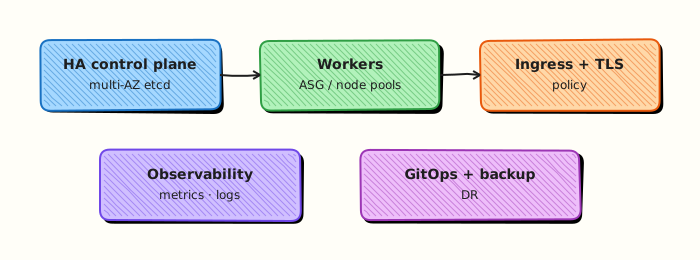
This topic’s control points and relationships are shown below.
Theory
What it is
Platform engineering on Kubernetes means building paved roads so product teams ship without becoming full-time cluster experts. The extension model is the Operator pattern: Custom Resource Definitions (CRDs) add new API types; controllers reconcile those types into Pods, buckets, databases, or policies. Admission webhooks (mutating/validating) and policy engines (Kyverno, OPA Gatekeeper) enforce standards at create time. Multi-tenancy usually starts with namespaces, RBAC, and quotas.
Why it matters
Handing every team a raw cluster creates snowflake YAML and security drift. A platform productises golden paths: templates, service catalogues, shared ingress/observability, and self-service namespaces. Operators encode operational knowledge (backup, failover) into software that reconciles continuously — the same control-loop idea as Deployments, applied to higher-level services.
How it works (mental model)
- Define a CRD (
Widget) describing desired intent. - An Operator watches Widget objects and creates Deployments, Services, PVCs, etc.
- Admission policies validate labels, block
:latest, or inject sidecars. - Tenants get a namespace with RoleBindings and ResourceQuotas; platform owns cluster add-ons.
- GitOps delivers both platform components and tenant apps.
If reconciliation fails, the custom resource shows conditions — debug like any controller.
Key concepts / comparisons
| Concept | Meaning |
|---|---|
| CRD | Schema for a custom API object |
| Controller / Operator | Reconcile custom resources |
| Admission | Mutate/validate before persist |
| Soft multi-tenancy | Shared cluster, ns isolation |
| Hard multi-tenancy | Separate clusters / stronger isolation |
| Shared cluster OK | Prefer isolation |
|---|---|
| Stateless apps with NetworkPolicy | Untrusted code execution |
| Internal tools | Hostile multi-tenant SaaS without extra controls |
Common pitfalls
- Building Operators before documenting the paved path — golden paths beat custom CRDs for many apps.
- Cluster-admin bindings for every tenant “to unblock”.
- Admission webhooks that deadlock the API (fail closed without care during outages).
- CRDs without status/conditions — users cannot see why reconcile stalled.
- Assuming namespaces equal security isolation without NetworkPolicy and PSA.
Hands-on Lab
Objective
Create a tiny PlatformContract CustomResourceDefinition (CRD) and sample custom resource, apply them in namespace rebash-platform-lab, and prove the API appears with kubectl get.
Prerequisites
- kubectl configured against kind or minikube
- Cluster-admin on the lab cluster (CRD creation requires elevated rights — not available on shared namespaces)
- Python 3 with PyYAML for offline validation
- Writable workspace at
~/rebash-k8s/module-16
Lab environment
Workspace: ~/rebash-k8s/module-16
Real-world scenario
Your internal developer platform exposes a PlatformContract API so product teams declare tier, replica count, and observability defaults. Platform engineers install the CRD once, then tenants create namespaced contracts. You scaffold the CRD, apply a sample contract in an isolated namespace, and capture evidence that the extension API is registered.
Step-by-step tasks
Task 1 – Create the PlatformContract CRD
Create platform-contract-crd.yaml:
apiVersion: apiextensions.k8s.io/v1
kind: CustomResourceDefinition
metadata:
  name: platformcontracts.platform.rebash.io
spec:
  group: platform.rebash.io
  scope: Namespaced
  names:
    kind: PlatformContract
    plural: platformcontracts
    singular: platformcontract
    shortNames:
      - pc
  versions:
    - name: v1
      served: true
      storage: true
      schema:
        openAPIV3Schema:
          type: object
          properties:
            spec:
              type: object
              required:
                - tier
                - replicas
              properties:
                tier:
                  type: string
                  enum:
                    - dev
                    - staging
                    - prod
                replicas:
                  type: integer
                  minimum: 1
                  maximum: 10
                observability:
                  type: object
                  properties:
                    metrics:
                      type: boolean
                    logs:
                      type: boolean
Validate offline:
cd ~/rebash-k8s/module-16
set -euo pipefail
python3 -c "import yaml; yaml.safe_load(open('platform-contract-crd.yaml')); print('CRD YAML OK')"
grep -q 'platformcontracts.platform.rebash.io' platform-contract-crd.yaml
Expected output
CRD YAML OK
Task 2 – Create namespace and sample PlatformContract
Create namespace.yaml:
apiVersion: v1
kind: Namespace
metadata:
  name: rebash-platform-lab
  labels:
    app.kubernetes.io/managed-by: rebash-lab
Create sample-platform-contract.yaml:
apiVersion: platform.rebash.io/v1
kind: PlatformContract
metadata:
  name: checkout-api
  namespace: rebash-platform-lab
spec:
  tier: dev
  replicas: 2
  observability:
    metrics: true
    logs: true
Validate offline:
cd ~/rebash-k8s/module-16
set -euo pipefail
python3 -c "
import yaml
for p in ['namespace.yaml', 'sample-platform-contract.yaml']:
    yaml.safe_load(open(p))
print('sample CR YAML OK')
"
Expected output
sample CR YAML OK
Task 3 – Apply CRD and prove the API is registered
Install the extension API, wait for Established, then apply the sample contract.
cd ~/rebash-k8s/module-16
set -euo pipefail
kubectl apply -f platform-contract-crd.yaml
kubectl wait --for=condition=Established crd/platformcontracts.platform.rebash.io --timeout=120s
kubectl apply -f namespace.yaml
kubectl apply -f sample-platform-contract.yaml
kubectl get crd platformcontracts.platform.rebash.io | tee crd-evidence.txt
kubectl get platformcontracts -n rebash-platform-lab | tee platform-contracts.txt
kubectl get pc checkout-api -n rebash-platform-lab -o yaml | tee sample-pc.yaml
Expected output
CRD Established; checkout-api listed under platformcontracts.platform.rebash.io/v1.
Task 4 – Package platform evidence bundle
Archive manifests and live object proof for handover.
cd ~/rebash-k8s/module-16
set -euo pipefail
kubectl api-resources | grep -i platformcontract | tee api-resources.txt
tar -czf module-16-platform-evidence.tgz platform-contract-crd.yaml namespace.yaml sample-platform-contract.yaml crd-evidence.txt platform-contracts.txt sample-pc.yaml api-resources.txt
ls -l module-16-platform-evidence.tgz
Expected output
Tarball created; api-resources.txt lists platformcontracts.
Validation steps
- CRD YAML parses offline with Python
- CRD reaches
Establishedcondition - Sample PlatformContract applies in
rebash-platform-lab -
kubectl get platformcontractsshowscheckout-api - Evidence tarball contains manifests and live object output
Common errors and fixes
| Error | Cause | Fix |
|---|---|---|
| CRD apply forbidden | Insufficient cluster-admin rights | Use kind/minikube with admin context |
| CRD not Established | Schema validation or naming conflict | kubectl describe crd platformcontracts.platform.rebash.io |
| CR apply fails: no matches | CRD not ready yet | Wait for Established before applying CR |
| Unknown field on CR | Schema rejects property | Match openAPIV3Schema properties exactly |
| CRD persists after cleanup | CRD is cluster-scoped | Delete CRD explicitly in Cleanup |
Challenge exercise
Add a second PlatformContract with tier: prod and replicas: 3, then use kubectl get pc -n rebash-platform-lab -o custom-columns=NAME:.metadata.name,TIER:.spec.tier,REPLICAS:.spec.replicas.
Learning outcomes
- Authored a namespaced CRD with schema validation
- Applied a tenant PlatformContract custom resource
- Verified extension API registration with
kubectl getandapi-resources - Packaged platform evidence for review
Cleanup
kubectl delete platformcontract checkout-api -n rebash-platform-lab --ignore-not-found
kubectl delete namespace rebash-platform-lab --ignore-not-found --wait=true
kubectl delete crd platformcontracts.platform.rebash.io --ignore-not-found
rm -f ~/rebash-k8s/module-16/*.txt ~/rebash-k8s/module-16/sample-pc.yaml ~/rebash-k8s/module-16/module-16-platform-evidence.tgz
Validation
- Lab commands run under
~/rebash-k8s/module-16/ - You can explain each Theory section in your own words
- You used modern tooling where it applies to this topic
- You can describe one production failure mode for this topic
Code Walkthrough
Production practice for Platform Engineering on Kubernetes always combines:
- Inspect before you change (status, plan, logs, dry-run)
- Prefer reversible, documented changes (Git, IaC, drop-ins, version pins)
- Capture evidence (command output, pipeline logs) for handovers
- Prefer current tools and APIs over legacy shortcuts
- Least privilege — escalate credentials only when required
Keep runbooks short enough to follow under pressure. Automate checks; keep humans for judgement.
Security Considerations
- Treat credentials and tokens for kubernetes as privileged — never commit them
- Prefer short-lived auth (OIDC, roles, SSO) over long-lived keys
- Validate blast radius before apply/deploy/delete operations
- Restrict who can approve production changes
- Collect audit logs; limit who can read sensitive traces
Common Mistakes
Building Operators before documenting the paved path — golden paths beat custom CRDs for m
Validate assumptions against the Theory section and official docs before changing production.
Cluster-admin bindings for every tenant “to unblock”.
Lab shortcuts (open security groups, admin roles, skip approvals) must not ship unchanged.
Changing production without a rollback path
Always know how to revert (previous artefact, prior release, state rollback, DNS failback).
Best Practices
- Encode Platform Engineering on Kubernetes changes as code and review them in pull requests
- Pin versions (images, modules, actions, provider plugins)
- Separate environments with clear promotion gates
- Alert on symptoms with runbooks attached
- Destroy lab resources; tag everything with owner and expiry where possible
Troubleshooting
| Symptom | Likely cause | Fix |
|---|---|---|
| Auth / permission denied | Wrong identity, policy, or scope | Check caller identity, roles, and least-privilege policies |
| Timeout / no route | Network, DNS, security group, or endpoint | Trace path, DNS, and allow-lists before retrying |
| Drift / unexpected plan | Manual change or wrong state/workspace | Reconcile desired vs actual; avoid click-ops on managed resources |
| Pipeline/job red | Flaky step, cache, or missing secret | Read failing step logs; bisect recent workflow/config changes |
| Cost spike | Idle load balancer, NAT, oversized compute | Inventory billable resources; stop/delete labs promptly |
Summary
Platform Engineering on Kubernetes is essential for Cloud and DevOps engineers working with kubernetes. Practise the lab until the inspection and change path is muscle memory, then continue the track.
Interview Questions
- What is a golden path in platform engineering?
- How do templates or Helm charts reduce cognitive load for product teams?
- What should a platform expose as self-service versus keep as a ticket?
- How do you prevent golden paths from becoming unchangeable constraints?
- Which Kubernetes APIs commonly underpin an internal developer platform?
Sample answer — question 2
Golden paths encode defaults for Deployments, networking, observability, and security so teams ship without reinventing cluster details.
Sample answer — question 4
Offer escape hatches, versioned templates, and feedback loops. Rigid platforms that block legitimate needs drive shadow IT; measure adoption and iterate with users.