Deployments — Managing Replicated Pods
Overview
Create a Deployment, scale it, perform a rolling update, and roll back when a bad image ships.
A Deployment owns ReplicaSets and provides declarative updates. Default strategy is RollingUpdate — control maxUnavailable / maxSurge.
This is a core tutorial in Module 4 · Workload Management of the REBASH Academy Kubernetes for Cloud & DevOps Engineers series — written for Cloud, DevOps, Platform, and SRE engineers.
Prerequisites
Learning Objectives
By the end of this tutorial, you will be able to:
- Write a Deployment manifest
- Scale replicas
- Roll out a new image
-
rollout undo/ history
Architecture
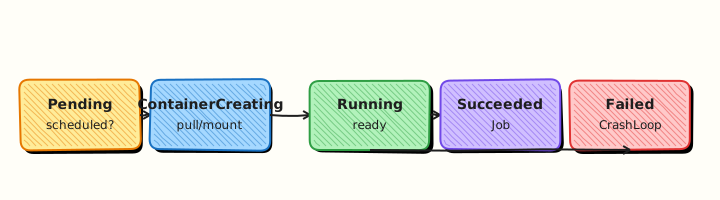
This topic’s control points and relationships are shown below.
Theory
What it is
A Deployment is the standard controller for stateless replicated applications. You declare a pod template and a replica count; the Deployment owns one or more ReplicaSets and performs rolling updates (or recreate) when the template changes. Scaling, pause/resume, and rollback are first-class operations.
Why it matters
Bare Pods and hand-managed ReplicaSets do not give you safe image rollouts. Deployments let DevOps ship new versions with controlled surge and unavailability, then undo quickly when a bad image lands. Almost every web API and frontend in Kubernetes sits behind a Deployment (often plus HPA later).
How it works (mental model)
- You set
spec.replicasandspec.template(containers, labels, probes, resources). - The Deployment controller ensures a ReplicaSet matches the current template.
- On template change, a new ReplicaSet scales up while the old one scales down (RollingUpdate), governed by
maxSurgeandmaxUnavailable. - Pod readiness gates traffic: not-ready Pods leave Service endpoints so users avoid half-started containers.
kubectl rollout undomoves desired state back to a previous ReplicaSet revision.
Controllers reconcile continuously: if a Pod is deleted, the ReplicaSet creates another until the count matches.
Key concepts / comparisons
| Strategy | Behaviour |
|---|---|
| RollingUpdate | Gradual replace (default) |
| Recreate | Kill all, then create new (downtime) |
| Concept | Role |
|---|---|
| Deployment | Declarative updates + scale |
| ReplicaSet | Maintain identical Pod count |
| Revision history | Enables rollback |
Prefer changing the image via the Deployment (set image or edit YAML + apply), not by editing live Pods.
Common pitfalls
- Selectors that do not match the pod template labels — create fails or orphans Pods.
maxUnavailable: 1with a single replica and no surge — brief outages during rollout.- Shipping without readiness probes — broken Pods receive traffic mid-rollout.
- Expecting in-place container upgrades; Pods are replaced, not mutated in place.
- Forgetting
rollout statusin CI — pipelines proceed before the new revision is healthy.
Hands-on Lab
Objective
Create a Deployment from YAML, scale replicas, trigger a rollout restart, inspect rollout status and history, and undo a bad image change.
Prerequisites
- A working Kubernetes cluster (kind, minikube, or any lab cluster)
- kubectl with namespace-create rights
- Writable workspace at
~/rebash-k8s/module-04
Lab environment
Workspace: ~/rebash-k8s/module-04
Real-world scenario
You deploy version 1 of an internal demo API (nginx stand-in). Product asks for three replicas for a load test, then someone pushes a bad image tag during a drill. You scale, restart, read rollout history, and roll back— the standard Deployment operations path.
Step-by-step tasks
Task 1 – Create Deployment
Create namespace.yaml:
Create web-deploy.yaml:
apiVersion: apps/v1
kind: Deployment
metadata:
  name: web
  namespace: rebash-m04
  labels:
    app: web
spec:
  replicas: 1
  selector:
    matchLabels:
      app: web
  template:
    metadata:
      labels:
        app: web
        version: v1
    spec:
      containers:
        - name: nginx
          image: nginx:1.27-alpine
          ports:
            - containerPort: 80
          resources:
            requests:
              cpu: 50m
              memory: 64Mi
Apply and verify:
cd ~/rebash-k8s/module-04
kubectl apply -f namespace.yaml
kubectl apply -f web-deploy.yaml
kubectl rollout status deployment/web -n rebash-m04 --timeout=120s
kubectl get deploy web -n rebash-m04 | tee deploy-v1.txt
Expected output
Deployment Available with 1/1 ready replicas.
Task 2 – Scale and rollout restart
Create web-deploy-scaled.yaml (same as web-deploy.yaml but replicas: 3):
apiVersion: apps/v1
kind: Deployment
metadata:
  name: web
  namespace: rebash-m04
  labels:
    app: web
spec:
  replicas: 3
  selector:
    matchLabels:
      app: web
  template:
    metadata:
      labels:
        app: web
        version: v1
    spec:
      containers:
        - name: nginx
          image: nginx:1.27-alpine
          ports:
            - containerPort: 80
          resources:
            requests:
              cpu: 50m
              memory: 64Mi
Scale and restart:
cd ~/rebash-k8s/module-04
kubectl apply -f web-deploy-scaled.yaml
kubectl rollout status deployment/web -n rebash-m04 --timeout=180s
kubectl get pods -n rebash-m04 -l app=web | tee scaled-pods.txt
grep -c Running scaled-pods.txt | tee running-replicas.txt
test "$(cat running-replicas.txt)" -ge 3
kubectl rollout restart deployment/web -n rebash-m04
kubectl rollout status deployment/web -n rebash-m04 --timeout=180s
Expected output
Three Running Pods; restart completes with all replicas Ready again.
Task 3 – History and undo after bad image
Create web-deploy-bad.yaml (intentionally bad tag):
apiVersion: apps/v1
kind: Deployment
metadata:
  name: web
  namespace: rebash-m04
  labels:
    app: web
spec:
  replicas: 3
  selector:
    matchLabels:
      app: web
  template:
    metadata:
      labels:
        app: web
        version: v2-bad
    spec:
      containers:
        - name: nginx
          image: nginx:this-tag-does-not-exist
          ports:
            - containerPort: 80
Apply bad revision, observe failure, undo:
cd ~/rebash-k8s/module-04
kubectl apply -f web-deploy-bad.yaml
kubectl rollout status deployment/web -n rebash-m04 --timeout=60s || true
kubectl get pods -n rebash-m04 -l app=web | tee bad-rollout-pods.txt
kubectl rollout history deployment/web -n rebash-m04 | tee rollout-history.txt
kubectl rollout undo deployment/web -n rebash-m04
kubectl rollout status deployment/web -n rebash-m04 --timeout=180s
kubectl get pods -n rebash-m04 -l app=web -o wide | tee undo-evidence.txt
grep -c Running undo-evidence.txt
Expected output
Bad rollout shows ImagePull errors; after rollout undo, Pods return to Running with good image.
Validation steps
- Deployment scaled to three Ready replicas
-
rollout restartcompleted successfully -
rollout historylists revisions -
rollout undorecovered from bad image tag
Common errors and fixes
| Error | Cause | Fix |
|---|---|---|
| ImagePullBackOff on bad tag | Expected in Task 3 | Run kubectl rollout undo |
| Rollout stuck | Insufficient cluster CPU | Reduce replicas or add nodes |
| undo picks wrong revision | Multiple rapid changes | kubectl rollout undo --to-revision=N |
| Selector immutable error | Changed matchLabels | Delete Deployment and re-create |
Challenge exercise
After a successful rollout, change pod template label version to v2 and image to nginx:1.27-alpine in a new manifest, apply, then use kubectl rollout undo deployment/web -n rebash-m04 --to-revision=1 explicitly.
Learning outcomes
- Managed replica count declaratively
- Triggered controlled restarts with
rollout restart - Used rollout history and undo for recovery
Cleanup
Validation
- Lab commands run under
~/rebash-k8s/module-04/ - You can explain each Theory section in your own words
- You used modern tooling where it applies to this topic
- You can describe one production failure mode for this topic
Code Walkthrough
Production practice for Deployments — Managing Replicated Pods always combines:
- Inspect before you change (status, plan, logs, dry-run)
- Prefer reversible, documented changes (Git, IaC, drop-ins, version pins)
- Capture evidence (command output, pipeline logs) for handovers
- Prefer current tools and APIs over legacy shortcuts
- Least privilege — escalate credentials only when required
Keep runbooks short enough to follow under pressure. Automate checks; keep humans for judgement.
Security Considerations
- Treat credentials and tokens for kubernetes as privileged — never commit them
- Prefer short-lived auth (OIDC, roles, SSO) over long-lived keys
- Validate blast radius before apply/deploy/delete operations
- Restrict who can approve production changes
- Collect audit logs; limit who can read sensitive traces
Common Mistakes
Selectors that do not match the pod template labels — create fails or orphans Pods.
Validate assumptions against the Theory section and official docs before changing production.
maxUnavailable: 1 with a single replica and no surge — brief outages during rollout.
Lab shortcuts (open security groups, admin roles, skip approvals) must not ship unchanged.
Changing production without a rollback path
Always know how to revert (previous artefact, prior release, state rollback, DNS failback).
Best Practices
- Encode Deployments — Managing Replicated Pods changes as code and review them in pull requests
- Pin versions (images, modules, actions, provider plugins)
- Separate environments with clear promotion gates
- Alert on symptoms with runbooks attached
- Destroy lab resources; tag everything with owner and expiry where possible
Troubleshooting
| Symptom | Likely cause | Fix |
|---|---|---|
| Auth / permission denied | Wrong identity, policy, or scope | Check caller identity, roles, and least-privilege policies |
| Timeout / no route | Network, DNS, security group, or endpoint | Trace path, DNS, and allow-lists before retrying |
| Drift / unexpected plan | Manual change or wrong state/workspace | Reconcile desired vs actual; avoid click-ops on managed resources |
| Pipeline/job red | Flaky step, cache, or missing secret | Read failing step logs; bisect recent workflow/config changes |
| Cost spike | Idle load balancer, NAT, oversized compute | Inventory billable resources; stop/delete labs promptly |
Summary
Deployments — Managing Replicated Pods is essential for Cloud and DevOps engineers working with kubernetes. Practise the lab until the inspection and change path is muscle memory, then continue the track.
Interview Questions
- What problem does a Deployment solve compared with creating Pods directly?
- How does a rolling update differ from a recreate strategy?
- What does
kubectl rollout undodo, and when would you use it? - How do readiness probes interact with a Deployment rollout, and what risk appears if they are missing?
- Explain the relationship between Deployment, ReplicaSet, and Pod.
Sample answer — question 2
A rolling update gradually replaces Pods with a new ReplicaSet while keeping capacity available. A recreate strategy terminates old Pods first, causing downtime but avoiding mixed versions.
Sample answer — question 4
Without readiness probes, new Pods may receive traffic before they can serve it, causing errors during rollouts. Probes gate Endpoints so only ready Pods join the Service.