Resource Quotas and LimitRanges
Overview
Apply a namespace ResourceQuota and LimitRange so Pods cannot starve the cluster or run without requests.
ResourceQuota caps aggregate usage in a namespace. LimitRange sets default/min/max per container. Together they enable soft multi-tenancy.
This is a core tutorial in Module 8 · Configuration of the REBASH Academy Kubernetes for Cloud & DevOps Engineers series — written for Cloud, DevOps, Platform, and SRE engineers.
Prerequisites
Learning Objectives
By the end of this tutorial, you will be able to:
- Create ResourceQuota
- Create LimitRange defaults
- See admission reject over-quota creates
Architecture
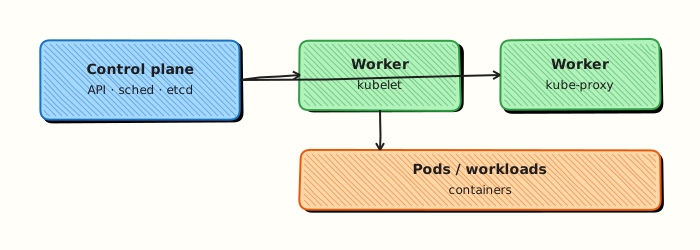
This topic’s control points and relationships are shown below.
Theory
What it is
ResourceQuota sets aggregate ceilings for a namespace — total CPU, memory, object counts (Pods, Services, PVCs), and sometimes hugepages or ephemeral storage. LimitRange constrains or defaults resources on individual containers/Pods (min, max, default request/limit, max ratio). Together they implement fair sharing and guardrails for multi-team clusters.
Why it matters
Without quotas, one noisy namespace can schedule enough Pods to starve everyone else. Without LimitRanges, Pods with no requests are hard to schedule fairly and may burst unbounded. Platform and SRE teams rely on these objects for soft multi-tenancy before stronger isolation (separate clusters, vCluster, etc.).
How it works (mental model)
- Create a namespace for a team or environment.
- Apply a ResourceQuota — admission tracks usage against the caps.
- Apply a LimitRange — when users omit requests/limits, defaults are injected; invalid sizes are rejected.
- On
create/update, the API server admission plugin checks quota; over-budget requests fail immediately with a clear error. - Controllers still reconcile inside the budget; scale-ups that would exceed quota fail until capacity frees.
Quotas count requests (and sometimes limits, depending on the resource name). Design requests thoughtfully.
Key concepts / comparisons
| Object | Scope | Effect |
|---|---|---|
| ResourceQuota | Namespace aggregate | Caps total usage / counts |
| LimitRange | Per Pod/container | Defaults and bounds |
| Example resource name | Meaning |
|---|---|
requests.cpu | Sum of CPU requests |
limits.memory | Sum of memory limits |
pods | Number of Pods |
Common pitfalls
- Quota on
requests.cpuwhile teams set only limits — usage accounting surprises. - LimitRange defaults that are too large — few Pods fit under the quota.
- Forgetting that system DaemonSets in other namespaces are unaffected; focus on app namespaces.
- Expecting quotas to stop runtime CPU spikes alone — they govern scheduling admission, not CFS throttling by themselves.
- Creating quotas in
kube-systemaccidentally and breaking cluster components.
Hands-on Lab
Objective
Define a ResourceQuota and LimitRange, run a Pod that fits within both, then prove admission control rejects an over-limit Pod.
Prerequisites
- kubectl configured against a lab cluster (kind or minikube)
- Rights to create namespaces, quotas, and Pods
- Writable workspace at
~/rebash-k8s/module-08-quota
Lab environment
Workspace: ~/rebash-k8s/module-08-quota on a disposable kind or minikube cluster.
Real-world scenario
A platform team shares one cluster between several product squads. You must cap team-billing to two Pods and 300m CPU total, set per-Pod maximums with LimitRange, deploy a workload that fits, and capture proof that a greedy Pod is rejected at admission time.
Step-by-step tasks
Task 1 – Namespace, ResourceQuota, and LimitRange
Create namespace.yaml:
Create resourcequota.yaml:
apiVersion: v1
kind: ResourceQuota
metadata:
  name: billing-quota
  namespace: rebash-m08-quota
spec:
  hard:
    pods: "2"
    requests.cpu: "300m"
    requests.memory: "256Mi"
Create limitrange.yaml:
apiVersion: v1
kind: LimitRange
metadata:
  name: billing-limits
  namespace: rebash-m08-quota
spec:
  limits:
    - type: Container
      defaultRequest:
        cpu: 50m
        memory: 64Mi
      default:
        cpu: 100m
        memory: 128Mi
      max:
        cpu: 200m
        memory: 256Mi
Apply and describe the quota:
cd ~/rebash-k8s/module-08-quota
kubectl apply -f namespace.yaml -f resourcequota.yaml -f limitrange.yaml
kubectl describe resourcequota billing-quota -n rebash-m08-quota | tee quota-describe.txt
Expected output
quota-describe.txt shows hard limits for pods, CPU, and memory.
Task 2 – Pod that fits within quota
Create pod-ok.yaml:
apiVersion: v1
kind: Pod
metadata:
  name: billing-worker
  namespace: rebash-m08-quota
spec:
  containers:
    - name: worker
      image: busybox:1.36.1
      command: ["sh", "-c", "sleep 3600"]
      resources:
        requests:
          cpu: 100m
          memory: 64Mi
        limits:
          cpu: 100m
          memory: 128Mi
Apply and verify:
cd ~/rebash-k8s/module-08-quota
kubectl apply -f pod-ok.yaml
kubectl wait --for=condition=Ready pod/billing-worker -n rebash-m08-quota --timeout=120s
kubectl describe resourcequota billing-quota -n rebash-m08-quota | tee quota-after-ok.txt
Expected output
Pod is Running; quota-after-ok.txt shows used CPU and memory incremented.
Task 3 – Rejected over-limit Pod
Create pod-over.yaml (CPU request exceeds the LimitRange max of 200m):
apiVersion: v1
kind: Pod
metadata:
  name: billing-hog
  namespace: rebash-m08-quota
spec:
  containers:
    - name: hog
      image: busybox:1.36.1
      command: ["sh", "-c", "sleep 3600"]
      resources:
        requests:
          cpu: 250m
          memory: 64Mi
        limits:
          cpu: 250m
          memory: 128Mi
Attempt to apply and capture the rejection:
cd ~/rebash-k8s/module-08-quota
kubectl apply -f pod-over.yaml 2>&1 | tee quota-reject.txt || true
kubectl get events -n rebash-m08-quota --field-selector involvedObject.name=billing-hog --sort-by=.lastTimestamp | tail -n 5 | tee quota-events.txt
grep -Ei 'exceeded quota|limit|forbidden|maximum' quota-reject.txt quota-events.txt
Expected output
Apply fails or Pod never becomes Ready; output mentions quota or LimitRange maximum (wording varies by cluster version).
Validation steps
- ResourceQuota and LimitRange exist in
rebash-m08-quota -
billing-workerPod is Ready and quotausedcounters increased - Over-limit Pod was rejected with a clear admission message
- You can explain difference between quota totals and per-Pod LimitRange
Common errors and fixes
| Error | Cause | Fix |
|---|---|---|
| Quota not enforced | Wrong namespace | Confirm objects live in rebash-m08-quota |
| Pod Pending forever | Image pull, not quota | kubectl describe pod — quota failures appear in Events at create time |
| LimitRange ignored | Pod spec missing requests | Set explicit resources.requests |
| All Pods rejected | Quota too small for DaemonSets | Scope quotas to app namespaces, not kube-system |
Challenge exercise
Fill the quota with a second fitting Pod (billing-worker-2 at 100m CPU), then apply a third Pod and capture the ResourceQuota rejection (distinct from LimitRange). Save output to quota-full-reject.txt.
Learning outcomes
- Applied ResourceQuota and LimitRange manifests as code
- Observed quota
usedcounters after successful admission - Triggered and diagnosed admission rejection for over-limit workloads
- Understood platform guardrails for multi-tenant namespaces
Cleanup
Validation
- Lab commands run under
~/rebash-k8s/module-08-quota/ - You can explain each Theory section in your own words
- You used modern tooling where it applies to this topic
- You can describe one production failure mode for this topic
Code Walkthrough
Production practice for Resource Quotas and LimitRanges always combines:
- Inspect before you change (status, plan, logs, dry-run)
- Prefer reversible, documented changes (Git, IaC, drop-ins, version pins)
- Capture evidence (command output, pipeline logs) for handovers
- Prefer current tools and APIs over legacy shortcuts
- Least privilege — escalate credentials only when required
Keep runbooks short enough to follow under pressure. Automate checks; keep humans for judgement.
Security Considerations
- Treat credentials and tokens for kubernetes as privileged — never commit them
- Prefer short-lived auth (OIDC, roles, SSO) over long-lived keys
- Validate blast radius before apply/deploy/delete operations
- Restrict who can approve production changes
- Collect audit logs; limit who can read sensitive traces
Common Mistakes
Quota on requests.cpu while teams set only limits — usage accounting surprises.
Validate assumptions against the Theory section and official docs before changing production.
LimitRange defaults that are too large — few Pods fit under the quota.
Lab shortcuts (open security groups, admin roles, skip approvals) must not ship unchanged.
Changing production without a rollback path
Always know how to revert (previous artefact, prior release, state rollback, DNS failback).
Best Practices
- Encode Resource Quotas and LimitRanges changes as code and review them in pull requests
- Pin versions (images, modules, actions, provider plugins)
- Separate environments with clear promotion gates
- Alert on symptoms with runbooks attached
- Destroy lab resources; tag everything with owner and expiry where possible
Troubleshooting
| Symptom | Likely cause | Fix |
|---|---|---|
| Auth / permission denied | Wrong identity, policy, or scope | Check caller identity, roles, and least-privilege policies |
| Timeout / no route | Network, DNS, security group, or endpoint | Trace path, DNS, and allow-lists before retrying |
| Drift / unexpected plan | Manual change or wrong state/workspace | Reconcile desired vs actual; avoid click-ops on managed resources |
| Pipeline/job red | Flaky step, cache, or missing secret | Read failing step logs; bisect recent workflow/config changes |
| Cost spike | Idle load balancer, NAT, oversized compute | Inventory billable resources; stop/delete labs promptly |
Summary
Resource Quotas and LimitRanges is essential for Cloud and DevOps engineers working with kubernetes. Practise the lab until the inspection and change path is muscle memory, then continue the track.
Interview Questions
- What fields commonly appear under ResourceQuota hard limits?
- How does LimitRange set defaults differently from forcing every manifest to declare resources?
- Can a LimitRange max block a Pod that a quota would otherwise allow?
- How do memory limits interact with OOMKilled behaviour?
- What governance process should surround quota changes?
Sample answer — question 2
LimitRange can inject default request/limit values at admission, reducing boilerplate while still enforcing maxima. Teams can override within allowed bounds.
Sample answer — question 4
Exceeding a memory limit triggers OOMKill of the container. Set limits from observed usage plus headroom; too low causes restarts, too high wastes node capacity.