Workload Controllers — StatefulSet, DaemonSet, Jobs
Overview
Pick the right controller: Deployment vs StatefulSet vs DaemonSet vs Job/CronJob — and run a Job to completion.
| Controller | Use |
|---|---|
| Deployment | Stateless apps |
| StatefulSet | Stable identity + storage (DBs, queues) |
| DaemonSet | One Pod per node (agents, CNI helpers) |
| Job / CronJob | Batch / scheduled batch |
This is a core tutorial in Module 4 · Workload Management of the REBASH Academy Kubernetes for Cloud & DevOps Engineers series — written for Cloud, DevOps, Platform, and SRE engineers.
Prerequisites
Learning Objectives
By the end of this tutorial, you will be able to:
- Contrast identity of StatefulSet Pods
- Explain DaemonSet scheduling
- Run a Job and CronJob schedule basics
Architecture
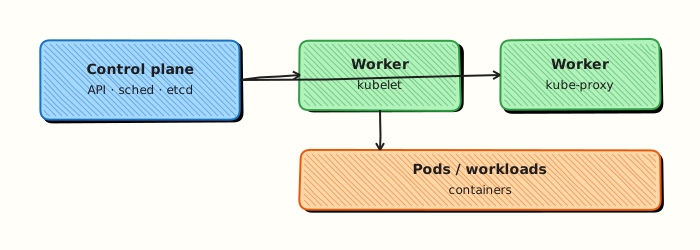
This topic’s control points and relationships are shown below.
Theory
What it is
Beyond Deployments, Kubernetes offers specialised controllers. A StatefulSet gives Pods stable network identity and ordered, sticky storage — suited to databases and queues. A DaemonSet runs (roughly) one Pod per eligible node — agents, log collectors, CNI helpers. Jobs run Pods to completion; CronJobs create Jobs on a schedule.
Why it matters
Using a Deployment for a database loses stable identity and volume binding semantics. Using a StatefulSet for a stateless API adds complexity you do not need. Choosing the wrong controller causes painful data and networking bugs. Batch work belongs in Jobs so failures retry with backoff instead of CrashLoop forever.
How it works (mental model)
- StatefulSet: Pods named
name-0,name-1, …; each can get a PVC fromvolumeClaimTemplates; updates and scale often respect ordinal order; pair with a headless Service for per-Pod DNS. - DaemonSet: scheduler places a Pod on every node matching the template (respecting taints/tolerations); node join adds a Pod; node drain removes it.
- Job: runs until
completionssucceed;parallelismcontrols concurrency; failed Pods retry perbackoffLimit. - CronJob: controller creates Jobs from a cron expression; concurrency policies control overlap.
All still reconcile desired vs actual state through the API.
Key concepts / comparisons
| Controller | Use |
|---|---|
| Deployment | Stateless apps |
| StatefulSet | Stable identity + storage |
| DaemonSet | One Pod per node |
| Job / CronJob | Batch / scheduled batch |
| Identity | Deployment | StatefulSet |
|---|---|---|
| Pod name | Random suffix | Stable ordinal |
| Storage | Usually ephemeral or shared PVC patterns | Per-Pod claims typical |
Common pitfalls
- Deleting a StatefulSet without understanding PVC retention — data may remain or vanish depending on policy.
- Expecting DaemonSets to schedule onto control-plane nodes without tolerations.
- Jobs with wrong restart policy or infinite retries flooding the cluster.
- Using Deployments for Kafka/ZooKeeper-style workloads without understanding identity and peer discovery.
- CronJobs in the wrong timezone mental model — schedules use the controller’s interpretation; document clearly.
Hands-on Lab
Objective
Create a batch Job and a CronJob from YAML, wait for Job completion, and capture evidence that controllers behave differently from Deployments.
Prerequisites
- A working Kubernetes cluster (kind, minikube, or any lab cluster)
- kubectl with namespace-create rights
- Writable workspace at
~/rebash-k8s/module-04-ctl
Lab environment
Workspace: ~/rebash-k8s/module-04-ctl
Real-world scenario
The data team needs a one-off migration Job and a nightly CronJob stub for cache warming. You ship both manifests, prove the Job reaches Complete, and verify the CronJob schedule is registered—without using a long-running Deployment.
Step-by-step tasks
Task 1 – Namespace and one-off Job
Create namespace.yaml:
Create migrate-job.yaml:
apiVersion: batch/v1
kind: Job
metadata:
  name: migrate-once
  namespace: rebash-m04-ctl
spec:
  backoffLimit: 2
  template:
    metadata:
      labels:
        app: migrate-once
    spec:
      restartPolicy: Never
      containers:
        - name: busybox
          image: busybox:1.36
          command:
            - sh
            - -c
            - echo "migration complete" && sleep 2 && exit 0
Apply and wait for completion:
cd ~/rebash-k8s/module-04-ctl
kubectl apply -f namespace.yaml
kubectl apply -f migrate-job.yaml
kubectl wait --for=condition=complete job/migrate-once -n rebash-m04-ctl --timeout=120s
kubectl get job migrate-once -n rebash-m04-ctl | tee job-complete.txt
grep Complete job-complete.txt
kubectl logs -n rebash-m04-ctl job/migrate-once | tee job-logs.txt
grep -q 'migration complete' job-logs.txt
Expected output
Job status Complete; logs contain migration complete.
Task 2 – CronJob stub
Create cache-cronjob.yaml:
apiVersion: batch/v1
kind: CronJob
metadata:
  name: cache-warm
  namespace: rebash-m04-ctl
spec:
  schedule: "*/30 * * * *"
  successfulJobsHistoryLimit: 1
  failedJobsHistoryLimit: 1
  jobTemplate:
    spec:
      template:
        spec:
          restartPolicy: Never
          containers:
            - name: busybox
              image: busybox:1.36
              command:
                - sh
                - -c
                - echo "cache warm stub" && date
Apply and verify schedule:
cd ~/rebash-k8s/module-04-ctl
kubectl apply -f cache-cronjob.yaml
kubectl get cronjob cache-warm -n rebash-m04-ctl | tee cronjob.txt
grep cache-warm cronjob.txt
kubectl create job --from=cronjob/cache-warm cache-warm-manual -n rebash-m04-ctl
kubectl wait --for=condition=complete job/cache-warm-manual -n rebash-m04-ctl --timeout=120s
kubectl get jobs -n rebash-m04-ctl | tee all-jobs.txt
Expected output
CronJob listed with schedule; manual Job from CronJob completes.
Task 3 – Contrast with Deployment (optional DaemonSet note)
Create web-deploy.yaml to show Deployments keep Pods running (contrast with finished Job):
apiVersion: apps/v1
kind: Deployment
metadata:
  name: web
  namespace: rebash-m04-ctl
spec:
  replicas: 1
  selector:
    matchLabels:
      app: web
  template:
    metadata:
      labels:
        app: web
    spec:
      containers:
        - name: nginx
          image: nginx:1.27-alpine
          ports:
            - containerPort: 80
Apply and compare statuses:
cd ~/rebash-k8s/module-04-ctl
kubectl apply -f web-deploy.yaml
kubectl get deploy,job,cronjob -n rebash-m04-ctl | tee controllers-summary.txt
grep -E 'migrate-once|cache-warm|web' controllers-summary.txt
Expected output
Job Complete, CronJob scheduled, Deployment Available—three controller types side by side.
Validation steps
- Job
migrate-oncereached Complete - CronJob
cache-warmregistered with schedule - Manual Job from CronJob completed
- You can explain when to use Job vs Deployment
Common errors and fixes
| Error | Cause | Fix |
|---|---|---|
| Job stays Running | Command blocked | Check logs; simplify command |
| CronJob never creates Jobs | Invalid schedule | Validate cron syntax |
| Job Failed backoff | Script exits non-zero | Fix container command |
| Forbidden create job from cronjob | RBAC | Use lab admin context |
Challenge exercise
Add a concurrencyPolicy: Forbid field to the CronJob manifest so overlapping runs are rejected, then document expected behaviour in a one-line comment at the top of cache-cronjob.yaml.
Learning outcomes
- Ran a batch Job to completion with logs as evidence
- Declared a CronJob and triggered a manual run from it
- Compared long-running Deployment behaviour with finished Jobs
Cleanup
Validation
- Lab commands run under
~/rebash-k8s/module-04-ctl/ - You can explain each Theory section in your own words
- You used modern tooling where it applies to this topic
- You can describe one production failure mode for this topic
Code Walkthrough
Production practice for Workload Controllers — StatefulSet, DaemonSet, Jobs always combines:
- Inspect before you change (status, plan, logs, dry-run)
- Prefer reversible, documented changes (Git, IaC, drop-ins, version pins)
- Capture evidence (command output, pipeline logs) for handovers
- Prefer current tools and APIs over legacy shortcuts
- Least privilege — escalate credentials only when required
Keep runbooks short enough to follow under pressure. Automate checks; keep humans for judgement.
Security Considerations
- Treat credentials and tokens for kubernetes as privileged — never commit them
- Prefer short-lived auth (OIDC, roles, SSO) over long-lived keys
- Validate blast radius before apply/deploy/delete operations
- Restrict who can approve production changes
- Collect audit logs; limit who can read sensitive traces
Common Mistakes
Deleting a StatefulSet without understanding PVC retention — data may remain or vanish dep
Validate assumptions against the Theory section and official docs before changing production.
Expecting DaemonSets to schedule onto control-plane nodes without tolerations.
Lab shortcuts (open security groups, admin roles, skip approvals) must not ship unchanged.
Changing production without a rollback path
Always know how to revert (previous artefact, prior release, state rollback, DNS failback).
Best Practices
- Encode Workload Controllers — StatefulSet, DaemonSet, Jobs changes as code and review them in pull requests
- Pin versions (images, modules, actions, provider plugins)
- Separate environments with clear promotion gates
- Alert on symptoms with runbooks attached
- Destroy lab resources; tag everything with owner and expiry where possible
Troubleshooting
| Symptom | Likely cause | Fix |
|---|---|---|
| Auth / permission denied | Wrong identity, policy, or scope | Check caller identity, roles, and least-privilege policies |
| Timeout / no route | Network, DNS, security group, or endpoint | Trace path, DNS, and allow-lists before retrying |
| Drift / unexpected plan | Manual change or wrong state/workspace | Reconcile desired vs actual; avoid click-ops on managed resources |
| Pipeline/job red | Flaky step, cache, or missing secret | Read failing step logs; bisect recent workflow/config changes |
| Cost spike | Idle load balancer, NAT, oversized compute | Inventory billable resources; stop/delete labs promptly |
Summary
Workload Controllers — StatefulSet, DaemonSet, Jobs is essential for Cloud and DevOps engineers working with kubernetes. Practise the lab until the inspection and change path is muscle memory, then continue the track.
Interview Questions
- When should you choose StatefulSet over Deployment?
- What guarantees does a DaemonSet provide?
- How does a Job differ from a Deployment?
- What risk exists if a Job without backoff limits keeps failing?
- Why do StatefulSets often need an associated headless Service?
Sample answer — question 2
DaemonSets run a Pod on each matching node—ideal for agents and CNI helpers. They are not for horizontally scaled user apps that should float across nodes.
Sample answer — question 4
Failing Jobs can consume cluster capacity with retries. Set backoffLimit, activeDeadlineSeconds, and alerts so broken batch work cannot starve other workloads.