ConfigMaps and Secrets
Overview
Mount ConfigMaps and Secrets into a Pod (env and volume) and use Downward API for pod metadata — without baking config into images.
ConfigMap = non-sensitive config. Secret = sensitive data (still base64 in etcd — enable encryption at rest and prefer external secret stores in production).
This is a core tutorial in Module 8 · Configuration of the REBASH Academy Kubernetes for Cloud & DevOps Engineers series — written for Cloud, DevOps, Platform, and SRE engineers.
Prerequisites
Learning Objectives
By the end of this tutorial, you will be able to:
- Create ConfigMap / Secret
- Inject via
envFromand volume mounts - Use Downward API fields
- State Secret limitations
Architecture
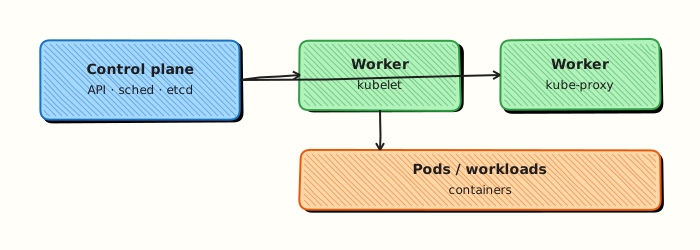
This topic’s control points and relationships are shown below.
Theory
What it is
ConfigMaps hold non-sensitive configuration (files, key/value settings). Secrets hold sensitive material (tokens, passwords, TLS keys). Both inject into Pods as environment variables or mounted files. The Downward API exposes Pod metadata (name, namespace, labels, resource values) without hard-coding. The goal is twelve-factor style config: images stay generic; environment-specific data lives in the cluster (or an external store).
Why it matters
Baking config into images forces rebuilds for every environment and leaks secrets into registries. Separating config enables the same artefact across dev/stage/prod. Understanding Secret limitations matters for CKS-level security: etcd contents, RBAC read access, and encryption at rest are operational concerns, not optional polish.
How it works (mental model)
- Create ConfigMap/Secret objects (literals, files, or YAML).
- Reference them from a Pod/Deployment via
env,envFrom, orvolumes+volumeMounts. - Kubelet materialises values into the container environment or filesystem.
- Updates to ConfigMaps/Secrets mounted as volumes can appear as file changes (depending on projection); env vars typically need a Pod restart.
- Downward API
fieldRef/resourceFieldRefpopulate fields from the running Pod object.
Prefer external secret managers (cloud SM, Vault, ESO) for production credentials.
Key concepts / comparisons
| Object | Use |
|---|---|
| ConfigMap | Non-sensitive config |
| Secret | Sensitive data (still base64 in API) |
| Downward API | Pod/cluster metadata injection |
| Injection | Pros | Cons |
|---|---|---|
| Environment variables | Simple | Restart to refresh; visible in process listings |
| Volume mounts | Good for files; can update | App must reload files |
Common pitfalls
- Believing Secrets are encrypted by default — they are base64-encoded, not ciphertext, unless encryption at rest is enabled.
- Wide RBAC allowing
get secretscluster-wide. - Huge ConfigMaps (1 MiB object limits) or embedding binaries.
- Committing Secret YAML with real credentials into Git.
- Expecting env-injected values to hot-reload after ConfigMap edits.
Hands-on Lab
Objective
Create ConfigMap and Secret objects, run a Pod that consumes them via envFrom and volume mounts, and prove configuration is visible without exposing Secret values in your evidence files.
Prerequisites
- kubectl configured against a lab cluster (kind or minikube)
- Rights to create namespaces and apply workloads
- Writable workspace at
~/rebash-k8s/module-08
Lab environment
Workspace: ~/rebash-k8s/module-08 on a disposable kind or minikube cluster. Do not use a shared production API server.
Real-world scenario
Platform engineering is onboarding billing-api into a new namespace. Non-sensitive settings live in a ConfigMap; an API token lives in a Secret. You must wire both into the Pod, prove the app sees the config file and environment variables, and document evidence for a change ticket — without copying Secret values into logs or tickets.
Step-by-step tasks
Task 1 – Namespace, ConfigMap, and Secret
Create namespace.yaml:
apiVersion: v1
kind: Namespace
metadata:
  name: rebash-m08
  labels:
    app.kubernetes.io/part-of: rebash-lab
Create configmap.yaml:
apiVersion: v1
kind: ConfigMap
metadata:
  name: billing-config
  namespace: rebash-m08
data:
  APP_ENV: staging
  log_level: info
  welcome.message: "Billing API ready"
Create secret.yaml (lab-only dummy token — never commit real credentials):
apiVersion: v1
kind: Secret
metadata:
  name: billing-secret
  namespace: rebash-m08
type: Opaque
stringData:
  api-token: lab-only-not-a-real-token
Apply and list objects:
cd ~/rebash-k8s/module-08
kubectl apply -f namespace.yaml -f configmap.yaml -f secret.yaml
kubectl get configmap,secret -n rebash-m08 | tee objects-m08.txt
Expected output
objects-m08.txt lists billing-config and billing-secret.
Task 2 – Pod consuming envFrom and volumes
Create pod.yaml:
apiVersion: v1
kind: Pod
metadata:
  name: billing-consumer
  namespace: rebash-m08
  labels:
    app: billing-consumer
spec:
  containers:
    - name: app
      image: busybox:1.36.1
      command:
        - sh
        - -c
        - |
          echo "APP_ENV=$APP_ENV log_level=$LOG_LEVEL"
          cat /etc/config/welcome.message
          sleep 3600
      envFrom:
        - configMapRef:
            name: billing-config
      volumeMounts:
        - name: config-files
          mountPath: /etc/config
          readOnly: true
        - name: secret-files
          mountPath: /etc/secret
          readOnly: true
  volumes:
    - name: config-files
      configMap:
        name: billing-config
    - name: secret-files
      secret:
        secretName: billing-secret
Apply and wait for Ready:
cd ~/rebash-k8s/module-08
kubectl apply -f pod.yaml
kubectl wait --for=condition=Ready pod/billing-consumer -n rebash-m08 --timeout=120s
kubectl get pod billing-consumer -n rebash-m08 | tee pod-m08.txt
Expected output
pod-m08.txt shows billing-consumer in Running with 1/1 Ready.
Task 3 – Prove config without leaking Secret values
Show ConfigMap data inside the Pod and list Secret keys only from the API — do not kubectl get secret -o yaml or echo token values into evidence.
cd ~/rebash-k8s/module-08
kubectl exec -n rebash-m08 billing-consumer -- sh -c 'echo APP_ENV=$APP_ENV; cat /etc/config/welcome.message' | tee config-evidence.txt
kubectl get secret billing-secret -n rebash-m08 -o jsonpath='{range $k,$v := .data}{ $k }{"\n"}{end}' | tee secret-keys-only.txt
test -s config-evidence.txt
grep -q 'Billing API ready' config-evidence.txt
grep -q 'api-token' secret-keys-only.txt
Expected output
config-evidence.txt contains APP_ENV=staging and Billing API ready. secret-keys-only.txt lists api-token without decoded values.
Validation steps
- Namespace
rebash-m08exists with ConfigMap, Secret, and Ready Pod - Pod logs or exec output show non-sensitive ConfigMap values
- Evidence files omit decoded Secret values
- You can explain env vs volume injection trade-offs from Theory
Common errors and fixes
| Error | Cause | Fix |
|---|---|---|
CreateContainerConfigError | ConfigMap/Secret name typo | Match names in Pod spec to applied objects |
| Pod Pending | Image pull or quota | kubectl describe pod billing-consumer -n rebash-m08 |
| Secret not mounted | Wrong secretName or volume name | Align volumes[].secret.secretName with Secret metadata |
| ConfigMap key missing in env | Key not present in ConfigMap | kubectl describe configmap billing-config -n rebash-m08 |
Challenge exercise
Add a Downward API env var for the Pod name: extend pod.yaml with env.valueFrom.fieldRef.fieldPath: metadata.name, re-apply, and capture kubectl exec … env | grep POD_NAME into downward-api.txt.
Learning outcomes
- Created ConfigMap and Secret manifests and applied them in an isolated namespace
- Injected configuration via
envFromand read-only volume mounts - Gathered audit evidence without exposing Secret plaintext
- Understood when to restart Pods after config changes
Cleanup
Validation
- Lab commands run under
~/rebash-k8s/module-08/ - You can explain each Theory section in your own words
- You used modern tooling where it applies to this topic
- You can describe one production failure mode for this topic
Code Walkthrough
Production practice for ConfigMaps and Secrets always combines:
- Inspect before you change (status, plan, logs, dry-run)
- Prefer reversible, documented changes (Git, IaC, drop-ins, version pins)
- Capture evidence (command output, pipeline logs) for handovers
- Prefer current tools and APIs over legacy shortcuts
- Least privilege — escalate credentials only when required
Keep runbooks short enough to follow under pressure. Automate checks; keep humans for judgement.
Security Considerations
- Treat credentials and tokens for kubernetes as privileged — never commit them
- Prefer short-lived auth (OIDC, roles, SSO) over long-lived keys
- Validate blast radius before apply/deploy/delete operations
- Restrict who can approve production changes
- Collect audit logs; limit who can read sensitive traces
Common Mistakes
Believing Secrets are encrypted by default — they are base64-encoded, not ciphertext, unle
Validate assumptions against the Theory section and official docs before changing production.
Wide RBAC allowing get secrets cluster-wide.
Lab shortcuts (open security groups, admin roles, skip approvals) must not ship unchanged.
Changing production without a rollback path
Always know how to revert (previous artefact, prior release, state rollback, DNS failback).
Best Practices
- Encode ConfigMaps and Secrets changes as code and review them in pull requests
- Pin versions (images, modules, actions, provider plugins)
- Separate environments with clear promotion gates
- Alert on symptoms with runbooks attached
- Destroy lab resources; tag everything with owner and expiry where possible
Troubleshooting
| Symptom | Likely cause | Fix |
|---|---|---|
| Auth / permission denied | Wrong identity, policy, or scope | Check caller identity, roles, and least-privilege policies |
| Timeout / no route | Network, DNS, security group, or endpoint | Trace path, DNS, and allow-lists before retrying |
| Drift / unexpected plan | Manual change or wrong state/workspace | Reconcile desired vs actual; avoid click-ops on managed resources |
| Pipeline/job red | Flaky step, cache, or missing secret | Read failing step logs; bisect recent workflow/config changes |
| Cost spike | Idle load balancer, NAT, oversized compute | Inventory billable resources; stop/delete labs promptly |
Summary
ConfigMaps and Secrets is essential for Cloud and DevOps engineers working with kubernetes. Practise the lab until the inspection and change path is muscle memory, then continue the track.
Interview Questions
- What is the difference between a ConfigMap and a Secret in Kubernetes?
- How can applications consume ConfigMap and Secret data at runtime?
- What happens to running Pods when you update a ConfigMap that is mounted as a volume?
- Why should Secrets not be treated as strong encryption at rest by default, and what controls improve their security?
- When would you prefer environment variables versus volume mounts for configuration?
Sample answer — question 2
Applications can inject keys as environment variables, mount them as files via volumes, or use the Kubernetes API. Environment variables suit simple scalars; volume mounts suit files and live updates for many volume-mounted ConfigMaps.
Sample answer — question 4
etcd may store Secrets only base64-encoded unless encryption at rest is enabled. Improve security with encryption providers, least-privilege RBAC, external secret managers, short-lived credentials, and avoiding logging Secret values.