Working with Remotes
Overview
Remotes are named URLs of other repositories — typically origin on GitHub plus internal mirrors. DevOps workflows use multiple remotes (upstream open source + fork), git fetch --prune to drop stale branch refs, and upstream tracking so git pull and git push know their counterparts.
This is Tutorial 1 in Module 8: Remote Repositories of the REBASH Academy Git & GitHub for Cloud & DevOps Engineers series — written for Cloud, DevOps, Platform, and SRE engineers.
Prerequisites
Learning Objectives
By the end of this tutorial, you will be able to:
- Add and inspect multiple remotes
- Fetch from all remotes and prune deleted upstream branches
- Push to specific remote branches with upstream
- Pull with explicit merge or rebase strategy
- Prove multi-remote sync under
~/rebash-git/module-08
Architecture
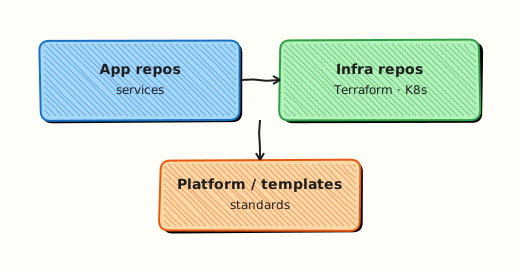
Local repo holds remote-tracking branches (origin/main); fetch updates refs without merging; push publishes commits and updates remote refs.
Theory
What it is
A remote is a shorthand for a URL stored in .git/config. origin is the default name created by clone. Remote-tracking branches (refs/remotes/origin/*) mirror last-fetched state on the server. Upstream links a local branch to a remote branch for push/pull defaults.
Why it matters
Platform teams mirror GitHub to internal Gitea for air-gapped CI — same repo, two remotes. Fork workflows add upstream for open-source Terraform modules. Stale remote refs after branch deletion confuse scripts listing origin/*. Prune keeps automation accurate.
How it works
git remote add mirror ../remotes/mirror.gitgit fetch --all --pruneupdates all remotes; deletes gone remote-tracking branchesgit push -u origin featuresets upstreamgit pull --rebase origin mainintegrates remote maingit remote prune originremoves stale refs without full fetch
Key concepts and comparisons
| Command | Effect |
|---|---|
| git fetch origin | Update origin/* refs |
| git fetch --prune | Remove deleted remote branches |
| git push origin :old | Delete remote branch |
| git branch -u origin/main | Set upstream |
| git remote -v | List URLs |
| Remote name | Typical role |
|---|---|
| origin | Your primary forge |
| upstream | Source fork parent |
| mirror | Internal read/write copy |
Common pitfalls
- Pull without fetch understanding — pull = fetch + merge/rebase.
- Pushing to wrong remote URL — deploy keys scoped per repo.
- Forgetting prune —
origin/feature-deletedstill listed locally. - HTTPS credential helpers caching wrong account for push.
Hands-on Lab
Objective
Simulate origin + mirror remotes with bare repos, push feature branch, fetch/prune after remote branch deletion, verify tracking.
Prerequisites
- Git 2.x
Lab environment
Workspace: ~/rebash-git/module-08
Real-world scenario
Your app repo pushes to GitHub (origin) and an internal mirror (mirror) for DR. When feature branches delete on origin, laptops must prune stale refs.
Step-by-step tasks
Task 1 – Setup app, origin bare, mirror bare
cd ~/rebash-git/module-08
set -euo pipefail
rm -rf app remotes origin.git mirror.git
mkdir -p app remotes
git init --bare remotes/origin.git
git init --bare remotes/mirror.git
cd app
git init -b main
git config user.email 'lab@rebash.local'
git config user.name 'REBASH Lab'
git remote add origin ../remotes/origin.git
git remote add mirror ../remotes/mirror.git
printf 'app: v1\n' > app.yaml
git add app.yaml && git commit -m 'chore: initial'
git push -u origin main
git push mirror main
git remote -v | tee ../remotes-v.txt
grep -c 'origin\|mirror' ../remotes-v.txt | grep -q '4'
cd ..
Expected output
Both remotes have main; two push URLs configured.
Task 2 – Feature branch push and multi-fetch
cd ~/rebash-git/module-08/app
set -euo pipefail
git switch -c feature/remote-demo
echo 'feature: on' >> app.yaml
git commit -am 'feat: remote demo flag'
git push -u origin feature/remote-demo
git push mirror feature/remote-demo
git fetch --all --prune
git branch -r | tee ../remote-branches.txt
grep -q 'origin/feature/remote-demo' ../remote-branches.txt
grep -q 'mirror/feature/remote-demo' ../remote-branches.txt
cd ..
Expected output
Remote-tracking branches visible for both remotes.
Task 3 – Delete remote branch and prune
cd ~/rebash-git/module-08/app
set -euo pipefail
git push origin --delete feature/remote-demo
git fetch origin --prune
git branch -r | tee ../after-prune.txt
! grep -q 'origin/feature/remote-demo' ../after-prune.txt
grep -q 'mirror/feature/remote-demo' ../after-prune.txt
git branch -vv | tee ../upstream-main.txt
grep -q '\[origin/main\]' ../upstream-main.txt
tar -czf ../module-08-remote-evidence.tgz -C .. remotes-v.txt after-prune.txt upstream-main.txt
ls -l ../module-08-remote-evidence.tgz | tee ../remote-evidence.txt
cd ..
Expected output
origin feature ref pruned locally; mirror still has feature ref until deleted separately.
Validation steps
- Two remotes configured
- Push to both succeeded
- Prune removed deleted origin feature ref
- main tracks origin/main
Common errors and fixes
| Error | Cause | Fix |
|---|---|---|
| remote already exists | Re-run lab | rm -rf and restart |
| rejected non-fast-forward | Diverged remote | fetch; merge/rebase |
| prune did nothing | Branch still on remote | delete on server first |
| wrong upstream | push without -u | git branch -u |
Challenge exercise
Add read-only remote upstream pointing at a third bare clone of initial commit only; fetch upstream; document in REMOTES.md when you would pull from upstream vs push to origin (fork workflow).
Learning outcomes
- Configured multi-remote push
- Pruned stale remote-tracking branch
- Verified upstream on main
Cleanup
Validation
- Lab under module-08
- Can explain fetch vs pull
- Can explain prune
- Can name fork upstream pattern
Code Walkthrough
- remote -v in runbooks — verify URL before first push.
- fetch --prune weekly — clean stale refs.
- push --all only when intended — avoid accidental mirror overwrites.
- Set upstream on first push —
-usaves typing. - Separate credentials per host — SSH config Host aliases.
Security Considerations
- Use deploy keys with least privilege per remote/repo.
- Do not store PATs in remote URLs — use credential helper or SSH.
- Verify mirror integrity — signed tags, commit signing policies.
- Restrict push remotes on production mirror repos.
- Audit force-push events on shared remotes.
Common Mistakes
Pull on dirty tree
Unexpected merges or conflicts. Fix: stash or commit before pull.
Pushing to upstream on fork workflow
Usually push to origin (your fork), pull from upstream. Fix: Document remote purposes.
Never pruning
Scripts target deleted branches that still appear locally. Fix: fetch --prune in git config or habits.
Best Practices
git config fetch.prune truefor origin- Name remotes by purpose not only host
- Use
--force-with-leaseon shared feature branches - Mirror tags when releasing:
git push --tags mirror - Document remotes in README for monorepo splits
Troubleshooting
| Symptom | Likely cause | Fix |
|---|---|---|
| Could not read from remote | Network/auth | SSH test; PAT scope |
| Diverged branches | Parallel pushes | fetch; integrate |
| Missing remote branch | Not fetched | fetch origin |
| Push to wrong repo | URL typo | remote set-url |
Summary
Remotes connect your clone to the world — multiple remotes, fetch, prune, and upstream tracking are daily platform skills. Next: GitHub Fundamentals.
Interview Questions
1. fetch vs pull?
Reveal answer
Fetch downloads objects and updates remote-tracking refs without merging into current branch. Pull is fetch plus merge (or rebase) into the checked-out branch.
2. What does git fetch --prune do?
Reveal answer
Removes remote-tracking branches that no longer exist on the remote — keeps local origin/* refs aligned with server state after branch deletions.
3. Purpose of upstream tracking?
Reveal answer
Links local branch to remote branch so plain git push and git pull know default target without specifying refs each time.
4. Fork workflow remotes?
Reveal answer
origin is your fork (push); upstream is source project (fetch/merge updates); you open PR from fork to upstream.
5. Delete remote branch command?
Reveal answer
git push origin --delete branch-name or git push origin :branch-name — requires permission on remote.
6. Why mirror to second remote?
Reveal answer
Disaster recovery, air-gapped CI, geo redundancy — internal mirror continues if public forge unavailable.
7. git remote prune vs fetch --prune?
Reveal answer
Both remove stale remote-tracking refs; fetch --prune also fetches new objects; prune alone only cleans without full fetch depending on usage.
8. HTTPS vs SSH for CI remotes?
Reveal answer
CI often uses scoped PAT or deploy keys via SSH; SSH avoids token expiry in long jobs; HTTPS fine with OIDC on modern platforms.
Related Tutorials
- Creating and Cloning Repositories
- GitHub Fundamentals
- Basic Git Workflow — Add, Commit, Push
- Course index