Repository Management and Releases
Overview
Enterprise delivery depends on semantic versioning (semver), annotated Git tags, and release notes consumers can trust. Repository strategy — monorepo vs polyrepo — shapes CI cost, ownership, and dependency graphs. Platform teams automate releases from changelog fragments and protect tags on main.
This is Tutorial 1 in Module 14: Repository Management of the REBASH Academy Git & GitHub for Cloud & DevOps Engineers series — written for Cloud, DevOps, Platform, and SRE engineers.
Prerequisites
Learning Objectives
By the end of this tutorial, you will be able to:
- Apply semver MAJOR.MINOR.PATCH rules to changes
- Create annotated tags and push them to remotes
- Generate structured release notes from Git log
- Compare monorepo vs polyrepo trade-offs
- Produce release artefacts under
~/rebash-git/module-14
Architecture
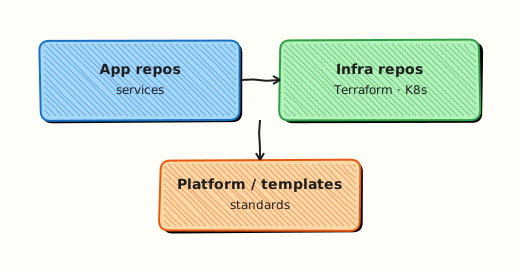
Commits on main accumulate; maintainers tag releases; notes describe consumer impact; CD watches tags or GitHub Releases.
Theory
What it is
Semantic versioning communicates compatibility: MAJOR (breaking), MINOR (features, backward compatible), PATCH (fixes). Annotated tags store tagger, date, and message — preferred for releases. Release notes summarise changes by category (Added, Fixed, Breaking). Monorepo houses many projects in one Git repo; polyrepo splits them — each has governance implications.
Why it matters
Downstream teams pin v2.3.1 — not main. Incident rollback checks out previous tag. Compliance asks what shipped in Q3 — release notes answer. Wrong semver breaks automated dependency updaters and module consumers.
How it works
- Conventional Commits on PR merge build changelog context.
- Maintainer runs release script or CI on green
main. git tag -a v1.2.0 -m "..."on release commit.git push origin v1.2.0and publish GitHub Release with notes.- Consumers bump pins; GitOps/Helm/CD trigger on tag event.
Key concepts and comparisons
| Version bump | When |
|---|---|
| MAJOR | Breaking API/module contract |
| MINOR | New backward-compatible feature |
| PATCH | Bug fix only |
| Strategy | Pros | Cons |
|---|---|---|
| Monorepo | Atomic cross-service change | Heavy CI; complex ownership |
| Polyrepo | Clear boundaries | Cross-repo coordination |
Common pitfalls
- Lightweight tags without messages — weak audit trail.
- Reusing deleted tag name — consumer cache confusion.
- Release notes auto-generated without categorisation — unreadable walls.
- Tagging wrong commit (not on main) — missing fixes.
Hands-on Lab
Objective
Simulate three semver releases with annotated tags and auto-generated release-notes-v0.2.1.txt artefact from git log ranges.
Prerequisites
- Git 2.x
- shell utilities
Lab environment
Workspace: ~/rebash-git/module-14
Real-world scenario
Internal CLI tool rebash-deploy ships semver tags; release manager produces notes for platform consumers before CD promotes artefact.
Step-by-step tasks
Task 1 – Initialise repo with version file
cd ~/rebash-git/module-14
set -euo pipefail
rm -rf release-lab
mkdir release-lab && cd release-lab
git init -b main
git config user.email 'lab@rebash.local'
git config user.name 'REBASH Lab'
Create VERSION:
Create README.md:
Commit and tag:
cd ~/rebash-git/module-14/release-lab
set -euo pipefail
git add .
git commit -m 'chore: bootstrap v0.1.0'
git tag -a v0.1.0 -m 'Release v0.1.0 — initial'
test -f VERSION
grep -q '0.1.0' VERSION
Expected output
VERSION is 0.1.0 and annotated tag v0.1.0 exists.
Task 2 – Minor and patch commits with tags
Create cli.sh:
Replace VERSION with:
Commit and tag the minor release:
cd ~/rebash-git/module-14/release-lab
set -euo pipefail
chmod +x cli.sh
git add cli.sh VERSION
git commit -m 'feat: add dry-run flag'
git tag -a v0.2.0 -m 'Release v0.2.0 — dry-run feature'
Replace cli.sh with:
Replace VERSION with:
Commit and tag the patch:
cd ~/rebash-git/module-14/release-lab
set -euo pipefail
git add cli.sh VERSION
git commit -m 'fix: correct dry-run help text'
git tag -a v0.2.1 -m 'Release v0.2.1 — patch'
git tag -l 'v*' | tee ../all-tags.txt
grep -q 'v0.2.1' ../all-tags.txt
Expected output
Three semver tags (v0.1.0, v0.2.0, v0.2.1) listed in all-tags.txt.
Task 3 – Generate release notes artefact
cd ~/rebash-git/module-14/release-lab
set -euo pipefail
{
  echo '# v0.2.1 release notes'
  echo
  echo '## Changes since v0.2.0'
  git log v0.2.0..v0.2.1 --oneline
  echo
  echo '## Changes since v0.1.0'
  git log v0.1.0..v0.2.1 --pretty=format:'- %s'
} > release-notes-v0.2.1.txt
grep -q 'fix: correct dry-run' release-notes-v0.2.1.txt
git add release-notes-v0.2.1.txt
git commit -m 'chore: release notes for v0.2.1'
wc -l release-notes-v0.2.1.txt | tee ../notes-lines.txt
tar -czf ../module-14-release-evidence.tgz -C .. all-tags.txt notes-lines.txt release-notes-v0.2.1.txt
ls -l ../module-14-release-evidence.tgz | tee ../release-evidence.txt
cd ..
Expected output
Release notes list commits between tags; evidence archived.
Validation steps
- Tags v0.1.0, v0.2.0, v0.2.1 exist
- VERSION file matches latest tag
-
release-notes-v0.2.1.txtincludes patch commit message - Evidence tarball created
Common errors and fixes
| Error | Cause | Fix |
|---|---|---|
| tag already exists | Re-run | delete tag or new version |
| empty log range | Wrong tag order | v0.2.0..v0.2.1 forward |
| notes missing feat | Tag on wrong commit | retag carefully |
| tarball missing file | path | run from release-lab |
Challenge exercise
Create repo-layout.yaml declaring layout: monorepo or polyrepo with team_size, release_cadence, and shared_libraries keys — validate with grep -q 'layout:' repo-layout.yaml on branch docs/repo-strategy.
Learning outcomes
- Created annotated semver tags
- Generated notes from log ranges
- Linked VERSION file to release process
Cleanup
Validation
- Lab under module-14
- Can explain semver bump rules
- Can diff tags with git log A..B
- Can name monorepo one trade-off
Code Walkthrough
- Annotated tags always — release audit trail.
- Never move release tags — new patch instead.
- Automate from Conventional Commits — release-please, semantic-release.
- Protect tags matching v* — on GitHub rulesets.
- Notes for operators — upgrade and breaking sections mandatory.
Security Considerations
- Sign release tags if policy requires
- Restrict who can create tags on main
- Scan release artefacts (SBOM, binaries)
- Do not embed credentials in VERSION or notes
- Verify tag commit signed before CD promote
Common Mistakes
Lightweight tags for production
Missing metadata for audits. Fix: git tag -a with message.
Skipping MAJOR bump on breaking change
Consumers' builds break silently. Fix: semver discipline + CHANGELOG Breaking section.
Manual notes omit security fixes
Downstream unaware of CVE patches. Fix: Template section for Security.
Best Practices
- Single source VERSION or tag-only flow — pick one
- GitHub Release assets for binaries/charts
- Changelog file in repo updated each release
- CI release job only on protected main
- Document monorepo path filters for CI
Troubleshooting
| Symptom | Likely cause | Fix |
|---|---|---|
| Tag not on remote | Not pushed | git push origin vX.Y.Z |
| CD did not trigger | Webhook on Release not tag | align pipeline triggers |
| Duplicate version | Two tags same name | forbidden by protection |
| Notes too large | Full log dump | filter conventional types |
Summary
Semver tags and release notes are the contract with downstream systems — automate and protect them. Next: Signed Commits and Git Security.
Interview Questions
1. semver MAJOR bump example in IaC module?
Reveal answer
Removing a required variable or changing resource type forcing consumer stack changes — incompatible API bump to v2.0.0.
2. Annotated vs lightweight tag?
Reveal answer
Annotated stores tagger, date, message as Git object — preferred for releases; lightweight is just a ref name pointing to commit.
3. git log v1.0..v1.1 shows?
Reveal answer
Commits reachable from v1.1 but not v1.0 — changes included in that release range for release notes.
4. Monorepo CI challenge?
Reveal answer
Every change may trigger full pipeline unless path filters/matrix used — expensive without smart CI graph.
5. polyrepo coordination pain?
Reveal answer
Cross-repo API changes need synchronized releases and version bumps — more PRs but clearer ownership boundaries.
6. GitHub Release vs tag alone?
Reveal answer
Release adds human-facing notes, assets, and UI; tag is Git-level ref — often both used together.
7. Protecting release tags?
Reveal answer
Rulesets/tag protection prevent deletion/recreation; require signed tags; limit who can push matching patterns.
8. Rollback using tags?
Reveal answer
Redeploy previous tag SHA in CD or revert Git and tag new patch — consumers pin known good semver during incident.