Rebasing and Interactive Rebase
Overview
Rebase replays your commits on top of another branch tip, producing linear history without merge commits. Interactive rebase lets you squash work-in-progress (WIP) commits, reword messages, and drop mistakes — before opening a pull request. The golden rule: never rebase commits already pushed to a shared branch others may have pulled.
This is Tutorial 1 in Module 7: Rebasing & History of the REBASH Academy Git & GitHub for Cloud & DevOps Engineers series — written for Cloud, DevOps, Platform, and SRE engineers.
Prerequisites
- Merging and Merge Conflicts
- Git 2.x
- Understanding of commit SHAs changing on rewrite
Learning Objectives
By the end of this tutorial, you will be able to:
- Rebase a feature branch onto updated
main - Squash commits non-interactively with
GIT_SEQUENCE_EDITOR - Explain when rebase is safe vs dangerous
- Recover from rebase conflicts with
--continueor--abort - Leave evidence under
~/rebash-git/module-07
Architecture
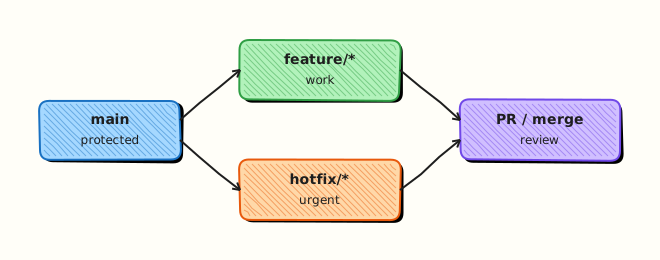
Rebase temporarily removes feature commits, advances base to target tip, then replays commits one by one — new SHAs, same patches (usually).
Theory
What it is
git rebase main while on a feature branch finds the merge base with main, extracts commits unique to the feature branch, moves the branch start to main's tip, and reapplies each commit. Interactive rebase (git rebase -i) opens a todo list: pick, squash, fixup, reword, drop. Environment variable GIT_SEQUENCE_EDITOR can script that list for automation and labs.
Why it matters
Clean history simplifies git bisect, changelog generation, and reviewer focus. Platform engineers often squash "fix typo" commits before merge. Rebasing onto latest main ensures CI runs against current pipeline definitions — but rewriting shared history forces teammates to recover with confusing resets.
How it works
git switch feature && git fetch origin && git rebase origin/main- For each replayed commit, conflicts may pause rebase — resolve,
git add,git rebase --continue git rebase -i HEAD~3edits last three commits- Mark second and third as
squashorfixupto combine - Force-push only private feature branches:
git push --force-with-lease
Key concepts and comparisons
| Operation | History shape | Shared branch safe? |
|---|---|---|
| Merge | Merge commits | Yes |
| Rebase | Linear | No if others pulled old SHAs |
| Squash on GitHub | Single commit on main | Yes (server-side) |
| Interactive command | Effect |
|---|---|
| pick | Keep commit |
| squash | Combine; keep both messages |
| fixup | Combine; drop message |
| drop | Remove commit |
Common pitfalls
- Rebasing
mainor release branches after teammates synced. - Squashing signed commits (invalidates signatures).
- Using
--forceinstead of--force-with-leaseand overwriting remote work. - Interactive rebase without understanding commit order dependencies.
Hands-on Lab
Objective
Create a feature branch with three WIP commits, rebase onto advanced main, squash to one commit via GIT_SEQUENCE_EDITOR, and verify linear history.
Prerequisites
- Git 2.x
Lab environment
Workspace: ~/rebash-git/module-07
Real-world scenario
Before opening a PR for a pipeline change, you rebase onto latest main and squash "wip" commits into one reviewable feat: add OIDC role commit.
Step-by-step tasks
Task 1 – Build main and messy feature branch
Three commits on feature; one new commit on main.
cd ~/rebash-git/module-07
set -euo pipefail
rm -rf rebase-lab
mkdir rebase-lab && cd rebase-lab
git init -b main
git config user.email 'lab@rebash.local'
git config user.name 'REBASH Lab'
printf 'steps: []\n' > pipeline.yaml
git add pipeline.yaml && git commit -m 'chore: empty pipeline'
git switch -c feature/oidc
echo '  - run: echo setup' >> pipeline.yaml
git commit -am 'wip: start oidc step'
echo '  - run: echo auth' >> pipeline.yaml
git commit -am 'wip: add auth step'
echo '  - run: echo deploy' >> pipeline.yaml
git commit -am 'wip: add deploy step'
git log --oneline feature/oidc | tee ../feature-before.txt
test "$(git rev-list --count main..feature/oidc)" -eq 3
git switch main
echo '  - run: lint' >> pipeline.yaml
git commit -am 'chore: add lint on main'
cd ..
Expected output
Feature three commits behind new main commit.
Task 2 – Rebase feature onto main
Replay feature commits on top of lint commit.
cd ~/rebash-git/module-07/rebase-lab
set -euo pipefail
git switch feature/oidc
git rebase main
git log --oneline --graph --decorate | tee ../after-rebase.txt
grep -q 'add lint on main' ../after-rebase.txt
grep -q 'wip: add deploy' ../after-rebase.txt
cd ..
Expected output
Feature commits sit above main's lint commit.
Task 3 – Squash WIP commits with GIT_SEQUENCE_EDITOR
Combine three WIP commits into one feat commit non-interactively.
cd ~/rebash-git/module-07/rebase-lab
set -euo pipefail
export GIT_SEQUENCE_EDITOR="sed -i.bak '2,3s/^pick/squash/'"
git rebase -i HEAD~3 <<EOF
feat: add OIDC pipeline steps
EOF
git log --oneline feature/oidc | tee ../after-squash.txt
grep -q 'feat: add OIDC' ../after-squash.txt
test "$(git rev-list --count main..feature/oidc)" -eq 1
git show --stat HEAD | tee ../squash-stat.txt
grep -q 'pipeline.yaml' ../squash-stat.txt
tar -czf ../module-07-rebase-evidence.tgz -C .. after-rebase.txt after-squash.txt squash-stat.txt
ls -l ../module-07-rebase-evidence.tgz | tee ../rebase-evidence.txt
cd ..
Expected output
One commit on feature above main; combined pipeline changes.
Validation steps
- Rebase completed without abort
- Squash left single feature commit
-
pipeline.yamlcontains lint + OIDC steps - Evidence tarball exists
Common errors and fixes
| Error | Cause | Fix |
|---|---|---|
| CONFLICT during rebase | Overlapping edits | Resolve; git rebase --continue |
| Empty commit skipped | Duplicate changes | Continue or git rebase --skip |
| sed failed on macOS | BSD sed differences | Use lab Linux or adjust sed |
| Wrong commit count | Wrong HEAD~n | Check git log --oneline |
Challenge exercise
Use git rebase -i to reword the squash commit message to include ticket PLAT-42 prefix. Never force-push to a branch a teammate has cloned — write that rule in REBASE_POLICY.txt.
Learning outcomes
- Rebased onto updated main
- Squashed WIP commits programmatically
- Understood linear history vs merge
Cleanup
Validation
- Lab under
~/rebash-git/module-07 - Can state the golden rule on shared branches
- Can explain SHA change after rebase
- Know
--force-with-leasevs--force
Code Walkthrough
- Update refs — fetch before rebase.
- Rebase private branches only — before PR or after agreement.
- Squash for review clarity — keep WIP local.
- Force-with-lease — protects remote surprises.
- Abort if lost —
git rebase --abortreturns to start.
Security Considerations
- Force-push to protected branches must be denied by server policy.
- Rebasing can drop security fix commits if done carelessly — verify diff vs main.
- Signed commits need re-signing after rewrite if required.
- Audit logs may track force-push events — treat as sensitive operation.
- Do not rebase branches tied to compliance tags without change control.
Common Mistakes
Rebase shared main
Teammates' clones diverge catastrophically. Fix: Merge instead; rebase only local/feature branches.
Force push without lease
Overwrites colleagues' pushes silently. Fix: git push --force-with-lease.
Squashing without running CI again
Combined commit may fail tests interactively. Fix: Run pipeline after squash before merge.
Best Practices
git pull --rebasefor personal branches if team standard allows- Squash WIP before PR; keep atomic logical commits during development
- Document team policy: merge vs rebase vs squash merge
- Use
-ireword for message typos on unpushed commits - Prefer GitHub squash merge if unsure about local rebase
Troubleshooting
| Symptom | Likely cause | Fix |
|---|---|---|
| Rebase loop conflicts | Too much drift | Merge main once; smaller commits |
| Missing commits after squash | Dropped in editor | git reflog; reset |
| Cannot push after rebase | Non-FF remote | --force-with-lease on feature only |
| Duplicate changes | Applied twice | Abort; inspect with diff |
Summary
Rebase keeps history linear; interactive rebase polishes commits before review — never on shared published branches. Next: Undoing Changes — Reset, Revert, Stash.
Interview Questions
1. What does git rebase main do on a feature branch?
Reveal answer
It replays commits that exist on the feature branch but not on main onto main's current tip, creating new commit SHAs and linear history without a merge commit.
2. Never rebase shared branches — why?
Reveal answer
Rebase rewrites history; teammates who based work on old SHAs get duplicate/conflicting commits and must hard-reset or manually recover — disruptive and error-prone.
3. squash vs fixup in interactive rebase?
Reveal answer
Both combine commits; squash keeps the second commit message for editing, fixup discards it — use fixup for noise commits like "fix typo".
4. What is GIT_SEQUENCE_EDITOR for?
Reveal answer
It replaces the default editor for the rebase todo list — enables scripting pick/squash/drop in CI, labs, or automation without manual vim.
5. force-with-lease vs force?
Reveal answer
--force-with-lease refuses to push if the remote ref changed since you last fetched — prevents overwriting a colleague's push you have not seen.
6. Rebase vs merge for integrating main into feature?
Reveal answer
Rebase yields linear feature history; merge preserves merge commits and exact chronology — choose per team policy; both must run CI on integrated result.
7. When does rebase conflict?
Reveal answer
When a replayed commit touches the same lines as commits now on the new base — resolve each stop like a merge conflict, then continue.
8. Does GitHub rebase merge button rewrite commits?
Reveal answer
Yes — it rebases PR commits onto base branch before fast-forward merging, creating new SHAs on the PR branch side; acceptable for PR workflow with team agreement.
Related Tutorials
- Merging and Merge Conflicts
- Undoing Changes — Reset, Revert, Stash
- Production Git Practices
- Course index