Cherry-pick and Reflog
Overview
Cherry-pick applies an existing commit's patch onto your current branch — ideal for hotfixes born on main that must land on a release branch without merging everything else. Reflog records where HEAD and branch tips pointed locally — your safety net after reset --hard or deleted branches.
This is Tutorial 3 in Module 7: Rebasing & History of the REBASH Academy Git & GitHub for Cloud & DevOps Engineers series — written for Cloud, DevOps, Platform, and SRE engineers.
Prerequisites
- Undoing Changes — Reset, Revert, Stash
- Git 2.x
- Comfort with commit SHAs
Learning Objectives
By the end of this tutorial, you will be able to:
- Cherry-pick a hotfix commit onto a release branch
- Handle cherry-pick conflicts and continue
- Locate lost commits with
git reflog - Recover a branch tip after mistaken hard reset
- Archive evidence under
~/rebash-git/module-07
Architecture
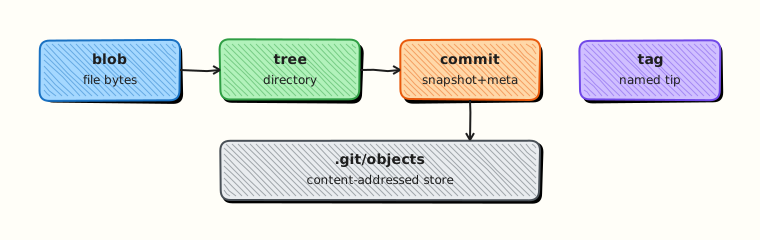
Cherry-pick creates a new commit with same diff, new parent, new SHA; reflog is a local journal of ref movements.
Theory
What it is
git cherry-pick <commit> applies the changes introduced by that commit on top of HEAD, creating a new commit (unless -n for no commit). Reflog (git reflog) lists movements of refs like HEAD and main — entries expire after default 90 days but suffice for same-day recovery.
Why it matters
Production may run release/v2.3 while main holds v3 features. A security patch merged to main must cherry-pick to release/v2.3 without dragging unrelated commits. After accidental git reset --hard HEAD~5 on a laptop, reflog restores work not yet pushed — common during late-night incident response.
How it works
- Identify hotfix SHA on source branch (
git log main --oneline). git switch release/v2.3 && git cherry-pick <sha>.- Resolve conflicts if any;
git cherry-pick --continue. - After mistake:
git reflogfind pre-reset SHA. git reset --hard <sha>orgit branch recover <sha>.
Key concepts and comparisons
| Tool | Use |
|---|---|
| cherry-pick | Copy one commit |
| merge | All commits from branch |
| revert | Undo one commit |
| reflog | Recover local refs |
| reflog entry | Meaning |
|---|---|
| commit | Normal commit |
| reset | Reset moved ref |
| checkout/switch | Changed HEAD |
| cherry-pick | Pick applied |
Common pitfalls
- Cherry-picking merge commits without
-m. - Assuming reflog exists on remote — it is local only.
- Cherry-picking same patch twice — duplicate fixes.
- Reset --hard then panic without reflog — objects may still be reachable briefly.
Hands-on Lab
Objective
Create hotfix on main, cherry-pick to simulated release branch, deliberately hard-reset away a commit, recover via reflog.
Prerequisites
- Git 2.x
Lab environment
Workspace: ~/rebash-git/module-07/cherry-reflog-lab
Real-world scenario
Security team patches auth.yaml on main. Release branch release/v1 still supported — cherry-pick only that commit. Junior engineer hard-resets — you recover with reflog.
Step-by-step tasks
Task 1 – Setup main, release, and hotfix
cd ~/rebash-git/module-07
set -euo pipefail
rm -rf cherry-reflog-lab && mkdir cherry-reflog-lab && cd cherry-reflog-lab
git init -b main
git config user.email 'lab@rebash.local'
git config user.name 'REBASH Lab'
printf 'auth: v1\n' > auth.yaml
git add auth.yaml && git commit -m 'chore: auth v1'
git switch -c release/v1
git switch main
printf 'auth: v2\nfeature: beta\n' > auth.yaml
git commit -am 'feat: auth v2 beta feature'
printf 'auth: v2-hotfix\n' > auth.yaml
git commit -am 'fix: security patch auth v2-hotfix'
HOTFIX=$(git rev-parse HEAD)
echo "$HOTFIX" | tee ../hotfix-sha.txt
git switch release/v1
git cherry-pick "$HOTFIX"
grep -q 'v2-hotfix' auth.yaml
! grep -q 'beta' auth.yaml 2>/dev/null || true
git log --oneline | tee ../release-log.txt
grep -q 'security patch' ../release-log.txt
cd ..
Expected output
Release branch has hotfix content without beta feature text in auth (only hotfix patch applied).
Task 2 – Mistaken hard reset
cd ~/rebash-git/module-07/cherry-reflog-lab
set -euo pipefail
git switch main
git reset --hard HEAD~2
git log --oneline | tee ../after-disaster.txt
! grep -q 'security patch' ../after-disaster.txt
git reflog | tee ../reflog.txt
grep -q 'security patch' ../reflog.txt
RECOVER=$(grep 'security patch' ../reflog.txt | head -1 | awk '{print $1}')
git reset --hard "$RECOVER"
grep -q 'security patch' <(git log --oneline)
cd ..
Expected output
After recovery, hotfix commit visible again on main log.
Task 3 – Evidence pack
cd ~/rebash-git/module-07/cherry-reflog-lab
set -euo pipefail
git log --oneline --all --graph | tee ../cherry-graph.txt
tar -czf ../module-07-cherry-evidence.tgz -C .. hotfix-sha.txt release-log.txt reflog.txt cherry-graph.txt
ls -l ../module-07-cherry-evidence.tgz | tee ../cherry-evidence.txt
cd ..
Expected output
Tarball with cherry-pick and reflog proof.
Validation steps
- Hotfix cherry-picked to release/v1
- Reflog listed lost commit
- Hard reset recovery succeeded
- Evidence archive exists
Common errors and fixes
| Error | Cause | Fix |
|---|---|---|
| empty cherry-pick | Already applied | Skip or verify diff |
| cherry-pick conflict | Context differs | Resolve; continue |
| reflog empty | New repo minimal | Make commits first |
| wrong recover SHA | Picked wrong entry | Identify message in reflog |
Challenge exercise
Create branch recover-test, make commit, delete branch with git branch -D, recover commit SHA from reflog with git branch recover-test <sha> — document steps in REFLOG_RECOVERY.md.
Learning outcomes
- Ported hotfix without full merge
- Used reflog after destructive reset
- Understood local-only recovery limits
Cleanup
Validation
- Lab completed under module-07
- Can explain cherry-pick vs merge
- Know reflog is local
- Can name hotfix workflow use case
Code Walkthrough
- Copy SHA from log — full or short SHA works for cherry-pick.
- Pick to release first — before tag rebuild/deploy.
- reflog immediately after oops — before GC prunes unreachable objects.
- Branch at recovered SHA — safer than immediate hard reset on shared clone.
- Push recovered work — new branch for review if needed.
Security Considerations
- Cherry-pick security patches to all supported release lines.
- Reflog recovery may restore commits containing secrets — scan before push.
- Do not cherry-pick unsigned commits if policy requires signatures.
- Audit cherry-picks in change records — same as merges.
- Remote backup still required — reflog does not replace server history.
Common Mistakes
Cherry-pick merge commit
Git needs mainline parent. Fix: git cherry-pick -m 1 <merge-sha> or pick individual commits.
Trusting reflog on CI runner
Ephemeral runners lose reflog each job. Fix: Push branches; use remote as source of truth.
Double cherry-pick
Same patch applied twice causes duplicate logic. Fix: Check git log release before pick.
Best Practices
- Tag release SHAs before hotfix season
- Document supported release branches
- Use
-xwhen cherry-pick to record source SHA in message - reflog + branch recovery before force operations
- Automate backport labels in GitHub for tracking
Troubleshooting
| Symptom | Likely cause | Fix |
|---|---|---|
| Commit gone after reset | Hard reset | reflog recover |
| Cherry-pick empty | No diff vs parent | Expected; skip |
| Cannot find reflog entry | Expired or different clone | Remote branches |
| Conflict on pick | Drifted release line | Resolve like merge |
Summary
Cherry-pick moves individual fixes; reflog recovers local mistakes — complementary tools for release engineering. Next: Working with Remotes.
Interview Questions
1. What does cherry-pick do?
Reveal answer
Applies the change introduced by an existing commit onto the current branch as a new commit with a new SHA and parent — copying the patch, not the original commit object.
2. Cherry-pick vs merge for hotfix?
Reveal answer
Merge brings all commits from source branch; cherry-pick takes only the hotfix commit — essential when release branch must not receive unrelated main commits.
3. What is reflog?
Reveal answer
A local log of ref updates (HEAD, branches) — lets you find SHAs before reset/checkout operations for recovery.
4. Is reflog on remote?
Reveal answer
No — reflog is local to each repository clone; recovery of pushed work uses remote refs, tags, or forge APIs.
5. git cherry-pick -x?
Reveal answer
Appends a line to commit message noting which commit was cherry-picked — aids audit trail across branches.
6. Recover after git branch -D?
Reveal answer
Find last commit SHA of deleted branch in git reflog, then git branch <name> <sha> to recreate pointer.
7. Risk of cherry-pick without tests?
Reveal answer
Patch may not apply cleanly to old codebase context — conflicts or subtle breakage; always run release-line CI after pick.
8. When reflog cannot help?
Reveal answer
After garbage collection removes unreachable objects, or on a different machine that never had those commits — need remote backup or teammate clone.
Related Tutorials
- Undoing Changes — Reset, Revert, Stash
- Git Troubleshooting
- Git Bisect and Debugging History
- Course index