Merging and Merge Conflicts
Overview
Merging integrates branch history so combined work ships together. Fast-forward merges move a pointer when no divergent commits exist; three-way merges create a merge commit when both branches advanced. Conflicts occur when Git cannot pick a single line — common in Terraform, YAML, and Helm values — and must be resolved deliberately.
This is Tutorial 1 in Module 6: Merging of the REBASH Academy Git & GitHub for Cloud & DevOps Engineers series — written for Cloud, DevOps, Platform, and SRE engineers. You will perform both merge types and resolve a realistic manifest conflict.
Prerequisites
- Branching Fundamentals
- Git 2.x
- Text editor for conflict markers
Learning Objectives
By the end of this tutorial, you will be able to:
- Distinguish fast-forward from three-way merges
- Merge feature branches into
mainlocally - Read and resolve conflict markers in YAML
- Complete merges with
git addandgit commit - Capture merge evidence under
~/rebash-git/module-06
Architecture
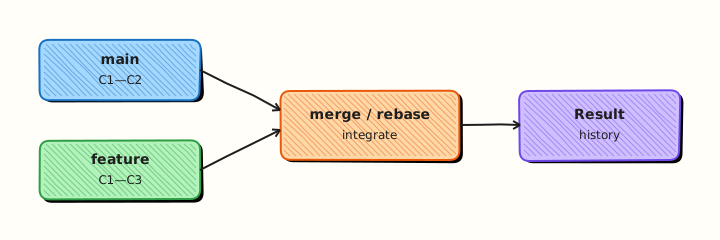
Git finds the merge base, compares trees from both tips, and either advances the branch pointer (FF) or creates a merge commit linking two parents.
Theory
What it is
Merging combines histories by integrating changes from one branch into another. A fast-forward (FF) merge happens when the target branch tip is an ancestor of the source — Git moves the pointer forward. A three-way merge uses the common ancestor (merge base) plus both branch tips to build a new snapshot; if the same lines changed differently, Git marks conflicts for human resolution.
Why it matters
Pull requests on GitHub ultimately perform merges (or rebase merges). Locally you must merge main into your feature branch to test integration before CI. IaC conflicts are not syntax errors until apply — wrong resolution can deploy duplicate resources or wrong replica counts.
How it works
- Checkout target branch (
main). git merge featurefinds merge base.- If FF possible and allowed, tip moves; else merge commit or conflict.
- Conflicts write
<<<<<<<,=======,>>>>>>>markers in files. - Edit to final content,
git add,git commit(orgit merge --continue).
Key concepts and comparisons
| Scenario | Result |
|---|---|
| Main unchanged since branch | Fast-forward |
| Both branches have new commits | Three-way merge commit |
| Same line edited differently | Conflict |
git merge --ff-only | Fail if FF impossible |
| Strategy | When |
|---|---|
| Merge commit | Preserve branch topology |
| Squash merge (on GitHub) | Single commit on main |
| Rebase merge | Linear history (see rebase tutorial) |
Common pitfalls
- Accepting "theirs" or "ours" blindly in IaC without reading both sides.
- Leaving conflict markers in files — CI may still pass syntax but deploy wrong config.
- Merging without running
terraform validateorkubectl apply --dry-run=client. - Using wrong parent for "ours" during feature-branch conflict (ours = current branch checked out).
Hands-on Lab
Objective
Demonstrate fast-forward merge, then create a divergent three-way merge with a deliberate YAML conflict, resolve it, and verify final manifest content.
Prerequisites
- Git 2.x
Lab environment
Workspace: ~/rebash-git/module-06
Real-world scenario
Two engineers change the same replicas key in a deployment manifest on different branches. Release manager merges both; you resolve the conflict to the agreed value (3 replicas).
Step-by-step tasks
Task 1 – Fast-forward merge
Merge a branch with no divergence.
cd ~/rebash-git/module-06
set -euo pipefail
rm -rf merge-lab
mkdir merge-lab && cd merge-lab
git init -b main
git config user.email 'lab@rebash.local'
git config user.name 'REBASH Lab'
printf 'replicas: 1\n' > deploy.yaml
git add deploy.yaml && git commit -m 'chore: baseline deploy'
git switch -c feature/ff-bump
printf 'replicas: 2\n' > deploy.yaml
git commit -am 'feat: scale to 2'
git switch main
git merge feature/ff-bump --ff-only
grep -q 'replicas: 2' deploy.yaml
git log --oneline --graph | tee ../ff-graph.txt
grep -q 'scale to 2' ../ff-graph.txt
cd ..
Expected output
Linear history; no merge commit; replicas: 2 on main.
Task 2 – Create divergent branches with conflicting edits
Both main and feature/scale change replicas differently.
cd ~/rebash-git/module-06/merge-lab
set -euo pipefail
git switch -c feature/scale
printf 'replicas: 5\n' > deploy.yaml
git commit -am 'feat: scale to 5 for campaign'
git switch main
printf 'replicas: 3\n' > deploy.yaml
git commit -am 'fix: scale to 3 for stability'
git merge feature/scale || true
grep -q '<<<<<<<' deploy.yaml
git status | tee ../conflict-status.txt
grep -q 'both modified' ../conflict-status.txt
cd ..
Expected output
Merge stops with conflict markers in deploy.yaml.
Task 3 – Resolve conflict and complete merge
Choose agreed value 3, complete merge, archive evidence.
Create deploy.yaml with the agreed replica count:
Complete the merge:
cd ~/rebash-git/module-06/merge-lab
set -euo pipefail
git add deploy.yaml
git commit -m 'merge: resolve replica conflict keeping stable value 3'
grep -q 'replicas: 3' deploy.yaml
! grep -q '<<<<<<<' deploy.yaml
git log --oneline --graph --decorate | tee ../merge-graph.txt
grep -q 'merge: resolve' ../merge-graph.txt
tar -czf ../module-06-merge-evidence.tgz -C .. ff-graph.txt merge-graph.txt conflict-status.txt
ls -l ../module-06-merge-evidence.tgz | tee ../merge-evidence.txt
cd ..
Expected output
Merge commit exists; file clean; graph shows merge node.
Validation steps
- FF merge succeeded with
--ff-only - Conflict reproduced and resolved
- No conflict markers remain
- Evidence tarball created
Common errors and fixes
| Error | Cause | Fix |
|---|---|---|
not something we can merge | Wrong ref | Check branch name |
| Merge abort needed | Wrong resolution | git merge --abort |
| Still unmerged paths | Forgot git add | Stage resolved files |
| Wrong replica kept | Misread ours/theirs | Re-read both sides |
Challenge exercise
merge=union is rarely safe for YAML. Instead, add merge-review.yaml with three required boolean keys (desired_prod_value_confirmed, tested_in_staging, rollback_plan_ready) and a one-line shell assert that fails unless all three are true. Use that gate before you would approve an IaC conflict resolution.
Learning outcomes
- Performed FF and three-way merges
- Resolved line conflict in manifest
- Verified history with merge graph
Cleanup
Validation
- Lab under
~/rebash-git/module-06 - Can explain merge base
- Can interpret conflict markers
- Can describe FF vs merge commit trade-off
Code Walkthrough
- Merge main into feature often — reduces PR surprise.
- Read both sides —
git show :2:fileand:3:filein advanced cases. - Validate IaC after resolve — terraform/kubectl dry-run.
- One conflict commit message — state human decision.
- Abort if unsure —
git merge --abortrestores pre-merge state.
Security Considerations
- Conflicts in auth or network policy files need security review, not only dev review.
- Do not merge if either side reintroduces ignored secrets.
- Protect
mainwith required reviews for conflict-prone paths. - Log merge commits in change management for regulated environments.
- Verify signed commits after merge if policy requires.
Common Mistakes
Blind git checkout --theirs
You may deploy wrong environment values. Fix: Manually compose correct YAML/HCL.
Committing conflict markers
Markers break parsers unpredictably. Fix: Search repo for <<<<<<< before push.
Merging without testing integrated result
Each side passed CI separately. Fix: Run integration CI on merge result locally or on PR branch.
Best Practices
- Prefer small PRs to reduce conflict surface
- Use CODEOWNERS on critical paths
- Document resolution rationale in commit message
- Keep
mainmergeable — integrate daily - Use
--no-ffonly when policy wants explicit merge commits
Troubleshooting
| Symptom | Likely cause | Fix |
|---|---|---|
| Endless conflicts on re-merge | Same lines churn | Coordinate; split files |
| Empty merge commit | Trivial merge | Normal for three-way |
| Lost changes after resolve | Overwrote wrong | git reflog; redo merge |
| merge HEAD detached | Interrupted merge | git status; continue or abort |
Summary
You merged branches with fast-forward and three-way strategies and resolved a realistic conflict. Next: Rebasing and Interactive Rebase for linear history techniques.
Interview Questions
1. When does Git fast-forward?
Reveal answer
When the target branch tip is a direct ancestor of the source branch tip — no divergent commits on target — Git moves the pointer without a merge commit.
2. What is a three-way merge?
Reveal answer
Git combines changes from two branches using their common ancestor (merge base) as reference, producing a new commit with two parents when both sides diverged.
3. What do conflict markers mean?
Reveal answer
<<<<<<< HEAD is current branch version, ======= separates sides, >>>>>>> branch is incoming — you edit to the intended final content and remove markers.
4. Ours vs theirs during merge on feature branch checked out?
Reveal answer
"Ours" is the branch you have checked out (target of merge into), "theirs" is the branch being merged — easy to confuse; always read file content, not labels alone.
5. git merge --abort?
Reveal answer
Cancels an in-progress merge, restoring HEAD and working tree to pre-merge state — use when resolution went wrong.
6. Merge vs rebase for integrating main?
Reveal answer
Merge preserves exact history and merge commits; rebase replays feature commits on top of main for linear history — rebase rewrites commits and is risky on shared branches.
7. Why squash merge on GitHub?
Reveal answer
Collapses feature commits into one on main for cleaner history — loses granular commits on main but keeps review in PR.
8. How prevent IaC merge disasters?
Reveal answer
Small PRs, mandatory review on infra paths, automated validate/plan in CI, and explicit conflict checklists — never merge unresolved ambiguity in production values.