Git Installation and Configuration
Overview
A misconfigured Git identity shows up in every audit as root@laptop or the wrong email on production commits. Installation is the easy part; configuration — user.name, user.email, init.defaultBranch, editor, and remote authentication — is what makes collaboration trustworthy.
This is Tutorial 1 in Module 2: Installing Git of the REBASH Academy Git & GitHub for Cloud & DevOps Engineers series — written for Cloud, DevOps, Platform, and Site Reliability Engineering (SRE) engineers.
Prerequisites
- Understanding the Git Object Model
- Admin rights to install packages (or an already-installed Git 2.x)
- Optional: SSH client for key setup
Learning Objectives
By the end of this tutorial, you will be able to:
- Verify a supported Git version
- Set local and global identity safely (prefer local for labs)
- Configure
init.defaultBranchand a commit editor - Choose SSH vs HTTPS for GitHub remotes and document the choice
- Produce a config evidence pack under
~/rebash-git/module-02
Architecture
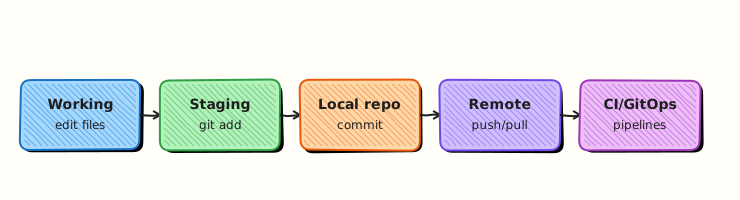
Local Git reads layered config (system → global → local); remotes authenticate with SSH keys or HTTPS credentials/tokens before fetch/push.
Theory
What it is
Installation places the git binary and helpers on your PATH. Configuration lives in:
| Scope | Typical file | Use |
|---|---|---|
| system | /etc/gitconfig | Managed hosts |
| global | ~/.gitconfig | Your defaults |
| local | .git/config | Per-repository overrides |
Critical keys: user.name, user.email, core.editor, init.defaultBranch, pull.rebase (team policy), and credential helpers.
Why it matters
CI and CODEOWNERS match on emails. Wrong identity breaks signed commits and blame. Default branch master vs main still causes script failures. SSH keys avoid embedding PATs in shell history when used correctly.
How it works
- Install via package manager (
apt,brew, Windows Git). - Set identity — local for lab sandboxes; global for your real work email.
- Set
init.defaultBranch mainto match GitHub defaults. - Authenticate remotes: SSH (
git@github.com:org/repo.git) or HTTPS with a credential helper / PAT. - Verify with
git config --list --show-originand a test commit.
Key concepts and comparisons
| Auth | Pros | Cons |
|---|---|---|
| SSH | Key-based; great for daily CLI | Key management, agent |
| HTTPS + PAT | Simple firewalls | Token leakage risk in history/logs |
| SSO/credential manager | Org-friendly | Setup varies by OS |
Common pitfalls
- Setting only
user.nameand forgettinguser.email. - Using corporate email on personal forks (or reverse) without intent.
- Committing with blank identity because config was never verified.
- Pasting PATs into chat or shell history.
Hands-on Lab
Objective
Verify Git, configure a local lab identity and defaults, detect SSH vs HTTPS remote patterns, and archive config evidence as .txt files.
Prerequisites
- Ability to run
gitor install it - Optional OpenSSH (
ssh-keygen)
Lab environment
Workspace: ~/rebash-git/module-02
Real-world scenario
A new starter’s first commits hit the company GitHub as ubuntu@ip-10-0-0-5. You must show a repeatable bootstrap checklist.
Step-by-step tasks
Task 1 – Version and install check
cd ~/rebash-git/module-02
set -euo pipefail

git --version | tee git-version.txt
command -v git | tee git-path.txt
# Document install hint if missing (do not fail the whole course host):
if ! git --version >/dev/null 2>&1; then
  echo 'Install: Debian/Ubuntu: sudo apt update && sudo apt install -y git' | tee install-hint.txt
  echo 'macOS: brew install git' >> install-hint.txt
fi
test -s git-version.txt
Expected output
A Git version line like git version 2.x.y.
Task 2 – Local repo config (not global)
cd ~/rebash-git/module-02
set -euo pipefail

rm -rf config-lab && mkdir config-lab && cd config-lab
git init -b main
git config user.name 'REBASH Lab'
git config user.email 'lab@rebash.local'
git config core.editor 'nano'
git config init.defaultBranch main
git config --local --list | tee ../local-config.txt
printf '# config lab\n' > README.md
git add README.md
git commit -m 'chore: bootstrap config lab'
git log -1 --format='%an <%ae>%n%s' | tee ../identity-commit.txt
grep -q 'lab@rebash.local' ../identity-commit.txt
cd ..
Expected output
Local config lists name/email; latest commit uses lab identity.
Task 3 – Auth mode detection and SSH key evidence
Create detect-auth-mode.sh:
#!/usr/bin/env bash
set -euo pipefail
ssh_url='git@github.com:ORG/REPO.git'
https_url='https://github.com/ORG/REPO.git'
if [[ "$ssh_url" =~ ^git@ ]]; then
  echo 'preferred_lab_remote=ssh'
  echo "ssh_url_pattern=$ssh_url"
fi
if [[ "$https_url" =~ ^https:// ]]; then
  echo 'https_url_pattern='"$https_url"
fi
git config --local --get-regexp 'user\.|init\.defaultBranch|core\.editor' 2>/dev/null || true
Run diagnostics and pack evidence:
cd ~/rebash-git/module-02
set -euo pipefail

chmod +x detect-auth-mode.sh
./detect-auth-mode.sh | tee auth-mode.txt
grep -q 'preferred_lab_remote=ssh' auth-mode.txt

if [[ -f "$HOME/.ssh/id_ed25519.pub" ]] || [[ -f "$HOME/.ssh/id_rsa.pub" ]]; then
  echo 'existing_ssh_pubkey=yes' | tee ssh-status.txt
  ls "$HOME/.ssh/"*.pub 2>/dev/null | tee ssh-pubkeys.txt || true
else
  echo 'existing_ssh_pubkey=no — generating lab-only key (no passphrase for disposable lab)' | tee ssh-status.txt
  ssh-keygen -t ed25519 -f "$HOME/.ssh/id_ed25519_rebash_lab" -N '' -C 'rebash-lab@local' || true
  ls "$HOME/.ssh/id_ed25519_rebash_lab.pub" | tee ssh-pubkeys.txt || echo 'ssh-keygen unavailable' | tee ssh-pubkeys.txt
fi

git config --show-origin --get-regexp 'user\.|init\.defaultBranch|core\.editor' 2>/dev/null | tee config-origins.txt || true
tar -czf module-02-evidence.tgz git-version.txt git-path.txt local-config.txt identity-commit.txt auth-mode.txt ssh-status.txt ssh-pubkeys.txt config-origins.txt detect-auth-mode.sh
ls -l module-02-evidence.tgz | tee evidence.txt
Expected output
auth-mode.txt records SSH/HTTPS URL patterns; evidence archive includes config and key status.
Validation steps
-
git-version.txtexists - Commit author is
lab@rebash.local -
auth-mode.txtrecords SSH and HTTPS URL patterns
Common errors and fixes
| Error | Cause | Fix |
|---|---|---|
git: command not found | Not installed | Use OS package manager; re-run Task 1 |
| Commits still wrong email | Global override confusion | Prefer --local in lab; check --show-origin |
| Permission denied (publickey) | Key not loaded/added to GitHub | ssh-add; add .pub in GitHub SSH settings |
Challenge exercise
Run git config --global --get user.email (read-only) and append global_email=<value> to auth-mode.txt — without overwriting global settings.
Learning outcomes
- Verified Git installation
- Applied safe local identity config
- Detected SSH vs HTTPS remote patterns with command evidence
Cleanup
# Remove disposable lab key if you created id_ed25519_rebash_lab and will not use it:
# rm -f ~/.ssh/id_ed25519_rebash_lab ~/.ssh/id_ed25519_rebash_lab.pub
ls ~/rebash-git/module-02
Validation
- Lab completed under
~/rebash-git/module-02/ - You can list config scopes system/global/local
- You can explain SSH vs HTTPS for GitHub
- You will not paste PATs into repos or tickets
Code Walkthrough
- Verify binary —
git --versionbefore teaching workflows. - Set identity locally in labs — avoid polluting global config.
- Default branch
main— match forge defaults. - Choose auth deliberately — document org standard.
- Show origins —
git config --show-originwhen values surprise you.
Security Considerations
- Never commit PATs, SSH private keys, or
.pemfiles. - Prefer ed25519 keys; protect private keys with disk encryption and strict modes (
0600). - Use SSO-backed tokens with least scopes when HTTPS is required.
- Separate personal and work identities intentionally.
- Rotate credentials after any paste accident.
Common Mistakes
Configuring identity only after the first bad commit
History already has the wrong author. Fix: configure before committing; amend only on private commits.
Sharing one SSH key across a whole team
Attribution and revocation break. Fix: one keypair per human or use deploy keys/GitHub Apps for machines.
Storing PATs in shell history or .git-credentials world-readable
Tokens leak. Fix: OS credential manager; short-lived tokens; chmod hardening.
Best Practices
- Document bootstrap in your team onboarding repo.
- Align
user.emailwith GitHub verified emails for contributions. - Keep lab configs local; keep real email global.
- Pin Git versions on CI images.
- Revisit signing (GPG/SSH signing) in the security module.
Troubleshooting
| Symptom | Likely cause | Fix |
|---|---|---|
Please tell me who you are | Missing user.* | Set local or global name/email |
| Editor opens unexpectedly | core.editor / GIT_EDITOR | Set editor you know (nano, code --wait) |
| HTTPS asks every time | No credential helper | Configure helper or switch to SSH |
Host key verification failed | First SSH to GitHub | Verify fingerprint; update known_hosts |
Summary
Install Git, then configure identity and defaults before any real commit. Decide SSH vs HTTPS with security in mind. Next: Creating and Cloning Repositories.
Interview Questions
1. Where can Git configuration be set, and which wins?
Reveal answer
System, global, and local (repository) scopes. More specific scopes override broader ones — local wins over global for that repo.
2. Why set user.email carefully in a company?
Reveal answer
Commits, CLA checks, CODEOWNERS, and audit trails key off author email; wrong addresses break attribution and sometimes merge gates.
3. SSH vs HTTPS for GitHub — when do you pick each?
Reveal answer
SSH for daily CLI with keys/agent; HTTPS when policy or proxies require it, using a credential helper or short-lived PAT/SSO — never embed tokens in URLs committed to disk.
4. What does init.defaultBranch control?
Reveal answer
The branch name created by git init (commonly main), aligning local defaults with GitHub and team scripts.
5. How do you see which file set a config value?
Reveal answer
git config --list --show-origin (or --show-origin --get-regexp …).
6. Why prefer local config in training labs?
Reveal answer
Labs should not overwrite an engineer’s real global identity; local config keeps sandbox commits clearly marked.
7. What is a deploy key?
Reveal answer
An SSH key scoped to a single repository for automation read/write, separate from a human’s personal key.
8. Name one risk of personal access tokens.
Reveal answer
They can leak via shell history, CI logs, or committed config; scopes may be overly broad if not least-privilege.
Related Tutorials
- Understanding the Git Object Model
- Creating and Cloning Repositories
- Signed Commits and Git Security