Git Submodules and Subtrees
Overview
Platform teams reuse Terraform modules, Helm charts, and shared configs across repositories. Submodules pin an exact commit of a nested repo; subtrees vendor external history into a subdirectory. Both embed dependencies in Git — with different trade-offs for clone complexity, CI, and updates compared to module registries.
This is a Related depth tutorial in the REBASH Academy Git & GitHub for Cloud & DevOps Engineers series — written for Cloud, DevOps, Platform, and Infrastructure engineers.
Prerequisites
Learning Objectives
By the end of this tutorial, you will be able to:
- Add and initialise a submodule with
.gitmodules - Clone a repo with
git clone --recurse-submodules - Update a submodule pointer and commit the parent
- Add content via
git subtree addand pull upstream updates - Compare submodules, subtrees, and semver module registries
- Complete lab evidence under
~/rebash-git/related/submodules
Architecture
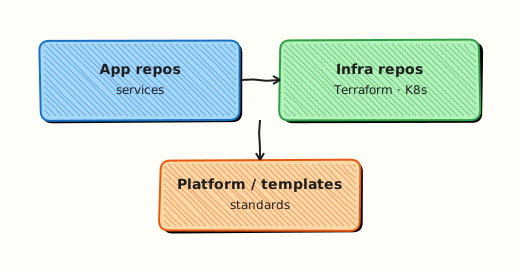
Submodules store a gitlink (commit SHA) in the parent tree; subtrees merge external history into a path inside the parent repository.
Theory
What it is
A submodule is a reference to another Git repository at a specific commit, recorded in .gitmodules and as a gitlink entry in the parent index. Cloning the parent without --recurse-submodules leaves empty directories until git submodule update --init. A subtree copies another repo's history into a subdirectory of the parent using git subtree add — consumers clone one repo only.
Why it matters
Before Terraform Cloud or private module registries, teams vendored shared modules via submodules. Monorepo platform repos still embed policy bundles or chart libraries. Wrong clone flags break CI (empty modules/vpc). Choosing subtree vs submodule affects whether contributors need two-repo mental model.
How it works
Submodule add: 1. git submodule add <url> path/to/module 2. Git writes .gitmodules and checks out module at current remote HEAD. 3. Parent commit records gitlink SHA. 4. Clone: git clone --recurse-submodules or post-clone submodule update --init --recursive.
Subtree add: 1. git subtree add --prefix=vendor/module <url> main --squash 2. External history squashed into parent; single clone suffices. 3. Updates: git subtree pull --prefix=vendor/module <url> main --squash.
Key concepts and comparisons
| Mechanism | Clone experience | Pinning | Update |
|---|---|---|---|
| Submodule | Needs init/update | Exact SHA | Bump gitlink in parent |
| Subtree | Single repo | Squash merges | subtree pull |
| Registry (TF) | Module download | semver tag | Version bump in HCL |
| Symptom | Often submodule-related |
|---|---|
| Empty dir in CI | Missing --recurse-submodules |
| Detached HEAD in submodule | Normal at pinned SHA |
| Permission denied | Submodule URL/auth separate |
Common pitfalls
- Forgetting
submodule updatein CI checkout action. - Editing files inside submodule without committing in submodule repo first.
git submodule deinitincomplete — leaves stale config.- Subtree without
--squash— enormous parent history.
Hands-on Lab
Objective
Create parent repo with local bare submodule remote, add submodule for a mini Terraform module, clone parent fresh with --recurse-submodules, then vendor a file via subtree in a second exercise path.
Prerequisites
- Git 2.x
Lab environment
Workspace: ~/rebash-git/related/submodules
mkdir -p ~/rebash-git/related/submodules && cd ~/rebash-git/related/submodules
set -euo pipefail
Real-world scenario
Platform monorepo embeds modules/vpc submodule from internal bare remote; CI must clone with submodules or plans fail with missing module source.
Step-by-step tasks
Task 1 – Create module bare remote and parent with submodule
cd ~/rebash-git/related/submodules
set -euo pipefail
rm -rf mod-repo parent-app clone-test remotes
mkdir -p mod-repo parent-app remotes
cd mod-repo
git init -b main
git config user.email 'lab@rebash.local'
git config user.name 'REBASH Lab'
mkdir vpc
printf 'variable "cidr" { default = "10.0.0.0/16" }\n' > vpc/main.tf
git add vpc && git commit -m 'feat: vpc module stub'
cd ..
git init --bare remotes/vpc-module.git
cd mod-repo
git remote add origin ../remotes/vpc-module.git
git push -u origin main
cd ../parent-app
git init -b main
git config user.email 'lab@rebash.local'
git config user.name 'REBASH Lab'
git submodule add ../remotes/vpc-module.git modules/vpc
test -f modules/vpc/vpc/main.tf
git add .gitmodules modules/vpc
git commit -m 'chore: add vpc submodule'
grep -q 'submodule' .gitmodules
cd ..
Expected output
.gitmodules exists; submodule checked out with Terraform stub.
Task 2 – Clone with recurse-submodules
cd ~/rebash-git/related/submodules
set -euo pipefail
git clone --recurse-submodules parent-app clone-test
test -f clone-test/modules/vpc/vpc/main.tf
git -C clone-test submodule status | tee submodule-status.txt
grep -q 'modules/vpc' submodule-status.txt
cd ..
Expected output
Fresh clone has populated submodule directory.
Task 3 – Bump submodule and subtree vendor stub
cd ~/rebash-git/related/submodules/mod-repo
set -euo pipefail
echo '# v2 note' >> vpc/main.tf
git commit -am 'feat: vpc module v2 note'
git push origin main
cd ../parent-app
git submodule update --remote modules/vpc
git add modules/vpc
git commit -m 'chore: bump vpc submodule pointer'
mkdir -p vendor
printf 'policy: baseline\n' > vendor/policy.txt
git add vendor/policy.txt
git commit -m 'chore: vendor policy stub (subtree alternative: use registry in prod)'
git log --oneline | tee ../submod-log.txt
grep -q 'bump vpc submodule' ../submod-log.txt
tar -czf ../related-submodules-evidence.tgz submodule-status.txt submod-log.txt .gitmodules 2>/dev/null || \
tar -czf ../related-submodules-evidence.tgz submodule-status.txt submod-log.txt
ls -l ../related-submodules-evidence.tgz | tee ../submodules-evidence.txt
cd ..
Expected output
Parent records new submodule SHA; evidence tarball created.
Validation steps
-
.gitmodulesURL and path correct -
clone --recurse-submodulespopulates module files - Submodule pointer bump committed on parent
- Evidence archive exists
Common errors and fixes
| Error | Cause | Fix |
|---|---|---|
| Empty modules/vpc | No submodule init | --recurse-submodules or submodule update --init |
| not our ref | Submodule commit not pushed | Push submodule remote first |
| fatal: not a git repository | Wrong path in .gitmodules | Fix URL; deinit/re-add |
| Detached HEAD in submodule | Expected at pin | git switch -c work inside submodule to edit |
Challenge exercise
Run git clone without --recurse-submodules, observe empty dir, fix with git submodule update --init, save before/after ls output to CI_CLONE_FIX.txt.
Learning outcomes
- Added and cloned submodules correctly
- Bumped embedded dependency SHA
- Understood CI clone flags
Cleanup
Validation
- Lab under
~/rebash-git/related/submodules - Can explain gitlink vs normal tree entry
- Can compare submodule vs Terraform registry
- Know CI checkout must init submodules
Code Walkthrough
- Prefer registry for Terraform modules — submodules when air-gapped or legacy.
- Pin SHA in parent — submodule bump is explicit PR.
- Document clone flags — README and Actions
submodules: true. - Subtree for vendoring — when single clone matters more than separate history.
- Remove submodule carefully — deinit, rm .gitmodules entry, commit.
Security Considerations
- Submodule URLs are attack surface — use trusted hosts only
- CI tokens need access to submodule remotes
- Review submodule SHA bumps like dependency upgrades
- Subtree pulls fetch external history — verify source
- Do not submodule secrets repos into public parent
Common Mistakes
CI checkout without submodules
Plans fail with missing files. Fix: actions/checkout with submodules: recursive or equivalent.
Committing only in parent after editing submodule
Changes lost — submodule still at old SHA. Fix: Commit inside submodule, push, then bump parent gitlink.
Using submodules when semver registry exists
Unnecessary clone pain. Fix: Terraform/module registry with tagged refs for most cloud teams.
Best Practices
- Automate submodule bump PRs with dependabot-style tools where possible
- Keep submodule count small
- Use relative URLs for internal mirrors when documented
- Test
git clone --recurse-submodulesin CI template - Document update procedure in CONTRIBUTING.md
Troubleshooting
| Symptom | Likely cause | Fix |
|---|---|---|
| Submodule dirty always | Uncommitted inside submodule | Commit or reset inside |
| Wrong commit checked out | Parent pin old | submodule update --remote |
| Permission denied on CI | Token scope | PAT with submodule repo access |
| Huge repo after subtree | No --squash | Replan with squash merges |
Summary
Submodules pin external repos at SHAs; subtrees vendor history in-tree — choose deliberately versus module registries. Next: Git in CI/CD and DevOps.
Interview Questions
1. What is a gitlink?
Reveal answer
A tree entry mode 160000 in the parent index pointing to a commit in another repository — the submodule pin — not the submodule's file contents directly.
2. Clone command for submodules?
Reveal answer
git clone --recurse-submodules <url> or clone then git submodule update --init --recursive — otherwise submodule directories are empty placeholders.
3. Submodule vs subtree one-liner?
Reveal answer
Submodule keeps separate repo history referenced by SHA; subtree merges external repo content into a subdirectory of one repo — single clone for subtree, two-step update for submodule.
4. Why submodules show detached HEAD?
Reveal answer
Parent pins specific commit, not branch — checkout is detached at that SHA by design; create branch inside submodule if developing module there.
5. Terraform module: submodule or registry?
Reveal answer
Prefer registry or Git tags with semver (?ref=v1.0.0) for consumers; submodules when you must embed exact repo state in monorepo layout or offline mirrors.
6. Update submodule in parent?
Reveal answer
Enter submodule, fetch/checkout new commit (or submodule update --remote), return to parent, git add submodule path, commit parent with message noting bump.
7. Remove submodule cleanly?
Reveal answer
git submodule deinit -f path, git rm path, remove .git/modules/path if needed, commit .gitmodules removal — order matters to avoid stale config.
8. CI failure empty modules/ path?
Reveal answer
Checkout did not initialise submodules — enable recursive submodule checkout in pipeline or run git submodule update --init after clone.