GitHub Fundamentals
Overview
GitHub extends Git with collaboration features: Issues for work tracking, Releases for semver artefacts, Discussions for design threads, and repository settings that enforce visibility, merge methods, and security defaults. DevOps teams treat the GitHub repository as the system of record alongside the Git object database.
This is Tutorial 1 in Module 9: GitHub Fundamentals of the REBASH Academy Git & GitHub for Cloud & DevOps Engineers series — written for Cloud, DevOps, Platform, and SRE engineers. The lab works locally with optional gh CLI if you have a GitHub account.
Prerequisites
- Working with Remotes
- GitHub account (optional for lab — local checklist artefact)
- GitHub CLI (
gh) optional
Learning Objectives
By the end of this tutorial, you will be able to:
- Navigate repository settings that affect DevOps (visibility, default branch, merge options)
- Structure Issues for infrastructure and pipeline work
- Create semver tags and draft release notes locally
- Produce a repository onboarding settings YAML validated by script
- Store evidence under
~/rebash-git/module-09
Architecture
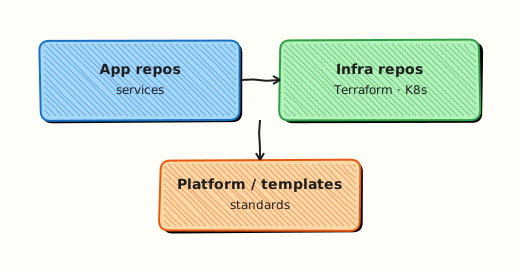
Developers push to GitHub; Issues link to commits and PRs; Releases attach binaries or manifests to tags; settings enforce org policy.
Theory
What it is
GitHub hosts Git remotes with a web UI and API. A repository has settings (branch defaults, merge button options, Actions permissions). Issues are ticket objects referencing labels, milestones, and assignees. Releases bundle a Git tag with notes and optional assets (Helm charts, Terraform modules, binaries).
Why it matters
Change management ties incident tickets to GitHub Issues. Releases trigger CD when tags match v*. Misconfigured settings — allow force-push to main, missing secret scanning — cause production incidents. Platform engineers onboard repos with a standard checklist.
How it works
- Create repo (empty or import); set default branch
main. - Enable Issues; define labels (
type:infra,priority:high). - Protect
main(detailed in PR tutorial). - Tag releases:
git tag v1.0.0 && git push origin v1.0.0; publish Release on UI orgh release create. - Use README, SECURITY.md, and template Issue forms for consistency.
Key concepts and comparisons
| Feature | DevOps use |
|---|---|
| Issues | Track infra debt, incidents |
| Releases | Ship versioned modules/charts |
| Wiki | Legacy; prefer docs in repo |
| Discussions | RFCs, design Q&A |
| Settings | Merge strategy, Actions |
| Setting | Recommendation |
|---|---|
| Default branch | main |
| Allow squash merge | Often yes for linear history |
| Allow rebase merge | Team preference |
| Allow merge commit | Optional for audit |
| Visibility | Private for internal IaC |
Common pitfalls
- Public repo with Actions secrets reachable from forks — use environments and approval gates.
- Releases without tags — CD cannot pin versions.
- Issues without labels — backlog becomes unsearchable.
- Skipping SECURITY.md and private vulnerability reporting setup.
Hands-on Lab
Objective
Build a local "forge readiness" repo with Issue templates, repo-settings.yaml validated by script, and tag-based release notes as .txt — simulating GitHub onboarding without requiring push access.
Prerequisites
- Git 2.x
- Optional:
gh auth login
Lab environment
Workspace: ~/rebash-git/module-09
Real-world scenario
Platform team onboards a new Terraform module repository to GitHub next sprint. You prepare repo settings YAML, sample Issue, and release notes artefact locally for review.
Step-by-step tasks
Task 1 – Repo skeleton and Issue template
Create .github/ISSUE_TEMPLATE/infra-change.md:
---
name: Infrastructure change
about: Request a Terraform or pipeline change
labels: type:infra
---
## Change summary

## Environment

## Rollback plan
Create README.md:
Initialise the repo:
cd ~/rebash-git/module-09
set -euo pipefail
rm -rf github-lab
mkdir -p github-lab/.github/ISSUE_TEMPLATE
cd github-lab
git init -b main
git config user.email 'lab@rebash.local'
git config user.name 'REBASH Lab'
git add .
git commit -m 'chore: initial GitHub-ready skeleton'
test -f .github/ISSUE_TEMPLATE/infra-change.md
cd ..
Expected output
Issue template committed in standard .github path.
Task 2 – Repo settings YAML and validation script
Create repo-settings.yaml:
default_branch: main
branch_protection:
  main:
    require_pull_request: true
    required_reviews: 1
    require_codeowners: true
    required_checks:
      - terraform-validate
    block_force_push: true
security:
  secret_scanning: true
  dependabot_alerts: true
merge:
  allow_squash: true
  delete_head_branch: true
visibility: private
Create validate-settings.sh:
#!/usr/bin/env bash
set -euo pipefail
grep -q 'default_branch: main' repo-settings.yaml
grep -q 'secret_scanning: true' repo-settings.yaml
grep -q 'block_force_push: true' repo-settings.yaml
echo 'settings_ok'
Validate and commit:
cd ~/rebash-git/module-09/github-lab
set -euo pipefail
chmod +x validate-settings.sh
./validate-settings.sh | tee ../settings-validate.txt
grep -q 'settings_ok' ../settings-validate.txt
git add repo-settings.yaml validate-settings.sh
git commit -m 'chore: add repo settings YAML and validator'
cd ..
Expected output
Machine-readable settings YAML passes validation script.
Task 3 – Tag and release notes (local release simulation)
cd ~/rebash-git/module-09/github-lab
set -euo pipefail
git tag -a v0.1.0 -m 'Initial lab release — Issue template and repo settings YAML'
git tag -l 'v*' | tee ../tags.txt
grep -q 'v0.1.0' ../tags.txt
{
  echo '# v0.1.0 release notes'
  echo
  echo '## Added'
  echo '- Issue template for infrastructure changes'
  echo '- repo-settings.yaml with validation script'
  echo
  echo '## Commits since init'
  git log --oneline
} > release-notes-v0.1.0.txt
grep -q 'repo-settings.yaml' release-notes-v0.1.0.txt
git add release-notes-v0.1.0.txt
git commit -m 'chore: release notes for v0.1.0'
# Optional if gh authenticated:
# gh release create v0.1.0 --notes-file release-notes-v0.1.0.txt
tar -czf ../module-09-github-evidence.tgz -C .. tags.txt settings-validate.txt release-notes-v0.1.0.txt
ls -l ../module-09-github-evidence.tgz | tee ../github-evidence.txt
cd ..
Expected output
Annotated tag v0.1.0; release-notes-v0.1.0.txt generated from log.
Validation steps
- Issue template under
.github/ISSUE_TEMPLATE/ -
repo-settings.yamlpassesvalidate-settings.sh - Tag v0.1.0 exists locally
-
release-notes-v0.1.0.txtpresent
Common errors and fixes
| Error | Cause | Fix |
|---|---|---|
| gh not found | CLI not installed | Skip optional step; use UI later |
| tag exists | Re-run lab | git tag -d v0.1.0 |
| template not shown on GitHub | Not pushed | Push when remote available |
| wrong default branch | Old habit | Rename to main on forge |
Challenge exercise
If you have GitHub access: create a private sandbox repo, push this lab, open one Issue from the template, and run validate-settings.sh after verifying three settings in the UI — export screenshot paths list to ONBOARDING_PROOF.txt (paths only, no secrets).
Learning outcomes
- Prepared standard GitHub repo layout
- Authored machine-readable repo settings with validation
- Created tag and release notes workflow locally
Cleanup
Validation
- Lab under module-09
- Can list five critical repo settings
- Can explain Issue vs Discussion
- Know tag vs Release relationship
Code Walkthrough
- Checklist per new repo — automate with org templates where available.
- Labels early —
type:,team:,priority:conventions. - Tag from CI — semver only after checks pass.
- README badges — CI status, latest release (when public).
- gh for automation — script release creation in pipeline.
Security Considerations
- Enable secret scanning and push protection on org repos.
- Restrict Actions permissions to least privilege.
- Private repos for IaC with cloud credentials context.
- Use GitHub environments for production deployment secrets.
- Rotate PATs; prefer fine-grained tokens with repo scope.
Common Mistakes
Public fork of internal module
Exposes architecture details. Fix: Private repos; internal org only.
Releases without changelog
Operators cannot assess upgrade risk. Fix: release notes per semver tag (.txt or GitHub Release body).
Issues disabled
Work happens in Slack without traceability. Fix: Enable Issues; link PRs.
Best Practices
- Org-level repository templates with checklist included
- Standard labels across platform repos
- Signed tags for production modules
- Link Issues to PRs with "Fixes #123"
- Archive repos instead of deleting for audit
Troubleshooting
| Symptom | Likely cause | Fix |
|---|---|---|
| Cannot push | Auth or branch protection | Check token/SSH; use PR |
| Release missing tag | Tag not pushed | git push origin v1.0.0 |
| Template not in UI | Wrong path | .github/ISSUE_TEMPLATE/ |
| gh 403 | Token scope | Regenerate with repo scope |
Summary
GitHub adds Issues, Releases, and settings governance on top of Git — prepare repos with templates and checklists before first push. Next: Pull Requests and Code Review.
Interview Questions
1. Difference between Git tag and GitHub Release?
Reveal answer
Tag is a Git ref pointing to a commit; GitHub Release is forge metadata wrapping a tag with title, notes, and downloadable assets — often triggers CD webhooks.
2. Why default branch main?
Reveal answer
Aligns with industry default, branch protection templates, and tooling expectations — reduces friction for CI and new contributors.
3. Three repo settings for DevSecOps?
Reveal answer
Secret scanning, Dependabot alerts, branch protection requiring reviews and status checks — baseline before trusting repo with deploy keys.
4. When use Issues vs Discussions?
Reveal answer
Issues track actionable work with assignees and milestones; Discussions suit open-ended design questions without a single deliverable.
5. gh release create purpose?
Reveal answer
Automates Release publication from CLI/CI — attaches notes, assets, and makes version visible to consumers and deployment pipelines.
6. Why delete head branch after merge?
Reveal answer
Reduces stale branch clutter and mistaken pushes to old feature branches — GitHub setting automates cleanup after PR merge.
7. Merge options on GitHub — why restrict?
Reveal answer
Team may mandate squash-only for linear main history or forbid merge commits — consistency beats per-PR ad hoc choice.
8. Repository visibility impact on Actions?
Reveal answer
Public repos may run untrusted fork PR workflows — require approval for first-time contributors and limit secrets in fork contexts.