Git in CI/CD and DevOps
Overview
Git is the trigger, transport, and audit log for modern delivery. Pushes and pull requests start CI; merges to main update GitOps desired state; tags pin production releases. This related-depth tutorial connects workflow, hooks, signing, and remotes to the full path from commit to running workloads.
This is a Related depth tutorial in the REBASH Academy Git & GitHub for Cloud & DevOps Engineers series — written for Cloud, DevOps, Platform, and SRE engineers. Complete core Modules 11–12 before this page.
Prerequisites
- GitHub Actions for DevOps
- GitOps Fundamentals
- Pull Requests and Code Review
- Signed Commits and Git Security
Learning Objectives
By the end of this tutorial, you will be able to:
- Map Git events (push, PR, tag) to pipeline triggers
- Design checkout steps that pin commit SHA for reproducible builds
- Describe push-based CI/CD vs pull-based GitOps
- Layout repos for app code vs cluster config vs IaC modules
- Produce a delivery pipeline diagram artefact and lab evidence under
~/rebash-git/related/cicd
Architecture
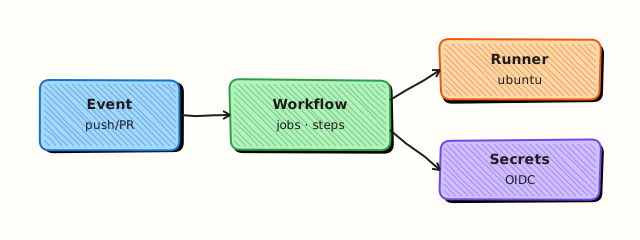
Forge webhooks or polling detect new commits; CI validates and builds; CD or GitOps controller deploys pinned SHA; production traces to Git history.
Theory
What it is
CI/CD listens for Git events: push to feature branches runs tests; pull_request runs validate + plan; merge to main deploys staging or triggers GitOps sync; annotated tags (v1.2.0) trigger production releases. GitOps inverts push deploy — cluster controller pulls from Git. SHA pinning ensures the artefact built in CI matches what deploy references — not floating branch tips in prod.
Why it matters
DevOps without Git discipline is chaos: unreviewed commits reach clusters, tags move, CI builds wrong branch. Incidents ask "what SHA is prod?" — answer must be a Git ref. Repository layout separates concerns so blast radius and permissions differ per path.
How it works
- Developer opens PR — CI checks out
github.event.pull_request.head.sha. - Required checks pass — merge creates merge commit or squash on
main. - Push to
maintriggers staging workflow or GitOps detects new commit. - Tag push triggers release workflow — image tagged
app:v1.2.0from that SHA. - GitOps controller syncs
clusters/prodto cluster; health monitored. - Rollback = revert Git or redeploy previous tag SHA.
Key concepts and comparisons
| Trigger | Typical pipeline |
|---|---|
| pull_request | lint, test, terraform plan |
| push main | deploy staging / GitOps sync dev |
| push tag v* | production release |
| workflow_dispatch | manual promote |
| Model | Deploy driver |
|---|---|
| Push CD | CI pushes kubectl/helm/terraform apply |
| GitOps pull | Argo CD/Flux reconciles from Git |
| Hybrid | CI builds; GitOps deploys manifests |
| Repo layout | Contents |
|---|---|
| app-repo | source, Dockerfile, unit tests |
| gitops-repo | clusters/, apps/ overlays |
| terraform-live | env stacks pinning module versions |
Common pitfalls
- CI builds
mainwhile PR is from stale branch — checkout wrong ref. - Deploy tracking
:latestnot Git SHA — irreproducible prod. - Same repo for app and prod secrets in plain YAML.
- Skipping plan on IaC PRs — apply surprises after merge.
Hands-on Lab
Objective
Simulate a mini delivery chain: bare remote as forge, PR branch CI script that records HEAD SHA, merge to main, tag release, and write DEPLOY_MANIFEST.json pinning SHA for deploy.
Prerequisites
- Git 2.x
- bash
Lab environment
Workspace: ~/rebash-git/related/cicd
Real-world scenario
Service repo uses PR validation; merge to main produces deploy manifest consumed by GitOps with immutable SHA — no :latest.
Step-by-step tasks
Task 1 – Bare remote, app repo, feature branch
cd ~/rebash-git/related/cicd
set -euo pipefail
rm -rf app remotes origin.git
mkdir -p app remotes
git init --bare remotes/origin.git
cd app
git init -b main
git config user.email 'lab@rebash.local'
git config user.name 'REBASH Lab'
git remote add origin ../remotes/origin.git
printf 'version: 1\n' > app.yaml
git add app.yaml && git commit -m 'chore: baseline app'
git push -u origin main
git switch -c feature/ci-demo
echo 'feature: on' >> app.yaml
git commit -am 'feat: enable ci demo feature'
FEATURE_SHA=$(git rev-parse HEAD)
echo "$FEATURE_SHA" > ../feature-sha.txt
cd ..
Expected output
Feature branch one commit ahead; SHA saved.
Task 2 – Simulated CI on feature SHA
Create ci-validate.sh:
#!/usr/bin/env bash
set -euo pipefail
SHA=${1:?sha required}
git checkout "$SHA"
test -f app.yaml
grep -q 'version:' app.yaml
echo "ci_validate=pass sha=$SHA"
Run CI simulation and merge:
cd ~/rebash-git/related/cicd/app
set -euo pipefail
chmod +x ci-validate.sh
./ci-validate.sh "$(cat ../feature-sha.txt)" | tee ../ci-out.txt
grep -q 'ci_validate=pass' ../ci-out.txt
git switch main
git merge --no-ff feature/ci-demo -m 'merge: PR approved feature/ci-demo'
MAIN_SHA=$(git rev-parse HEAD)
echo "$MAIN_SHA" > ../main-sha.txt
cd ..
Expected output
CI script validates feature SHA; merge to main succeeds.
Task 3 – Tag release and deploy manifest
Create DEPLOY_MANIFEST.json from the tagged commit SHA:
cd ~/rebash-git/related/cicd/app
set -euo pipefail
git tag -a v0.1.0 -m 'Release v0.1.0'
git push origin main v0.1.0
TAG_SHA=$(git rev-list -n 1 v0.1.0)
python3 -c "import json; print(json.dumps({'service': 'app', 'git_sha': '$TAG_SHA', 'git_tag': 'v0.1.0', 'deploy_model': 'gitops-pull'}, indent=2))" | tee DEPLOY_MANIFEST.json
grep -q 'git_sha' DEPLOY_MANIFEST.json
git add DEPLOY_MANIFEST.json
git commit -m 'chore: record deploy manifest for v0.1.0'
git push origin main
tar -czf ../related-cicd-evidence.tgz -C .. ci-out.txt main-sha.txt DEPLOY_MANIFEST.json 2>/dev/null || \
tar -czf ../related-cicd-evidence.tgz -C .. ci-out.txt main-sha.txt
ls -l ../related-cicd-evidence.tgz | tee ../cicd-evidence.txt
cd ..
Expected output
Tag pushed; manifest pins SHA; evidence tarball created.
Validation steps
- CI script validates specific SHA
- Merge commit on main after simulated PR
- Annotated tag v0.1.0 exists
- DEPLOY_MANIFEST.json contains git_sha
Common errors and fixes
| Error | Cause | Fix |
|---|---|---|
| checkout SHA fails | shallow clone | fetch depth sufficient |
| push rejected | non-FF | pull --rebase first |
| tag not on remote | forgot push --tags | git push origin v0.1.0 |
| manifest wrong SHA | tagged wrong commit | move tag only if policy allows |
Challenge exercise
Add ci-plan.sh that diffs app.yaml between main and feature SHA — simulate IaC plan comment on PR; save diff to plan.txt.
Learning outcomes
- Mapped PR → CI → merge → tag → manifest flow
- Pinned deploy to Git SHA not branch name
- Practised bare-remote push workflow
Cleanup
Validation
- Lab under
~/rebash-git/related/cicd - Can explain PR vs push triggers
- Can contrast push CD vs GitOps pull
- Can name three repo layout types
Code Walkthrough
- Checkout PR head SHA in CI — not merge guess locally.
- Immutable tags for prod — never retag released versions.
- Manifest records SHA — GitOps Application spec targetRevision.
- Separate secrets from config — ESO/Vault not Git plaintext.
- Revert equals rollback path — document in runbook.
Security Considerations
- OIDC from CI to cloud — no long-lived keys in Git
- Restrict workflow triggers on public forks
- Signed tags for production deploy gates
- Branch protection before deploy workflows run
- Audit log: who merged SHA now in prod
Common Mistakes
Deploy from branch tip without SHA record
Cannot reproduce or rollback precisely. Fix: Record SHA in manifest/image label org.opencontainers.image.revision.
CI and GitOps watching different repos unsynced
Image built but manifest never updated. Fix: Pipeline opens PR to gitops-repo or commits manifest bump.
terraform apply in CI on PR with secrets
Risky on forks. Fix: Plan only on PR; apply on protected main with approval.
Best Practices
- Required checks match hook commands
- Monorepo path filters for CI efficiency
- Environment gates (staging → prod) in GitHub Environments
- Release please / semantic-release for tag automation
- Post-deploy verify monitors linked to Git SHA
Troubleshooting
| Symptom | Likely cause | Fix |
|---|---|---|
| CI runs wrong commit | ref checkout | use pull_request.head.sha |
| GitOps not syncing | wrong targetRevision | pin branch/tag/sha |
| Double deploy | push + tag triggers | filter tags carefully |
| Stale submodule in build | checkout config | submodules: true |
Summary
Git events orchestrate CI/CD and GitOps — pin SHAs, separate repos by concern, and align hooks with pipeline checks. Next: Advanced Git Workflows.
Interview Questions
1. What Git events trigger CI?
Reveal answer
Push to branches, pull request open/sync, tag push, schedule, manual workflow_dispatch — configured in workflow on: or equivalent CI config.
2. Why checkout PR head SHA in CI?
Reveal answer
Tests the exact commits the author proposes — not a hypothetical merge result — unless you explicitly add a merge commit preview job.
3. Push CD vs GitOps pull?
Reveal answer
Push CD: pipeline applies changes to infrastructure with credentials outside cluster. GitOps: in-cluster controller pulls desired state from Git — credentials stay at cluster boundary.
4. What belongs in deploy manifest?
Reveal answer
Service name, Git SHA or semver tag, image digest if applicable, environment, timestamp — immutable pointer to what ran in prod for audit and rollback.
5. Tag vs branch for production deploy?
Reveal answer
Tags mark immutable release points (v1.2.0); branches move — prod should pin tags or specific SHAs, not floating branch tips.
6. Repository split app vs gitops?
Reveal answer
Separates build CI permissions from cluster manifest repo — tighter CODEOWNERS on gitops prod paths; app repo cannot directly change prod YAML without gitops PR.
7. Rollback using Git in GitOps?
Reveal answer
Revert commit on main or sync previous tag SHA; controller applies prior desired state — faster than manual kubectl if history is clean.
8. Webhook vs polling for GitOps?
Reveal answer
Webhooks notify controller immediately on push; polling periodic — webhooks lower latency; polling simpler through firewalls.