Troubleshooting Docker Containers
Overview
Apply a systematic playbook: status → logs → inspect → exec → host resources — for the common Docker failure modes.
Most incidents are config or resource issues, not “Docker is broken.” Reproduce locally with the same image digest when possible.
This is a core tutorial in Module 16 · Troubleshooting of the REBASH Academy Docker for Cloud & DevOps Engineers series — written for Cloud, DevOps, Platform, and SRE engineers.
Prerequisites
Learning Objectives
By the end of this tutorial, you will be able to:
- Diagnose exit codes and restart loops
- Fix image pull / auth errors
- Debug port and DNS issues
- Spot permission / volume UID problems
- Free disk with informed prune
Architecture
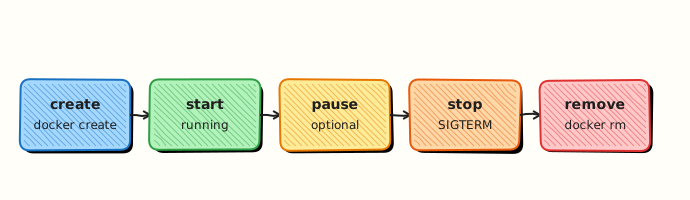
This topic’s control points and relationships are shown below.
Theory
What
Container troubleshooting follows a log-first, state-second method: read exit codes and logs, inspect configuration, verify networks and mounts, then check host resources. Symptoms include crash loops, pull failures, connection refusals, and permission errors on volumes.
Why
Guessing wastes time. The same patterns appear from laptop Docker to Kubernetes CrashLoopBackOff — the process failed, the image failed to pull, or the environment is wrong. A repeatable checklist makes on-call work calmer.
How it works
If a container will not stay up, docker logs and docker inspect (ExitCode, Error, OOMKilled) come first. Instant exit often means the main process crashed — override the command with a sleep/shell to explore the filesystem when appropriate. Pull errors point at auth, tag typos, or rate limits. Connection issues need published ports, network membership, and host firewall checks. Permission denied on mounted files usually means UID mismatch with USER. Disk-full failures show in daemon errors; docker system df confirms.
| Symptom | Checks |
|---|---|
| Won't start | Logs, ExitCode, CMD |
| Instant exit | App crash — override command |
| Pull errors | Auth, tag, rate limit |
| Can't connect | -p, network, firewall |
| Permission denied | Volume UID vs USER |
| No space | docker system df, prune |
Key concepts
- Exit code literacy — 137 often means SIGKILL/OOM
- Layer the problem — app vs image vs runtime vs host
- Reproduce minimally — smallest
docker runthat fails - Time correlation — deploys, pulls, and node pressure
Common pitfalls
- Deleting the failed container before reading logs
- Fixing the host when the CMD is wrong
- Ignoring registry rate limits and “random” pull failures
- Restarting endlessly without a health/backoff strategy
Hands-on Lab
Objective
Deploy a deliberately broken container, diagnose failure with logs and inspect, fix the Dockerfile, and capture before/after exit-code evidence.
Prerequisites
- Docker Engine or Docker Desktop
- Comfort reading
docker logsanddocker inspect
Lab environment
Workspace: ~/rebash-docker/module-16
Real-world scenario
A deploy rolled out a new image tag; pods (containers) restart in a loop. Logs show executable file not found. You reproduce locally, identify the bad CMD, ship a fixed Dockerfile, and attach evidence for the post-incident review.
Step-by-step tasks
Task 1 – Create broken Dockerfile and capture failure
Create Dockerfile.broken:
FROM alpine:3.20
COPY app.sh /app/app.sh
RUN chmod +x /app/app.sh
WORKDIR /app
CMD ["/app/missing-binary.sh"]
Create app.sh:
Build and run the broken image:
cd ~/rebash-docker/module-16
docker build -f Dockerfile.broken -t rebash-trouble-broken:1.0.0 .
docker run --name rebash-trouble-broken rebash-trouble-broken:1.0.0 2>&1 | tee broken-run.txt || true
docker inspect rebash-trouble-broken --format 'ExitCode={{ "{{" }}.State.ExitCode{{ "}}" }} Error={{ "{{" }}.State.Error{{ "}}" }}' | tee broken-inspect.txt
grep -q 'ExitCode=127\|ExitCode=1' broken-inspect.txt || grep -qi 'no such file\|not found' broken-run.txt
Expected output
Container exits non-zero; broken-run.txt or broken-inspect.txt references missing executable.
Task 2 – Diagnose with logs and inspect
Gather troubleshooting evidence:
cd ~/rebash-docker/module-16
docker logs rebash-trouble-broken 2>&1 | tee broken-logs.txt || true
docker inspect rebash-trouble-broken --format '{{ "{{" }}.Config.Cmd{{ "}}" }}' | tee broken-cmd.txt
grep -q 'missing-binary' broken-cmd.txt
Expected output
broken-cmd.txt shows the wrong CMD path /app/missing-binary.sh.
Task 3 – Fix Dockerfile and prove recovery
Create Dockerfile:
FROM alpine:3.20
COPY app.sh /app/app.sh
RUN chmod +x /app/app.sh
WORKDIR /app
CMD ["/app/app.sh"]
Rebuild and compare exit codes:
cd ~/rebash-docker/module-16
docker rm rebash-trouble-broken 2>/dev/null || true
docker build -f Dockerfile -t rebash-trouble-fixed:1.0.0 .
docker run --name rebash-trouble-fixed rebash-trouble-fixed:1.0.0 | tee fixed-run.txt
docker inspect rebash-trouble-fixed --format 'ExitCode={{ "{{" }}.State.ExitCode{{ "}}" }}' | tee fixed-inspect.txt
grep -q 'rebash-trouble-lab ok' fixed-run.txt
grep -q 'ExitCode=0' fixed-inspect.txt
Expected output
fixed-run.txt prints rebash-trouble-lab ok; fixed-inspect.txt shows ExitCode=0.
Validation steps
- Broken image fails with diagnosable error
- Inspect reveals incorrect
Cmd - Fixed image exits 0 and prints expected output
- Before/after evidence files retained until cleanup
- Cleanup removes containers and images
Common errors and fixes
| Error | Cause | Fix |
|---|---|---|
| Cannot reuse container name | Previous run left container | docker rm rebash-trouble-broken before re-run |
| ExitCode 0 on broken image | Shell form masked error | Use exec-form CMD ["path"] as in lab |
app.sh not executable | Missing chmod in Dockerfile | Keep RUN chmod +x step |
| Logs empty | Container never started | Check State.Error in inspect |
Challenge exercise
Introduce a second failure mode (wrong ENTRYPOINT + CMD combo), diagnose with docker inspect .Config.Entrypoint, and document the fix in entrypoint-fix.txt.
Learning outcomes
- Reproduced a crash-loop caused by wrong
CMD - Used logs and inspect to find root cause without guessing
- Shipped a minimal Dockerfile fix and verified exit code 0
- Captured before/after evidence suitable for incident records
Cleanup
docker rm -f rebash-trouble-broken rebash-trouble-fixed 2>/dev/null || true
docker rmi rebash-trouble-broken:1.0.0 rebash-trouble-fixed:1.0.0 2>/dev/null || true
rm -f ~/rebash-docker/module-16/*.txt
Validation
- Lab commands run under
~/rebash-docker/module-16/ - You can explain each Theory section in your own words
- You used modern tooling where it applies to this topic
- You can describe one production failure mode for this topic
Code Walkthrough
Production practice for Troubleshooting Docker Containers always combines:
- Inspect before you change (status, plan, logs, dry-run)
- Prefer reversible, documented changes (Git, IaC, drop-ins, version pins)
- Capture evidence (command output, pipeline logs) for handovers
- Prefer current tools and APIs over legacy shortcuts
- Least privilege — escalate credentials only when required
Keep runbooks short enough to follow under pressure. Automate checks; keep humans for judgement.
Security Considerations
- Treat credentials and tokens for docker as privileged — never commit them
- Prefer short-lived auth (OIDC, roles, SSO) over long-lived keys
- Validate blast radius before apply/deploy/delete operations
- Restrict who can approve production changes
- Collect audit logs; limit who can read sensitive traces
Common Mistakes
Deleting the failed container before reading logs
Validate assumptions against the Theory section and official docs before changing production.
Fixing the host when the CMD is wrong
Lab shortcuts (open security groups, admin roles, skip approvals) must not ship unchanged.
Changing production without a rollback path
Always know how to revert (previous artefact, prior release, state rollback, DNS failback).
Best Practices
- Encode Troubleshooting Docker Containers changes as code and review them in pull requests
- Pin versions (images, modules, actions, provider plugins)
- Separate environments with clear promotion gates
- Alert on symptoms with runbooks attached
- Destroy lab resources; tag everything with owner and expiry where possible
Troubleshooting
| Symptom | Likely cause | Fix |
|---|---|---|
| Auth / permission denied | Wrong identity, policy, or scope | Check caller identity, roles, and least-privilege policies |
| Timeout / no route | Network, DNS, security group, or endpoint | Trace path, DNS, and allow-lists before retrying |
| Drift / unexpected plan | Manual change or wrong state/workspace | Reconcile desired vs actual; avoid click-ops on managed resources |
| Pipeline/job red | Flaky step, cache, or missing secret | Read failing step logs; bisect recent workflow/config changes |
| Cost spike | Idle load balancer, NAT, oversized compute | Inventory billable resources; stop/delete labs promptly |
Summary
Troubleshooting Docker Containers is essential for Cloud and DevOps engineers working with docker. Practise the lab until the inspection and change path is muscle memory, then continue the track.
Interview Questions
- Give a triage order for a failing container.
- How do you copy files out for offline analysis?
- When does docker diff help?
- Name resolution fails inside a container — steps?
- Disk full on Docker host — what do you reclaim first?
Sample answer — question 2
Status/exit code → logs → inspect config/mounts/networks → run an interactive replacement with the same flags.
Sample answer — question 4
Do not paste secret-bearing env dumps into tickets.