Docker Swarm Orchestration Basics
Overview
Docker Swarm turns a pool of Docker engines into a single virtual cluster. You declare desired state — which image, how many replicas, which network — and Swarm schedules tasks, restarts failures, and rolling-updates services. Swarm is built into Docker Engine, simpler than Kubernetes, and ideal for small-to-medium deployments or edge clusters.
This is Tutorial 18 in Module 6: Production & Beyond of the REBASH Academy Docker track.
Prerequisites
- Production Docker Patterns
- Docker Compose Fundamentals
- Docker Networking Fundamentals
- Three Linux VMs or local machines with Docker Engine 24+ (one manager, two workers minimum for lab)
- Open ports: TCP 2377 (cluster management), 7946 TCP/UDP (node communication), 4789 UDP (overlay network)
Learning Objectives
By the end of this tutorial, you will be able to:
- Initialize a Swarm and join worker nodes securely
- Deploy replicated and global services with
docker service - Configure overlay networks, published ports, and service discovery
- Perform rolling updates and rollbacks
- Manage secrets and configs in Swarm
- Deploy a multi-service stack from a Compose file with
docker stack deploy
Architecture
Theory
Swarm vs single-host Docker
| Capability | Single host | Swarm cluster |
|---|---|---|
| Scheduling | Manual | Automatic across nodes |
| Failover | Restart policy only | Reschedule tasks on healthy nodes |
| Scaling | Manual duplicate runs | docker service scale api=5 |
| Updates | Stop/start manually | Rolling update with parallelism |
| Secrets | Files/env on host | Encrypted raft store, mounted in tasks |
| Networking | Bridge per host | Multi-host overlay networks |
Core terminology
| Term | Definition |
|---|---|
| Node | A Docker engine participating in the Swarm (manager or worker) |
| Manager | Runs raft consensus; schedules services; typically 3 or 5 for HA |
| Worker | Executes tasks assigned by managers |
| Service | Desired state: image, replicas, update policy |
| Task | A running container slot assigned to a node |
| Stack | Group of services deployed from a Compose file |
Service modes
| Mode | Behaviour | Example |
|---|---|---|
| replicated | N identical tasks across cluster | Web API with 3 replicas |
| global | One task per node | Log agent, monitoring exporter |
Raft and manager quorum
Swarm managers use Raft for cluster state. Loss of quorum (majority of managers) halts scheduling.
| Managers | Tolerated failures |
|---|---|
| 1 | 0 (dev/lab only) |
| 3 | 1 |
| 5 | 2 |
Never run an even number of managers — use 1, 3, or 5.
Overlay networks
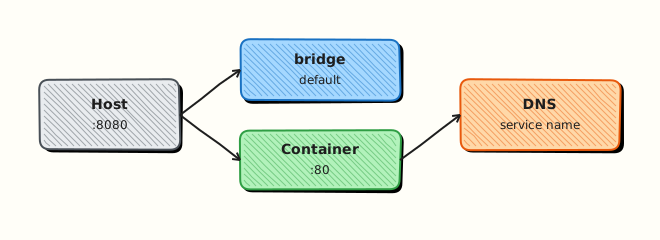
Overlay driver creates a VXLAN network spanning all Swarm nodes. Services on the same overlay resolve each other by service name via embedded DNS.
Attach services to mynet; tasks communicate without publishing host ports internally.
Secrets and configs
| Object | Mutable | Use case |
|---|---|---|
| Secret | No (immutable) | Passwords, TLS keys, API tokens |
| Config | Version by replace | nginx.conf, app.yml |
Secrets mount as files in /run/secrets/ inside tasks — never in image layers or env vars for sensitive data.
Compose vs stack deploy
docker compose up targets one host. docker stack deploy targets Swarm — interprets Compose v3 deploy: keys (replicas, placement, update_config). Not all Compose features work in stacks (e.g., build: is ignored — push images to a registry first).
When Swarm still makes sense
Docker Swarm remains useful for small teams that want orchestration without operating a full Kubernetes control plane. Managers maintain desired state for services; workers run tasks. Overlay networks provide multi-host DNS similar in spirit to Kubernetes Services, while Swarm secrets encrypt data at rest on manager nodes and mount into tasks at runtime.
Prefer Swarm when you already standardised on Docker Engine, need rolling updates with a short learning curve, and accept that the ecosystem (operators, CRDs, wide CNCF tooling) is thinner than Kubernetes. For greenfield platforms expecting many teams, autoscaling policies, and GitOps-at-scale, plan an exit path to Kubernetes early — map Swarm services to Deployments/Services conceptually before you are under pressure.
Field notes for docker swarm orchestration basics
Re-read the Architecture diagram alongside the Hands-on Lab: each lab step should map to a box or arrow in that picture. If you cannot point to where a command fits, pause and revisit Theory before continuing — that habit prevents cargo-cult YAML and Compose snippets in production reviews.
Practice mindset
As you work through this tutorial, narrate why each control or command exists — not only how to type it. Production incidents are rarely solved by memorising flags; they are solved by connecting symptoms to the architecture (daemon vs kubelet, image vs running container, Service vs Endpoints, volume vs writable layer). After the lab, write three bullet notes in your own words: what you verified, what would break in production if skipped, and what you would monitor next.
Connecting the lab to production reviews
When a teammate asks “is this ready?”, answer with evidence from this tutorial’s controls: image provenance, privilege level, network exposure, health signals, and teardown/rollback. Copy-pasting a working lab snippet into production without those answers is how quiet misconfigurations become incidents. Prefer small, reviewable changes — one Dockerfile improvement, one RBAC binding, one probe — over large untested stacks.
Observability while you learn
Get into the habit of watching state while commands run: docker events / kubectl get events, resource usage, and logs in a second pane. Many failures are timing issues (probes, readiness, volume attach) that disappear if you only look at the final steady state. Capturing a short timeline of what you saw will also make your Troubleshooting section notes far more valuable later.
Checklist before you leave the lab
- Resources created in this tutorial are deleted or clearly labelled for retention.
- No secrets, kubeconfigs, or registry passwords were written into Git.
- You can explain the Architecture diagram without reading the caption.
- Validation pass criteria in this page are satisfied on your machine.
- You noted one question to revisit in the next tutorial of the series.
Common production failure modes this topic prevents
Misconfiguration here usually shows up as intermittent outages rather than clean errors: restart loops without log shipping, services that listen but never become Ready, volumes that work on one node only, or credentials that leak into image history. Use the Hands-on Lab as a rehearsal for the failure mode — break something on purpose, watch the signal, then apply the fix documented in Troubleshooting.
Further reading posture
After finishing docker swarm orchestration basics, skim the Related Links once with a production lens: which linked tutorial closes the biggest gap in your current environment (security, networking, storage, or CI/CD)? Schedule that next — series order is a suggestion, risk order is a better personal syllabus.
Lab evidence to keep
Keep a short note of the exact commands that proved the happy path and the failure path. Interviewers and future incident responders both benefit when you can show how you knew the system was healthy — not only that you followed a script.
Hands-on Lab
Objective
Initialise a single-node Swarm, deploy a replicated HTTP service, verify tasks with docker service ps, and leave Swarm in cleanup.
Prerequisites
- Docker Engine with Swarm support
- Port
18190available on the host
Single-node lab
Production Swarm needs multiple managers for quorum. This lab uses one node for learning — do not treat it as a production cluster pattern.
Lab environment
Workspace: ~/rebash-docker/docker-swarm-orchestration-basics
mkdir -p ~/rebash-docker/docker-swarm-orchestration-basics && cd ~/rebash-docker/docker-swarm-orchestration-basics
Real-world scenario
Your team still runs a legacy Swarm cluster for one internal tool. You need to prove you can init a manager, publish a stateless web service with two replicas, and confirm tasks are running before the maintenance window closes.
Step-by-step tasks
Task 1 – Initialise Swarm
cd ~/rebash-docker/docker-swarm-orchestration-basics
docker swarm init 2>&1 | tee swarm-init.txt || true
docker info --format 'Swarm={{ "{{" }}.Swarm.LocalNodeState{{ "}}" }}' | tee swarm-info.txt
grep -q 'Swarm=active' swarm-info.txt
Expected output
swarm-info.txt shows Swarm=active.
Task 2 – Create overlay network and service
Create compose-swarm.yaml:
services:
  web:
    image: nginx:1.27-alpine
    ports:
      - "18190:80"
    deploy:
      replicas: 2
      restart_policy:
        condition: on-failure
    networks:
      - rebash-swarm-net

networks:
  rebash-swarm-net:
    driver: overlay
Deploy the stack:
cd ~/rebash-docker/docker-swarm-orchestration-basics
docker network create -d overlay rebash-swarm-net 2>/dev/null || true
docker service create --name rebash-swarm-web \
  --replicas 2 \
  --publish 18190:80 \
  --network rebash-swarm-net \
  nginx:1.27-alpine
docker service ls | tee swarm-services.txt
grep -q rebash-swarm-web swarm-services.txt
Expected output
swarm-services.txt lists rebash-swarm-web with 2/2 replicas (may take a few seconds).
Task 3 – Verify tasks and HTTP
cd ~/rebash-docker/docker-swarm-orchestration-basics
sleep 10
docker service ps rebash-swarm-web --no-trunc | tee swarm-ps.txt
grep -c Running swarm-ps.txt | tee running-count.txt
curl -sI http://127.0.0.1:18190 | head -n 1 | tee swarm-http.txt
grep -q '200' swarm-http.txt
Expected output
swarm-ps.txt shows Running tasks; swarm-http.txt contains HTTP 200.
Validation steps
- Swarm mode active on the node
- Service created with two replicas
-
docker service psshows Running tasks - Published port responds over HTTP
- Cleanup removes service and leaves Swarm
Common errors and fixes
| Error | Cause | Fix |
|---|---|---|
This node is already part of a swarm | Prior lab | docker swarm leave --force then re-init |
| 0/2 replicas | Image pull slow | Wait and re-run docker service ps |
| Port 18190 in use | Host conflict | Change publish port |
| Overlay network error | Swarm not active | Confirm docker info Swarm state |
Challenge exercise
Perform a rolling update to nginx:1.27-alpine with --update-delay 10s and capture docker service ps before/after in rolling-update.txt.
Learning outcomes
- Initialised Swarm on a single learning node
- Published a replicated service with overlay networking
- Inspected task placement with
docker service ps - Cleaned up services and left Swarm safely
Cleanup
docker service rm rebash-swarm-web 2>/dev/null || true
docker network rm rebash-swarm-net 2>/dev/null || true
docker swarm leave --force 2>/dev/null || true
rm -f ~/rebash-docker/docker-swarm-orchestration-basics/*.txt compose-swarm.yaml
Validation
Confirm the lab before moving on:
- Re-run the critical commands from the Hands-on Lab and compare them to the expected output in each step.
- Check that you can explain why each successful result matters (not only that it printed).
- Note any warnings or unexpected output — resolve them using Troubleshooting before continuing.
| Check | Pass criteria |
|---|---|
| Swarm mode | docker info shows Swarm active (or lab documents single-node init) |
| Service | Service replicas reach running state |
| Update/rollback | Rolling update or rollback path demonstrated |
| Cleanup | Services removed; leave Swarm only if you intend to keep it |
Code Walkthrough
Essential Swarm commands
# Cluster
docker swarm init | join | leave
docker node ls | inspect | update | rm

# Services
docker service create | ls | ps | inspect | update | scale | rm | logs

# Stacks
docker stack deploy | ls | ps | services | rm

# Secrets & configs
docker secret create | ls | rm
docker config create | ls | rm

# Networks
docker network create -d overlay NAME
Drain a node for maintenance
docker node update --availability drain node-worker-2
docker node ps node-worker-2    # tasks rescheduled elsewhere
# perform maintenance
docker node update --availability active node-worker-2
Service discovery test
From any task on the overlay network:
Service name api resolves to all healthy task IPs (VIP load balancing).
Security Considerations
- Enable Swarm with TLS mutual authentication between managers and workers
- Store Swarm secrets in Docker secrets — not as service environment variables
- Restrict manager node access; managers hold cluster control-plane material
- Rotate node join tokens after labs and never commit tokens to Git
- Prefer overlay networks with encryption for sensitive multi-host traffic when required
- Limit published ports on ingress and remove unused services promptly
Common Mistakes
Single manager in production
Manager loss means no orchestration. Run 3 managers across failure domains.
Using docker compose up on Swarm nodes
Compose ignores deploy: keys without Swarm mode. Use docker stack deploy.
Building images in stack files
Stack deploy ignores build:. CI must push images; stack references registry tags.
Publishing every service port
Only edge services need published ports. Internal services use overlay DNS.
Ignoring placement constraints
Stateful workloads (DB) on random nodes lose data on reschedule. Use labels and volumes with backup strategy.
Best Practices
Odd number of managers
Maintain raft quorum — 3 managers for most production Swarm clusters.
Pin images by tag or digest
Same discipline as CI/CD — avoid latest in service specs.
Use health checks in service definition
Unhealthy tasks are replaced automatically during updates and runtime.
Centralize logs and metrics
Swarm does not include full observability. Integrate Prometheus, Loki, or ELK.
Plan exit strategy
Swarm maintenance mode is real — know when to migrate to Kubernetes.
Troubleshooting
| Issue | Cause | Solution |
|---|---|---|
docker swarm init fails | Wrong advertise-addr | Use reachable IP, not 127.0.0.1 |
| Tasks pending | No worker capacity | Add nodes; check docker node ls |
| Overlay network isolated | Firewall blocks 4789/7946 | Open UDP 4789, TCP/UDP 7946 |
| Service not reachable | Wrong publish mode | Use ingress mode; verify port |
| Secret not mounted | Service not updated after secret create | Recreate service with --secret |
| Quorum lost | Too many managers down | Restore from backup or rebuild cluster |
Summary
- Docker Swarm provides native clustering with services, tasks, and overlay networking
- Managers run Raft consensus; use 3 or 5 for production quorum
docker servicedeclares replicated or global workloads with rolling updates- Secrets and configs distribute sensitive and static data without baking into images
docker stack deploymaps Compose files to Swarm withdeploy:semantics- Swarm bridges single-host Docker and full orchestration — next step: From Docker to Kubernetes
Interview Questions
- Swarm service versus standalone container?
- How do you publish ports for a service?
- When would you still choose Swarm vs Kubernetes?
- How do you drain a node?
- Secret handling differences in Swarm?
Sample answer — question 2
Inspect docker service ps for task failures and node availability.
Sample answer — question 4
Protect manager nodes and use Swarm secrets.
Related Tutorials
- Production Docker Patterns (previous)
- From Docker to Kubernetes (next)
- Docker Compose Fundamentals
- Docker Networking Fundamentals
- Environment Variables and Secrets
- Docker – Category Overview
- Cheat sheet: Docker Cheat Sheet
- Interview prep: Docker Interview Prep
- Learning path: DevOps Engineer