Environment Variables and Secrets
Overview
Applications need configuration — database URLs, API keys, feature flags, log levels — that changes between environments without rebuilding the image. The Twelve-Factor App principle states: store config in the environment, not in code. Docker provides several mechanisms to inject configuration at runtime: environment variables, env files, secrets, bind mounts, and integration with external secret managers.
This tutorial explains when to use each approach, how to avoid leaking credentials into image layers and logs, and how to wire secrets through Docker Compose and production patterns. You will configure a sample web application with non-sensitive env vars and sensitive credentials using Docker's recommended secret primitives.
This is Tutorial 12 in Module 4: Networking & Registry of the REBASH Academy Docker series. Complete Container Registries and Distribution before this tutorial.
Prerequisites
- Docker Engine and Docker Compose plugin installed
- Completion of Docker Compose Fundamentals
- Familiarity with Environment Variables and Shell Config on Linux
- A lab directory where you can create test files (no real production credentials)
Learning Objectives
By the end of this tutorial, you will be able to:
- Inject configuration with
-e,--env-file, and DockerfileENVvs runtime overrides - Distinguish configuration from secrets and apply least-exposure patterns
- Mount secrets with Docker Swarm secrets and Compose
secretsblocks - Avoid baking credentials into images, layers, and container metadata
- Integrate external secret managers conceptually (Vault, AWS Secrets Manager, GCP Secret Manager)
- Debug missing or incorrect environment variables in running containers
Architecture
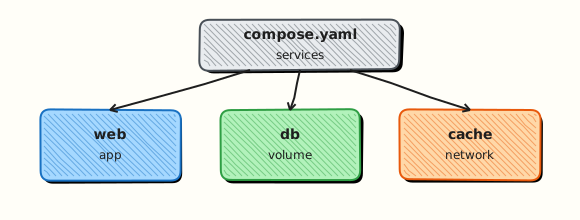
Configuration flows from sources of truth into the container process environment or mounted files — never through rebuilt image layers for secrets.
Theory
Configuration vs Secrets
| Type | Examples | Storage approach |
|---|---|---|
| Configuration | LOG_LEVEL, PORT, FEATURE_X_ENABLED | Environment variables, ConfigMaps (K8s) |
| Secrets | DB passwords, API tokens, TLS private keys | Secret mounts, secret managers — not plain env in prod |
| Build-time args | NODE_ENV for compile, version stamps | Dockerfile ARG — visible in image history |
Rule: If losing the value would require rotation (revoking a key), treat it as a secret.
Dockerfile ENV vs Runtime Environment
Dockerfile ENV instructions bake default values into the image. They appear in docker inspect and image history. Use ENV for harmless defaults (PORT=8080). Override at runtime with docker run -e PORT=9090.
Dockerfile ARG values exist only at build time. Never pass secrets as build args — they persist in layer metadata and build cache.
# Good: non-sensitive default
ENV APP_PORT=8080

# Bad: never do this for secrets
# ARG DB_PASSWORD=supersecret
docker run Environment Injection
Three common methods:
- Inline:
docker run -e DATABASE_HOST=db.internal app - Pass-through:
docker run -e DATABASE_HOST app(reads from host shell) - Env file:
docker run --env-file ./app.env app
Env files use KEY=VALUE lines. Docker Compose automatically loads .env from the project directory for variable substitution in the Compose file — a separate concern from container environment.
Docker Compose Environment Blocks
Compose supports multiple env patterns in docker-compose.yml:
services:
  web:
    image: myapp:1.0
    environment:
      LOG_LEVEL: info
      DATABASE_HOST: db
    env_file:
      - ./config/web.env
Order of precedence (highest wins): shell environment → environment section → env_file → Dockerfile ENV.
Compose also supports variable substitution with ${VAR} and defaults ${VAR:-default} in the YAML file itself — useful for port mappings and image tags, not for secrets committed to Git.
Docker Secrets (Swarm Mode)
Docker secrets are designed for sensitive data in Swarm mode. Secrets are:
- Encrypted at rest in the Swarm Raft log
- Mounted as files in
/run/secrets/<secret_name>inside containers - Never stored in container env vars or image layers
- Rotated by creating a new secret and updating the service
Standalone docker run does not support Swarm secrets natively. Compose v3+ secrets top-level block works with docker stack deploy (Swarm), not plain docker compose up on a single node without Swarm — an important distinction.
For local Compose without Swarm, common patterns:
- Bind-mount a read-only secret file from a path outside Git
- Use external secret sync tools before
compose up - Enable Swarm on a single node for lab:
docker swarm init
Bind Mounts for Secret Files
Mount credentials from the host without putting them in the image:
The application reads the file at startup. Restrict host file permissions (chmod 600). This pattern works everywhere but places burden on host filesystem security.
External Secret Managers
Production platforms rarely rely on flat files alone:
| Platform | Typical integration |
|---|---|
| HashiCorp Vault | Sidecar or init container fetches secrets; entrypoint exports or writes files |
| AWS Secrets Manager | ECS task secrets block injects into env or files via task execution role |
| GCP Secret Manager | Cloud Run and GKE mount secrets as env or volumes |
| Azure Key Vault | ACI and AKS integrate via managed identities |
Docker containers are ephemeral — secret managers provide rotation, audit logs, and centralized access control. The container receives short-lived values at start, not permanent copies in Git.
Twelve-Factor and Container Config
The Twelve-Factor config factor aligns with containers:
- Strict separation of config from code
- One codebase, many deploys with different env
- Never commit
.envwith secrets to Git — use.env.examplewith placeholder keys
Add .env to .gitignore. Scan repos with secret detection tools in CI.
Hands-on Lab
Objective
Create .env.example and a Compose stack using env_file, then prove configuration inside the container without printing secret values to the terminal.
Prerequisites
- Docker Engine with Compose v2
- Port
18180available
Lab environment
Workspace: ~/rebash-docker/environment-variables-and-secrets
mkdir -p ~/rebash-docker/environment-variables-and-secrets && cd ~/rebash-docker/environment-variables-and-secrets
Real-world scenario
A staging API needs non-secret config (APP_ENV, LOG_LEVEL) and a lab token supplied at runtime. Security forbids committing real secrets — only .env.example goes in Git; operators copy to .env locally.
Step-by-step tasks
Task 1 – Create env template and application
Create .env.example:
Create app.py:
import os
from http.server import BaseHTTPRequestHandler, HTTPServer

ENV = os.environ.get("APP_ENV", "unknown")
LOG = os.environ.get("LOG_LEVEL", "info")
TOKEN = os.environ.get("API_TOKEN", "")

class H(BaseHTTPRequestHandler):
    def do_GET(self):
        if self.path == "/config":
            body = f'env={ENV} log={LOG} token_set={bool(TOKEN)}\n'.encode()
            self.send_response(200)
            self.end_headers()
            self.wfile.write(body)
            return
        self.send_error(404)
    def log_message(self, *args):
        return

HTTPServer(("0.0.0.0", 8080), H).serve_forever()
Create Dockerfile:
Copy the example env locally (never commit .env):
cd ~/rebash-docker/environment-variables-and-secrets
cp .env.example .env
sed -i.bak 's/replace-me-locally/lab-only-token-18180/' .env 2>/dev/null || \
  sed -i '' 's/replace-me-locally/lab-only-token-18180/' .env
grep -q APP_ENV .env.example
Expected output
.env.example exists in the repo tree; .env exists locally with a substituted token.
Task 2 – Compose with env_file
Create compose.yaml:
services:
  api:
    build: .
    image: rebash-env-lab:1.0.0
    env_file:
      - .env
    ports:
      - "18180:8080"
Start and verify HTTP without dumping secrets:
cd ~/rebash-docker/environment-variables-and-secrets
docker compose up -d --build
curl -sS http://127.0.0.1:18180/config | tee config-safe.txt
grep -q 'env=lab token_set=True' config-safe.txt
grep -qv 'lab-only-token' config-safe.txt
Expected output
config-safe.txt shows env=lab and token_set=True but not the raw token.
Task 3 – Prove env presence via inspect (redacted check)
Confirm variables are injected without echoing values:
cd ~/rebash-docker/environment-variables-and-secrets
CID="$(docker compose ps -q api)"
docker inspect "$CID" --format '{{ "{{" }}range .Config.Env{{ "}}" }}{{ "{{" }}.{{ "}}" }}{{ "{{" }}println{{ "}}" }}{{ "{{" }}end{{ "}}" }}' | grep -E '^APP_ENV=|^LOG_LEVEL=|^API_TOKEN=' | sed 's/API_TOKEN=.*/API_TOKEN=<redacted>/' | tee env-keys.txt
grep -q 'APP_ENV=lab' env-keys.txt
grep -q 'API_TOKEN=<redacted>' env-keys.txt
Expected output
env-keys.txt lists keys with token redacted in the evidence file.
Validation steps
-
.env.examplecommitted pattern documented;.envlocal only - Compose loads variables through
env_file -
/configproves token is set without exposing it in curl output - Inspect env keys captured with token redacted
- Cleanup removes stack and local
.env
Common errors and fixes
| Error | Cause | Fix |
|---|---|---|
| Token visible in curl | App returned secret | Return token_set=True only as in app.py |
| Empty env in container | Wrong env_file path | Run compose from directory containing .env |
.env committed to Git | Missing gitignore | Add .env to .gitignore; keep .env.example |
| Port 18180 in use | Previous lab | Change host port in compose |
Challenge exercise
Move API_TOKEN to a Docker Swarm secret or bind-mounted file (/run/secrets/api_token) and update app.py to read the file when present.
Learning outcomes
- Separated committable env templates from local secrets
- Injected configuration with Compose
env_file - Verified env inside the container without leaking secrets to logs
- Used inspect with redaction for audit evidence
Cleanup
cd ~/rebash-docker/environment-variables-and-secrets
docker compose down -v --remove-orphans
docker rmi rebash-env-lab:1.0.0 2>/dev/null || true
rm -f .env .env.bak *.txt
Validation
Confirm the lab before moving on:
- Re-run the critical commands from the Hands-on Lab and compare them to the expected output in each step.
- Check that you can explain why each successful result matters (not only that it printed).
- Note any warnings or unexpected output — resolve them using Troubleshooting before continuing.
| Check | Pass criteria |
|---|---|
| Env injection | Container sees expected non-secret configuration via env |
| Secret handling | Lab secret is supplied without committing real credentials to Git |
| Inspect awareness | You can show where env values appear in docker inspect |
| Cleanup | Containers and any local .env lab files handled safely |
Code Walkthrough
| Command / directive | Description | Example |
|---|---|---|
docker run -e | Set environment variable | docker run -e PORT=8080 app |
docker run --env-file | Load variables from file | docker run --env-file prod.env app |
ENV (Dockerfile) | Default image environment | ENV NODE_ENV=production |
ARG (Dockerfile) | Build-time variable only | ARG VERSION=1.0 |
Compose environment | Service env in YAML | Key-value map under service |
Compose env_file | External env file per service | List of file paths |
docker secret create | Create Swarm secret | docker secret create db_pass ./pass.txt |
Safe entrypoint pattern for secret files
Applications should read secrets from files when available, falling back only in development:
#!/bin/sh
set -eu
if [ -f /run/secrets/database_url ]; then
  export DATABASE_URL="$(cat /run/secrets/database_url)"
fi
exec python server.py
Use set -eu without -o pipefail for maximum POSIX shell compatibility in minimal images.
.env.example for teams
Commit a template without real values:
# Copy to .env for local development — never commit .env
LOG_LEVEL=info
APP_PORT=8080
DATABASE_HOST=localhost
# Secrets: mount at /run/secrets/api_token instead of env vars
Security Considerations
- Never commit
.envfiles containing real credentials; provide.env.examplewith placeholders only - Prefer Docker secrets / external secret managers over plain
environment:for production - Remember environment variables are visible via
docker inspectto anyone who can talk to the daemon - Rotate lab credentials after demos; treat shared lab passwords as compromised
- Avoid passing secrets on the CLI (
docker run -e PASS=…) where shell history retains them - Scrub CI logs — echo and debug printing commonly leak secrets from env blocks
Common Mistakes
Passing secrets via -e or ENV
Environment variables appear in docker inspect, process listings (ps e), and crash dumps. Use file-based secrets for credentials in production.
Committing .env files to Git
One accidental push exposes all keys. Use .env.example, .gitignore, and pre-commit secret scanning.
Using ARG for credentials at build time
Build args are stored in image history. Use runtime injection or multi-stage builds that do not copy secret stages.
Assuming Compose secrets work with docker compose up
Top-level secrets in Compose require Swarm (docker stack deploy) unless you bind-mount files manually on standalone Docker.
Best Practices
Separate config repos from secret delivery
Version Compose and Dockerfiles in Git; deliver secrets from vaults or cloud secret managers at deploy time.
Use read-only mounts for secret files
Append :ro to volume mounts so compromised containers cannot overwrite credential files.
Rotate secrets without rebuilding images
File-based secrets allow rotation by updating the secret source and restarting the container — image digest unchanged.
Validate required variables at startup
Fail fast with clear errors when DATABASE_URL or secret files are missing — avoids silent misconfiguration in production.
Troubleshooting
| Issue | Cause | Solution |
|---|---|---|
| App sees empty env var | Typo in key name or wrong precedence | Check docker inspect Env section; verify Compose override order |
--env-file ignored | Wrong path or CRLF line endings | Use absolute path; convert Windows line endings |
| Secret file not found in container | Mount path mismatch | Align app path with -v target; check :ro mount |
| Secret visible in logs | App logs full environment | Log only non-sensitive keys; read secrets from files |
| Compose variable substitution empty | .env missing for YAML | Add .env for ${VAR} in compose file or export in shell |
| Permission denied on secret mount | Host file permissions too open | chmod 600 on host; match container user if needed |
Summary
- Configuration belongs in the environment; secrets need stronger protection than plain env vars
- Use Dockerfile
ENVfor safe defaults; override at runtime with-eand--env-file - Docker secrets (Swarm) and read-only bind mounts deliver credentials as files under
/run/secrets/ - Never bake secrets into images, build args, or Git-tracked
.envfiles - Production integrates external secret managers for rotation, audit, and least-privilege access
- Compose merges multiple env sources — understand precedence to avoid surprises
Interview Questions
- Why are ENV instructions in Dockerfiles risky for secrets?
- Runtime --env-file versus build-time ARG?
- How can secrets still leak via docker inspect?
- Better secret patterns for Swarm/Kubernetes?
- How do you rotate a secret used by containers?
Sample answer — question 2
Inspect the image config and container env to see whether a secret was baked in.
Sample answer — question 4
Use secret managers / orchestrator secret objects and short rotation intervals.
Related Tutorials
- Docker – Category Overview
- Docker Compose Fundamentals
- Container Registries and Distribution (previous in Module 4)
- Container Logging and Monitoring (next — Module 5)
- Environment Variables and Shell Config
- Cheat sheet: Docker Cheat Sheet
- Interview prep: Docker Interview Prep
- Learning path: DevOps Engineer