Ansible Kubernetes Automation
Overview
Platform teams often need to bootstrap namespaces, ConfigMaps, and Deployments before GitOps takes over — or to run one-off remediation from a control node. The kubernetes.core collection (successor to the deprecated community.kubernetes namespace) exposes idempotent modules such as kubernetes.core.k8s so Ansible can reconcile Kubernetes objects the same way it manages Linux hosts.
This is Tutorial 13 in Module 13: Kubernetes Automation of the REBASH Academy Ansible for Cloud & DevOps Engineers series — written for Cloud, DevOps, Platform, and Site Reliability Engineering (SRE) engineers. Official reference: kubernetes.core collection.
Prerequisites
- Cloud Automation (or equivalent Ansible playbook experience)
- Kubernetes Deployments and ConfigMaps
kubectlconfigured for a lab cluster (kind/minikube) or offline validation only- Optional:
ansible-galaxy collection install kubernetes.core
Learning Objectives
By the end of this tutorial, you will be able to:
- Explain how kubernetes.core replaces legacy community.kubernetes modules
- Author manifest YAML for Deployments and ConfigMaps consumed by Ansible
- Write a playbook using
kubernetes.core.k8sor a safekubectl apply --dry-run=clientfallback - Validate manifests and playbook syntax offline when a cluster is unavailable
- Describe when Ansible-driven Kubernetes fits versus GitOps controllers
Architecture
Ansible runs on a control node, talks to the Kubernetes API (via kubeconfig or in-cluster credentials), and reconciles desired object state through collection modules.
Theory
What it is
kubernetes.core is the supported Ansible collection for Kubernetes automation. Key modules:
| Module | Purpose |
|---|---|
kubernetes.core.k8s | Create, update, or delete resources from inline definitions or manifest files |
kubernetes.core.k8s_info | Query cluster state (facts for conditionals) |
kubernetes.core.helm | Manage Helm releases from Ansible (when Helm is part of your pipeline) |
The older community.kubernetes collection is deprecated — new content should import kubernetes.core and pin collection versions in requirements.yml.
Why it matters
Not every Kubernetes change flows through Argo CD on day one. Bootstrap jobs, disaster recovery, and platform scaffolding (namespaces, quotas, baseline ConfigMaps) often run from CI or a bastion using Ansible. Idempotent modules prevent duplicate applies and give you check mode (--check) for dry runs.
How it works
Typical flow:
- Define manifests under
manifests/(Deployment, ConfigMap, Namespace). - Install the collection:
ansible-galaxy collection install -r requirements.yml. - Run a playbook targeting
hosts: localhostwithconnection: local. kubernetes.core.k8sreadssrc:manifest paths or inlinedefinition:dictionaries and reconciles state.- Validate with
kubectl get/kubectl describeorkubernetes.core.k8s_info.
If the collection is missing in a restricted lab, fall back to:
wrapped in ansible.builtin.command with changed_when: false — useful for syntax validation without mutating the cluster.
Key concepts and comparisons
| Approach | Best for | Trade-off |
|---|---|---|
| kubernetes.core.k8s | Idempotent platform playbooks, check mode | Requires collection + Python k8s client on control node |
| kubectl apply in command module | Quick labs, CI syntax gates | Less idempotent metadata; harder check mode |
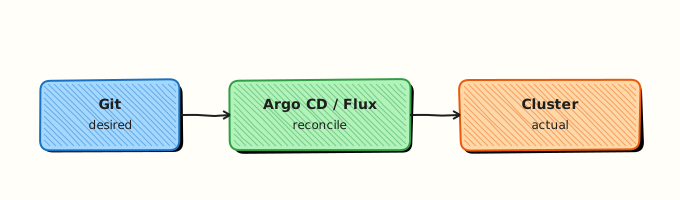
| GitOps (Argo CD / Flux) | Continuous reconcile from Git | Not imperative bootstrap; different mental model |
| Helm from Ansible | Packaging + values per env | Adds chart lifecycle; use when Helm is already standard |
Common pitfalls
- Using deprecated
community.kubernetes.k8simports — Fix: migrate tokubernetes.core.k8s. - Applying namespaced objects without
namespace:in the module call — Fix: setnamespace:on the task or in manifest metadata. - Running playbooks without kubeconfig context — Fix: export
KUBECONFIGor passkubeconfig:to the module. - Treating Ansible as a replacement for GitOps on steady-state apps — Fix: use Ansible for bootstrap/remediation; Git for ongoing drift control.
Hands-on Lab
Objective
Create Kubernetes manifests and an Ansible playbook using kubernetes.core.k8s to apply a Namespace, ConfigMap, and Deployment to a kind cluster — live apply required; dry-run alone is not sufficient.
Prerequisites
- Ansible 2.18+ (
ansible-core) on the control node - kind cluster running (
kind create cluster --name rebash-ansibleif needed) kubectlconfigured for the kind context- Network for
ansible-galaxy collection install
Lab environment
Workspace: ~/rebash-ansible/module-13
mkdir -p ~/rebash-ansible/module-13/{manifests,playbooks} && cd ~/rebash-ansible/module-13
ansible --version | tee ansible-version.txt
Real-world scenario
Your platform team must seed a rebash-demo namespace with application config and a single-replica nginx Deployment before the GitOps repo is wired. Security requires offline syntax validation in CI even when no cluster credentials are present.
Step-by-step tasks
Task 1 – Create Kubernetes manifests
Create manifests/namespace.yaml:
apiVersion: v1
kind: Namespace
metadata:
  name: rebash-demo
  labels:
    app.kubernetes.io/managed-by: ansible-lab
Create manifests/configmap-app.yaml:
apiVersion: v1
kind: ConfigMap
metadata:
  name: rebash-app-config
  namespace: rebash-demo
data:
  APP_MODE: production
  LOG_LEVEL: info
Create manifests/deployment-web.yaml:
apiVersion: apps/v1
kind: Deployment
metadata:
  name: rebash-web
  namespace: rebash-demo
  labels:
    app: rebash-web
spec:
  replicas: 1
  selector:
    matchLabels:
      app: rebash-web
  template:
    metadata:
      labels:
        app: rebash-web
    spec:
      containers:
        - name: web
          image: nginx:1.27.4-alpine
          ports:
            - containerPort: 80
          envFrom:
            - configMapRef:
                name: rebash-app-config
Validate YAML parses offline:
cd ~/rebash-ansible/module-13
python3 - <<'PY' | tee yaml-validate.txt
import yaml, pathlib, sys
for path in sorted(pathlib.Path("manifests").glob("*.yaml")):
    yaml.safe_load(path.read_text())
    print(f"OK {path}")
PY
grep -c '^OK ' yaml-validate.txt
Expected output
Three lines starting with OK manifests/…; grep count is 3.
Task 2 – Create collection requirements and playbook
Create requirements.yml:
Create playbooks/site-k8s.yml:
---
- name: Bootstrap rebash-demo Kubernetes resources
  hosts: localhost
  connection: local
  gather_facts: false
  vars:
    manifest_dir: "{{ playbook_dir }}/../manifests"
  tasks:
    - name: Apply namespace manifest with kubernetes.core.k8s
      kubernetes.core.k8s:
        state: present
        src: "{{ manifest_dir }}/namespace.yaml"

    - name: Apply ConfigMap with kubernetes.core.k8s
      kubernetes.core.k8s:
        state: present
        src: "{{ manifest_dir }}/configmap-app.yaml"

    - name: Apply Deployment with kubernetes.core.k8s
      kubernetes.core.k8s:
        state: present
        src: "{{ manifest_dir }}/deployment-web.yaml"
        wait: true
        wait_condition:
          type: Available
          status: "True"
        wait_timeout: 300
Install collection and run:
cd ~/rebash-ansible/module-13
ansible-galaxy collection install -r requirements.yml
export KUBECONFIG="${KUBECONFIG:-$(kind get kubeconfig-path --name rebash-ansible 2>/dev/null || echo "$HOME/.kube/config")}"
ansible-playbook --syntax-check playbooks/site-k8s.yml | tee syntax-check.txt
ansible-playbook playbooks/site-k8s.yml | tee apply-run.txt
kubectl get deploy,cm -n rebash-demo | tee cluster-state.txt
kubectl wait --for=condition=Available deployment/rebash-web -n rebash-demo --timeout=300s | tee deploy-ready.txt
grep -q 'rebash-web' cluster-state.txt
grep -q 'rebash-app-config' cluster-state.txt
echo "live apply OK" | tee apply-ok.txt
Expected output
Deployment and ConfigMap exist in rebash-demo; deployment reaches Available.
Task 4 – Package evidence tarball
cd ~/rebash-ansible/module-13
tar -czf module-13-evidence.tgz \
  manifests/ playbooks/ requirements.yml \
  ansible-version.txt yaml-validate.txt syntax-check.txt \
  apply-run.txt cluster-state.txt dry-run-fallback.txt 2>/dev/null || true
ls -lh module-13-evidence.tgz | tee tarball.txt
test -s module-13-evidence.tgz
Expected output
Non-empty module-13-evidence.tgz listing manifests and validation logs.
Validation steps
- Three manifest files parse with PyYAML
-
ansible-playbook --syntax-checksucceeds onsite-k8s.yml - Playbook uses
kubernetes.core.k8swhen collection is present - Fallback
kubectl apply --dry-run=clienttasks run when collection is absent - Evidence tarball captures validation output
Common errors and fixes
| Error | Cause | Fix |
|---|---|---|
kubernetes.core.k8s not found | Collection not installed | ansible-galaxy collection install -r requirements.yml |
Unable to connect to the server | No kubeconfig / cluster down | Start kind cluster; export valid KUBECONFIG; verify with kubectl cluster-info |
| Namespace not found on apply | Applied namespaced objects before Namespace | Order tasks: namespace first (as in lab playbook) |
PyYAML ImportError | Python PyYAML missing | pip install pyyaml or use distro package |
Challenge exercise
Extend the playbook with kubernetes.core.k8s_info to assert the Deployment has readyReplicas: 1 and fail the play when not ready. Add a block/rescue that prints kubectl describe deployment rebash-web -n rebash-demo on failure.
Learning outcomes
- Manifest-first Kubernetes automation compatible with GitOps repos
- Collection-aware playbooks with offline-safe fallbacks
- Evidence suitable for platform runbooks and CI gates
Cleanup
Validation
- Lab commands run under
~/rebash-ansible/module-13/ - Manifest YAML validates offline
- Playbook syntax-check passes without a cluster
- You can explain when to prefer GitOps over Ansible for app lifecycle
Code Walkthrough
The playbook branches on collection availability — a pattern that keeps CI green in sandboxes without Galaxy access while enabling full idempotent applies in production runners. Manifests live outside the playbook so the same files can be committed to a GitOps repository later. The manifest_dir variable resolves relative to playbook_dir, which avoids hard-coded home paths when the repo moves to /opt/automation.
Security Considerations
- Store kubeconfig and service-account tokens in Ansible Vault or CI secret stores — never commit them
- Scope RBAC: automation service accounts should create only required resources in target namespaces
- Pin collection versions in
requirements.ymlto avoid supply-chain surprises - Prefer short-lived tokens or OIDC federation over long-lived cluster-admin kubeconfigs
- Audit Ansible runs that mutate production clusters; restrict who can execute platform playbooks
Common Mistakes
Using deprecated community.kubernetes modules
Fix: migrate imports and requirements.yml to kubernetes.core and test in a non-production namespace first.
Cluster-admin kubeconfig on shared laptops
Fix: use namespace-scoped Roles and separate contexts per environment.
Skipping dry-run in CI because 'it is just Ansible'
Fix: run --syntax-check, manifest lint, and client dry-run on every pull request.
Best Practices
- Keep manifests in Git; let Ansible apply what GitOps will eventually own
- Pin
kubernetes.coreversion; regenerate lock files in CI - Use
gather_facts: falseon localhost Kubernetes plays for speed - Tag tasks (
bootstrap,app) so operators can limit scope - Document whether a playbook is bootstrap-only or ongoing reconcile
Troubleshooting
| Symptom | Likely cause | Fix |
|---|---|---|
Forbidden on apply | RBAC denies create/update | kubectl auth can-i create deployments --namespace rebash-demo as the automation user |
| Wrong cluster targeted | Multiple kubeconfig contexts | kubectl config current-context; set KUBECONFIG explicitly |
| Collection import error | Wrong Python interpreter on control node | Set interpreter_python = auto_silent in ansible.cfg |
| Deployment not Ready | Image pull or probe failure | kubectl describe pod -n rebash-demo; fix image or probes |
| Idempotency churn | Server-side defaults differ from manifest | Compare live object with kubectl get -o yaml; align manifest fields |
Summary
kubernetes.core lets Ansible reconcile Kubernetes objects idempotently from manifest files or inline definitions. Use it for bootstrap and remediation; pair with GitOps for continuous delivery. Always provide offline validation (syntax-check, client dry-run) when cluster credentials are not available in CI.
Interview Questions
1. What replaced community.kubernetes and why does it matter?
Reveal answer
kubernetes.core is the supported collection namespace. community.kubernetes is deprecated. New playbooks should declare kubernetes.core in requirements.yml so modules like kubernetes.core.k8s receive fixes and security updates.
2. How does kubernetes.core.k8s achieve idempotency?
Reveal answer
The module compares desired state (your definition or manifest) with live cluster objects and issues create/patch/delete API calls until they match — similar to kubectl apply. Check mode lets you preview changes without applying them.
3. When would you use Ansible for Kubernetes instead of Argo CD?
Reveal answer
Bootstrap (namespaces, quotas, baseline RBAC), one-off incident remediation, or environments before GitOps is adopted. Steady-state application delivery should stay in Git with a GitOps controller to enforce continuous reconcile and audit trails.
4. What is a safe CI validation path without cluster credentials?
Reveal answer
ansible-playbook --syntax-check, PyYAML parse of manifests, and kubectl apply --dry-run=client (or module check mode when credentials exist in a gated job). Never skip manifest ordering checks (namespace before namespaced objects).
5. How do you troubleshoot a Forbidden error from kubernetes.core.k8s?
Reveal answer
Confirm context (kubectl config current-context), test RBAC with kubectl auth can-i for the automation identity, and inspect whether the token is namespace-scoped. Fix RoleBindings before retrying the play.
6. What risks come with wrapping kubectl in the command module?
Reveal answer
Weaker idempotency reporting, no native check mode integration, and shell quoting mistakes. Acceptable for labs and dry-run gates; prefer kubernetes.core.k8s for production reconcile tasks.