Multi-Cluster GitOps
Overview
One Argo CD management cluster can deploy to many destination clusters. Each destination is registered as a cluster secret in the argocd namespace. Applications (and ApplicationSets) set spec.destination.server to the Kubernetes API URL — in-cluster installs use https://kubernetes.default.svc; external clusters use the remote API endpoint from the secret.
Multi-cluster GitOps centralises desired state in Git while respecting network boundaries, credentials, and blast radius per environment. Platform teams run Argo CD once; product teams get Projects scoped to allowed clusters and namespaces.
This is Tutorial 10 in Module 10 · Multi-Cluster of the REBASH Academy Argo CD for Kubernetes GitOps series — written for Cloud, DevOps, Platform, and SRE engineers.
Prerequisites
- ApplicationSets
- Managed Kubernetes (EKS, AKS, GKE)
kubectland optional second cluster context (lab works offline with templates)- Understanding of Kubernetes ServiceAccount tokens and TLS
Learning Objectives
By the end of this tutorial, you will be able to:
- Explain in-cluster versus external cluster destinations
- Author a cluster secret template with placeholders (no real credentials in Git)
- Configure an Application
destination.serverfor a named cluster - Validate cluster and Application YAML offline
- Describe registration flow with
argocd cluster add - Apply production guardrails (Projects, network, least privilege)
Architecture
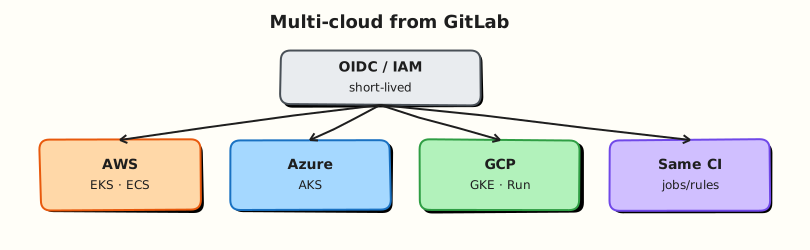
Argo CD on the management cluster uses cluster secrets to reach destination API servers and sync Applications.
Theory
What it is
Cluster registration stores connection details in a Secret labelled argocd.argoproj.io/secret-type: cluster. Required data keys:
| Key | Content |
|---|---|
name | Logical cluster name in Argo CD UI |
server | Kubernetes API URL (e.g. https://cluster.example:6443) |
config | JSON with bearerToken or tlsClientConfig, optional awsAuthConfig / execProviderConfig |
In-cluster destination uses the management cluster API:
External destination references registered cluster URL matching the secret server field:
CLI registration (typical ops flow):
This creates the cluster secret with credentials from your kubeconfig — do not commit that secret to Git.
Why it matters
Organisations run dev, staging, and production on separate clusters for isolation and compliance. Multi-cluster Argo CD avoids installing Argo CD on every cluster while keeping one GitOps control plane. ApplicationSets with cluster generator deploy the same manifest to many clusters when appropriate.
How it works
- Platform registers clusters (CLI or declarative secret with sealed credentials).
- Argo CD Projects restrict which
destination.servervalues teams may use. - Application specifies
destination.serveranddestination.namespace. - Application controller uses credentials from the matching cluster secret to apply manifests.
- Health and sync status aggregate in the management UI per cluster.
EKS/AKS/GKE often use exec-based auth (IAM, Azure AD, GCP SA) in cluster secret config instead of long-lived bearer tokens.
Key concepts and comparisons
| Destination | server value | When |
|---|---|---|
| In-cluster | https://kubernetes.default.svc | Argo CD runs on same cluster as workloads |
| External | Remote API URL from cluster secret | Hub-spoke; management cluster separate |
| Named URL | Must match secret exactly | Typo causes PermissionDenied |
Common pitfalls
- Committing live cluster secrets to Git — full cluster-admin tokens in plain text. Fix: Use Sealed Secrets, SOPS, or
argocd cluster addonly on the management cluster; templates use placeholders in labs. - Project allows wrong cluster — team syncs to production by mistake. Fix: Deny all destinations by default; allow-list per Project.
- Network unreachable — management cluster cannot reach worker API (private endpoints). Fix: Run Argo CD with network path to API; use agents pattern for air-gapped (Advanced).
- Same Application name two clusters — only one Application CR unless using ApplicationSet. Fix: One Application per cluster or ApplicationSet cluster generator.
- Token expiry — static bearer tokens expire. Fix: Prefer cloud IAM exec auth or rotate tokens with automation.
Hands-on Lab
Objective
Create a cluster secret template with placeholders, an Application targeting in-cluster and external server URLs, and offline YAML validation — no second cloud cluster required.
Prerequisites
- Argo CD namespace exists or offline validation only
- Python 3 for YAML validation
- Workspace
~/rebash-argocd/module-10
Lab environment
mkdir -p ~/rebash-argocd/module-10/clusters \
  ~/rebash-argocd/module-10/apps \
  ~/rebash-argocd/module-10/manifests \
  ~/rebash-argocd/module-10/scripts && cd ~/rebash-argocd/module-10
Real-world scenario
A platform team documents cluster onboarding with a sealed-secret workflow. New staging cluster credentials are applied by automation; Application manifests only reference destination.server URLs approved in the Project — never raw tokens in the app repo.
Step-by-step tasks
Task 1 – Cluster secret template (placeholders only)
Create clusters/cluster-secret-template.yaml:
# TEMPLATE ONLY — replace placeholders before apply; do not commit real tokens.
apiVersion: v1
kind: Secret
metadata:
  name: cluster-staging-placeholder
  namespace: argocd
  labels:
    argocd.argoproj.io/secret-type: cluster
type: Opaque
stringData:
  name: staging
  server: https://STAGING_API_SERVER:6443
  config: |
    {
      "tlsClientConfig": {
        "insecure": false,
        "caData": "BASE64_CA_CERT_PLACEHOLDER"
      },
      "bearerToken": "REPLACE_WITH_ROTATED_TOKEN_OR_USE_EXEC_AUTH"
    }
Create clusters/cluster-secret-incluster-note.yaml:
# In-cluster registration is implicit — no secret required for:
#   server: https://kubernetes.default.svc
apiVersion: v1
kind: ConfigMap
metadata:
  name: argocd-incluster-destination-note
  namespace: argocd
data:
  server: "https://kubernetes.default.svc"
  description: "Default Kubernetes API when Argo CD runs on the destination cluster"
Validate template structure (reject if bearer token looks real — placeholder check):
cd ~/rebash-argocd/module-10
grep 'REPLACE_WITH' clusters/cluster-secret-template.yaml | tee placeholder-check-m10.txt
grep 'argocd.argoproj.io/secret-type: cluster' clusters/cluster-secret-template.yaml
kubectl apply --dry-run=client -f clusters/cluster-secret-incluster-note.yaml | tee incluster-note-dryrun-m10.txt
Expected output
Placeholder strings present; in-cluster note ConfigMap validates.
Task 2 – Workload manifest for destination namespace
Create manifests/namespace.yaml:
Create manifests/configmap.yaml:
apiVersion: v1
kind: ConfigMap
metadata:
  name: multi-cluster-demo
  namespace: rebash-argocd-m10
data:
  cluster-target: in-cluster
Task 3 – Applications for in-cluster and external destinations
Create apps/application-incluster.yaml:
apiVersion: argoproj.io/v1alpha1
kind: Application
metadata:
  name: rebash-multicluster-incluster
  namespace: argocd
spec:
  project: default
  source:
    repoURL: file:///tmp/rebash-argocd/module-10
    path: manifests
    targetRevision: HEAD
  destination:
    server: https://kubernetes.default.svc
    namespace: rebash-argocd-m10
  syncPolicy:
    syncOptions:
      - CreateNamespace=true
Create apps/application-external-stub.yaml:
apiVersion: argoproj.io/v1alpha1
kind: Application
metadata:
  name: rebash-multicluster-staging
  namespace: argocd
spec:
  project: default
  source:
    repoURL: file:///tmp/rebash-argocd/module-10
    path: manifests
    targetRevision: HEAD
  destination:
    server: https://STAGING_API_SERVER:6443
    namespace: rebash-argocd-m10
  syncPolicy:
    syncOptions:
      - CreateNamespace=true
Document server comparison:
cd ~/rebash-argocd/module-10
grep -h 'server:' apps/application-incluster.yaml apps/application-external-stub.yaml \
  clusters/cluster-secret-incluster-note.yaml | tee server-compare-m10.txt
grep -q 'kubernetes.default.svc' server-compare-m10.txt
grep -q 'STAGING_API_SERVER' server-compare-m10.txt
Expected output
Two distinct server URLs documented — default in-cluster vs staging placeholder.
Task 4 – Offline YAML validation script
Create scripts/validate_multicluster.py:
#!/usr/bin/env python3
"""Offline validation for multi-cluster lab manifests."""
import sys
from pathlib import Path

try:
    import yaml
except ImportError:
    sys.exit("PyYAML required")

FORBIDDEN = ("eyJhbGci", "BEGIN CERTIFICATE")  # crude real-token/cert guard for lab


def load_docs(path: Path):
    return list(yaml.safe_load_all(path.read_text()))


def check_cluster_secret(path: Path) -> list[str]:
    errs = []
    text = path.read_text()
    for token in FORBIDDEN:
        if token in text and "PLACEHOLDER" not in text:
            errs.append(f"{path}: looks like real credential material")
    doc = yaml.safe_load(text)
    if doc.get("metadata", {}).get("labels", {}).get(
        "argocd.argoproj.io/secret-type"
    ) != "cluster":
        errs.append(f"{path}: missing cluster secret label")
    if "REPLACE_WITH" not in text:
        errs.append(f"{path}: expected REPLACE_WITH placeholder token")
    return errs


def check_application(path: Path) -> list[str]:
    errs = []
    doc = yaml.safe_load(path.read_text())
    dest = doc.get("spec", {}).get("destination", {})
    if not dest.get("server"):
        errs.append(f"{path}: destination.server required")
    if not dest.get("namespace"):
        errs.append(f"{path}: destination.namespace required")
    return errs


def main() -> int:
    root = Path(sys.argv[1] if len(sys.argv) > 1 else ".")
    errs = []
    errs.extend(check_cluster_secret(root / "clusters/cluster-secret-template.yaml"))
    for app in (root / "apps").glob("*.yaml"):
        errs.extend(check_application(app))
    if errs:
        print("\n".join(errs))
        return 1
    print("OK: multi-cluster manifests validated offline")
    return 0


if __name__ == "__main__":
    sys.exit(main())
Run validation and apply in-cluster Application (required):
cd ~/rebash-argocd/module-10
chmod +x scripts/validate_multicluster.py
python3 scripts/validate_multicluster.py . | tee validate-m10.txt
grep -q 'OK: multi-cluster' validate-m10.txt
cp -a ~/rebash-argocd/module-10 /tmp/rebash-argocd/ 2>/dev/null || true
kubectl apply -f apps/application-incluster.yaml | tee app-apply-m10.txt
kubectl wait --for=jsonpath='{.status.sync.status}'=Synced \
  application/rebash-multicluster-incluster -n argocd --timeout=300s | tee sync-wait-m10.txt
kubectl get application rebash-multicluster-incluster -n argocd \
  -o jsonpath='{.spec.destination.server}{"\n"}{.status.sync.status}{"\n"}' | tee sync-incluster-m10.txt
grep -q 'kubernetes.default.svc' sync-incluster-m10.txt
grep -q 'Synced' sync-incluster-m10.txt
echo "in-cluster apply OK" | tee incluster-ok-m10.txt
Expected output
Application applied; destination server is https://kubernetes.default.svc; sync status Synced.
Validation steps
- Cluster secret template uses placeholders only — no real tokens
- Cluster secret label
argocd.argoproj.io/secret-type: clusterpresent - In-cluster Application uses
https://kubernetes.default.svc - External Application references staging server placeholder matching secret template
- Offline validation script passes before any credential apply
Common errors and fixes
| Error | Cause | Fix |
|---|---|---|
| PermissionDenied on sync | Cluster secret missing or wrong server URL | Register cluster; match destination.server exactly |
| Unknown cluster | Server URL typo vs secret | Copy server from secret server field |
| External cluster Unavailable | Network or expired token | Fix firewall path; rotate credentials |
| Applied template with placeholders | Human error | Never apply template; use SealedSecret pipeline |
| Project denied destination | Project whitelist | Add cluster/server to Project destinations |
Challenge exercise
Create an Argo CD Project stub apps/project-multicluster.yaml with destinations allow-list for in-cluster server and staging placeholder namespace pattern — validate with kubectl apply --dry-run=client.
Learning outcomes
- Authored cluster secret template with correct labels and placeholder credentials
- Contrasted in-cluster and external
destination.servervalues - Validated manifests offline without a second cloud cluster
- Applied in-cluster Application when Argo CD is available
Cleanup
kubectl delete application rebash-multicluster-incluster -n argocd --ignore-not-found
kubectl delete namespace rebash-argocd-m10 --ignore-not-found
# Do NOT delete cluster secrets you applied with real credentials via this lab template
Validation
- Lab completed under
~/rebash-argocd/module-10/ - You can explain hub-spoke multi-cluster topology
- You validated YAML offline before handling credentials
- You can describe Project destination restrictions
Code Walkthrough
Production practice for multi-cluster GitOps always combines:
- Register clusters with automation — not manual secret copy-paste
- Restrict destinations per Project and team
- Use private network paths from management cluster to API servers
- Prefer cloud IAM exec auth over long-lived bearer tokens
- Test external cluster sync in staging management environment first
Security Considerations
- Never commit cluster-admin kubeconfig or bearer tokens to Git
- Rotate credentials; audit cluster secret access in the management cluster
- Separate management cluster RBAC from workload cluster RBAC
- Limit Argo CD repo-server and application-controller network egress
- Use AppProjects to prevent sync to production clusters from dev Projects
Common Mistakes
Same Project for dev and prod clusters
One misconfigured Application syncs to wrong cluster. Fix: Separate Projects and explicit destination allow-lists.
Insecure TLS in cluster secret config
"insecure": true skips API verification. Fix: Use proper caData and valid certificates.
Running Argo CD on production workload cluster
Compromised app namespace risks control plane. Fix: Dedicated management cluster where possible.
Best Practices
- Document cluster onboarding runbook: name, server URL, auth method, Project mapping
- Use ApplicationSet cluster generator for fleet rollouts with staged canaries
- Monitor application-controller errors per cluster destination
- Tag Applications with cluster and environment labels for reporting
- Keep manifest repos separate from credential repos
Troubleshooting
| Symptom | Likely cause | Fix |
|---|---|---|
| Invalid spec: application destination server is not registered | Missing cluster secret | argocd cluster add or apply sealed secret |
| Sync timeout external | Network policy blocks API | Open path from mgmt cluster to API |
| Works in UI CLI not | Context vs server URL mismatch | Align kubeconfig server with secret |
| Intermittent auth failure | Expired token | Rotate; switch to exec auth |
| Only in-cluster works | External secret wrong CA | Fix caData in cluster secret config |
Summary
Multi-cluster GitOps registers destination APIs as cluster secrets and routes Applications via destination.server. In-cluster uses https://kubernetes.default.svc; external clusters require labelled secrets and network reachability. Protect credentials, restrict Projects, and validate offline before apply. This completes the core Argo CD module sequence — continue with the course capstone and production hardening topics.
Interview Questions
1. What is the in-cluster Kubernetes API server URL Argo CD uses by default?
Reveal answer
https://kubernetes.default.svc — the internal Service DNS name for the Kubernetes API when Argo CD runs on the same cluster as the destination workloads. No cluster secret is required for this destination if the cluster is the one Argo CD is installed on.
2. What label identifies an Argo CD cluster secret?
Reveal answer
argocd.argoproj.io/secret-type: cluster on a Secret in the argocd namespace. Data keys include name, server, and config (JSON with authentication and TLS settings).
3. Why should cluster credentials not live in the application Git repo?
Reveal answer
Application repos have broader read access (developers, CI) and Git history is hard to erase. Leaked cluster-admin tokens compromise entire clusters. Credentials belong in sealed secrets, secret managers, or cluster-side registration via argocd cluster add — not beside Deployment YAML.
4. How does destination.server link an Application to a cluster secret?
Reveal answer
The Application spec.destination.server must exactly match the server field in a registered cluster secret. Argo CD looks up credentials from that secret to authenticate to the API when syncing resources to destination.namespace.
5. When would you use ApplicationSet cluster generator versus manual Applications?
Reveal answer
Cluster generator creates one Application per registered cluster from the same template — ideal for fleet rollouts (same app to dev, staging, prod clusters). Manual Applications suit one-off apps or when each cluster needs materially different sources or sync policies not expressible in one template.
6. What auth options exist for cloud-managed clusters?
Reveal answer
EKS supports awsAuthConfig with IAM roles; AKS and GKE support exec-based provider configs in the cluster secret config JSON. These avoid long-lived static tokens and align with cloud IAM rotation — preferred over embedding bearer tokens in secrets.
7. (Senior) Design hub-spoke GitOps for five accounts and three regions.
Reveal answer
Run Argo CD on a dedicated management cluster per region (or one global hub with strict network paths). Register each spoke with least-privilege SA tokens or cloud IAM. AppProjects per account/region with destination allow-lists. ApplicationSets matrix services × clusters only where needed; otherwise explicit Applications for regulated prod. Git monorepo with env overlays; credentials via Sealed Secrets on management cluster only; audit sync events centrally.
Related Tutorials
- Course overview
- Previous: ApplicationSets
- Kubernetes production operations
- GitOps and CI/CD with Kubernetes