Kustomize with Argo CD
Overview
Kustomize builds environment-specific manifests from a shared base plus overlays — patches, name prefixes, labels, and image transformers — without templating language. Argo CD points an Application at an overlay path; it runs kustomize build (or kubectl kustomize) and syncs the output.
This is the preferred pattern for teams who want plain Kubernetes YAML in Git with DRY structure: one base Deployment, staging overlay sets two replicas, production overlay sets three and swaps the image tag.
This is Tutorial 8 in Module 8 · Kustomize Sources of the REBASH Academy Argo CD for Kubernetes GitOps series — written for Cloud, DevOps, Platform, and SRE engineers.
Prerequisites
- Helm with Argo CD
- Kubernetes objects, labels, and namespaces
kubectlv1.14+ (built-in kustomize) or standalonekustomize- Optional: Argo CD on a local cluster
Learning Objectives
By the end of this tutorial, you will be able to:
- Structure a Kustomize base and overlay for GitOps
- Configure an Application
source.pathto an overlay directory - Use
imagestransformer andnamePrefixin overlays - Validate rendered output offline with
kubectl kustomize - Explain when Kustomize suits better than Helm for a team
- Troubleshoot common path and patch errors in Argo CD
Architecture
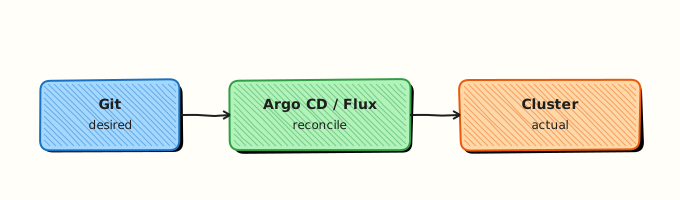
Argo CD builds Kustomize overlays into final manifests before apply and drift detection.
Theory
What it is
Kustomize directories contain a kustomization.yaml that lists resources, patches, configMapGenerator, images, namePrefix, nameSuffix, and commonLabels. A base holds shared manifests; overlays (e.g. overlays/staging) reference the base via resources: ../../base and add environment-specific changes.
Argo CD Application field:
spec:
  source:
    path: overlays/staging
    # kustomize: block optional for image overrides from Application spec
Optional spec.source.kustomize fields: images, namePrefix, nameSuffix, commonLabels, patches, replicas — merged with overlay files at build time.
Why it matters
Many platform and SRE teams prefer Kustomize because output is plain YAML — easy to review in PRs and debug with kubectl kustomize. No Helm templating logic to learn. Argo CD native support means the same GitOps workflow as Helm without chart packaging.
How it works
- Application
pathmust containkustomization.yaml(the overlay root). - Argo CD repo-server runs Kustomize build on that directory.
- Built manifests are compared to cluster state and synced.
- Image updater tools or CI can bump
images.newTagin overlay kustomization files.
Build locally:
Key concepts and comparisons
| Feature | Kustomize | Helm |
|---|---|---|
| Output | Plain YAML | Templated then rendered |
| Logic | Patches, replacements | Go templates |
| Packaging | Directory tree | Chart tarball/OCI |
| Learning curve | YAML-native | Chart + values API |
Images transformer example in overlay:
images:
  - name: nginxinc/nginx-unprivileged
    newTag: 1.27-alpine
    newName: nginxinc/nginx-unprivileged
namePrefix adds a prefix to all resource names from the build — useful when deploying the same base twice in one namespace (with care).
Common pitfalls
- Wrong base reference — overlay
resourcespath breaks in CI but works locally if cwd differs. Fix: Use relative paths from overlay dir; testkubectl kustomizein CI. - Argo CD path points at base not overlay — syncs generic config to production. Fix: Application path must be the overlay directory.
- namePrefix breaks Service selectors — Kustomize updates selectors when configured correctly; manual patches can desync. Fix: Build and inspect before merge.
- Duplicate resources — same name from two overlays merged incorrectly. Fix: One overlay per Application.
- Ignoring build errors — invalid patch fails Application refresh. Fix: Read repo-server logs; run kustomize locally.
Hands-on Lab
Objective
Create a Kustomize base and staging overlay under ~/rebash-argocd/module-08, prove rendered image tags and name prefix offline, and declare an Argo CD Application pointing at the overlay.
Prerequisites
kubectlwith Kustomize support- Python 3 for YAML checks
- Workspace at
~/rebash-argocd/module-08
Lab environment
mkdir -p ~/rebash-argocd/module-08/base \
  ~/rebash-argocd/module-08/overlays/staging \
  ~/rebash-argocd/module-08/apps && cd ~/rebash-argocd/module-08
Namespace target: rebash-argocd-m08.
Real-world scenario
A product team maintains one base guestbook Deployment. Staging overlay adds namePrefix: stg-, bumps replicas, and pins a staging image tag. Argo CD Application for staging points at overlays/staging; production will use a sibling overlay later.
Step-by-step tasks
Task 1 – Kustomize base
Create base/kustomization.yaml:
apiVersion: kustomize.config.k8s.io/v1beta1
kind: Kustomization
resources:
  - deployment.yaml
  - service.yaml
commonLabels:
  app.kubernetes.io/part-of: rebash-guestbook
Create base/deployment.yaml:
apiVersion: apps/v1
kind: Deployment
metadata:
  name: guestbook
spec:
  replicas: 1
  selector:
    matchLabels:
      app: guestbook
  template:
    metadata:
      labels:
        app: guestbook
    spec:
      containers:
        - name: web
          image: nginxinc/nginx-unprivileged:1.27-alpine
          ports:
            - containerPort: 8080
Create base/service.yaml:
apiVersion: v1
kind: Service
metadata:
  name: guestbook
spec:
  ports:
    - port: 8080
      targetPort: 8080
  selector:
    app: guestbook
Verify base build:
cd ~/rebash-argocd/module-08
kubectl kustomize base | tee build-base-m08.yaml
grep -q 'kind: Deployment' build-base-m08.yaml
grep -q 'nginxinc/nginx-unprivileged:1.27-alpine' build-base-m08.yaml
Expected output
Base renders Deployment and Service with original image tag.
Task 2 – Staging overlay with prefix and images transformer
Create overlays/staging/kustomization.yaml:
apiVersion: kustomize.config.k8s.io/v1beta1
kind: Kustomization
namespace: rebash-argocd-m08
namePrefix: stg-
resources:
  - ../../base
replicas:
  - name: guestbook
    count: 2
images:
  - name: nginxinc/nginx-unprivileged
    newTag: 1.27-alpine
commonLabels:
  environment: staging
patches:
  - patch: |-
      - op: replace
        path: /spec/template/spec/containers/0/env
        value:
          - name: APP_ENV
            value: staging
    target:
      kind: Deployment
      name: guestbook
Build staging overlay:
cd ~/rebash-argocd/module-08
kubectl kustomize overlays/staging | tee build-staging-m08.yaml
grep 'name: stg-guestbook' build-staging-m08.yaml | tee name-prefix-m08.txt
grep 'image:' build-staging-m08.yaml | tee image-line-m08.txt
grep 'replicas: 2' build-staging-m08.yaml | tee replicas-m08.txt
grep -q 'stg-guestbook' name-prefix-m08.txt
grep -q 'replicas: 2' replicas-m08.txt
Expected output
Resources named stg-guestbook; two replicas; namespace rebash-argocd-m08 set on all objects.
Task 3 – Argo CD Application for overlay path
Create apps/application-kustomize-staging.yaml:
apiVersion: argoproj.io/v1alpha1
kind: Application
metadata:
  name: rebash-kustomize-staging
  namespace: argocd
spec:
  project: default
  source:
    repoURL: file:///tmp/rebash-argocd/module-08
    path: overlays/staging
    targetRevision: HEAD
  destination:
    server: https://kubernetes.default.svc
    namespace: rebash-argocd-m08
  syncPolicy:
    automated:
      prune: false
      selfHeal: true
    syncOptions:
      - CreateNamespace=true
Optional inline kustomize overrides on Application (documented alternative) — create apps/application-kustomize-inline.yaml:
apiVersion: argoproj.io/v1alpha1
kind: Application
metadata:
  name: rebash-kustomize-inline
  namespace: argocd
spec:
  project: default
  source:
    repoURL: file:///tmp/rebash-argocd/module-08
    path: overlays/staging
    targetRevision: HEAD
    kustomize:
      images:
        - nginxinc/nginx-unprivileged:1.27-alpine
      namePrefix: stg-
  destination:
    server: https://kubernetes.default.svc
    namespace: rebash-argocd-m08
Validate Application and compare offline build:
cd ~/rebash-argocd/module-08
kubectl apply --dry-run=client -f apps/application-kustomize-staging.yaml 2>&1 | tee app-kust-dryrun-m08.txt
python3 -c "import yaml; yaml.safe_load_all(open('build-staging-m08.yaml')); print('YAML OK')" | tee yaml-ok-m08.txt
grep 'environment: staging' build-staging-m08.yaml | head -1 | tee label-evidence-m08.txt
Expected output
Application validates; built YAML parses; staging label present on resources.
Task 4 – Apply Application and prove sync
Register the lab path with Argo CD (file repo) — copy manifests to /tmp if using file:// URLs:
cd ~/rebash-argocd/module-08
sudo mkdir -p /tmp/rebash-argocd && sudo cp -a ~/rebash-argocd/module-08 /tmp/rebash-argocd/ 2>/dev/null || \
  cp -a ~/rebash-argocd/module-08 /tmp/rebash-argocd/
kubectl apply -f apps/application-kustomize-staging.yaml | tee app-apply-m08.txt
kubectl wait --for=jsonpath='{.status.sync.status}'=Synced \
  application/rebash-kustomize-staging -n argocd --timeout=300s | tee app-sync-m08.txt
kubectl get application rebash-kustomize-staging -n argocd \
  -o jsonpath='{.status.sync.status}{"\n"}{.spec.source.path}{"\n"}' | tee app-status-m08.txt
kubectl get deploy,svc -n rebash-argocd-m08 | tee resources-m08.txt
grep -q 'Synced' app-status-m08.txt
grep -q 'stg-guestbook' resources-m08.txt
echo "kustomize sync OK" | tee kustomize-sync-ok-m08.txt
Expected output
Application Synced; Deployment stg-guestbook and Service in rebash-argocd-m08.
Validation steps
- Base and overlay both build with
kubectl kustomize - namePrefix
stg-visible on rendered resource names - Images transformer and replicas patch reflected in output
- Application points at overlay path, not base
- Namespace
rebash-argocd-m08set in overlay
Common errors and fixes
| Error | Cause | Fix |
|---|---|---|
must resolve to a file | Broken resources path in kustomization | Fix relative path from overlay to base |
| Patch target not found | namePrefix changed name before patch | Order patches after prefix or target new name |
| Wrong namespace | namespace only in overlay | Set namespace: in overlay kustomization.yaml |
| Argo shows OutOfSync on labels | commonLabels added by kustomize | Expected; sync or ignore if intentional |
| Empty build | Missing kustomization.yaml at path | Ensure Application path is overlay root |
Challenge exercise
Add overlays/prod/ with namePrefix: prod-, three replicas, and a different newTag. Build both overlays and save a diff of Deployment names and replica counts as evidence.
Learning outcomes
- Structured Kustomize base and staging overlay
- Applied namePrefix, replicas, images, and JSON patch
- Proved render output offline before GitOps sync
- Declared Argo CD Application with overlay path
Cleanup
kubectl delete application rebash-kustomize-staging -n argocd --ignore-not-found
kubectl delete namespace rebash-argocd-m08 --ignore-not-found
Validation
- Lab completed under
~/rebash-argocd/module-08/ - You can explain base versus overlay responsibilities
- You validated builds with
kubectl kustomizebefore sync - You can describe when Kustomize beats Helm for your team
Code Walkthrough
Production practice for Kustomize with Argo CD always combines:
- CI runs
kubectl kustomize overlays/<env>on every PR - One Application per environment overlay — never share one App across envs
- Pin image tags in overlay
images— CI opens PR to bump tags - Keep bases free of environment-specific values
- Use
namePrefixor separate namespaces — not both without careful planning
Security Considerations
- Do not commit SealedSecret keys or plain Secrets in overlays — use Sealed Secrets or ESO
- Restrict who can change production overlays in Git
- Review JSON patches carefully — they can inject privileged fields
- Argo CD Projects should limit destinations per overlay Application
- Scan built manifests in CI for policy violations (OPA, Kyverno)
Common Mistakes
Application path set to base directory
Production receives dev replicas and image tags. Fix: Point path at overlays/production.
Hard-coded namespace in base manifests
Overlays cannot redirect easily. Fix: Omit namespace in base; set namespace: in overlay kustomization.
Duplicating entire manifests per env
Defeats DRY; drift between envs. Fix: Extract shared base; patch only diffs in overlays.
Best Practices
- Standardise repo layout:
base/,overlays/dev|staging|prod/ - Bump image tags via CI PR to overlay
imageslist - Document required
kubectl kustomizeversion if using new Kustomize features - Use
configMapGeneratorandsecretGeneratorin base for config separation - Pair with ApplicationSet git generator for auto-discovery of overlay folders
Troubleshooting
| Symptom | Likely cause | Fix |
|---|---|---|
| Application Unknown | Invalid kustomization | Run kubectl kustomize locally; fix errors |
| OutOfSync permanently | Server-side defaults differ | Add ignoreDifferences for metadata |
| Wrong image after sync | Application kustomize.images override | Check inline source.kustomize block |
| Patch failed | Strategic merge patch mismatch | Switch to JSON6902 patch with explicit target |
| Resources in wrong ns | Base had hard-coded namespace | Remove from base; set in overlay |
Summary
Kustomize gives plain-YAML GitOps with bases and overlays; Argo CD builds the overlay path on each refresh. namePrefix, replicas, and images transformers handle most environment diffs. Next, scale management with ApplicationSets.
Interview Questions
1. What path should an Argo CD Application use for Kustomize — base or overlay?
Reveal answer
The overlay directory containing the environment-specific kustomization.yaml (e.g. overlays/staging). The base alone lacks environment patches, replicas, and image tags. Each environment typically gets its own Application (or ApplicationSet element) pointing at its overlay.
2. How do you change an image tag without editing Deployment YAML directly?
Reveal answer
Add an entry under images in the overlay kustomization.yaml with name matching the image repository and newTag (or newName) for the desired tag. Kustomize rewrites container image fields in the built output. CI can automate PRs that only touch the images list.
3. What does namePrefix do, and what should you verify after enabling it?
Reveal answer
namePrefix prepends a string to resource names, labels, and selectors (when using Kustomize built-in transformations). Verify built output with kubectl kustomize — Service selectors must still match Pod labels, and patches must target the prefixed resource names if applied after prefixing.
4. Can you override Kustomize settings in the Application CR?
Reveal answer
Yes — spec.source.kustomize supports images, namePrefix, nameSuffix, commonLabels, replicas, and patches merged at build time. Useful for ApplicationSet-generated tweaks; prefer overlay files for static env config to keep Git the full source of truth.
5. Kustomize versus Helm in Argo CD — when prefer Kustomize?
Reveal answer
Prefer Kustomize when teams want plain YAML, minimal templating, and patch-based env diffs — common in SRE and platform teams already using raw manifests. Prefer Helm when packaging third-party apps as charts, sharing charts via OCI, or needing rich templating and dependencies.
6. (Senior) How would you onboard fifty microservices with Kustomize and Argo CD?
Reveal answer
Standardise repo layout per service (base + overlays/env), use ApplicationSet git directory generator to discover overlays/production paths, enforce CI kubectl kustomize and policy checks on PRs, centralise common labels and policies via shared base components or Kustomize components (Kustomize v4+), and restrict destinations with Argo CD Projects.