Production GitOps with Argo CD
Overview
Production GitOps is more than installing Argo CD — it is repository layout, environment promotion, multi-cluster fleet patterns, backup of controller state, and runbooks platform teams operate daily. Common layouts split application manifests (apps/) from cluster-specific overlays (clusters/dev, clusters/prod) or use ApplicationSets to generate Applications per cluster. Disaster recovery (DR) plans cover Git (source of truth), Argo CD configuration, and optional live cluster backups.
This is Tutorial 1 in Module 15 · Production GitOps of the REBASH Academy Argo CD for Cloud & DevOps Engineers series — written for Platform and SRE engineers designing enterprise GitOps platforms.
Prerequisites
- CI/CD Integration with Argo CD
- Kubernetes production operations
- Familiarity with Application and ApplicationSet CRDs
Learning Objectives
By the end of this tutorial, you will be able to:
- Compare
apps/+clusters/repo layouts with mono-repo alternatives - Scaffold multi-environment Applications with consistent naming
- Draft an ApplicationSet stub for cluster fleet onboarding
- List DR/backup items for Argo CD configuration and Git
- Deploy apps/clusters layout on kind and prove Application sync
Architecture
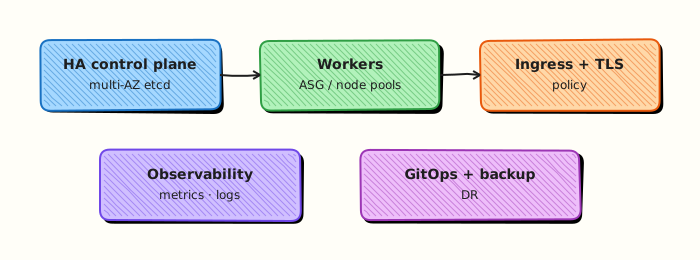
Production GitOps ties Git structure, Argo CD projects, and cluster fleet registration into a repeatable platform.
Theory
What it is
Repository layouts:
apps/+clusters/— base manifests underapps/service-name; environment/clusters underclusters/<env>with Kustomize overlays or Helm values referencing app paths.- Environment branches —
mainfor dev, release branches for prod (simpler but weaker promotion audit). - App-of-apps — root Application syncs folder of child Application manifests.
Multi-environment — separate Argo CD Projects, destinations, sync windows, and RBAC per env. Prod Applications target prod clusters/namespaces only.
Multi-cluster — register clusters via Secrets; ApplicationSet cluster generator emits one Application per cluster.
DR/backup:
- Git remotes (primary source of truth) — replicate to second provider.
- Export
argocdnamespace Secrets, ConfigMaps, Applications, AppProjects, ApplicationSets. - Document reinstall procedure (Helm values, ingress, SSO, repo credentials).
- Optional Velero for namespace backup — Git replay remains primary.
Why it matters
Ad-hoc repos do not scale past three teams. Standard layout lets ApplicationSets onboard new clusters automatically, reduces copy-paste Application YAML, and makes DR a documented restore order instead of tribal knowledge.
How it works
- Platform maintains
platform-gitopsrepo structure and templates. - Service teams add
apps/<service>bases; platform wiresclusters/<env>overlays. - Root Application or ApplicationSet discovers paths/clusters.
- CI promotes tags; Argo CD syncs; monitoring and notifications cover health.
- DR drill restores Git + Argo CD config, reapplies app-of-apps.
Key concepts and comparisons
| Layout | Pros | Cons |
|---|---|---|
| apps + clusters | Clear separation, fleet-friendly | More directories to navigate |
| Monorepo env folders | Simple for small teams | Risky auto-sync blast radius |
| One repo per service | Team autonomy | Harder platform-wide refactors |
Common pitfalls
- Storing SealedSecrets/SOPS keys only on one engineer's laptop — include in DR doc.
- ApplicationSets without project restrictions — generated apps inherit overly broad rights.
- Backing up cluster workload state but not Git — restores wrong source of truth.
- Identical prod/dev Application names across clusters — confusing CLI/UI operations.
Hands-on Lab
Objective
Scaffold an apps/ + clusters/dev GitOps layout, apply an Application and ApplicationSet on a kind cluster using a local file:// repo, prove sync into rebash-argocd-m15-dev, and export Argo CD namespace resources as DR evidence.
Prerequisites
- kind cluster with Argo CD installed (Installing Argo CD)
kubectl,argocdCLI logged inkubectl kustomizeavailable
Lab environment
Runtime: kind cluster with Argo CD — tarball-only validation is not sufficient for this lab.
kind create cluster --name rebash-argocd 2>/dev/null || true
export KUBECONFIG="$(kind get kubeconfig --name rebash-argocd)"
mkdir -p ~/rebash-argocd/module-15/{apps/demo-api/base,clusters/dev,argocd/bootstrap,scripts} \
  && cd ~/rebash-argocd/module-15
Real-world scenario
You are bootstrapping a platform GitOps repo. Application bases live under apps/demo-api; the dev cluster overlay lives under clusters/dev. A bootstrap ApplicationSet will fan out the same pattern to more clusters later. You scaffold the layout, sync dev workloads through Argo CD, and export controller configuration for a DR drill packet.
Step-by-step tasks
Task 1 – Create app base manifests
Create apps/demo-api/base/kustomization.yaml:
apiVersion: kustomize.config.k8s.io/v1beta1
kind: Kustomization
resources:
  - deployment.yaml
  - service.yaml
commonLabels:
  app.kubernetes.io/name: demo-api
  app.kubernetes.io/part-of: platform-gitops
Create apps/demo-api/base/deployment.yaml:
apiVersion: apps/v1
kind: Deployment
metadata:
  name: demo-api
spec:
  replicas: 1
  selector:
    matchLabels:
      app: demo-api
  template:
    metadata:
      labels:
        app: demo-api
    spec:
      containers:
        - name: api
          image: nginxinc/nginx-unprivileged:1.27-alpine
          ports:
            - containerPort: 8080
Create apps/demo-api/base/service.yaml:
apiVersion: v1
kind: Service
metadata:
  name: demo-api
spec:
  selector:
    app: demo-api
  ports:
    - port: 80
      targetPort: 8080
Verify base renders:
cd ~/rebash-argocd/module-15
kubectl kustomize apps/demo-api/base | grep -q 'kind: Deployment' && echo 'app-base: OK' | tee app-base-m15.txt
Expected output
Base kustomization renders Deployment and Service.
Task 2 – Create cluster dev overlay
Create clusters/dev/namespace.yaml:
apiVersion: v1
kind: Namespace
metadata:
  name: rebash-argocd-m15-dev
  labels:
    environment: dev
Create clusters/dev/kustomization.yaml:
apiVersion: kustomize.config.k8s.io/v1beta1
kind: Kustomization
namespace: rebash-argocd-m15-dev
resources:
  - namespace.yaml
  - ../../apps/demo-api/base
namePrefix: dev-
commonLabels:
  environment: dev
Verify overlay:
cd ~/rebash-argocd/module-15
kubectl kustomize clusters/dev | grep 'rebash-argocd-m15-dev' | tee kustomize-ns-m15.txt
kubectl kustomize clusters/dev | grep -q 'kind: Deployment' && echo 'kustomize: OK' | tee kustomize-m15.txt
Expected output
Overlay renders Deployment into namespace rebash-argocd-m15-dev.
Task 3 – Apply Application and prove sync
Create argocd/bootstrap/application-dev.yaml:
apiVersion: argoproj.io/v1alpha1
kind: Application
metadata:
  name: demo-api-dev
  namespace: argocd
spec:
  project: default
  source:
    repoURL: file:///tmp/rebash-argocd/module-15/clusters/dev
    targetRevision: HEAD
    path: .
  destination:
    server: https://kubernetes.default.svc
    namespace: rebash-argocd-m15-dev
  syncPolicy:
    automated:
      prune: true
      selfHeal: true
    syncOptions:
      - CreateNamespace=true
Publish repo path and sync:
cd ~/rebash-argocd/module-15
cp -a ~/rebash-argocd/module-15 /tmp/rebash-argocd/ 2>/dev/null || true
kubectl apply -f argocd/bootstrap/application-dev.yaml | tee app-apply-m15.txt
argocd repo add file:///tmp/rebash-argocd/module-15/clusters/dev --name module-15-dev --insecure-skip-server-verification 2>/dev/null || true
kubectl wait --for=jsonpath='{.status.sync.status}'=Synced \
  application/demo-api-dev -n argocd --timeout=300s | tee wait-synced-m15.txt
kubectl get deploy,svc -n rebash-argocd-m15-dev | tee workloads-m15.txt
grep -q 'Synced' wait-synced-m15.txt
Expected output
Application Synced; dev-demo-api Deployment and Service run in rebash-argocd-m15-dev.
Task 4 – Apply ApplicationSet and export DR evidence
Create argocd/bootstrap/applicationset-clusters.yaml:
apiVersion: argoproj.io/v1alpha1
kind: ApplicationSet
metadata:
  name: platform-clusters
  namespace: argocd
spec:
  generators:
    - list:
        elements:
          - cluster: dev
            url: https://kubernetes.default.svc
            env: dev
  template:
    metadata:
      name: 'demo-api-{{cluster}}'
    spec:
      project: default
      source:
        repoURL: file:///tmp/rebash-argocd/module-15/clusters/{{env}}
        targetRevision: HEAD
        path: .
      destination:
        server: '{{url}}'
        namespace: 'rebash-argocd-m15-{{env}}'
      syncPolicy:
        syncOptions:
          - CreateNamespace=true
Create scripts/export-argocd-dr.sh:
#!/usr/bin/env bash
set -euo pipefail
OUT="${1:-dr-export-m15.yaml}"
kubectl get applications,appprojects,applicationsets,configmaps,secrets \
  -n argocd -l 'app.kubernetes.io/part-of=argocd' -o yaml > "${OUT}" 2>/dev/null || \
kubectl get applications,appprojects,applicationsets,configmaps -n argocd -o yaml > "${OUT}"
echo "DR export written to ${OUT}"
wc -l "${OUT}"
Apply ApplicationSet and export (remove direct Application first so ApplicationSet owns demo-api-dev):
cd ~/rebash-argocd/module-15
kubectl delete application demo-api-dev -n argocd --ignore-not-found
kubectl apply -f argocd/bootstrap/applicationset-clusters.yaml | tee appset-apply-m15.txt
kubectl wait --for=jsonpath='{.status.sync.status}'=Synced \
  application/demo-api-dev -n argocd --timeout=300s | tee wait-appset-sync-m15.txt
chmod +x scripts/export-argocd-dr.sh
./scripts/export-argocd-dr.sh dr-export-m15.yaml | tee dr-export-log-m15.txt
kubectl get applications -n argocd | tee applications-list-m15.txt
grep -q 'demo-api-dev' applications-list-m15.txt
grep -q 'kind: Application' dr-export-m15.yaml
Expected output
ApplicationSet creates demo-api-dev Application; DR export YAML contains Application kinds.
Validation steps
-
apps/base andclusters/devoverlay render with kustomize - Application syncs dev workloads into
rebash-argocd-m15-dev - ApplicationSet generator produces
demo-api-devApplication - DR export script captures Argo CD CRs and configuration
Common errors and fixes
| Error | Cause | Fix |
|---|---|---|
| Kustomize path not found | Wrong relative path in overlay | Use ../../apps/demo-api/base from clusters/dev |
| ApplicationSet generates zero apps | Empty generator list | Add cluster elements to list generator |
| Duplicate resource names | Missing namePrefix per env | Keep dev- prefix in overlay |
| file:// repo unreachable | Path not under /tmp | Copy tree: cp -a ~/rebash-argocd/module-15 /tmp/rebash-argocd/ |
| DR export empty | Wrong label selector | Export all CRs: kubectl get applications -n argocd -o yaml |
Challenge exercise
Add clusters/prod/kustomization.yaml with a strategic merge patch setting replicas: 3, apply a second Application targeting prod overlay (separate namespace rebash-argocd-m15-prod), and prove both environments list in kubectl get applications -n argocd.
Learning outcomes
- Scaffolded production-style apps/clusters repository layout
- Synced dev environment through Argo CD Application on kind
- Applied ApplicationSet list generator for fleet bootstrap
- Exported Argo CD namespace resources as DR evidence
Cleanup
kubectl delete applicationset platform-clusters -n argocd --ignore-not-found
kubectl delete application demo-api-dev -n argocd --ignore-not-found
kubectl delete namespace rebash-argocd-m15-dev --ignore-not-found
argocd repo rm file:///tmp/rebash-argocd/module-15/clusters/dev 2>/dev/null || true
rm -rf ~/rebash-argocd/module-15 /tmp/rebash-argocd/module-15
Validation
- Repo layout synced on kind with Application and ApplicationSet evidence
- You can explain app-of-apps vs ApplicationSet trade-offs
- DR export captures Argo CD Applications and configuration
Code Walkthrough
apps/demo-api/base— reusable service manifests without environment specifics.clusters/dev— namespace, prefix, labels; pins environment destination.- Application — single env entry point for smaller fleets.
- ApplicationSet — scales same pattern to N clusters with generator data.
Security Considerations
- AppProjects per environment; prod projects deny cluster-scoped resources where possible.
- Restrict who can merge to
clusters/prodpaths via CODEOWNERS. - Never store plaintext secrets in
apps/orclusters/— SOPS/SealedSecrets only. - Backup encryption for exported
argocdnamespace archives. - Separate read-only Git deploy keys per cluster where feasible.
Common Mistakes
One Application syncing entire monorepo root
Blast radius spans all services. Scope path to service/env overlay directories.
DR testing only worker node snapshots
Without Git and Argo CD config restore, you cannot reproduce Application definitions.
ApplicationSet to prod without manual approval
Generate apps with prod project + sync windows + RBAC before enabling auto-sync.
Best Practices
- Document repo layout in root README with diagram.
- Use CODEOWNERS for
clusters/prod/**. - Pin Helm/OCI/chart versions in environment overlays.
- Run periodic DR drill: restore Argo CD to fresh cluster, sync app-of-apps.
- Tag Git releases matching production sync revisions for audit.
Troubleshooting
| Symptom | Likely cause | Fix |
|---|---|---|
| Overlay does not apply namespace | Missing namespace resource | Add namespace.yaml to kustomization resources |
| ApplicationSet name collision | Same cluster/env twice in generator | Deduplicate generator elements |
| Drift across clusters | Different overlay not merged to all envs | Standardise base; patch only env deltas |
| Restore partial platform | Missed argocd-notifications/rbac CM | Export full namespace label selector app.kubernetes.io/part-of=argocd |
Summary
Production GitOps with Argo CD standardises repository layout (apps/ + clusters/), uses Applications or ApplicationSets for fleet scale, and treats Git plus Argo CD configuration as primary DR assets. Prove sync on kind, enforce environment separation, and export controller state before you need it in a restore drill.
Interview Questions
1. Why split apps and clusters directories?
Reveal answer
Application bases stay DRY under apps/ while clusters/<env> holds environment-specific overlays (namespace, replicas, ingress hosts). Platform teams onboard clusters without copying entire service manifests; CI promotes changes through env folders with different approval rules.
2. When would you choose ApplicationSet over a static Application?
Reveal answer
When the same manifest pattern must deploy to many clusters or many repos (cluster generator, git generator, matrix). ApplicationSet reduces copy-paste; static Applications suit single-cluster or few-service pilots.
3. What do you backup first for Argo CD DR?
Reveal answer
Git repositories (true desired state), then Argo CD namespace configuration — Applications, AppProjects, ApplicationSets, ConfigMaps (argocd-cm, RBAC, notifications), repository Secrets, and SSO settings. Workload DR may use Velero but does not replace Git replay.
4. How do you limit prod blast radius in a monorepo?
Reveal answer
Directory-scoped Applications, separate AppProjects, CODEOWNERS on prod paths, deny auto-sync+prune on broad roots, sync windows, and RBAC so only platform can sync prod projects.
5. What operational metrics matter for a GitOps platform?
Reveal answer
Sync success rate, time to sync after merge, percentage OutOfSync apps, health Degraded count, repo fetch latency, controller queue depth, and failed notification delivery — tied to SLOs and on-call runbooks.