Installing Argo CD
Overview
Installing Argo CD means applying upstream Kubernetes manifests into a dedicated argocd namespace, waiting for control plane pods to become Ready, and configuring CLI and UI access. Labs use the standard non-HA manifest; production teams pin a release tag and often deploy the HA manifest with ingress, SSO, and sealed secrets.
The bootstrap admin password lives in Secret argocd-initial-admin-secret — retrieve it once, then prefer SSO and disable or rotate local admin. This module installs on kind or minikube, verifies pods, prepares an application namespace, and documents lab-only insecure port-forward access.
This is Tutorial 3 in Module 3: Installation of the REBASH Academy Argo CD for Kubernetes Engineers series.
Prerequisites
- Argo CD Architecture and Components
- Installing Kubernetes and kubectl — working cluster (kind or minikube)
kubectlv1.27+ with cluster admin on the lab cluster- Optional: Homebrew on macOS for
brew install argocd, or download CLI from Argo CD releases
Learning Objectives
By the end of this tutorial, you will be able to:
- Install Argo CD with official server-side apply manifests
- Wait for control plane pods and explain HA vs non-HA choice
- Retrieve the initial admin password and log in via CLI
- Port-forward the UI safely for lab use only
- Create an isolated namespace for application workloads
- Automate install verification with a shell script
Architecture
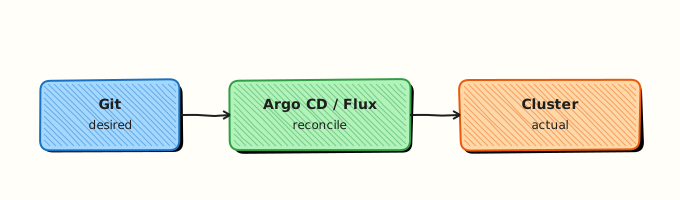
Installation deploys the component map from Module 2 into namespace argocd. Your workloads deploy to separate namespaces (for example rebash-argocd-m04) — do not run guest applications inside argocd.
Theory
What it is
Argo CD ships as plain Kubernetes YAML:
kubectl create namespace argocd
kubectl apply -n argocd --server-side --force-conflicts \
  -f https://raw.githubusercontent.com/argoproj/argo-cd/stable/manifests/install.yaml
This creates CRDs, Deployments, StatefulSets, Services, ConfigMaps, and bootstrap Secrets. The stable branch tracks the current stable release; for production, replace stable in the URL with a pinned tag (for example v2.14.2) from GitHub releases.
CLI (argocd) talks to argocd-server API. UI is served by the same server over HTTPS (self-signed cert by default).
Why it matters
Correct install order prevents half-applied CRDs, broken Applications, and leaked admin passwords in shell history. Platform teams automate install with GitOps (bootstrapping Argo CD via Helm or Kustomize wrapper), ingress + TLS, and SSO before granting developer access.
Non-HA is fine for kind/minikube labs. Production requires HA manifest, backup of etcd/Redis considerations, resource limits, and network policies isolating argocd namespace.
How it works
kubectl applycreates CRDs (applications.argoproj.io, etc.).- Control plane pods start: server, repo-server, application-controller, redis, dex, notifications.
- Secret
argocd-initial-admin-secretcontains random admin password (keypassword). - Operator port-forwards Service
argocd-serveror exposes Ingress. argocd loginwith--insecurefor self-signed lab certs.- Create AppProjects and Applications (Module 4) targeting workload namespaces.
CLI installation options:
| Method | Command |
|---|---|
| Homebrew (macOS/Linux) | brew install argocd |
| Linux curl | Download binary from GitHub releases, chmod +x, move to PATH |
| macOS curl | Same as Linux |
Initial password retrieval:
kubectl -n argocd get secret argocd-initial-admin-secret \
  -o jsonpath="{.data.password}" | base64 -d; echo
After SSO setup, delete or rotate bootstrap secret per organisational policy.
Key concepts and comparisons
| Manifest | Use case |
|---|---|
manifests/install.yaml | Labs, single control plane |
manifests/ha/install.yaml | Production HA |
manifests/namespaced-install.yaml | Restricted RBAC environments |
| Access method | Lab | Production |
|---|---|---|
| Port-forward | Acceptable with --insecure | Avoid — use Ingress + TLS |
| Ingress | Optional on kind | Required with cert-manager |
| CLI | localhost port-forward | SSO token via argocd login --sso |
Common pitfalls
- Applying install manifest before namespace exists — always create
argocdnamespace first. - Losing initial admin password — retrieve from secret before deleting bootstrap resources.
- Exposing port-forward
8080:443on a shared network interface — lab only; binds localhost by default with kubectl. - Upgrading by re-applying
stablewithout reading release notes — CRD changes can break Applications. - Installing into production cluster without resource requests — OOM kills repo-server under load.
Hands-on Lab
Objective
Install Argo CD on kind or minikube with a verification script, wait for Ready pods, capture the initial admin password, create workload namespace rebash-argocd-m03, and prove CLI login over port-forward.
Prerequisites
- Running kind or minikube cluster with 2+ GB free memory
kubectlcluster-adminargocdCLI installed (brew install argocdor release binary)
Lab environment
Cluster context should point at your lab cluster (kubectl cluster-info).
Real-world scenario
You provision a new platform cluster for a development fleet. Security mandates evidence files after bootstrap: pod readiness, admin password rotation plan, and a dedicated namespace for team Applications — not mixed with argocd system pods.
Step-by-step tasks
Task 1 – Workload namespace manifest
Create namespace.yaml:
apiVersion: v1
kind: Namespace
metadata:
  name: rebash-argocd-m03
  labels:
    rebash.academy/course: argocd
    rebash.academy/module: "03"
    purpose: argocd-workloads
Apply it:
cd ~/rebash-argocd/module-03
kubectl apply -f namespace.yaml | tee namespace-apply-m03.txt
kubectl get namespace rebash-argocd-m03 | tee namespace-get-m03.txt
Expected output
Namespace rebash-argocd-m03 shows Active status.
Task 2 – Install verification script
Create install-argocd.sh:
#!/usr/bin/env bash
set -euo pipefail

ARGOCD_NS="argocd"
INSTALL_URL="https://raw.githubusercontent.com/argoproj/argo-cd/stable/manifests/install.yaml"
EVIDENCE="install-evidence-m03.txt"

log() { echo "[install-argocd] $*" | tee -a "$EVIDENCE"; }

: > "$EVIDENCE"
log "Creating namespace ${ARGOCD_NS}"
kubectl create namespace "${ARGOCD_NS}" --dry-run=client -o yaml | kubectl apply -f -

log "Applying Argo CD manifests (server-side)"
kubectl apply -n "${ARGOCD_NS}" --server-side --force-conflicts -f "${INSTALL_URL}"

log "Waiting for core deployments (timeout 300s)"
kubectl wait --for=condition=Available deployment/argocd-server -n "${ARGOCD_NS}" --timeout=300s
kubectl wait --for=condition=Available deployment/argocd-repo-server -n "${ARGOCD_NS}" --timeout=300s
kubectl wait --for=condition=Available deployment/argocd-redis -n "${ARGOCD_NS}" --timeout=300s

log "Waiting for application controller statefulset"
kubectl rollout status statefulset/argocd-application-controller -n "${ARGOCD_NS}" --timeout=300s

log "Pod summary"
kubectl get pods -n "${ARGOCD_NS}" -o wide | tee -a "$EVIDENCE"

if kubectl get secret argocd-initial-admin-secret -n "${ARGOCD_NS}" >/dev/null 2>&1; then
  PASS="$(kubectl -n "${ARGOCD_NS}" get secret argocd-initial-admin-secret \
    -o jsonpath="{.data.password}" | base64 -d)"
  printf '%s\n' "$PASS" > admin-password-m03.txt
  log "Initial admin password written to admin-password-m03.txt (do not commit)"
else
  log "WARN: argocd-initial-admin-secret not found — may already be rotated"
fi

log "Install verification complete"
Run the install:
cd ~/rebash-argocd/module-03
chmod +x install-argocd.sh
./install-argocd.sh
grep -q 'argocd-server' install-evidence-m03.txt
test -f admin-password-m03.txt
echo "install script: OK" | tee install-summary-m03.txt
Expected output
Pods reach Running/Available; admin-password-m03.txt contains a single-line password; install-summary-m03.txt shows install script: OK.
Task 3 – Port-forward and CLI login (lab only)
Lab-only insecure access
Port-forward exposes the Argo CD UI on localhost with a self-signed certificate. Use --insecure only on your lab machine. Production requires Ingress, TLS, and SSO — never ship this pattern unchanged.
In one terminal, start port-forward:
In another terminal:
cd ~/rebash-argocd/module-03
ARGOCD_PASS="$(cat admin-password-m03.txt)"
argocd login localhost:8080 --username admin --password "${ARGOCD_PASS}" --insecure | tee login-m03.txt
argocd version --client | tee argocd-client-version-m03.txt
argocd cluster list | tee cluster-list-m03.txt
Expected output
login-m03.txt reports successful authentication; cluster-list-m03.txt shows https://kubernetes.default.svc as in-cluster destination.
Task 4 – Collect readiness evidence
cd ~/rebash-argocd/module-03
kubectl get crd applications.argoproj.io | tee crd-evidence-m03.txt
kubectl get pods -n argocd --field-selector=status.phase=Running --no-headers | wc -l | tee running-pods-m03.txt
test "$(cat running-pods-m03.txt)" -ge 4
echo "readiness evidence: OK" | tee readiness-m03.txt
Expected output
CRD exists; at least four Running pods in argocd; readiness-m03.txt confirms OK.
Validation steps
-
argocdnamespace pods are Available/Running - Initial admin password retrieved to local file (not committed to Git)
- CLI login succeeds via localhost port-forward
- Namespace
rebash-argocd-m03exists for future Applications - You can explain HA manifest choice for production
Common errors and fixes
| Error | Cause | Fix |
|---|---|---|
| Install timeout | Insufficient cluster memory | Increase kind/minikube RAM; delete unused workloads |
argocd login connection refused | Port-forward not running | Start kubectl port-forward svc/argocd-server -n argocd 8080:443 |
| Wrong password | Secret rotated or typo | Re-read argocd-initial-admin-secret; avoid trailing newline issues |
| CRD apply conflict | Partial previous install | kubectl apply --server-side --force-conflicts as upstream docs state |
| Pods Pending | Node capacity | kubectl describe pod -n argocd for scheduling events |
Challenge exercise
Download the HA manifest URL to ha-install-ref.yaml with curl -Lo (do not apply on kind unless resources allow) and diff component replica counts against non-HA install using grep -E 'replicas:'. Document which components scale in HA — portfolio artefact for architecture reviews.
Learning outcomes
- Installed Argo CD with official server-side apply
- Automated readiness checks in
install-argocd.sh - Retrieved bootstrap credentials safely
- Logged in with CLI and listed default cluster registration
- Created isolated workload namespace
Cleanup
# Stop port-forward with Ctrl+C in that terminal
kubectl delete namespace rebash-argocd-m03 --ignore-not-found
kubectl delete namespace argocd --ignore-not-found
rm -f ~/rebash-argocd/module-03/admin-password-m03.txt
Deleting argocd removes the control plane — re-run install before Module 4 if you cleanup fully.
Validation
- Install script completed without timeout
- You can name pods created in
argocdnamespace - CLI and UI access path documented for your environment
- You know why production should pin manifest version tags
Code Walkthrough
Production install habits:
- Pin version — use release tag in manifest URL, not floating branch.
- GitOps bootstrap — manage Argo CD self-management via Application or Helm after initial seed.
- Evidence — store pod readiness and version in change ticket.
- Ingress + SSO — replace port-forward before developers onboard.
- Rotate admin — disable local admin after SSO; delete initial secret per policy.
Security Considerations
- Initial admin password is cluster-admin equivalent — retrieve once, store in a secrets manager, never commit.
- Lab
--insecureCLI flag skips TLS verification — unacceptable outside localhost labs. - Restrict who can create Applications in
argocdnamespace — it is the control plane. - Apply network policies limiting egress from repo-server if cloning private repos.
- Audit Argo CD RBAC (
argocd-rbac-cm) before multi-team onboarding.
Common Mistakes
Committing admin-password file to Git
Bootstrap passwords are secrets. Fix: add admin-password*.txt to .gitignore; use sealed secrets or vault for real credentials.
Running port-forward on 0.0.0.0 in shared labs
Default kubectl binds localhost — do not override with --address 0.0.0.0 on untrusted networks.
Installing latest stable in production without changelog review
CRD and behaviour changes break sync. Fix: upgrade staging first; read release notes.
Best Practices
- Pin Argo CD version; automate upgrades through GitOps self-management Application.
- Use HA manifests and pod anti-affinity for production control planes.
- Configure ingress with cert-manager and Dex SSO before wider access.
- Set resource requests/limits on repo-server and application-controller.
- Keep workload namespaces separate from
argocdsystem namespace.
Troubleshooting
| Symptom | Likely cause | Fix |
|---|---|---|
| server pod CrashLoop | Invalid ConfigMap patch | Compare with upstream manifest; reset argocd-cm |
| Cannot retrieve password | Secret deleted post-SSO | Use SSO admin or reset per docs |
CLI Unauthorized | Wrong user or expired session | Re-login; check argocd account list |
| Install CRD too large for apply | Server-side apply needed | Use --server-side --force-conflicts |
| High memory on repo-server | Large Helm repos | Increase limits; scale replicas (HA) |
Summary
You installed Argo CD with upstream manifests, verified control plane readiness, retrieved the bootstrap admin password, and authenticated with the CLI over a lab port-forward. Production teams pin release tags, deploy HA, and replace insecure access with ingress and SSO.
Next: Argo CD Applications and Projects to declare guestbook-style Applications and AppProjects.
Interview Questions
1. What kubectl commands install a standard non-HA Argo CD control plane?
Reveal answer
Create namespace argocd, then server-side apply the official install manifest from the argo-cd GitHub repository (stable/manifests/install.yaml or a pinned release tag). Wait for Deployments and the application-controller StatefulSet to become Ready before login.
2. Where is the initial admin password stored and how do you read it?
Reveal answer
Kubernetes Secret argocd-initial-admin-secret in namespace argocd, key password, base64-encoded. Retrieve with kubectl -n argocd get secret argocd-initial-admin-secret -o jsonpath="{.data.password}" | base64 -d. Rotate or stop using local admin after SSO.
3. Why use server-side apply for Argo CD manifests?
Reveal answer
Argo CD CRDs and large manifests can exceed annotation size limits with client-side apply field managers. Server-side apply with --force-conflicts matches upstream recommendations and reduces conflict errors during upgrades.
4. When would you choose HA install over standard install?
Reveal answer
Production control planes that must survive node loss and handle many Applications/clusters. HA provides multiple server and repo-server replicas, Redis HA, and sharded application controllers. Labs and single-node kind clusters use non-HA.
5. Is port-forward with --insecure acceptable in production?
Reveal answer
No. It skips TLS verification and relies on local tunnel — suitable only for localhost labs. Production uses ingress with valid certificates, SSO via Dex, and restricted network paths.
6. What namespace should guest Applications deploy workloads into?
Reveal answer
A dedicated workload namespace (for example rebash-argocd-m04), specified in spec.destination.namespace of the Application — not the argocd namespace where control plane pods run. AppProject policies enforce allowed destinations.
7. How do you install the argocd CLI on macOS?
Reveal answer
brew install argocd or download the release binary from GitHub, chmod +x, and place on PATH. Verify with argocd version --client. CLI communicates with argocd-server API — same credentials as UI.
Related Tutorials
- Course overview
- Argo CD Architecture and Components
- Argo CD Applications and Projects — next
- kubectl Essentials