Troubleshooting Argo CD
Overview
Argo CD failures cluster into a few buckets: sync errors (manifests invalid or denied), health problems (pods not ready), repository access (auth, branch, path), RBAC (human or project scope), and cluster connectivity (bad cluster secret, network). This tutorial teaches a inspect → classify → fix → verify method and a hands-on lab that starts from a deliberately broken Application path, captures before evidence, diagnoses with kubectl and argocd, then applies a fixed manifest.
This is Tutorial 1 in Module 16 · Troubleshooting of the REBASH Academy Argo CD for Cloud & DevOps Engineers series — written for Platform, DevOps, and SRE engineers on call for GitOps platforms.
Prerequisites
- Production GitOps with Argo CD
- Troubleshooting Kubernetes workloads
- Lab cluster with Argo CD (kind/minikube) recommended for apply steps; offline diagnosis steps still work
Learning Objectives
By the end of this tutorial, you will be able to:
- Classify Application conditions (Sync, Health, Operation phases)
- Diagnose invalid repo path and comparison errors
- Use
argocd app diff,kubectl describe application, and controller logs - Fix RBAC and project scope issues methodically
- Capture before/after evidence for incident records
Architecture
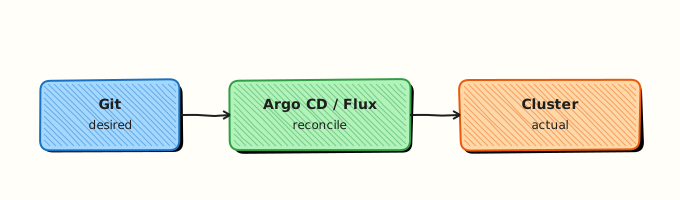
Troubleshooting flows from Application status to repo server, application controller, and destination cluster API.
Theory
What it is
Sync failures — Kubernetes API rejects applied objects (validation, quota, admission), or manifest generation fails (Helm/Kustomize error). Check Application.status.operationState.message and sync logs.
Drift — live cluster differs from Git. Argo CD shows OutOfSync. Causes: manual kubectl, mutated fields (HPA), or wrong compare options. argocd app diff shows JSON patch differences.
Health failures — resources applied but probes fail, PVC pending, Ingress lacks address. Health lua marks Degraded/Missing.
Repository issues — wrong URL, expired credential, missing branch, private repo without Secret, monorepo path typo.
RBAC — CSV policy denies sync; AppProject rejects destination; Kubernetes RBAC blocks controller ServiceAccount.
Cluster connectivity — cluster Secret has invalid bearer token or CA; firewall blocks argocd-application-controller to API server.
Why it matters
On-call engineers lose time jumping straight to kubectl apply bypassing Git. Structured triage preserves GitOps audit trail and fixes root cause in Git when possible.
How it works (triage order)
argocd app get <name>— sync/health summary.kubectl describe application <name> -n argocd— conditions and events.- Classify: repo vs sync vs health vs RBAC vs cluster.
argocd app logs/kubectl logscontroller — stack traces.- Fix Git or Application spec; sync; capture after evidence.
Key concepts and comparisons
| Status | Meaning |
|---|---|
| Synced + Healthy | Desired state applied and resources ready |
| Synced + Degraded | Applied but workloads unhealthy |
| OutOfSync | Git differs from cluster |
| Unknown | Compare or health could not run |
| Tool | Use |
|---|---|
argocd app diff | Drift visualisation |
argocd app sync --dry-run | Predict apply errors |
kubectl describe | Events on Application and workloads |
Common pitfalls
- Fixing production with manual kubectl and leaving Git broken — next sync re-breaks or hides drift.
- Ignoring
ComparisonErrorin status — often repo/path related, not cluster. - Assuming admin token fixes RBAC denials for developers — CSV policy still applies.
- Chasing pod logs before confirming Application sync completed.
Hands-on Lab
Objective
Create a broken Application (bad Git path), diagnose with kubectl/argocd CLI, fix the Application manifest, and save before/after evidence files.
Prerequisites
kubectl; optionalargocdCLI logged into lab instance- Workspace at
~/rebash-argocd/module-16
Lab environment
Workspace: ~/rebash-argocd/module-16
Optional: Argo CD in cluster; lab works offline with dry-run and YAML inspection.
Real-world scenario
A developer typo'd source.path in an Application (clusters/devv instead of clusters/dev). Sync fails with repository/path errors. You capture broken state, diagnose, apply fixed Application, and document evidence for the incident ticket.
Step-by-step tasks
Task 1 – Create broken Application manifest
Create apps/broken-application.yaml:
apiVersion: argoproj.io/v1alpha1
kind: Application
metadata:
  name: demo-api-broken
  namespace: argocd
  labels:
    lab: rebash-troubleshoot
spec:
  project: default
  source:
    repoURL: https://github.com/example/platform-gitops.git
    targetRevision: main
    path: clusters/devv
  destination:
    server: https://kubernetes.default.svc
    namespace: demo-api-dev
  syncPolicy:
    syncOptions:
      - CreateNamespace=true
Capture before evidence:
Create scripts/capture-app-state.sh:
#!/usr/bin/env bash
set -euo pipefail
APP="${1:-demo-api-broken}"
NS="${2:-argocd}"
OUT="${3:-validation/before-state.txt}"
mkdir -p validation
{
  echo "=== Application state: ${APP} ==="
  date -u +%Y-%m-%dT%H:%M:%SZ
  kubectl get application "${APP}" -n "${NS}" -o yaml 2>/dev/null || echo "Application not yet applied"
  echo "--- conditions ---"
  kubectl get application "${APP}" -n "${NS}" -o jsonpath='{.status.conditions}' 2>/dev/null; echo
  echo "--- sync status ---"
  kubectl get application "${APP}" -n "${NS}" -o jsonpath='{.status.sync.status}{" "}{.status.health.status}{"\n"}' 2>/dev/null || true
} | tee "${OUT}"
if command -v argocd >/dev/null 2>&1; then
  argocd app get "${APP}" 2>/dev/null | tee -a "${OUT}" || true
fi
cd ~/rebash-argocd/module-16
chmod +x scripts/capture-app-state.sh
python3 -c "import yaml; yaml.safe_load(open('apps/broken-application.yaml'))"
grep -q 'clusters/devv' apps/broken-application.yaml
echo 'broken-app-yaml: OK' | tee validation/broken-yaml.txt
Expected output
Broken path devv present in manifest.
Task 2 – Apply broken app and diagnose
When cluster available:
cd ~/rebash-argocd/module-16
kubectl apply -f apps/broken-application.yaml
sleep 5
./scripts/capture-app-state.sh demo-api-broken argocd validation/before-state.txt
kubectl describe application demo-api-broken -n argocd | tee validation/before-describe.txt
grep -E 'path|ComparisonError|Failed' validation/before-describe.txt || true
Offline diagnosis checklist (no cluster):
cd ~/rebash-argocd/module-16
echo 'Diagnosis: spec.source.path typo clusters/devv' | tee validation/diagnosis.txt
echo 'Fix: change path to clusters/dev' | tee -a validation/diagnosis.txt
grep -q 'devv' validation/diagnosis.txt
Expected output
Before state shows sync error or path not found; diagnosis documents typo.
Task 3 – Create fixed Application and capture after evidence
Create apps/fixed-application.yaml:
apiVersion: argoproj.io/v1alpha1
kind: Application
metadata:
  name: demo-api-broken
  namespace: argocd
  labels:
    lab: rebash-troubleshoot
spec:
  project: default
  source:
    repoURL: https://github.com/example/platform-gitops.git
    targetRevision: main
    path: clusters/dev
  destination:
    server: https://kubernetes.default.svc
    namespace: demo-api-dev
  syncPolicy:
    syncOptions:
      - CreateNamespace=true
cd ~/rebash-argocd/module-16
python3 -c "import yaml; yaml.safe_load(open('apps/fixed-application.yaml'))"
grep -q 'clusters/dev' apps/fixed-application.yaml
grep -vq 'devv' apps/fixed-application.yaml
kubectl apply --dry-run=client -f apps/fixed-application.yaml 2>&1 | tee validation/fixed-dryrun.txt || true
When cluster available:
kubectl apply -f apps/fixed-application.yaml
sleep 5
./scripts/capture-app-state.sh demo-api-broken argocd validation/after-state.txt
diff -u validation/before-state.txt validation/after-state.txt | tee validation/before-after.diff || true
Expected output
Fixed path validates; after state differs from before in diff file.
Task 4 – Drift and health quick checks (reference commands)
Create scripts/triage-commands.sh:
#!/usr/bin/env bash
# Reference triage — run against real app name in lab cluster
APP="${1:-demo-api-broken}"
argocd app get "${APP}" || true
argocd app diff "${APP}" --local clusters/dev 2>/dev/null || true
kubectl get pods -n demo-api-dev 2>/dev/null || true
kubectl logs -n argocd -l app.kubernetes.io/name=argocd-application-controller --tail=20 2>/dev/null || true
chmod +x ~/rebash-argocd/module-16/scripts/triage-commands.sh
echo 'triage-script: OK' | tee validation/triage-script.txt
Validation steps
- Broken Application YAML applies (or dry-run parses)
- Before evidence file captures error conditions
- Fixed Application corrects
source.path - Before/after diff or diagnosis document exists
Common errors and fixes
| Error | Cause | Fix |
|---|---|---|
rpc error: code = Unknown desc = ... path ... not found | Typo in source.path | Correct path; verify repo directory exists at targetRevision |
permission denied | Argo CD RBAC or AppProject | Adjust CSV policy or project destinations |
authentication required | Missing repo credential Secret | Add labelled repository Secret |
| Endless OutOfSync | HPA / ignored fields | Add ignoreDifferences or sync only desired fields |
connection refused to cluster | Bad cluster secret | Re-register cluster; verify CA/token |
Challenge exercise
Add a second broken manifest apps/broken-destination.yaml pointing at namespace outside AppProject allow-list. Document expected AppProject error message in validation/project-deny.txt without applying to production.
Learning outcomes
- Built systematic capture script for Application state
- Diagnosed path typo class of sync failure
- Applied fix through GitOps-friendly manifest update
- Referenced diff, logs, and describe for deeper incidents
Cleanup
kubectl delete application demo-api-broken -n argocd --ignore-not-found
rm -rf ~/rebash-argocd/module-16
Validation
- Before and after evidence files created
- You can list five failure categories for Argo CD
- You know when to use
app diffvskubectl describe - Fix prefers Git/spec update over manual kubectl
Code Walkthrough
capture-app-state.sh— standardises incident evidence from Application status.- Path typo — classic
ComparisonError; repo server clones but Kustomize/Helm path missing. - Fixed manifest — same metadata name replaces spec in place; Argo CD reconciles new path.
triage-commands.sh— cheat sheet for diff, pods, controller logs.
Security Considerations
- Do not paste live repo tokens into incident tickets — redact Secrets.
- Limit break-glass kubectl; document Git revert instead.
- RBAC denials may be correct — verify intent before elevating roles.
- Controller logs may include manifest snippets with sensitive env vars — scrub before sharing.
- Test troubleshooting scripts in lab projects, not prod Application names.
Common Mistakes
Manual kubectl fix without Git update
Next sync reverts or hides drift. Always fix source repo or Application manifest in Git.
Restarting controller before capturing logs
Lose sync failure stack trace. Capture operationState and logs first.
Granting admin to unblock one app
Over-correction. Fix project scope or path surgically.
Best Practices
- Maintain runbook with symptom → command → interpretation table.
- Export Application YAML in incidents for permanent record.
- Use
argocd app sync --dry-runbefore destructive sync with prune. - Monitor repo server latency and credential expiry proactively.
- Practice broken Application drills in staging quarterly.
Troubleshooting
| Symptom | Likely cause | Fix |
|---|---|---|
| Unknown sync status | Compare timeout / repo down | Check repo server logs; verify Git uptime |
| Sync OK, pods CrashLoop | Bad image or config in Git | Fix deployment manifest; roll forward in Git |
| Intermittent OutOfSync | Mutating webhook drift | ignoreDifferences or fix webhook |
| All apps fail clone | Shared credential expired | Rotate repository Secret; restart repo server |
| Single cluster apps fail | Cluster Secret invalid | argocd cluster list; update bearer token |
Summary
Troubleshooting Argo CD follows classify sync vs health vs repo vs RBAC vs cluster, capture evidence, fix in Git or Application spec, verify Synced and Healthy. The lab typifies path errors — common in multi-folder GitOps repos — and reinforces evidence-driven incident response.
Interview Questions
1. How do you triage an Application that is OutOfSync and Degraded?
Reveal answer
First read sync and health status separately with argocd app get and kubectl describe application. OutOfSync needs app diff to see drift; Degraded needs workload inspection (kubectl get pods, events, logs). Fix Git source, then sync; avoid manual kubectl except break-glass.
2. What is a ComparisonError?
Reveal answer
Argo CD could not produce a valid manifest comparison — often repo access failure, wrong branch/path, or Helm/Kustomize render error. Check repo server logs and status.conditions message before debugging cluster resources.
3. How do you troubleshoot private repository clone failures?
Reveal answer
Verify Secret labels (argocd.argoproj.io/secret-type: repository), URL exact match with Application repoURL, credential expiry, and repo server network egress. Test clone with same credentials from a debug pod if needed.
4. Why would an app stay OutOfSync after sync?
Reveal answer
Fields mutated by other controllers (HPA replicas, default mutations), compare options ignoring required fields, or sync not actually run (sync window deny). Use diff to see remaining delta; add ignoreDifferences if appropriate.
5. What logs help for sync failures?
Reveal answer
Application controller logs (argocd-application-controller), repo server logs for clone/render, and optionally argocd app logs for resource apply errors. Application status.operationState message is the first shortcut.
6. How do RBAC and AppProject errors differ in symptoms?
Reveal answer
CSV RBAC errors appear when users or CI tokens call Argo CD API (permission denied on sync/get). AppProject violations reject Application spec at admission (destination or repo not allowed) — often visible before sync in Application conditions or events.