Terraform — Learning Roadmap
Follow the course in order for the smoothest path from first HCL file to production operations.
- Course overview — scope, prerequisites, outcomes
- Modules 1–20 — tutorials in sequence
- Labs / quizzes / projects — extra practice
- Capstone — production infrastructure platform
- Interview & certifications — Terraform Associate
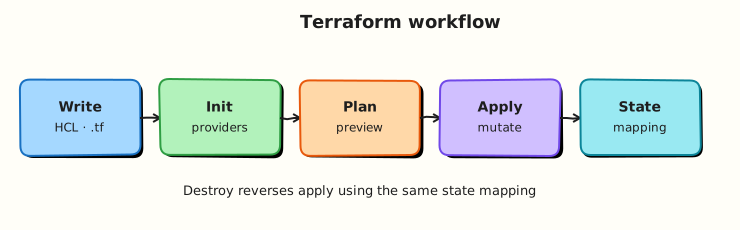
Phases
| Phase | Modules | Outcome |
|---|---|---|
| Foundations | 1–4 | Write, init, plan, apply; read HCL blocks |
| Core HCL & state | 5–8 | Providers, resources, variables, remote state |
| Reuse & data | 9–11 | Modules, expressions, data sources |
| Platform & quality | 12–14 | Workspaces, HCP Terraform, testing |
| Security & delivery | 15–16 | Secrets, policy, CI/CD pipelines |
| Scale & ops | 17–20 | Multi-cloud, Kubernetes, production, troubleshooting |
Modules
| # | Focus | Tutorials | Level |
|---|---|---|---|
| 1 | IaC fundamentals | Introduction | Beginner |
| 2 | Installing Terraform | Install & CLI | Beginner |
| 3 | Terraform basics | Init · plan · apply | Beginner |
| 4 | HCL fundamentals | Blocks & expressions | Beginner |
| 5 | Providers | Providers & plugins | Intermediate |
| 6 | Resources | Resources & meta-arguments | Intermediate |
| 7 | Variables & outputs | Variables · locals · outputs | Intermediate |
| 8 | State management | State · Remote backends | Intermediate |
| 9 | Modules | Create modules · Registry | Intermediate |
| 10 | Expressions & functions | Functions & dynamic blocks | Intermediate |
| 11 | Data sources | Data sources | Intermediate |
| 12 | Workspaces | Workspaces & envs | Advanced |
| 13 | Cloud & Enterprise | HCP Terraform | Advanced |
| 14 | Testing | Format · validate · test | Advanced |
| 15 | Security | Secrets & policy | Advanced |
| 16 | CI/CD | Pipelines | Advanced |
| 17 | Multi-cloud | AWS · Azure · GCP | Advanced |
| 18 | Kubernetes | Clusters & providers | Advanced |
| 19 | Production | Production patterns | Advanced |
| 20 | Troubleshooting | Troubleshooting | Advanced |
Diagrams
Regenerate Excalidraw SVGs after editing the generator:
Assets live under docs/assets/excalidraw/.