Compute: EC2, ASG, and Load Balancing
Overview
If you have never used Amazon Web Services (AWS) before, compute is usually the first place you “rent a computer in the cloud.” Instead of buying a physical server, you launch a virtual machine — software that behaves like a real Linux or Windows server — in minutes.
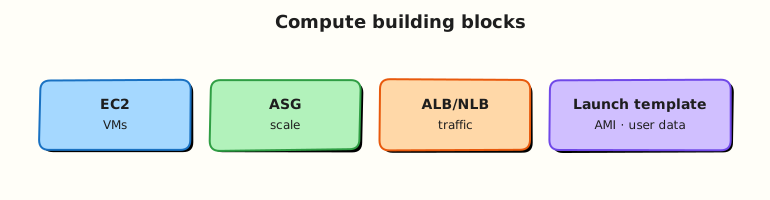
EC2 means Elastic Compute Cloud. That is AWS’s name for those virtual machines. In real companies, one lonely server is rarely enough: traffic spikes, hardware fails, and teams deploy new versions often. That is why AWS also offers Auto Scaling groups (ASGs), launch templates, Amazon Machine Images (AMIs), and load balancers — tools to run many copies of your app safely.
This is Tutorial 1 in Module 4: Compute of the REBASH Academy AWS for Cloud & DevOps Engineers series — practical AWS for Cloud and DevOps work.
You will launch a small web server, prove it works with curl, deliberately break the firewall rules, fix them, and terminate everything cleanly — the same loop engineers use on call.
Cost hygiene
Prefer Free Tier types (t3.micro or t2.micro). Idle Application Load Balancers (ALBs) and unused Elastic IPs still cost money. Always run Cleanup when you finish.
Prerequisites
- VPC Networking on AWS — you understand subnets, security groups, and public IP basics
- A sandbox AWS account where you can launch EC2 instances
- Optional later: Lab — AWS SSM and S3 for SSH-less access
You do not need Docker or Kubernetes yet.
Learning Objectives
By the end of this tutorial, you will be able to:
- Explain EC2 to a friend using a “rented computer” analogy
- Launch Amazon Linux from a current AMI with user data (startup script)
- Tell the difference between AMI, launch template, ASG, and load balancer
- Prove HTTP works with
curl, then break and fix a security group (SG) - Name ALB vs NLB in one sentence each
- Answer fresher interview questions on scaling and health checks
Architecture
Users hit a load balancer spread across Availability Zones (AZs). An Auto Scaling group keeps the right number of EC2 instances running using a launch template (AMI, size, security group, startup script). Unhealthy instances get replaced. Each instance has an Elastic Network Interface (ENI) — its virtual network card — and can pull credentials from the Instance Metadata Service (IMDS).
Theory
The problem (before AWS words)
Your startup built a website on one server. Traffic doubled overnight and the server crashed. Or the data-centre rack failed and the site vanished. Buying and wiring a second physical machine takes days.
What companies need: turn servers on/off quickly, copy them from a golden image, spread them across buildings (AZs), and send traffic only to healthy ones.
EC2 — rented virtual computers
Analogy: EC2 is like renting a fully furnished flat. You choose size (CPU/RAM), operating system, and which city (Region) it sits in. You get keys (SSH or SSM) and pay while it runs.
AWS name: Amazon Elastic Compute Cloud (EC2) — elastic because you can grow or shrink capacity.
Tiny example: t3.micro in eu-west-2 running Amazon Linux with nginx serving “Hello”.
Interview one-liner: “EC2 is AWS’s Infrastructure as a Service (IaaS) virtual machine — you manage the OS; AWS manages the physical host.”
| Term | Plain meaning |
|---|---|
| Instance | One running virtual machine |
| Instance type | Size (for example t3.micro = small burstable) |
| ENI | Elastic Network Interface — the instance’s virtual network card |
| User data | Script that runs once at first boot (install nginx, etc.) |
| Key pair | SSH login key (optional if you use SSM instead) |
AMI — the photocopy of your server
Problem: Installing nginx, Java, and config on every new server by hand is slow and error-prone.
Analogy: An AMI is a photocopy of a hard drive — OS plus whatever you baked in — that you can stamp out into new instances.
AWS name: Amazon Machine Image (AMI).
Tiny example: Launch ten identical web servers from one “Amazon Linux 2023 + nginx” AMI.
Interview one-liner: “An AMI is a launchable image; a snapshot is a backup of one disk — AMIs reference snapshots plus boot metadata.”
EBS — the instance’s disk
Problem: When the virtual machine stops, where do files live?
Analogy: EBS (Elastic Block Store) is a USB drive attached over the network — one volume usually tied to one instance in one AZ.
You met EBS briefly in Module 5 storage; on EC2 it is typically your root / disk.
Launch template — saved launch recipe
Problem: Clicking “Launch instance” fifty times with the same settings invites mistakes.
Analogy: A launch template is a saved recipe card: AMI, instance type, security groups, user data, tags — versioned like Git commits.
Interview one-liner: “Launch templates are the versioned source of truth ASGs use to create identical instances.”
Auto Scaling group (ASG) — automatic headcount
Problem: Traffic at 3 a.m. is tiny; at 3 p.m. it spikes. You do not want ten engineers manually starting and stopping servers.
Analogy: An ASG is an HR department for servers — “keep exactly four web servers running across two buildings; if one dies, hire a replacement.”
AWS name: Auto Scaling group (ASG).
Tiny example: When average CPU > 70%, add two instances; when CPU < 30%, remove one.
Interview one-liner: “An ASG maintains desired capacity across AZs using a launch template — it replaces unhealthy instances but does not magically fix a bad database design.”
| Scaling policy | Plain meaning |
|---|---|
| Target tracking | “Keep CPU near 50%” automatically |
| Step scaling | “If alarm fires, add N instances” |
| Scheduled | “More servers during business hours” |
Load balancers — one front door for many servers
Problem: Users cannot remember ten different IP addresses. You need one URL that spreads requests across healthy backends.
Analogy: A reception desk that sends visitors to free staff members and stops sending people to anyone who is sick.
AWS names:
| Balancer | Layer | Plain job | Typical use |
|---|---|---|---|
| ALB | Layer 7 (HTTP) | Application Load Balancer — path/host routing | Web apps, microservices |
| NLB | Layer 4 (TCP) | Network Load Balancer — ultra-fast, static IP | Non-HTTP, extreme performance |
| GWLB | Bump-in-wire | Gateway Load Balancer | Firewalls / inspection appliances |
Interview one-liner: “ALB understands HTTP paths; NLB forwards TCP connections — pick based on protocol and features, not logo popularity.”
IMDSv2 — protecting stolen credentials
Problem: A bug in your web app might let an attacker ask the instance “what AWS keys do you have?” via the metadata URL.
Analogy: IMDSv2 adds a knock-before-enter token so random HTTP tricks cannot read credentials.
Interview one-liner: “Require IMDSv2 (HttpTokens=required) on launch templates to reduce SSRF credential theft.”
Common pitfalls
- Opening SSH (port 22) to
0.0.0.0/0on the internet — bots will find it in minutes - One instance in one AZ and calling it “highly available”
- Forgetting user data failed silently — check console output / logs
- Leaving an ALB or Elastic IP running overnight after a lab
Hands-on Lab
Objective
Launch Amazon Linux 2023 on t3.micro (fallback t2.micro) with user data serving HTTP on port 80; curl the public IP; revoke security group ingress to break access; restore it; terminate the instance.
Prerequisites
| Tool | Notes |
|---|---|
| AWS CLI v2 | ec2:* for instances and security groups |
curl | Prove HTTP from your laptop |
| Default VPC | Or any public subnet with Internet Gateway from Module 3 |
Lab environment
mkdir -p ~/rebash-aws/module-04 && cd ~/rebash-aws/module-04
export AWS_REGION="${AWS_REGION:-eu-west-2}"
export AWS_PAGER=""
aws sts get-caller-identity --output table
aws ec2 describe-vpcs --filters Name=isDefault,Values=true \
  --query 'Vpcs[0].VpcId' --output text | tee default-vpc.txt
Real-world scenario
Your team needs a disposable status page for a practice incident. You launch one Free Tier instance with a startup script, prove the URL works, simulate a bad firewall change that causes a ticket (“site down”), restore service, and destroy the server — exactly what you would do before trusting Auto Scaling in production.
Step-by-step tasks
Task 1 – Create security group and user data
Create user-data.sh:
#!/bin/bash
set -euxo pipefail
dnf install -y nginx || yum install -y nginx
systemctl enable --now nginx
echo "rebash-m04 ok from $(hostname -f)" > /usr/share/nginx/html/index.html
cd ~/rebash-aws/module-04
VPC_ID=$(cat default-vpc.txt)
test "$VPC_ID" != "None" && test -n "$VPC_ID"
SG_ID=$(aws ec2 create-security-group --vpc-id "$VPC_ID" \
  --group-name rebash-m04-web --description "REBASH module-04 web" \
  --query GroupId --output text)
echo "$SG_ID" | tee sg-id.txt
aws ec2 authorize-security-group-ingress --group-id "$SG_ID" \
  --protocol tcp --port 80 --cidr 0.0.0.0/0
# Lab-only open HTTP — never copy this pattern for SSH in production
Expected output
sg-id.txt contains sg-…; ingress rule for TCP 80 from 0.0.0.0/0 is created.
Task 2 – Resolve AMI and launch instance
Why SSM for AMI ID? Hard-coded AMI IDs expire. AWS publishes the latest Amazon Linux ID in a Systems Manager (SSM) parameter you can read safely.
cd ~/rebash-aws/module-04
AMI_ID=$(aws ssm get-parameters \
  --names /aws/service/ami-amazon-linux-latest/al2023-ami-kernel-default-x86_64 \
  --query 'Parameters[0].Value' --output text)
echo "$AMI_ID" | tee ami-id.txt
SUBNET_ID=$(aws ec2 describe-subnets --filters Name=vpc-id,Values="$(cat default-vpc.txt)" \
  Name=default-for-az,Values=true \
  --query 'Subnets[0].SubnetId' --output text)
if [[ -z "$SUBNET_ID" || "$SUBNET_ID" == "None" ]]; then
  SUBNET_ID=$(aws ec2 describe-subnets --filters Name=vpc-id,Values="$(cat default-vpc.txt)" \
    --query 'Subnets[0].SubnetId' --output text)
fi
echo "$SUBNET_ID" | tee subnet-id.txt
INSTANCE_TYPE="t3.micro"
aws ec2 run-instances --image-id "$AMI_ID" --instance-type "$INSTANCE_TYPE" \
  --subnet-id "$SUBNET_ID" --security-group-ids "$(cat sg-id.txt)" \
  --user-data file://user-data.sh --associate-public-ip-address \
  --tag-specifications 'ResourceType=instance,Tags=[{Key=Name,Value=rebash-m04-web}]' \
  --query 'Instances[0].InstanceId' --output text | tee instance-id.txt \
  || aws ec2 run-instances --image-id "$AMI_ID" --instance-type t2.micro \
       --subnet-id "$SUBNET_ID" --security-group-ids "$(cat sg-id.txt)" \
       --user-data file://user-data.sh --associate-public-ip-address \
       --tag-specifications 'ResourceType=instance,Tags=[{Key=Name,Value=rebash-m04-web}]' \
       --query 'Instances[0].InstanceId' --output text | tee instance-id.txt
Expected output
instance-id.txt contains i-….
Task 3 – Wait, curl, break security group, fix
cd ~/rebash-aws/module-04
IID=$(cat instance-id.txt)
aws ec2 wait instance-running --instance-ids "$IID"
aws ec2 wait instance-status-ok --instance-ids "$IID"
PUBLIC_IP=$(aws ec2 describe-instances --instance-ids "$IID" \
  --query 'Reservations[0].Instances[0].PublicIpAddress' --output text)
echo "$PUBLIC_IP" | tee public-ip.txt
sleep 15
curl -fsS "http://${PUBLIC_IP}/" | tee curl-ok.txt
grep -q rebash-m04 curl-ok.txt
aws ec2 revoke-security-group-ingress --group-id "$(cat sg-id.txt)" \
  --protocol tcp --port 80 --cidr 0.0.0.0/0
set +e
curl -m 5 -fsS "http://${PUBLIC_IP}/" 2>&1 | tee curl-fail.txt
set -e
grep -Eiq 'timed out|failed|Connection refused|10060|timeout' curl-fail.txt \
  || test ! -s curl-fail.txt -o "$(wc -c < curl-fail.txt)" -lt 5
aws ec2 authorize-security-group-ingress --group-id "$(cat sg-id.txt)" \
  --protocol tcp --port 80 --cidr 0.0.0.0/0
curl -fsS "http://${PUBLIC_IP}/" | tee curl-restored.txt
grep -q rebash-m04 curl-restored.txt
echo "ec2 sg break-fix OK" | tee evidence.txt
Expected output
First and restored curls contain rebash-m04; mid-state curl fails or times out; evidence.txt confirms success.
Validation steps
- Instance running with public IP and nginx page from user data
- Security group revoke caused client timeout or failure
- Restored ingress brought HTTP back
- AMI came from SSM parameter (not a stale hard-coded ID)
- You can explain why production would use ASG + ALB instead of one instance
Common errors and fixes
| Error | Cause | Fix |
|---|---|---|
| No default VPC | Account uses custom networking only | Use Module 3 subnet + Internet Gateway |
| curl empty / connection refused | User data still running | Wait longer; check get-console-output |
| Unsupported instance type | Region lacks t3.micro | Retry with t2.micro |
| UnauthorizedOperation | IAM missing RunInstances | Ask for sandbox EC2 permissions |
Challenge exercise
Create launch-template-data.json with your captured AMI, security group, and base64 user data, then validate the JSON locally — the same artefact CI pipelines register before an ASG rollout.
Create encode-userdata.sh:
#!/bin/bash
set -euo pipefail
base64 -w0 user-data.sh 2>/dev/null || base64 user-data.sh | tr -d '\n'
{
  "ImageId": "REPLACE_AMI",
  "InstanceType": "t3.micro",
  "SecurityGroupIds": ["REPLACE_SG"],
  "UserData": "REPLACE_B64"
}
cd ~/rebash-aws/module-04
chmod +x encode-userdata.sh
USER_DATA_B64=$(./encode-userdata.sh)
sed -e "s/REPLACE_AMI/$(cat ami-id.txt)/" \
    -e "s/REPLACE_SG/$(cat sg-id.txt)/" \
    -e "s/REPLACE_B64/${USER_DATA_B64}/" \
  launch-template-data.json > launch-template-rendered.json
python3 -m json.tool launch-template-rendered.json > /dev/null
echo "launch template artefact OK" | tee challenge.txt
Learning outcomes
- You launched EC2 with cloud-init user data and proved HTTP from outside
- You practised security group incident response with saved evidence
- You linked the single-instance lab to launch templates and Auto Scaling mental models
- You terminated billable compute in Cleanup
Cleanup
cd ~/rebash-aws/module-04
aws ec2 terminate-instances --instance-ids "$(cat instance-id.txt)"
aws ec2 wait instance-terminated --instance-ids "$(cat instance-id.txt)"
aws ec2 delete-security-group --group-id "$(cat sg-id.txt)"
rm -f curl-ok.txt curl-fail.txt curl-restored.txt evidence.txt
Validation
- Instance terminated; security group deleted
- You can explain AMI, launch template, ASG, and ALB vs NLB without notes
- You can describe IMDSv2 in plain English
- Cost hygiene followed (no orphaned instances)
Code Walkthrough
get-caller-identity+ Region — confirm account before launching billable resources.- SSM AMI parameter — avoids copy-pasting AMI IDs that AWS retires.
- User data — runs at first boot; check console output if nginx is missing.
- Security group as break/fix knob — fastest way to prove firewall vs application bugs.
instance-status-okwait — “running” is not the same as “passed health checks”.- Terminate + wait — do not assume
shutting-downmeans gone from your bill.
Security Considerations
- Prefer SSM Session Manager over SSH — no port 22 open to the world.
- Require IMDSv2 on launch templates in production.
- Attach instance profiles (IAM roles) — never bake access keys into AMIs.
- In production, allow HTTP/HTTPS from the load balancer security group only, not
0.0.0.0/0to instances. - Patch via rebuilt AMIs or configuration management — avoid eternal manual SSH hotfixes.
Common Mistakes
One instance = high availability
A single EC2 in one AZ is a single point of failure. Interviewers want “multi-AZ + load balancer + Auto Scaling” for web tiers.
User data as full config management
Long startup scripts break silently. Bake AMIs or use proper config tools after boot.
Orphan Elastic IPs and load balancers
They bill quietly. Tag resources and delete them in Cleanup.
Best Practices
- Version launch templates; pin ASG to a known version in production
- Spread production web tiers across at least two AZs
- Use target tracking scaling on CPU or request count where appropriate
- Tag every instance with
Name,Owner, andExpiry - Monitor with CloudWatch alarms on status checks and application health
Troubleshooting
| Symptom | Likely cause | Fix |
|---|---|---|
| curl timeout | Security group, route, or no public IP | Follow Module 3 network triage |
| Empty page / 404 | nginx not ready or wrong web root | Console output; SSM session |
| ASG keeps replacing instances | Bad health check or broken AMI | Fix health check path; test AMI manually |
| Spot instance terminated | Capacity reclaimed | Use mixed On-Demand baseline for critical tiers |
Summary
EC2 is how you rent virtual machines on AWS. Professionals rarely stop at one instance — they combine AMI + launch template + Auto Scaling + load balancer for resilience and scale. This lab proved reachability, practised security group incidents, and cleaned up — habits that matter from day one on a Cloud team.
Next: Storage: S3, EBS, and EFS.
Interview Questions
1. What is EC2 in simple words?
Reveal answer
EC2 (Elastic Compute Cloud) is AWS’s service for renting virtual machines. You pick an operating system image, size, and network; AWS runs it on physical hardware you never touch. You pay for the time it runs and manage the guest OS and applications.
2. What is an AMI?
Reveal answer
An AMI (Amazon Machine Image) is a template used to launch EC2 instances — it includes the OS disk layout and metadata. Think of it as a golden photocopy of a server. You launch new instances from AMIs; snapshots are point-in-time disk backups that AMIs can reference.
3. ALB vs NLB — when do you pick each?
Reveal answer
ALB (Application Load Balancer) works at Layer 7 (HTTP/HTTPS) — path routing, host rules, redirects. NLB (Network Load Balancer) works at Layer 4 (TCP/UDP) for extreme performance, static IPs, and non-HTTP protocols. Choose based on protocol and features needed.
4. What does an Auto Scaling group actually guarantee?
Reveal answer
An ASG tries to keep a desired number of healthy instances across configured AZs using a launch template. It replaces instances that fail health checks. It does not by itself make a single-AZ database highly available — you still design data and networking correctly.
5. Why did our curl fail after revoking the security group rule?
Reveal answer
A security group is a stateful firewall on the instance’s network interface. Removing the allow rule for TCP port 80 blocks inbound HTTP from the internet even though nginx still runs. The fix is restoring the allow rule (or routing through a load balancer with correct rules).
6. What is user data?
Reveal answer
User data is a script or cloud-init configuration passed at instance launch. It runs early in boot — for example to install nginx. Failures are silent to users until you check console output or logs, so keep scripts short and idempotent.
7. Why IMDSv2?
Reveal answer
IMDSv2 requires a session token before reading instance metadata (including IAM role credentials). That reduces simple SSRF attacks where a vulnerable web app could steal credentials from the metadata URL (IMDSv1).
8. Vertical vs horizontal scaling on AWS?
Reveal answer
Vertical = bigger instance type (more CPU/RAM). Horizontal = more instances behind a load balancer (Auto Scaling). Cloud-native web tiers usually prefer horizontal scaling for resilience and cost flexibility.
Related Tutorials
- Previous: VPC Networking on AWS
- Next: Storage: S3, EBS, and EFS
- Lab: AWS SSM and S3
- Lab: IAM and VPC Triage