Production Shell Scripting
Overview
A script that works once on your laptop is not yet production-ready. Production Bash must survive overlapping cron, bad input, and operators who only read --help at 02:00. Continuous Integration (CI) also needs a clear contract: flags, exit codes, and one machine-readable RESULT line.
Production shell scripting means: ShellCheck in CI, idempotent re-runs, secure defaults (no eval, no secrets on argv), structured logging, locking so two jobs do not corrupt state, and flags such as --help and --dry-run. On cloud VMs and build agents, locks (mkdir or flock) stop double backups; a single RESULT=status=ok;files=3 line on stdout keeps parsers simple while logs stay on stderr.
This is Tutorial 17 in Module 17: Production Shell Scripting of the REBASH Academy Shell Scripting for DevOps Engineers series. It is written for Linux administrators, DevOps engineers, Site Reliability Engineering (SRE), and platform engineers. By the end, you will ship a small tool with help text, dry-run, locking, and a RESULT line you can show in an interview.
Prerequisites
- Error Handling, Logging, and Debugging
- Bash 4.2+ on a practice Linux host (Ubuntu 22.04/24.04 VM, WSL2, or similar)
- Optional but useful:
shellcheckpackage (sudo apt-get install -y shellcheckon Ubuntu)
Learning Objectives
By the end of this tutorial, you will be able to:
- Structure a ShellCheck-friendly script with
set -euo pipefail, quoting, and clear functions - Implement
--helpand--dry-runflags with a documented exit-code table - Prevent overlapping runs using
mkdir-based locking orflock - Emit a structured
RESULT=...line on stdout while logging to stderr - Explain idempotency and one secure scripting rule for production Bash
Architecture
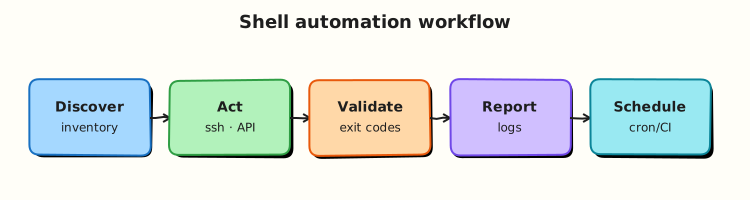
Production scripts sit between schedulers/CI and system tools. Flags, locks, and RESULT lines form the operator contract; ShellCheck and strict mode reduce defects before merge.
Theory
What it is
ShellCheck is a static analysis tool for shell scripts. It finds unquoted expansions, incorrect cd usage, and other bugs before runtime. An idempotent script can run twice and leave the system in the same intended state (for example mkdir -p, create a user only if missing). A dry-run flag prints actions without changing the system. A lock ensures only one instance runs critical work — commonly flock on a lock file, or mkdir as an atomic lock directory.
# Atomic lock with mkdir (works without flock)
if ! mkdir /tmp/myjob.lock 2>/dev/null; then
  echo "another instance is running" >&2
  exit 4
fi
trap 'rmdir /tmp/myjob.lock' EXIT
Why it matters
Cron does not care that the last run is still going. Two backups writing the same folder can corrupt archives. Scripts without --help or dry-run waste time in incidents. Teams that skip ShellCheck keep rediscovering the same quoting bugs. Production standards make Bash reviewable, safe under overlap, and clear to automation.
How it works
- Shebang and strict mode —
#!/usr/bin/env bashthenset -euo pipefail. - Parse flags early —
--help,--dry-run, required args; exit1on bad usage. - Acquire a lock —
flockormkdir; release onEXIT. - Log to stderr — timestamps and levels; keep stdout for
RESULT=.... - Do work idempotently — check before create; support dry-run.
- Gate in CI —
shellcheck script.shmust pass (disable rules only with a short comment).
usage() {
  cat <<'EOF'
Usage: rotate-logs.sh [--dry-run] --dir DIR
Exit codes: 0 ok, 1 usage, 2 missing tool, 3 work failed, 4 locked
EOF
}
Secure defaults: never eval user input, never rm -rf on unquoted paths, keep secrets out of the script body and RESULT lines.
Key concepts and comparisons
| Concern | Mechanism | Operator signal |
|---|---|---|
| Static defects | ShellCheck in CI | Build fails before merge |
| Overlap | flock / mkdir lock | Exit 4 + clear stderr |
| Preview | --dry-run | Logs say would ... |
| Automation parse | RESULT=key=value;... | One stdout line |
| Re-runs | Idempotent steps | Second run exits 0 with RESULT=status=noop |
| Lock style | Prefer when | Avoid when |
|---|---|---|
flock on a file | flock is available; long jobs | Minimal containers without flock |
mkdir lock dir | Portable atomic create | Need waiting/queueing (mkdir is usually fail-fast) |
| No lock | Read-only checks | Any writer job on a schedule |
Common pitfalls
- Parsing flags after side effects have already started.
- Lock file created but never removed on failure (missing EXIT trap).
- Dry-run that still deletes or moves files (“half dry-run”).
- ShellCheck disabled globally instead of one justified line.
- Putting secrets in the RESULT line or in world-readable logs.
Hands-on Lab
Objective
Build rotate-demo.sh under ~/rebash-shell/lab17: ShellCheck-friendly, with --help, --dry-run, mkdir locking, stderr logs, and a structured RESULT line. Prove lock contention and dry-run behaviour with evidence files.
Prerequisites
- Bash 4.2+
- Optional:
shellcheck(lab still works without it; Task 1 skips the check if missing) - No root required
Lab environment
Workspace: ~/rebash-shell/lab17
mkdir -p ~/rebash-shell/lab17 && cd ~/rebash-shell/lab17
set -euo pipefail
bash --version | head -n1 | tee bash-version.txt
command -v shellcheck >/dev/null 2>&1 && shellcheck --version | head -n1 | tee shellcheck-version.txt || echo 'shellcheck not installed' | tee shellcheck-version.txt
Expected output
version files exist; ShellCheck may be “not installed” — that is acceptable for the lab.
Real-world scenario
Ops wants a tiny log-rotation helper for a practice app directory. Requirements: (1) --help for the on-call runbook, (2) --dry-run for change review, (3) only one rotation at a time (lock), and (4) a RESULT=... line so a wrapper script can alert on failure. You implement and prove it locally.
Step-by-step tasks
Task 1 – Production script with help, dry-run, and mkdir lock
Create rotate-demo.sh:
#!/usr/bin/env bash
set -euo pipefail

readonly E_OK=0
readonly E_USAGE=1
readonly E_MISSING=2
readonly E_WORK=3
readonly E_LOCKED=4

DRY_RUN=0
TARGET_DIR=""
LOCK_DIR=""

log() {
  local level=$1; shift
  printf '[%s] %s: %s\n' "$(date '+%Y-%m-%dT%H:%M:%S%z')" "${level}" "$*" >&2
}

usage() {
  cat <<'USAGE'
Usage: rotate-demo.sh [--dry-run] --dir DIR

Rotate *.log files in DIR to *.log.1 (demo only).

Exit codes:
  0  ok
  1  usage error
  2  missing dependency
  3  work failed
  4  another instance holds the lock
USAGE
}

release_lock() {
  if [[ -n "${LOCK_DIR}" && -d "${LOCK_DIR}" ]]; then
    rmdir "${LOCK_DIR}" 2>/dev/null || true
  fi
}

acquire_lock() {
  LOCK_DIR="${TARGET_DIR}/.rotate-demo.lock"
  if ! mkdir "${LOCK_DIR}" 2>/dev/null; then
    log ERROR "locked: ${LOCK_DIR}"
    exit "${E_LOCKED}"
  fi
  trap release_lock EXIT
}

rotate_once() {
  local dir=$1
  local count=0
  local f base dest

  shopt -s nullglob
  for f in "${dir}"/*.log; do
    base=$(basename "${f}")
    dest="${dir}/${base}.1"
    if [[ -e "${dest}" ]]; then
      log INFO "skip already rotated: ${base}"
      continue
    fi
    if [[ "${DRY_RUN}" -eq 1 ]]; then
      log INFO "would rotate ${base} -> ${base}.1"
    else
      mv "${f}" "${dest}"
      log INFO "rotated ${base} -> ${base}.1"
    fi
    count=$((count + 1))
  done
  shopt -u nullglob

  if [[ "${DRY_RUN}" -eq 1 ]]; then
    printf 'RESULT=status=dry-run;rotated=%s;dir=%s\n' "${count}" "${dir}"
  elif [[ "${count}" -eq 0 ]]; then
    printf 'RESULT=status=noop;rotated=0;dir=%s\n' "${dir}"
  else
    printf 'RESULT=status=ok;rotated=%s;dir=%s\n' "${count}" "${dir}"
  fi
}

main() {
  while [[ $# -gt 0 ]]; do
    case "$1" in
      -h|--help) usage; exit "${E_OK}" ;;
      --dry-run) DRY_RUN=1; shift ;;
      --dir)
        [[ $# -ge 2 ]] || { usage; exit "${E_USAGE}"; }
        TARGET_DIR=$2
        shift 2
        ;;
      *) usage; exit "${E_USAGE}" ;;
    esac
  done

  [[ -n "${TARGET_DIR}" ]] || { usage; exit "${E_USAGE}"; }
  [[ -d "${TARGET_DIR}" ]] || { log ERROR "not a directory: ${TARGET_DIR}"; exit "${E_USAGE}"; }
  command -v mv >/dev/null || exit "${E_MISSING}"

  acquire_lock
  log INFO "start dry_run=${DRY_RUN} dir=${TARGET_DIR}"
  rotate_once "${TARGET_DIR}" || exit "${E_WORK}"
}

main "$@"
Run:
cd ~/rebash-shell/lab17
set -euo pipefail

chmod +x rotate-demo.sh

if command -v shellcheck >/dev/null 2>&1; then
  shellcheck -x rotate-demo.sh | tee shellcheck-out.txt
  test ! -s shellcheck-out.txt
  echo 'shellcheck_ok' | tee shellcheck-status.txt
else
  echo 'shellcheck_skipped' | tee shellcheck-status.txt
fi

./rotate-demo.sh --help | tee help.txt
grep -F 'Exit codes:' help.txt
Expected output
help.txt shows usage and exit codes; shellcheck-status.txt is shellcheck_ok or shellcheck_skipped.
Task 2 – Dry-run, real run, and RESULT line
cd ~/rebash-shell/lab17
set -euo pipefail

DEMO=~/rebash-shell/lab17/demo-logs
rm -rf "${DEMO}"
mkdir -p "${DEMO}"
printf 'line1\n' >"${DEMO}/app.log"
printf 'line2\n' >"${DEMO}/api.log"

./rotate-demo.sh --dry-run --dir "${DEMO}" | tee dry-run-result.txt
grep -F 'RESULT=status=dry-run;rotated=2' dry-run-result.txt
test -f "${DEMO}/app.log"
test -f "${DEMO}/api.log"

./rotate-demo.sh --dir "${DEMO}" | tee real-run-result.txt
grep -F 'RESULT=status=ok;rotated=2' real-run-result.txt
test -f "${DEMO}/app.log.1"
test -f "${DEMO}/api.log.1"
test ! -f "${DEMO}/app.log"

./rotate-demo.sh --dir "${DEMO}" | tee second-run-result.txt
grep -F 'RESULT=status=noop;rotated=0' second-run-result.txt
Expected output
dry-run leaves .log files in place; real run creates .log.1; second run reports noop.
Task 3 – Lock contention evidence
Hold the lock in the background and show the second instance exits 4.
cd ~/rebash-shell/lab17
set -euo pipefail

DEMO=~/rebash-shell/lab17/demo-logs
LOCK="${DEMO}/.rotate-demo.lock"
mkdir -p "${DEMO}"
mkdir "${LOCK}"

set +e
./rotate-demo.sh --dir "${DEMO}" >lock-stdout.txt 2>lock-stderr.txt
ec=$?
set -e
printf '%s\n' "${ec}" | tee lock-exit-code.txt
test "${ec}" -eq 4
grep -F 'locked' lock-stderr.txt | tee lock-stderr-snip.txt

rmdir "${LOCK}"

tar -czf production-shell-evidence.tgz \
  bash-version.txt shellcheck-version.txt shellcheck-status.txt \
  rotate-demo.sh help.txt \
  dry-run-result.txt real-run-result.txt second-run-result.txt \
  lock-exit-code.txt lock-stderr-snip.txt
ls -l production-shell-evidence.tgz | tee evidence-ls.txt
Expected output
lock-exit-code.txt is 4; evidence archive exists.
Validation steps
-
./rotate-demo.sh --helpprints exit codes - Dry-run does not rename files
- Real run emits
RESULT=status=ok;rotated=... - Second instance while lock held exits
4 -
production-shell-evidence.tgzexists under~/rebash-shell/lab17
Common errors and fixes
| Error | Cause | Fix |
|---|---|---|
locked on every run | Stale lock dir after kill -9 | rmdir the .rotate-demo.lock after confirming no process holds it |
| ShellCheck SC2086 | Unquoted variable | Quote "${var}" expansions |
| Dry-run still moved files | Forgot to branch on DRY_RUN | Log would ... and skip mv |
RESULT missing | Printed only logs | Keep printf 'RESULT=...' on stdout |
Exit 1 with good args | --dir path wrong / missing | Pass an existing directory |
Challenge exercise
Add an optional --flock mode that locks with flock on ${TARGET_DIR}/.rotate-demo.flock instead of mkdir (keep mkdir as the default). Prove with a short background holder using flock -n / flock -x, save challenge-flock-exit.txt (expect 4 or your chosen busy code), and keep the script ShellCheck-clean.
Learning outcomes
- Built a flag-driven, ShellCheck-friendly ops script
- Used
--dry-runand a structuredRESULTline - Proved
mkdirlocking under contention - Practised idempotent second-run behaviour (
noop)
Cleanup
cd ~/rebash-shell/lab17
set -euo pipefail
rm -rf demo-logs
rm -f rotate-demo.sh help.txt dry-run-result.txt real-run-result.txt second-run-result.txt
rm -f lock-stdout.txt lock-stderr.txt lock-exit-code.txt lock-stderr-snip.txt
# Keep production-shell-evidence.tgz if you want proof; otherwise remove it
Validation
- Lab finished under
~/rebash-shell/lab17/with evidence files - You can explain why production scripts need locks and dry-run
- You can describe a ShellCheck workflow in CI
- You know one failure mode: overlapping cron without a lock
Code Walkthrough
In production Bash for this topic, use this order:
- Parse flags and validate inputs before any mutation
- Acquire the lock and register EXIT cleanup
- Log intent (including dry-run) on stderr
- Mutate idempotently or print
would ... - Print one RESULT line and exit with a documented code
Treat ShellCheck failures like unit-test failures.
Security Considerations
- Never
evaluser input or remote curl output - Quote path expansions; refuse
rm -rfon unchecked variables - Do not put secrets in argv, RESULT lines, or world-readable logs
- Run scheduled jobs as a least-privilege user when possible
- Prefer local lock/data dirs over world-writable shared paths
Common Mistakes
Skipping the lock on scheduled writers
Two cron ticks corrupt the same archive. Fix: flock or mkdir lock with EXIT cleanup; exit busy with a clear code.
Dry-run that still changes the system
Reviewers lose trust. Fix: every mutation path must check DRY_RUN first.
Ignoring ShellCheck in CI
Quoting bugs return in production. Fix: run shellcheck on every change; disable rules line-by-line with a reason.
Mixing logs into RESULT
Parsers break. Fix: stderr for humans, one RESULT line on stdout.
Best Practices
- Document flags and exit codes in
--help - Prefer idempotent operations and safe re-runs
- Fail fast on lock contention (or document a wait/timeout)
- Gate merges on ShellCheck
- Keep scripts short; move complex logic elsewhere when needed
Troubleshooting
| Symptom | Likely cause | Fix |
|---|---|---|
Always exit 4 | Stale lock directory | Remove lock after confirming no runner |
| RESULT parse fails | Extra lines on stdout | Print exactly one RESULT line |
| Dry-run differs from real run | Branch missing a mutation | Audit every mv/cp/rm for DRY_RUN |
| Works in shell, fails in cron | Short PATH / relative paths | Absolute paths; set PATH in the script |
Summary
Production shell scripting is a contract: help text, dry-run, locks, ShellCheck, and a clear RESULT line. Build those properties on purpose — do not bolt them on after the first outage. Next, practise a methodical debug loop on a broken script in Troubleshooting Shell Scripts.
Interview Questions
1. What makes a Bash script “production-ready” beyond “it worked on my laptop”?
Reveal answer
Strict mode, quoted expansions, documented flags/exit codes, logging on stderr, idempotent behaviour, locking against overlap, dry-run for review, and static analysis (ShellCheck) in CI. Production also means safe secret handling and clear behaviour under cron’s minimal environment.
2. Compare flock and mkdir for locking. When do you choose each?
Reveal answer
flock is excellent when available: it can wait, and the kernel releases the lock when the process dies. mkdir is a portable atomic “create or fail” lock that works in minimal environments without flock, but stale directories can remain after a hard kill. Choose flock on normal Linux ops hosts; use mkdir when you need a tiny portable fail-fast lock and document stale-lock recovery.
3. How should a script expose success to both humans and automation?
Reveal answer
Humans read stderr logs with timestamps and levels. Automation reads a single structured stdout line such as RESULT=status=ok;rotated=2 and the process exit code. Do not force tools to scrape free-text logs for the primary status.
4. Why is --dry-run valuable in a change ticket or pull request?
Reveal answer
Reviewers can see intended renames/deletes without touching production data. Dry-run reduces surprise and supports evidence (“this is what tonight’s job would do”). It must be honest — no mutations in dry-run paths.
5. What is idempotency in shell automation, with a concrete example?
Reveal answer
Running the script twice leaves the system in the same intended state. Example: create a directory with mkdir -p, or skip rotating a log when file.log.1 already exists and report RESULT=status=noop. Idempotency makes retries and overlapping schedules safer.
6. How do you use ShellCheck in a team workflow without drowning in noise?
Reveal answer
Run ShellCheck in CI on every change, fix real issues (especially quoting), and disable a rule only on a specific line with a short comment explaining why. Do not disable ShellCheck globally. Treat new warnings as defects, same as failing tests.
7. A nightly job sometimes corrupts backups. What production controls do you add first?
Reveal answer
Add a lock so only one backup runs, ensure failures exit non-zero (strict mode + checks that output files exist), log to a file, and alert on non-zero exit. Then add dry-run for test restores and consider retries only for clear transient network errors — not for local disk failures.
Related Tutorials
- Shell Scripting for DevOps Engineers – Overview
- Error Handling, Logging, and Debugging (previous)
- Troubleshooting Shell Scripts (next)
- Scheduling — cron, at, and systemd Timers (related)
References
- ShellCheck documentation — static analysis
flock(1)— file locks- Bash FAQ — Exit codes and traps — Wooledge BashFAQ
- Track index: Shell Scripting for DevOps Engineers