Loops — for, while, and until
Overview
When you need the same steps on many files, hosts, or log lines, you use a loop. A loop repeats a block of commands until a list ends or a condition changes. Bash gives you three common forms: for (walk a list or a count), while (repeat while a command succeeds), and until (repeat while a command fails). Inside any loop, break leaves early and continue skips to the next pass. In this tutorial you will loop over sample files, read lines safely, wait with a bounded until, and prove the results under ~/rebash-shell/lab06.
Loops sit under almost every DevOps and Site Reliability Engineering (SRE) task: fleet health checks, log scans, retrying a readiness probe, pruning old backups, and Continuous Integration (CI) matrix steps. An unbounded wait can hang a deploy. An unquoted glob can expand to nothing or to the wrong paths. A for line in $(cat file) pattern splits on spaces and breaks paths with spaces. Good practice is: quote expansions, guard empty globs, use while IFS= read -r, and give every retry loop a maximum attempt count.
In production, loop mistakes look like “the job is still running” or “we processed the wrong files”. Teams expect scripts that fail loudly, leave evidence (counts, lists of processed paths), and stop cleanly when a counter expires. Prefer shallow loops and move nested work into functions (next module) when the body grows.
This is Tutorial 6 in Module 6: Loops of the REBASH Academy Shell Scripting for DevOps Engineers series. It is written for Linux administrators, DevOps engineers, SRE, and platform engineers. By the end, you will have a small batch processor you can explain in an interview or a change ticket.
Prerequisites
- Control Flow — Conditionals
- Bash 4.2+ on a practice Linux host (Ubuntu virtual machine, Windows Subsystem for Linux, or cloud VM)
- Comfort with
set -euo pipefail, quoting, and redirection from earlier modules
Learning Objectives
By the end of this tutorial, you will be able to:
- Choose
for,while, oruntilfor a given ops task and explain why - Iterate files with a safe glob (
nullglob/ existence check) and quote each path - Stream a file with
while IFS= read -rwithout splitting on spaces - Bound an
untilreadiness loop with a counter and exit non-zero on timeout - Use
breakandcontinuedeliberately, and save loop evidence for a ticket
Architecture
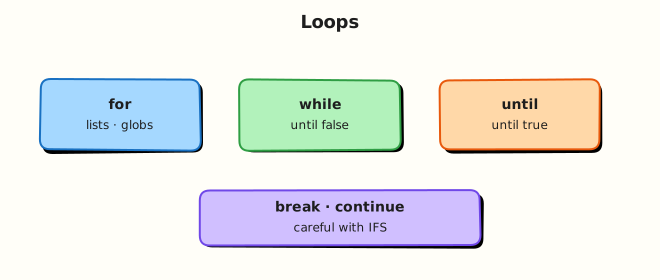
Loops sit between your script and the tools it calls. Input lists and streams enter the loop; each iteration runs commands; break / continue change control; evidence files record what happened.
Theory
What it is
A for loop walks a fixed list, a range, or a glob. A while loop repeats while a test or command returns success (exit status 0). An until loop repeats while the test fails — useful for “wait until ready”. break leaves the nearest loop; continue skips the rest of the current iteration.
for host in web01 web02 web03; do
  printf 'check %s\n' "$host"
done

while IFS= read -r line; do
  printf '%s\n' "$line"
done <"$infile"
Why it matters
Manual repetition does not scale. Checking twenty hosts or pruning a thousand log files by hand invites mistakes. Loops encode that repetition so CI, cron, and admin tooling apply the same steps every time. The cost of a wrong loop is high: an unbounded until can hang a deployment pipeline, and an unquoted glob can expand to a literal *.log string or to unexpected matches. Safe patterns — quoted paths, read -r line loops, and retry counters — keep automation both powerful and predictable.
How it works
for item in list— expand the list once, then run the body for each item.- Safe globs — enable
shopt -s nullglobor guard with[[ -e "$f" ]] || continueso a non-match does not become a literal filename. while IFS= read -r— read one line at a time;IFS=keeps leading spaces;-rkeeps backslashes literal.until— run until the condition succeeds; always pair withattempts/maxand a sleep.break/continue— exit early or skip one item (for example skip empty files).
shopt -s nullglob
for f in ./samples/*.log; do
  [[ -f "$f" ]] || continue
  wc -l <"$f"
done

attempts=0
max=5
until [[ -f ./ready.flag ]]; do
  attempts=$((attempts + 1))
  (( attempts <= max )) || { echo "timeout" >&2; exit 1; }
  sleep 1
done
Prefer arrays and "$@" when the list is dynamic. Keep nested loops shallow; extract the inner body to a function when readability suffers.
Key concepts and comparisons
| Loop | Prefer when | Avoid when |
|---|---|---|
for item in list | Hosts, files, arguments | Splitting lines with for x in $(cat …) |
while read -r | Line-oriented files and pipelines | Binary data (use other tools) |
until | Wait-until-ready with a bound | Infinite waits with no max attempts |
break / continue | Skip bad items or stop early | Deep nesting where the target loop is unclear |
Arrays / "$@" | Dynamic input from callers | Unquoted globs for untrusted paths |
| Pattern | Safer alternative |
|---|---|
for line in $(cat file) | while IFS= read -r line; do …; done <file |
Bare *.log with no guard | nullglob + [[ -f "$f" ]] |
until curl …; do sleep 1; done | Same plus attempts / timeout exit |
Common pitfalls
- Writing
for line in $(cat file)and splitting on spaces inside lines. - Forgetting an empty-glob guard so a non-matching pattern becomes a literal string.
- Infinite
untilreadiness loops without a max-attempts counter. - Deep nesting instead of a function, making
breaktargets unclear. - Ignoring non-zero status from loop bodies when
set -eis active and a command is allowed to fail — use|| trueonly when you mean it.
Hands-on Lab
Objective
Build a small batch processor under ~/rebash-shell/lab06 that: (1) loops over sample .log files with safe globbing, (2) streams a list with while read, (3) waits with a bounded until, and (4) uses break / continue while saving evidence.
Prerequisites
- Bash 4.2+ and coreutils (
wc,mkdir,sleep,date) - Write access under your home directory
- Do not point globs at production
/var/logfor this lab
Lab environment
Workspace: ~/rebash-shell/lab06
mkdir -p ~/rebash-shell/lab06/samples ~/rebash-shell/lab06/out
cd ~/rebash-shell/lab06
set -euo pipefail
bash --version | head -n1 | tee out/bash-version.txt
Expected output
out/bash-version.txt exists and mentions bash.
Real-world scenario
Your team runs a nightly job that scans application log snippets on a jump server, skips empty files, waits briefly for a “ready” flag from another job, then writes a count report for the change ticket. You must prove the loop stops on timeout and never treats a missing glob as a real filename.
Step-by-step tasks
Task 1 – Safe for over files with continue
Create sample logs (including one empty file), then count lines with a guarded glob.
Create count-logs.sh:
#!/usr/bin/env bash
set -euo pipefail
shopt -s nullglob

outdir="${1:-./out}"
mkdir -p "$outdir"
: > "$outdir/file-counts.txt"

for f in ./samples/*.log; do
  [[ -f "$f" ]] || continue
  # Skip empty files
  if [[ ! -s "$f" ]]; then
    printf 'skip empty: %s\n' "$f" >> "$outdir/skipped.txt"
    continue
  fi
  lines="$(wc -l <"$f" | tr -d ' ')"
  printf '%s %s\n' "$lines" "$f" | tee -a "$outdir/file-counts.txt"
done

test -s "$outdir/file-counts.txt"
Run:
cd ~/rebash-shell/lab06
set -euo pipefail

printf 'error disk full\ninfo ok\n' > samples/app-a.log
printf 'warn retry\n' > samples/app-b.log
: > samples/empty.log
printf 'not-a-log\n' > samples/readme.txt

chmod +x count-logs.sh
./count-logs.sh ./out

grep -F 'app-a.log' out/file-counts.txt
grep -F 'empty' out/skipped.txt
Expected output
out/file-counts.txt lists app-a.log and app-b.log with line counts; out/skipped.txt mentions the empty file; readme.txt is not counted.
Task 2 – while read stream and break on sentinel
Build a host list and process lines until a STOP marker.
Create hosts.txt:
Create read-hosts.sh:
#!/usr/bin/env bash
set -euo pipefail
outfile="${1:-./out/hosts-processed.txt}"
: > "$outfile"
while IFS= read -r host || [[ -n "${host:-}" ]]; do
  [[ -n "$host" ]] || continue
  if [[ "$host" == "STOP" ]]; then
    printf 'broke at STOP\n' | tee ./out/break-note.txt
    break
  fi
  printf 'host=%s\n' "$host" | tee -a "$outfile"
done < ./hosts.txt
grep -q 'web01' "$outfile"
grep -q 'web02' "$outfile"
! grep -q 'web03' "$outfile"
Run:
Expected output
out/hosts-processed.txt has web01 and web02 only; out/break-note.txt records the break; web03 is absent.
Task 3 – Bounded until wait and evidence pack
Simulate a late “ready” flag, then pack proof files.
Create wait-ready.sh:
#!/usr/bin/env bash
set -euo pipefail
max=10
attempts=0
until [[ -f ./ready.flag ]]; do
  attempts=$((attempts + 1))
  if (( attempts > max )); then
    printf 'timeout after %s attempts\n' "$max" >&2
    exit 1
  fi
  sleep 1
done
printf 'ready attempts=%s\n' "$attempts" | tee ./out/until-ready.txt
test -s ./ready.flag
Run:
cd ~/rebash-shell/lab06
set -euo pipefail

rm -f ./ready.flag
(
  sleep 2
  date -u +%Y-%m-%dT%H:%M:%SZ > ./ready.flag
) &

chmod +x wait-ready.sh
./wait-ready.sh

tar -czf out/loop-evidence.tgz \
  out/bash-version.txt out/file-counts.txt out/skipped.txt \
  out/hosts-processed.txt out/break-note.txt out/until-ready.txt \
  ready.flag
ls -l out/loop-evidence.tgz | tee out/evidence-ls.txt
Expected output
out/until-ready.txt shows a small attempt count; out/loop-evidence.tgz is not empty.
Validation steps
-
./count-logs.shlists only non-empty*.logfiles undersamples/ -
./read-hosts.shstops atSTOPand never processesweb03 -
./wait-ready.shexits 0 after the flag appears (or would exit 1 on timeout) -
out/loop-evidence.tgzexists under~/rebash-shell/lab06
Common errors and fixes
| Error | Cause | Fix |
|---|---|---|
Loop body runs once on literal *.log | Empty match without nullglob | shopt -s nullglob or [[ -e "$f" ]] \|\| continue |
| Paths with spaces break | Unquoted $f or for x in $(…) | Quote "$f"; use while read -r |
until never ends | No max attempts | Add counter + exit 1 on timeout |
set -e aborts on grep miss | Expected “not found” check | Use ! grep -q … or grep -q … \|\| true deliberately |
| Background ready job not finished | Script ends too early | Keep wait-ready.sh after starting the sleeper |
Challenge exercise
Extend count-logs.sh into count-logs-max.sh that accepts a maximum line count as $1 and breaks out of the file loop once the running total of lines reaches that maximum. Write out/total-stopped.txt with the final total and prove with ./count-logs-max.sh 2 that processing stops early (total ≥ 2, and not every non-empty file is required). Keep the script executable under ~/rebash-shell/lab06.
Learning outcomes
- Used a safe
forglob withcontinuefor empty files - Streamed lines with
while readand stopped withbreak - Bounded an
untilwait and packed evidence for a ticket
Cleanup
cd ~/rebash-shell/lab06
set -euo pipefail
rm -f ready.flag
# Keep out/ and scripts for review, or remove the lab tree:
# rm -rf ~/rebash-shell/lab06
Validation
- Lab finished under
~/rebash-shell/lab06/with evidence archive - You can explain when to use
forvswhile readvsuntil - You can describe why empty-glob guards matter in cron and CI
- You know one production failure mode: unbounded wait or bad glob
Code Walkthrough
In real servers, loop-heavy automation for for / while / until usually follows this order:
- Define the input — explicit file list,
"$@", or a guarded glob under a known directory - Choose the loop —
forfor lists;while readfor streams;untilfor waits - Fail safely — quote paths; skip bad items with
continue; bound retries - Prove results — write counts or processed lists under an
out/folder - Keep nesting shallow — move complex bodies into functions (next module)
Later you can wrap the same patterns in systemd timers or CI jobs. Reviewers still expect a timeout and clear evidence.
Security Considerations
- Never expand untrusted user input as a glob without an allow-listed directory prefix
- Do not
rmor overwrite inside a loop until paths are validated - Treat log contents as sensitive — avoid printing secrets to world-readable evidence files
- Prefer least privilege — this lab needs only home-directory write access
- Cap retries so a hung dependency cannot keep a privileged agent busy forever
Common Mistakes
Using for line in $(cat file)
Word-splitting breaks lines with spaces. Fix: while IFS= read -r line; do …; done <file.
Leaving until unbounded
CI jobs hang until killed. Fix: max attempts + non-zero exit + message on stderr.
Unquoted glob results
Spaces and special characters rewrite the command line. Fix: always "$f" and test with [[ -f "$f" ]].
Relying on a literal *.log when nothing matches
The loop runs once on the pattern string. Fix: shopt -s nullglob or existence checks.
Best Practices
- One clear purpose per loop; log skips and timeouts to stderr
- Prefer
nullglob(or fail-if-empty) for batch file jobs - Write machine-readable evidence (
file-counts.txt) for tickets and CI artefacts - Keep
sleepintervals and max attempts configurable with variables - Run ShellCheck on scripts that use loops before merging
Troubleshooting
| Symptom | Likely cause | Fix |
|---|---|---|
Loop runs once on *.log | No matches, no nullglob | Enable nullglob or guard with [[ -e |
| Script hangs | Unbounded until / wait | Add counter and timeout exit |
| Missing lines with spaces | for x in $(…) | Switch to while read -r |
set -e exits mid-loop | Command returned non-zero | Handle expected failures explicitly |
| Background flag never appears | Sleeper not started / wrong cwd | Start sleeper from lab directory first |
Summary
Loops repeat work over lists, streams, and wait conditions. Prefer safe globs, while read -r for lines, and bounded until waits — then prove results with evidence files. Next, package reusable loop bodies as functions in Functions, Parameters, and Locals.
Interview Questions
1. When would you choose while IFS= read -r over for item in $(cat file)?
Reveal answer
Use while IFS= read -r whenever input is line-oriented (logs, host lists, CSV-like rows). for item in $(cat file) performs word-splitting on spaces and globbing, so paths or messages with spaces break. IFS= preserves leading whitespace; -r keeps backslashes literal. Interviewers want the streaming pattern, not cat into for.
2. A glob ./logs/*.log matches nothing. What happens in a for loop by default, and how do you harden it?
Reveal answer
By default Bash leaves the pattern as a literal string, so the loop may run once on ./logs/*.log. Harden with shopt -s nullglob (zero iterations) or [[ -e "$f" ]] || continue, and fail the job if zero files are unexpected. Production scripts should treat “no files” as either success-with-skip or hard failure — never as a fake filename.
3. How do you implement a readiness wait with until without hanging CI forever?
Reveal answer
Pair until with an attempt counter (and optional timeout timestamp). On each failure, increment, sleep briefly, and if attempts > max print to stderr and exit 1. Optionally write the attempt count to an evidence file. Never ship bare until curl …; do sleep 1; done in shared pipelines.
4. What is the difference between break and continue in a file-processing loop?
Reveal answer
continue skips the rest of the current iteration (for example skip an empty file and move to the next). break leaves the loop entirely (for example stop when a STOP sentinel appears or a quota is reached). Prefer clear reasons logged to stderr so operators know why items were skipped or processing stopped.
5. Why is shopt -s nullglob useful in cron batch jobs that delete or archive matching files?
Reveal answer
Without nullglob, a non-matching pattern can become a literal argument to rm or mv, which is confusing or dangerous. With nullglob, the loop body simply does not run. Many teams also require an explicit “zero matches” log line so silent no-ops are visible in monitoring.
6. How would you prove in a change ticket that your loop processed the right set of files?
Reveal answer
Save a manifest: path + line count (or checksum) per processed file, a list of skipped paths, and a final archive (tar) of those evidence files. Show that non-matching extensions were ignored and that empty files were skipped if that was the rule. Evidence beats “it worked on my laptop”.
7. When should nested loops be replaced with a function call?
Reveal answer
When the inner body is more than a few lines, needs its own locals, or you need a clear return status per item. Nested break/continue become hard to review. Extract process_one "$item" (next module covers local and return codes) and keep the outer loop as a thin driver.
Related Tutorials
- Shell Scripting for DevOps Engineers – Overview
- Control Flow — Conditionals (previous)
- Functions, Parameters, and Locals (next)
- File Operations in Shell
References
- Bash loops (GNU Bash manual)
- Bash
readbuiltin - ShellCheck — static checks for loop and quoting issues
- Track index: Shell Scripting for DevOps Engineers