Security Scanning and DevSecOps
Overview
Assemble a DevSecOps stage that runs secret detection and SAST early, dependency and container scanning on build outputs, and documents where DAST, licence policies, and Software Bill of Materials (SBOM) fit before production deploy.
DevSecOps embeds security scanners into the same pipeline that builds and deploys. GitLab analysers cover Static Application Security Testing (SAST), Dynamic Application Security Testing (DAST), dependency scanning, container scanning, secret detection, licence compliance, and SBOM export. Fail the pipeline on policy severity — do not treat scanners as optional decoration.
This is a core tutorial in Module 12 · DevSecOps of the REBASH Academy GitLab CI/CD for Cloud & DevOps Engineers series — written for Cloud, DevOps, Platform, and SRE engineers.
Prerequisites
Learning Objectives
By the end of this tutorial, you will be able to:
- Place secret detection and SAST before expensive builds
- Run dependency and container scanning on real artefacts
- Explain DAST’s need for a running target
- Outline licence / SBOM outputs for supply-chain review
- Gate merges on severity thresholds
Architecture
This topic’s control points and relationships are shown below.
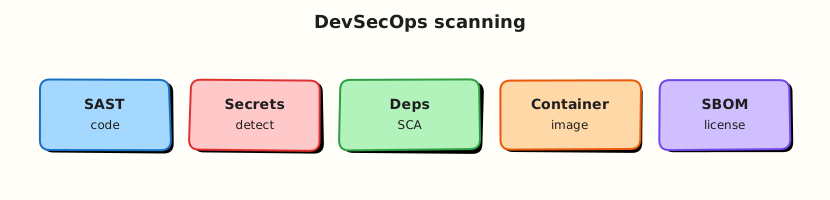
Theory
What it is
Security jobs produce machine-readable findings in the merge request and Security dashboards:
| Scanner | Looks at | When |
|---|---|---|
| Secret detection | Git history / diffs | Earliest — every pipeline |
| SAST | Source / bytecode patterns | Early on MR |
| Dependency scanning | Lockfiles / manifests | With resolve / build |
| Container scanning | Built image | After image push |
| DAST | Running HTTP app | Staging / review app |
| Licence / SBOM | Dependencies & image | Compliance / attestations |
Templates such as Security/SAST.gitlab-ci.yml and Jobs/Secret-Detection.gitlab-ci.yml wire analysers; teams tune allowlists and severity gates.
Why it matters
Vulnerabilities found after production are incidents. Secrets in Git are credentials for attackers. Dependency and container CVEs dominate modern findings; SBOM and licence data answer “what did we ship?” for auditors. Pipelines that only deploy without scanning train teams to ignore risk.
How it works
- Include official security templates or pinned analyser jobs.
- Run secret detection on every MR; block on verified leaks.
- Run SAST in parallel with unit tests where possible.
- After lockfile install / image build: dependency and container scans against the Module 8 SHA artefact.
- Optional DAST against a review app or staging URL.
- Publish SBOM (CycloneDX/SPDX) and licence reports; enforce policies on the default branch.
Treat false positives with tracked allowlists — not by disabling scanners globally.
Key concepts and comparisons
| Control | Strength | Limit |
|---|---|---|
| Secret detection | Stops key commits | Still rotate if already leaked |
| SAST | Fast, no runtime | Noise without triage |
| DAST | Runtime issues | Needs a deployable target |
| Container scan | Matches what you ship | Base-image debt accumulates |
| SBOM | Inventory for response | Must tie to release digest |
Common pitfalls
- Enabling scanners but never failing on Critical/High.
- Scanning
latestwhile deploying a different tag. - Allowlisting secrets instead of rotating them.
- Running DAST only in production.
- Generating an SBOM not attached to the released digest.
Hands-on Lab
Objective
Assemble a DevSecOps pipeline with secret detection and SAST job stubs, define severity gates in security-policy.yaml, and validate everything offline.
Prerequisites
- Python 3 with PyYAML (
pip install pyyaml) - Optional: GitLab project with security templates enabled
Lab environment
Workspace: ~/rebash-gitlab/module-12
File-first lab. Analysers run on GitLab runners when templates are included; this lab validates structure locally.
Real-world scenario
Security engineering requires secret detection on every merge request and Static Application Security Testing (SAST) before build jobs — with documented severity gates. You deliver pipeline stubs and policy YAML for review before enabling analysers on shared runners.
Step-by-step tasks
Task 1 – Application fixture (safe sample)
Create src/app.py:
"""Module 12 lab fixture — no real secrets."""

def greet(name: str) -> str:
    return f"hello, {name}"
Verify locally:
cd ~/rebash-gitlab/module-12
set -euo pipefail
python3 -m py_compile src/app.py
python3 -c "from src.app import greet; assert greet('lab') == 'hello, lab'"
Expected output
No compile errors; assertion passes silently.
Task 2 – Security policy gates
Create security-policy.yaml:
# Module 12 — severity gates (offline policy document)
scanners:
  secret_detection:
    run_on: every_pipeline
    block_on: verified_secret
  sast:
    run_on: merge_request
    fail_on_severity: [critical, high]
  dependency_scanning:
    run_on: after_build
    fail_on_severity: [critical]
  container_scanning:
    run_on: after_image_push
    image_pin: digest_not_latest
allowlist:
  requires_ticket: true
  max_days: 30
sbom:
  format: cyclonedx
  attach_to_release: true
Validate offline:
cd ~/rebash-gitlab/module-12
set -euo pipefail
python3 -c "
import yaml
p = yaml.safe_load(open('security-policy.yaml'))
assert p['scanners']['sast']['fail_on_severity'] == ['critical', 'high']
assert p['allowlist']['requires_ticket'] is True
print('security-policy.yaml OK')
"
Expected output
security-policy.yaml OK
Task 3 – DevSecOps pipeline stubs
Create .gitlab-ci.yml:
stages:
  - security
  - build

include:
  - template: Jobs/Secret-Detection.gitlab-ci.yml
  - template: Security/SAST.gitlab-ci.yml

variables:
  SECRET_DETECTION_ENABLED: "true"
  SAST_EXCLUDED_PATHS: "spec, test, tmp"

secret_detection:
  stage: security

sast:
  stage: security

build-image-stub:
  stage: build
  image: alpine:3.20
  needs: [secret_detection, sast]
  script:
    - echo "Build stub — container scan runs after real image push"
  rules:
    - if: $CI_PIPELINE_SOURCE == "merge_request_event"
Validate offline:
cd ~/rebash-gitlab/module-12
set -euo pipefail
python3 -c "
import yaml
d = yaml.safe_load(open('.gitlab-ci.yml'))
assert d['stages'] == ['security', 'build']
assert any('Secret-Detection' in str(i) for i in d.get('include', []))
assert d['build-image-stub']['needs'] == ['secret_detection', 'sast']
print('gitlab-ci OK')
"
grep -q 'Security/SAST' .gitlab-ci.yml
grep -q 'alpine:3.20' .gitlab-ci.yml
Expected output
gitlab-ci OK; SAST template and pinned image referenced.
Task 4 – Offline validation bundle
Create validate-devsecops.sh:
#!/usr/bin/env bash
set -euo pipefail
python3 -c "import yaml; yaml.safe_load(open('.gitlab-ci.yml')); yaml.safe_load(open('security-policy.yaml'))"
grep -q 'fail_on_severity' security-policy.yaml
grep -q 'SECRET_DETECTION_ENABLED' .gitlab-ci.yml
echo 'module-12 devsecops lab passed'
Run it:
cd ~/rebash-gitlab/module-12
set -euo pipefail
chmod +x validate-devsecops.sh
./validate-devsecops.sh | tee validation.txt
Expected output
module-12 devsecops lab passed
Validation steps
-
security-policy.yamldefines gates for secret detection and SAST - Pipeline includes official Secret Detection and SAST templates
- Build stub
needsboth security jobs - No secrets, tokens, or API keys in committed files
- Offline validator script passes
Common errors and fixes
| Error | Cause | Fix |
|---|---|---|
| SAST job not found after include | Template name changed | Verify template path in GitLab docs for your version |
| Scanner green but CVEs ignored | allow_failure: true everywhere | Fail on Critical/High per policy |
| Secret in Git history | Committed before detection | Rotate credential; use BFG/filter-repo |
Scanning latest tag | Wrong image reference | Pin digest from build job |
| SBOM not tied to release | Missing artefact path | Attach SBOM to tagged pipeline |
Challenge exercise
Add a stub container_scan job that declares dependencies: [build-image-stub] and documents which digest variable it would scan. Keep it offline with when: manual.
Learning outcomes
- Defined severity gates in reviewable policy YAML
- Wired secret detection and SAST before build stages
- Validated GitLab security template includes offline
- Understood allowlist and SBOM requirements for compliance
Cleanup
rm -rf ~/rebash-gitlab/module-12/src/__pycache__ 2>/dev/null || true
ls ~/rebash-gitlab/module-12
Validation
- Lab commands run under
~/rebash-gitlab/module-12/ - You can explain each Theory section in your own words
- You used modern tooling where it applies to this topic
- You can describe one production failure mode for this topic
Code Walkthrough
Production practice for Security Scanning and DevSecOps always combines:
- Inspect before you change (status, plan, logs, dry-run)
- Prefer reversible, documented changes (Git, IaC, drop-ins, version pins)
- Capture evidence (command output, pipeline logs) for handovers
- Prefer current tools and APIs over legacy shortcuts
- Least privilege — escalate credentials only when required
Keep runbooks short enough to follow under pressure. Automate checks; keep humans for judgement.
Security Considerations
- Treat credentials and tokens for gitlab as privileged — never commit them
- Prefer short-lived auth (OIDC, roles, SSO) over long-lived keys
- Validate blast radius before apply/deploy/delete operations
- Restrict who can approve production changes
- Collect audit logs; limit who can read sensitive traces
Common Mistakes
Enabling scanners but never failing on Critical/High.
Validate assumptions against the Theory section and official docs before changing production.
Scanning latest while deploying a different tag.
Lab shortcuts (open security groups, admin roles, skip approvals) must not ship unchanged.
Changing production without a rollback path
Always know how to revert (previous artefact, prior release, state rollback, DNS failback).
Best Practices
- Encode Security Scanning and DevSecOps changes as code and review them in pull requests
- Pin versions (images, modules, actions, provider plugins)
- Separate environments with clear promotion gates
- Alert on symptoms with runbooks attached
- Destroy lab resources; tag everything with owner and expiry where possible
Troubleshooting
| Symptom | Likely cause | Fix |
|---|---|---|
| Auth / permission denied | Wrong identity, policy, or scope | Check caller identity, roles, and least-privilege policies |
| Timeout / no route | Network, DNS, security group, or endpoint | Trace path, DNS, and allow-lists before retrying |
| Drift / unexpected plan | Manual change or wrong state/workspace | Reconcile desired vs actual; avoid click-ops on managed resources |
| Pipeline/job red | Flaky step, cache, or missing secret | Read failing step logs; bisect recent workflow/config changes |
| Cost spike | Idle load balancer, NAT, oversized compute | Inventory billable resources; stop/delete labs promptly |
Summary
Security Scanning and DevSecOps is essential for Cloud and DevOps engineers working with gitlab. Practise the lab until the inspection and change path is muscle memory, then continue the track.
Interview Questions
- What is the difference between SAST and secret detection?
- Security job is red on a dependency CVE — how do you respond in CI?
- When is an allowlist acceptable for scanner findings?
- How do you stop developers from disabling scanners on their branch?
- What belongs in the pipeline versus a central security platform?
Sample answer — question 2
Triage by severity and exploitability: confirm the component is shipped, check for a fixed version, document temporary exceptions with expiry.
Sample answer — question 4
Keep scanners required on protected branches and never commit secrets to “fix” the detector.