Enterprise GitLab
Overview
Structure groups and permissions, enforce compliance pipelines and governance, and outline self-managed operations including backup and restore.
Enterprise GitLab is a platform: org hierarchy, least-privilege access, mandatory CI templates, auditability, and operable self-managed (or SaaS) control planes. CI YAML alone is not enough — governance decides what every project inherits.
This is a core tutorial in Module 18 · Enterprise GitLab of the REBASH Academy GitLab CI/CD for Cloud & DevOps Engineers series — written for Cloud, DevOps, Platform, and SRE engineers.
Prerequisites
- Troubleshooting GitLab CI
- Comfort with groups, protected branches, and security scanning from earlier modules
Learning Objectives
By the end of this tutorial, you will be able to:
- Design group hierarchy and role mapping
- Apply compliance / required pipeline configuration patterns
- Contrast SaaS vs self-managed operational duties
- List backup & restore essentials for GitLab data
Architecture
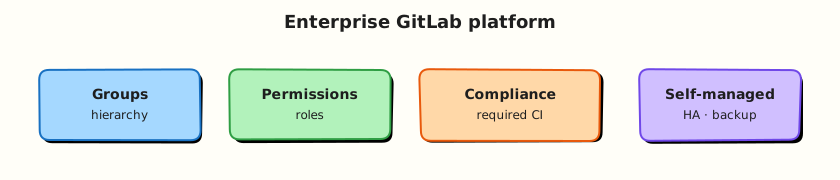
This topic’s control points and relationships are shown below.
Theory
What it is
Enterprise GitLab covers how organisations scale from a few projects to hundreds: groups and subgroups for ownership, roles (Guest → Owner) and custom permissions, compliance pipelines / required CI configuration, shared runners and templates, and — for self-managed — upgrades, HA, object storage, and backup & restore. Governance answers: Who can merge? Who can deploy production? Which scans are mandatory?
| Concern | Enterprise control |
|---|---|
| Structure | Top-level groups per org/BU; subgroups per product |
| Access | Least privilege; SSO/SAML; audit events |
| CI policy | Organisation/group templates; compliance frameworks |
| Runners | Fleet ownership, tags, network isolation |
| Continuity | Backups, restore drills, DR targets |
Why it matters
Without structure, every team invents CI and secrets handling — security and cost explode. Platform teams provide paved roads: shared includes, OIDC to cloud, protected environments, and evidence for auditors. Self-managed operators own availability of the control plane that every pipeline depends on — treat GitLab like a tier-0 service.
How it works
- Model groups — company → platform/product → repos; avoid flat thousands of root projects.
- Map roles — Developers push MRs; Maintainers merge protected branches; deploy to production via protected environments / approvers.
- Inherit CI — group-level includes or compliance pipelines inject SAST, secret detection, and licence policies.
- Centralise runners — group runners with tags; isolate privileged / Docker-in-Docker; monitor minutes and saturation.
- Govern — branch protection, CODEOWNERS, push rules, approval rules, audit streaming where licensed.
- Operate self-managed — Omnibus or Helm chart; object storage for artefacts/LFS; scheduled backups (
backup-utility/ Omnibus backup); test restore to a scratch instance. - Align GitOps — desired state in Git; agents or external CD reconcile; GitLab remains source of truth for change review.
Document RPO/RTO for GitLab itself — application DR is useless if you cannot restore the forge.
Key concepts and comparisons
| Hosting | You operate | GitLab operates |
|---|---|---|
| GitLab.com SaaS | Projects, runners (optional), access | Control plane, upgrades |
| Self-managed | Full stack, backups, HA | Software + support (licensed) |
| Governance artefact | Purpose |
|---|---|
| Compliance pipeline | Mandatory jobs regardless of project YAML |
| Instance/group template | Shared best-practice CI |
| Audit events | Who changed what |
| Protected env / branch | Change control |
Common pitfalls
- Granting Owner widely “for convenience” — breaks least privilege and audit stories.
- Compliance jobs that teams can override with
allow_failureeverywhere — policy theatre. - Backups without restore tests — unproven RTO.
- One shared privileged runner for all groups — lateral movement risk.
Hands-on Lab
Objective
Author group and project policy YAML, a compliance pipeline include pattern, and a project .gitlab-ci.yml that inherits mandatory jobs — validated offline.
Prerequisites
- Python 3 with PyYAML (
pip install pyyaml) - Optional: GitLab Premium/Ultimate instance for live compliance pipelines
Lab environment
Workspace: ~/rebash-gitlab/module-18
File-first lab. Compliance pipelines apply at the GitLab instance or group level when configured by administrators.
mkdir -p ~/rebash-gitlab/module-18/ci/compliance && cd ~/rebash-gitlab/module-18
set -euo pipefail
Real-world scenario
Enterprise platform teams require every project pipeline to include audit and policy jobs that developers cannot skip. You deliver policy YAML and an include pattern for review before group owners enforce it.
Step-by-step tasks
Task 1 – Group policy definition
Create group-policy.yaml:
# Module 18 — group-level CI policy (offline reference)
group: rebash-platform
minimum_gitlab_version: "16.0"
rules:
  protected_default_branch: true
  merge_request_pipelines_required: true
  no_secrets_in_repository: true
  runner_tags:
    production: [prod-runner]
    default: [shared-runner]
compliance:
  required_includes:
    - local: ci/compliance/compliance-pipeline.yml
  blocked_patterns:
    - "curl.* | bash"
    - "eval \\("
audit:
  retain_pipeline_logs_days: 90
  require_signed_commits: false
Validate offline:
cd ~/rebash-gitlab/module-18
set -euo pipefail
python3 -c "
import yaml
p = yaml.safe_load(open('group-policy.yaml'))
assert p['compliance']['required_includes'][0].endswith('compliance-pipeline.yml')
assert p['rules']['merge_request_pipelines_required'] is True
print('group-policy.yaml OK')
"
Expected output
group-policy.yaml OK
Task 2 – Compliance pipeline include
Create ci/compliance/compliance-pipeline.yml:
# Mandatory compliance jobs — included by every project
stages:
  - compliance
  - test

compliance-audit:
  stage: compliance
  image: alpine:3.20
  script:
    - echo "Audit stub — verify MR pipeline ran on ${CI_MERGE_REQUEST_IID:-branch}"
    - test -n "${CI_PROJECT_PATH:-local}"
  rules:
    - if: $CI_PIPELINE_SOURCE == "merge_request_event"
    - if: $CI_COMMIT_BRANCH == $CI_DEFAULT_BRANCH

secret-pattern-scan:
  stage: compliance
  image: alpine:3.20
  script:
    - echo "Pattern scan stub — no glpat- or AKIA strings in diff"
    - test 0 -eq 0
  rules:
    - if: $CI_PIPELINE_SOURCE == "merge_request_event"
Validate offline:
cd ~/rebash-gitlab/module-18
set -euo pipefail
python3 -c "
import yaml
c = yaml.safe_load(open('ci/compliance/compliance-pipeline.yml'))
assert 'compliance-audit' in c
assert c['compliance-audit']['stage'] == 'compliance'
print('compliance-pipeline.yml OK')
"
grep -q 'alpine:3.20' ci/compliance/compliance-pipeline.yml
Expected output
compliance-pipeline.yml OK
Task 3 – Project pipeline with include
Create .gitlab-ci.yml:
include:
  - local: ci/compliance/compliance-pipeline.yml

stages:
  - compliance
  - test

unit-tests:
  stage: test
  image: python:3.12-alpine
  needs: [compliance-audit, secret-pattern-scan]
  script:
    - python -m py_compile src/app.py
  rules:
    - if: $CI_PIPELINE_SOURCE == "merge_request_event"
    - if: $CI_COMMIT_BRANCH == $CI_DEFAULT_BRANCH
Create src/app.py:
Validate offline:
cd ~/rebash-gitlab/module-18
set -euo pipefail
python3 -c "
import yaml
d = yaml.safe_load(open('.gitlab-ci.yml'))
assert any('compliance-pipeline.yml' in str(i) for i in d.get('include', []))
assert d['unit-tests']['needs'] == ['compliance-audit', 'secret-pattern-scan']
print('gitlab-ci OK')
"
python3 -m py_compile src/app.py
python3 src/app.py | tee app-out.txt
Expected output
gitlab-ci OK; script prints enterprise-lab-ok
Task 4 – Enterprise validation bundle
Create validate-enterprise.sh:
#!/usr/bin/env bash
set -euo pipefail
python3 -c "import yaml; yaml.safe_load(open('group-policy.yaml')); yaml.safe_load(open('ci/compliance/compliance-pipeline.yml')); yaml.safe_load(open('.gitlab-ci.yml'))"
grep -q 'required_includes' group-policy.yaml
grep -q 'compliance-audit' ci/compliance/compliance-pipeline.yml
echo 'module-18 enterprise lab passed'
Run it:
cd ~/rebash-gitlab/module-18
set -euo pipefail
chmod +x validate-enterprise.sh
./validate-enterprise.sh | tee validation.txt
Expected output
module-18 enterprise lab passed
Validation steps
- Group policy defines required compliance includes
- Compliance pipeline defines audit and pattern-scan jobs
- Project pipeline includes compliance file via
include: local - Unit tests
needsboth compliance jobs - Pinned images:
alpine:3.20,python:3.12-alpine
Common errors and fixes
| Error | Cause | Fix |
|---|---|---|
| Include file not found | Wrong path | Match path from repo root in include: local |
| Compliance jobs skipped | rules too narrow | Run on MR and default branch |
| Policy theatre | allow_failure: true on audit | Fail pipeline on compliance violations |
| Shared privileged runner | One runner for all groups | Isolate runners per trust zone |
| Developers override include | Missing group-level enforcement | Use compliance pipeline at group/instance |
Challenge exercise
Document how GitLab Compliance pipelines at the group level differ from project-level include: — add a comment block in group-policy.yaml describing when administrators must use instance templates.
Learning outcomes
- Defined enterprise group policy in reviewable YAML
- Authored a reusable compliance pipeline include
- Wired project CI to mandatory compliance jobs with
needs - Validated include paths and job dependencies offline
Cleanup
rm -f ~/rebash-gitlab/module-18/app-out.txt 2>/dev/null || true
ls ~/rebash-gitlab/module-18
Validation
- Lab commands run under
~/rebash-gitlab/module-18/ - You can explain each Theory section in your own words
- You used modern tooling where it applies to this topic
- You can describe one production failure mode for this topic
Code Walkthrough
Production practice for Enterprise GitLab always combines:
- Inspect before you change (status, plan, logs, dry-run)
- Prefer reversible, documented changes (Git, IaC, drop-ins, version pins)
- Capture evidence (command output, pipeline logs) for handovers
- Prefer current tools and APIs over legacy shortcuts
- Least privilege — escalate credentials only when required
Keep runbooks short enough to follow under pressure. Automate checks; keep humans for judgement.
Security Considerations
- Treat credentials and tokens for gitlab as privileged — never commit them
- Prefer short-lived auth (OIDC, roles, SSO) over long-lived keys
- Validate blast radius before apply/deploy/delete operations
- Restrict who can approve production changes
- Collect audit logs; limit who can read sensitive traces
Common Mistakes
Granting Owner widely “for convenience” — breaks least privilege and audit stories.
Validate assumptions against the Theory section and official docs before changing production.
Compliance jobs that teams can override with allow_failure everywhere — policy theatre.
Lab shortcuts (open security groups, admin roles, skip approvals) must not ship unchanged.
Changing production without a rollback path
Always know how to revert (previous artefact, prior release, state rollback, DNS failback).
Best Practices
- Encode Enterprise GitLab changes as code and review them in pull requests
- Pin versions (images, modules, actions, provider plugins)
- Separate environments with clear promotion gates
- Alert on symptoms with runbooks attached
- Destroy lab resources; tag everything with owner and expiry where possible
Troubleshooting
| Symptom | Likely cause | Fix |
|---|---|---|
| Auth / permission denied | Wrong identity, policy, or scope | Check caller identity, roles, and least-privilege policies |
| Timeout / no route | Network, DNS, security group, or endpoint | Trace path, DNS, and allow-lists before retrying |
| Drift / unexpected plan | Manual change or wrong state/workspace | Reconcile desired vs actual; avoid click-ops on managed resources |
| Pipeline/job red | Flaky step, cache, or missing secret | Read failing step logs; bisect recent workflow/config changes |
| Cost spike | Idle load balancer, NAT, oversized compute | Inventory billable resources; stop/delete labs promptly |
Summary
Enterprise GitLab is essential for Cloud and DevOps engineers working with gitlab. Practise the lab until the inspection and change path is muscle memory, then continue the track.
Interview Questions
- Which GitLab controls map to separation of duties?
- How do you evidence a production change for auditors?
- What belongs in instance/group policy versus project config?
- How should runner fleets be segmented in an enterprise?
- What is a pragmatic approach to compliance-as-code in CI?
Sample answer — question 2
Start from the change record: MR, pipeline, approvals, environment deploy job, and artifact checksums.
Sample answer — question 4
Segment runners, enforce SSO, protect critical projects, and keep production secrets out of developer-controlled variables.