Data and Analytics on Google Cloud
Overview
Cloud and DevOps engineers are not full-time data engineers — but you still ship pipelines, debug message backlogs, and query logs-shaped tables in BigQuery. This module is the ops lens on Google Cloud data services: BigQuery for SQL analytics, Pub/Sub for messaging, Cloud Scheduler for cron-like triggers, with awareness of Dataflow / Dataproc (not deep labs).
This is Tutorial 1 in Module 9: Data & Analytics of the REBASH Academy Google Cloud for Cloud & DevOps Engineers series.
Cost hygiene
BigQuery charges for query bytes processed (and storage if you load large tables). Prefer small queries and public sample datasets. Pub/Sub is cheap at lab scale — still delete topics/subscriptions. Do not start Dataproc clusters in this lab.
Prerequisites
- Serverless on Google Cloud
gcloudandbq(comes with Google Cloud SDK)- Billing linked (BigQuery API enablement)
Learning Objectives
By the end of this tutorial, you will be able to:
- Explain BigQuery vs Cloud SQL for an interviewer
- Run a small BigQuery SQL query and save evidence
- Create a Pub/Sub topic and subscription, publish, and pull
- Describe Cloud Scheduler and Dataflow at a practical level
- Clean up lab topics, subscriptions, and datasets you created
Architecture
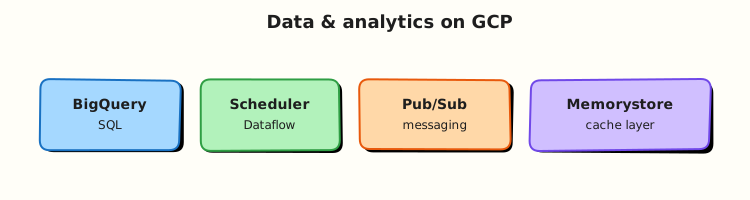
Producers publish messages to Pub/Sub topics; subscribers pull or push. BigQuery stores analytical tables and runs SQL at scale. Cloud Scheduler fires HTTP/Pub/Sub jobs on a cron. Batch/stream transforms often use Dataflow (awareness only here).
Theory
What it is
BigQuery is a serverless data warehouse: you load or query tables with SQL; Google manages the compute. Pub/Sub is durable messaging between services. Cloud Scheduler is managed cron. Dataflow (Apache Beam) and Dataproc (Spark/Hadoop) are heavier data-processing platforms — out of deep scope for this ops course.
Why it matters
On-call engineers query BigQuery for audit/export tables, drain Pub/Sub backlogs after outages, and wire Scheduler → Cloud Run. Interviews ask “warehouse vs OLTP” and “at-least-once delivery”.
How it works
- Enable BigQuery and Pub/Sub APIs.
- Query a public dataset or a tiny dataset you own.
- Create topic + subscription; publish a message; pull it.
- Optionally note how Scheduler would publish on a schedule (no long-lived job required).
Key comparisons
| Service | Ops use |
|---|---|
| BigQuery | Analytics SQL, log exports, cost/usage tables |
| Cloud SQL | OLTP application database (Module 6) |
| Pub/Sub | Async decoupling, fan-out, buffer spikes |
| Cloud Scheduler | Cron triggers for HTTP / Pub/Sub |
| Dataflow | Managed stream/batch transforms |
| Dataproc | Managed Spark when you need clusters |
Common pitfalls
SELECT *on huge tables (bill shock)- Leaving subscriptions with huge backlog unacked
- Using BigQuery as a transactional app DB
- Creating Dataproc “to try Spark” on a Free Trial
Hands-on Lab
Objective
Run a small BigQuery query against a public sample, create a Pub/Sub topic/subscription, publish and pull a message, then delete lab resources.
Prerequisites
| Tool | Notes |
|---|---|
| Google Cloud SDK | bq version works |
| Project with billing | Module 1 |
Lab environment
mkdir -p ~/rebash-gcp/module-09 && cd ~/rebash-gcp/module-09
export PROJECT_ID="${PROJECT_ID:-$(gcloud config get-value project)}"
export REGION="${REGION:-europe-west2}"
export TOPIC="rebash-m09-events"
export SUB="rebash-m09-events-sub"
gcloud config set project "$PROJECT_ID"
gcloud services enable bigquery.googleapis.com pubsub.googleapis.com --project="$PROJECT_ID"
Real-world scenario
Ops needs proof you can (1) answer a SQL question from warehouse-style data and (2) verify a message path before wiring Cloud Run to Pub/Sub. Keep it tiny and delete the plumbing afterwards.
Step-by-step tasks
Task 1 – BigQuery sample query
cd ~/rebash-gcp/module-09
bq query --use_legacy_sql=false --format=prettyjson \
  'SELECT word, word_count
   FROM `bigquery-public-data.samples.shakespeare`
   WHERE word = "love"
   LIMIT 5' | tee bq-shakespeare.json
test -s bq-shakespeare.json
grep -q word_count bq-shakespeare.json
echo "bigquery proof OK" | tee bq-evidence.txt
Expected output
JSON rows with word / word_count for Shakespeare sample data.
If public dataset access fails
Create a tiny dataset and query SELECT 1 AS rebash_ok:
cd ~/rebash-gcp/module-09
bq --location="$REGION" mk --dataset "${PROJECT_ID}:rebash_m09" 2>/dev/null || true
bq query --use_legacy_sql=false --format=prettyjson 'SELECT 1 AS rebash_ok' | tee bq-shakespeare.json
Task 2 – Pub/Sub topic, publish, pull
cd ~/rebash-gcp/module-09
gcloud pubsub topics create "$TOPIC" --format=json | tee topic.json
gcloud pubsub subscriptions create "$SUB" --topic="$TOPIC" --format=json | tee sub.json
gcloud pubsub topics publish "$TOPIC" --message="rebash-m09 ok"
gcloud pubsub subscriptions pull "$SUB" --auto-ack --limit=5 \
  --format="json" | tee pull.json
grep -q "rebash-m09 ok" pull.json
echo "pubsub proof OK" | tee pubsub-evidence.txt
Expected output
pull.json contains the message payload rebash-m09 ok.
Task 3 – Scheduler awareness (no long-lived job)
Create scheduler-notes.txt in your editor with five lines: how Cloud Scheduler would publish to $TOPIC every hour, and why you are not leaving a Scheduler job running in this lab.
cd ~/rebash-gcp/module-09
test -s scheduler-notes.txt
# Optional one-shot create+delete if you want CLI muscle memory:
# gcloud scheduler jobs create pubsub rebash-m09- hourly --schedule="0 * * * *" \
#   --topic="$TOPIC" --message-body="tick" --location="$REGION"
# gcloud scheduler jobs delete rebash-m09-hourly --location="$REGION" --quiet
cat bq-evidence.txt pubsub-evidence.txt | tee evidence.txt
Validation steps
- BigQuery evidence file non-empty
- Pub/Sub pull shows your message
- Topics/subscriptions deleted in cleanup
Common errors and fixes
| Error you see | Plain meaning | What to do |
|---|---|---|
| Access Denied BigQuery | API or IAM | Enable API; need bigquery.jobUser + data viewer on public data |
| Subscription empty | Publish failed / wrong sub | Re-publish; check topic name |
bq: command not found | SDK components | gcloud components install bq |
Challenge exercise
Write data-choice.txt mapping: (1) order transactions, (2) clickstream analytics, (3) async invoice PDF jobs — to Cloud SQL, BigQuery, or Pub/Sub.
Learning outcomes
- You queried BigQuery with evidence
- You proved a Pub/Sub publish/pull path
- You can place Scheduler/Dataflow in an architecture diagram without overbuilding
Cleanup
cd ~/rebash-gcp/module-09
export PROJECT_ID="${PROJECT_ID:-$(gcloud config get-value project)}"
export TOPIC="rebash-m09-events"
export SUB="rebash-m09-events-sub"
gcloud pubsub subscriptions delete "$SUB" --quiet 2>/dev/null || true
gcloud pubsub topics delete "$TOPIC" --quiet 2>/dev/null || true
bq rm -r -f -d "${PROJECT_ID}:rebash_m09" 2>/dev/null || true
rm -f topic.json sub.json pull.json bq-shakespeare.json bq-evidence.txt \
  pubsub-evidence.txt evidence.txt challenge.txt
Validation
- Lab folder
~/rebash-gcp/module-09used - No leftover
rebash-m09-*Pub/Sub resources - You can explain warehouse vs OLTP in two minutes
Code Walkthrough
- Public sample query — practise SQL without loading terabytes.
- Topic then subscription — pull model is easy to prove in a lab.
--auto-ack— fine for training; production thinks about ack deadlines and DLQs.- Scheduler notes — cron belongs in design, not as abandoned jobs.
- Cleanup subscriptions before topics — dependency order.
Security Considerations
- Least privilege for BigQuery datasets (not
bigquery.adminfor apps). - Pub/Sub IAM on publisher/subscriber identities separately.
- Do not publish secrets in message bodies.
- Export sinks to BigQuery need careful dataset IAM.
Common Mistakes
BigQuery replaces Cloud SQL
Different workloads. OLTP stays on Cloud SQL/Spanner patterns; analytics/warehousing fits BigQuery.
Pub/Sub is exactly-once by default
Delivery is at-least-once. Design consumers to be idempotent.
SELECT * FROM huge_table
You pay for bytes scanned. Filter, limit, and partition/cluster in real datasets.
Best Practices
- Partition and cluster BigQuery tables for cost
- Dead-letter topics for poison messages
- Schema discipline for Pub/Sub payloads
- Label datasets and topics with owners
- Monitor subscription backlog (Module 10)
Troubleshooting
| Symptom | Likely cause | Fix |
|---|---|---|
| Query job fails | Syntax / permissions | Read job error; check dataset access |
| Pull returns empty repeatedly | No backlog | Publish again; verify subscription topic |
| High BigQuery bill | Wide scans | Check job history bytes processed |
Summary
BigQuery answers analytical SQL; Pub/Sub moves events; Scheduler triggers on time. This lab proved query + messaging without standing up a data lake. Next: monitoring and observability so you can see when those pipelines break.
Interview Questions
1. BigQuery vs Cloud SQL — when do you use each?
Reveal answer
Cloud SQL is for transactional application databases (OLTP). BigQuery is for analytical SQL over large datasets (OLAP / warehouse). Mixing them poorly causes either slow apps or expensive scans.
2. What is Pub/Sub?
Reveal answer
A managed messaging service: publishers send messages to topics; subscriptions deliver those messages to subscribers (pull or push), buffering and fan-out included.
3. At-least-once delivery — what must consumers do?
Reveal answer
Handle duplicates safely (idempotent processing), because a message may be delivered more than once.
4. What is Cloud Scheduler?
Reveal answer
Managed cron for Google Cloud: it can hit HTTP endpoints or publish Pub/Sub messages on a schedule.
5. Why can BigQuery queries get expensive?
Reveal answer
Pricing often tracks bytes processed. Unfiltered scans of large tables cost more than selective, partitioned queries.
6. What is Dataflow in one sentence?
Reveal answer
A managed Apache Beam service for stream and batch data processing pipelines on Google Cloud.
7. How do you prove Pub/Sub works in a lab?
Reveal answer
Create topic and subscription, publish a known message, pull with auto-ack, and save the payload evidence — as in this module.
8. Should application order checkouts live in BigQuery?
Reveal answer
No as the system of record. Use an OLTP database; optionally export or stream analytics copies into BigQuery.
Related Tutorials
- Previous: Serverless on Google Cloud
- Next: Monitoring and Observability on Google Cloud
- Databases on Google Cloud