Disk Usage and File Attributes
Overview
Disk-full alerts look like this in real operations:
“Disk full — cannot write file.”
You need two answers fast:
- Which filesystem (mount) is full? →
df - Which folder tree grew? →
du
Sometimes the error says “No space left” but df -h shows free megabytes — then you check inodes with df -i. Sometimes df and du disagree because a deleted log is still held open by a running process.
File attributes are metadata — permissions, owner, size, timestamps — that you read with ls -l and stat. “Permission denied” is often an attribute problem, not a disk problem.
This is Tutorial 5 in Module 3: Linux Filesystem of the REBASH Academy Linux for Cloud & DevOps Engineers series — practical Linux for Cloud and DevOps work.
Prerequisites
- Paths, Links, Mounts, and Inodes — you know mounts and inodes
- A practice Ubuntu 22.04/24.04 VM with write access under your home directory
- Optional:
sudofor system-widelsofexamples later in your career
Learning Objectives
By the end of this tutorial, you will be able to:
- Explain the difference between
df(per mount) anddu(per directory tree) - Check block space and inode capacity with
df -handdf -i - Find large directories with
duand sort human-readable sizes - Read mode, owner, size, and timestamps with
stat - Pack evidence under
~/rebash-linux/lab05for a capacity ticket
Architecture
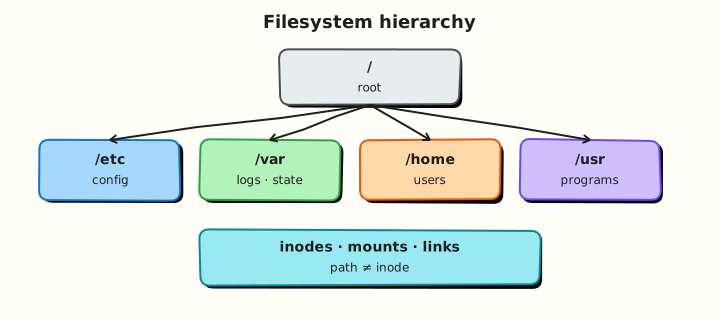
Disk capacity is tracked per mount. File attributes live on the inode. df, du, and stat report different layers of the same storage story.
Theory
The problem (before any jargon)
On-call message: “App cannot write logs.” You SSH in and run df -h. Root / looks fine. You panic anyway and delete random files.
A senior engineer asks: “Which mount failed? Did you check /var? Inodes? du on the hot path?”
This section teaches the checklist before you delete anything.
df — how full is each mount?
Analogy: df is the fuel gauge per petrol tank. Your car may have two tanks (OS disk and data disk). A full data tank does not help if the OS tank is empty.
| Flag | Plain meaning |
|---|---|
df -h | Human-readable free space per mount |
df -hT | Also show filesystem type (ext4, xfs, …) |
df -i | Inode free count — how many new files you can still create |
What you can say in an interview: “df answers whether the mount has free blocks or inodes. I always check both -h and -i on ‘no space left’ errors.”
Tiny example:
du — which directory tree grew?
Analogy: du is weighing each room in the building to find who hoarded boxes.
| Command | Plain meaning |
|---|---|
du -sh path | Total size of path (summary) |
du -h --max-depth=1 path | Size of each immediate child |
du -ah path \| sort -h | All files, sorted by size |
What you can say in an interview: “df tells me the mount is full; du tells me which subdirectory to clean — on that mount, not always on / alone.”
Tiny example:
File attributes with stat
Analogy: stat is the ID card for one file: who owns it, how big, when touched, what permissions.
| Field | Plain meaning |
|---|---|
| Mode | Permissions (rwx for user/group/other) |
| Uid/Gid | Owner user and group |
| Size | Bytes |
| Inode | Number on this filesystem |
| Access/Modify/Change times | atime, mtime, ctime |
What you can say in an interview: “Before blaming ‘disk full’, I run stat — permission errors are often mode/owner, not capacity.”
Tiny example:
When df and du disagree
| Situation | What happened |
|---|---|
df full, du on / smaller | Another mount is full, or deleted-but-open file still holds space |
Create fails, df -h OK | Inode exhaustion — run df -i |
Permission denied on write | Mode/owner — not a capacity issue |
What you can say in an interview: “If I delete a huge log but space does not return, I look for processes still holding the file open — often with lsof +L1 under sudo.”
Common pitfalls
- Checking only
/while/varor a data volume is full - Ignoring inodes — many tiny files exhaust them first
- Deleting open log files without restarting the writer — space does not return
- Running
du /on a huge host without depth limits — very slow - Confusing “cannot write” (permissions) with “disk full”
Hands-on Lab
Objective
Build a controlled sample tree, measure it with du, compare mounts with df, inspect attributes with stat, and save ticket-ready evidence under ~/rebash-linux/lab05.
Prerequisites
| Item | Notes |
|---|---|
| Ubuntu practice VM | df, du, stat from coreutils |
| Write access | Under $HOME only |
Lab environment
mkdir -p ~/rebash-linux/lab05 && cd ~/rebash-linux/lab05
set -euo pipefail
whoami | tee lab-user.txt
df -hT . | tee df-workspace.txt
Expected output
lab-user.txt and df-workspace.txt exist; workspace is on a real mount.
Real-world scenario
Ticket: “Disk almost full on practice VM — before expanding the volume, prove which mount is tight, which folder grew, and show normal file attributes on a sample config.”
Step-by-step tasks
Task 1 – Build sample tree and measure with du
Create controlled “log” and “cache” sizes so du has something real to report.
cd ~/rebash-linux/lab05
set -euo pipefail

rm -rf sample-tree
mkdir -p sample-tree/{logs,cache,data}

dd if=/dev/zero of=sample-tree/logs/app.log bs=1M count=8 status=none
dd if=/dev/zero of=sample-tree/cache/pkg.bin bs=1M count=4 status=none

printf 'config=ok\n' > sample-tree/data/app.conf
for i in $(seq 1 50); do
  printf 'x' > "sample-tree/cache/tiny-$i.dat"
done

du -sh sample-tree | tee du-total.txt
du -h --max-depth=1 sample-tree | sort -h | tee du-depth1.txt
du -ah sample-tree | sort -h | tail -n 8 | tee du-largest.txt

test "$(du -sb sample-tree/logs | awk '{print $1}')" -gt "$(du -sb sample-tree/data | awk '{print $1}')"
Expected output
du-total.txt shows roughly 12M+ for the tree. du-depth1.txt lists logs, cache, data; logs is largest.
Task 2 – Mount capacity: blocks and inodes
cd ~/rebash-linux/lab05
set -euo pipefail

df -hT | tee df-hT.txt
df -i | tee df-i.txt
df -hT . / | tee df-here-and-root.txt
findmnt -T . | tee findmnt-here.txt || true

find sample-tree -printf '.' | wc -c | tee file-count-ish.txt
test -s df-hT.txt && test -s df-i.txt
Expected output
df-hT.txt shows filesystem type and free space. df-i.txt shows inode use percentage.
Task 3 – Attributes with stat and evidence pack
cd ~/rebash-linux/lab05
set -euo pipefail

stat sample-tree/data/app.conf | tee stat-app.conf.txt
stat -c 'name=%n mode=%A owner=%U group=%G size=%s inode=%i' \
  sample-tree/data/app.conf sample-tree/logs/app.log | tee stat-summary.txt
ls -l sample-tree/data/app.conf | tee ls-app.conf.txt

stat -c '%s' sample-tree/logs/app.log | tee log-bytes.txt
test "$(cat log-bytes.txt)" -eq $((8 * 1024 * 1024))

tar -czf disk-usage-evidence.tgz \
  lab-user.txt df-workspace.txt \
  du-total.txt du-depth1.txt du-largest.txt \
  df-hT.txt df-i.txt df-here-and-root.txt findmnt-here.txt \
  stat-app.conf.txt stat-summary.txt ls-app.conf.txt log-bytes.txt
ls -l disk-usage-evidence.tgz | tee evidence-ls.txt
test -s disk-usage-evidence.tgz
Expected output
stat-summary.txt shows mode/owner/size. log-bytes.txt is 8388608. Archive is non-empty.
Validation steps
-
du -sh sample-treematches the sizes you created (~12M+) - Both
df -hTanddf -ioutput files exist -
statshows owner and mode forapp.conf -
disk-usage-evidence.tgzexists under~/rebash-linux/lab05
Common errors and fixes
| Error | Cause | Fix |
|---|---|---|
du: cannot read directory | Permission on system paths | Stay under $HOME in this lab |
Create fails; df -h OK | Inodes full or wrong mount | df -i; findmnt -T . |
| Space not returned after delete | File still open | Find process with lsof; restart writer |
Challenge exercise
Create capacity-scan.sh:
#!/usr/bin/env bash
set -euo pipefail
echo "=== df for workspace ==="
df -hT .
echo "=== top 3 under sample-tree ==="
du -ah sample-tree 2>/dev/null | sort -h | tail -n 3
AVAIL_K=$(df -P . | awk 'NR==2 {print $4}')
if [ "$AVAIL_K" -lt 102400 ]; then
  echo "FAIL: less than 100M free on ."
  exit 1
fi
echo "OK: sufficient free space on ."
cd ~/rebash-linux/lab05
chmod +x capacity-scan.sh
./capacity-scan.sh | tee capacity-scan.out
grep -q '^OK:' capacity-scan.out
Expected output
Script prints df, top three du entries, and OK: sufficient free space.
Learning outcomes
- Separated mount capacity (
df) from tree usage (du) - Checked inode capacity with
df -i - Inspected file attributes with
stat - Saved ticket-ready evidence
Cleanup
cd ~/rebash-linux/lab05
rm -rf sample-tree
# Keep disk-usage-evidence.tgz for revision if you want.
Validation
- Lab completed under
~/rebash-linux/lab05 - Can explain when
dfanddudisagree - Know to check
df -ion “no space left” errors - Can read mode/owner/size from
stat
Code Walkthrough
df -hT+df -ion the failing path — blocks and inodes.findmnt -T path— confirm which mount you are on.du --max-depth=1on that mount — find the hot directory.statbefore delete — permission vs capacity.lsof +L1when space does not return — deleted-but-open files.
Security Considerations
- Do not run destructive
rm -rfon production paths from a capacity ticket without a second check - Restrict who can read log trees that may contain secrets
- Treat
sudo lsofoutput carefully — paths may expose credentials - Immutable flags (
chattr +i) protect configs — document them - Prefer measuring under the app user’s directories when possible
Common Mistakes
❌ Checking only the root filesystem.
✅ /var or a data disk can be full while / looks fine. Fix: read the Mounted on column for the path that failed.
❌ Ignoring inodes.
✅ Creates fail with “No space left” even when df -h shows free megabytes. Fix: always run df -i.
❌ Deleting large files still held open.
✅ Space does not return until the process closes the file. Fix: find the process (lsof), restart or reopen logs, confirm with df.
❌ Using du / without depth limits.
✅ Very slow on large hosts. Fix: du the specific mount path with --max-depth=1 first.